Status
SteamPeaks
ChartsSalesUpcomingPatchesNewsCalculator
New on SteamEvery app, DLC and depot the minute Steam creates itAppsEvery app on Steam, newest change firstPackagesSubs and bundles, and what each containsDepotsDepots, manifests and install sizesTagsSteam's user tags and the games under themDevelopers & publishersCompanies and their cataloguesTechnologiesEngines, SDKs and anti-cheat found in the filesChange historyEvery PICS changelist as it lands
SignalsNineteen readings of the whole catalogueCompareAny games side by sideRecordsAll-time peaks and the days they were setReportsWeekly and monthly write-upsAlerts & newsroomWatch a game, get told when it movesSteam statusIs Steam up, right nowWeb API explorerTry the endpoints in the browser
NewsSteam's own announcements and the sales calendarCalculatorWhat a Steam account is worth, and its pile of shame
/
Sign in
/
SteamPeaks
The ultimate resource for Steam data.
ExploreChartsSalesSales and festsUpcomingPatchesNewsRecordsTrendingSignals
DatabaseAppsPackagesDepotsTagsDevelopersTechnologiesChange history
ToolsCalculatorCompareSearchAlertsSteam statusAPI
SiteMethodologyFAQDiscordSupportSign in via Steam
Not affiliated with Valve or Steam. Game names and artwork belong to their owners. All times UTC.
PrivacyCookiesFair useStatus
FARCRAFTNewsFARCRAFT Demo Speed Run
Community

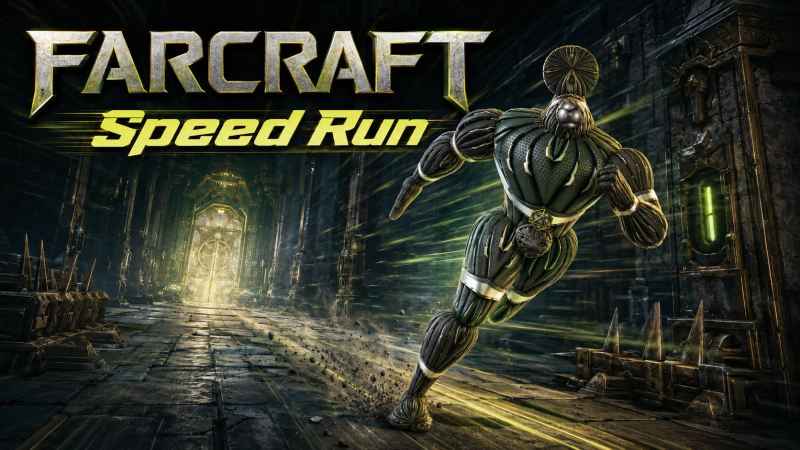
FARCRAFT Demo Speed Run

FARCRAFT · published 24 Jun 2026, 14:22 UTC

All newsPlayers around this dateRead on Steam

Install The Free Demo

Begin with a newly vended Level 1 avatar body and race to clear the graveyard at 2D1S2W in the Newhall dungeon.

This is a self-policed challenge conducted on the honor system.

Preparing Your Run

Start with a new Level 1 avatar body. Before entering Newhall, press M to display your stats and verify that the body is Level 1.

You can obtain a new body in either of these ways:

  • Reset the root sandbox from the Main Menu, which will respawn both Body Bays.

  • Enter Soul Mode and hover near the male or female SoulBay marker to vend a new body.

Once you have your new body, you may take as much time as you need to heal, restore your condition, and prepare.

You may use gear found in the default Farchive or at the default AR4 landing site. You may not use superior gear acquired by other bodies or during previous runs.

Starting the Challenge

The challenge begins when your new body enters the Newhall dungeon for the first time.

Take a starting screenshot showing:

  • Your Level 1 stats displayed with the M key.

  • Your starting Farclock time.

During the Challenge

After entering Newhall, you may explore, fight, grind, level, and prepare however you please.

You may Farstone anywhere you please, but you may not acquire or use gear sourced from outside the Newhall sandbox after the challenge begins.

Finishing the Challenge

The challenge ends when you clear the graveyard at:

2D1S2W
2 cells down, 1 cell south, and 2 cells west

The graveyard is located at the bottom of the large Grand Staircase.

Take a finishing screenshot showing the cleared graveyard and your finishing Farclock time.

Farclock Timing

The Farclock uses 36-second minutes. Your official completion time is the difference between the Farclock time in your starting screenshot and the Farclock time in your finishing screenshot.

Submit both screenshots as evidence of your run. Video evidence is also welcome, but it is not required.

More from FARCRAFT

Other announcements

All news
Esports24 Jun 2026FARCRAFT - Test EventSCHEDULED TEST EVENTGame update24 Jun 2026Patch 2026-JUN-23 THRDetailed Patch Notes: · Added a Menu > Control > Keyboard to select preferred movement A/D or Q/E. · Changed default Key binding: A/D are move left/right. Q/E are turn left/right. · Added FULL-SCREEN Magenta frame color indicator for 3 seconds. · Deleting a Camera will now return 1 Camkit to player Nanventory. · Added new drink Farca-Cola - restores multiple conditions. · Fixed uncast spin for…