Sometimes we get too busy to post everywhere and everything (and sometimes we just forget) so here's the new features in v2.30 and v2.31
Portals Between Sketches
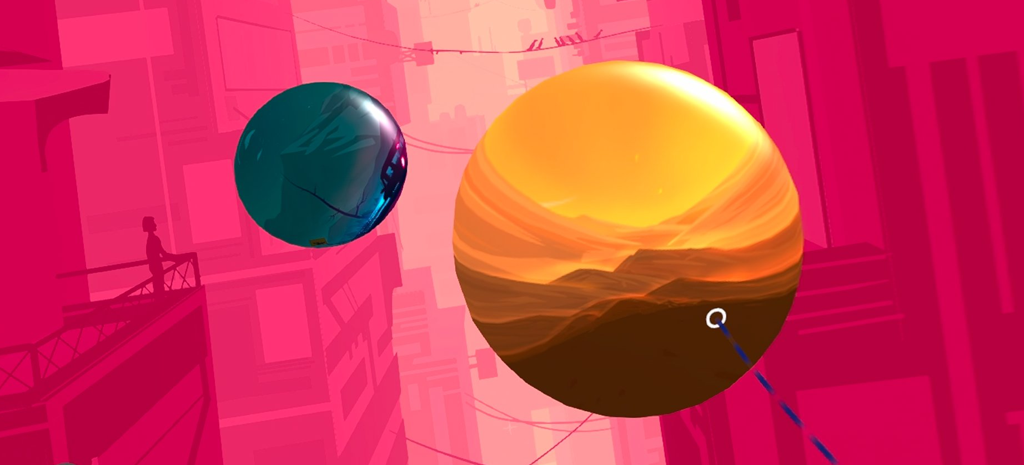
Portals are new shape widgets that let you link one sketch to another.
Add a portal from the Sketchbook, place and resize it in your scene, and use it to connect separate Open Brush creations.
Portals are currently spherical, with more control over their appearance planned for the future.
Create Camera Paths by Drawing or Flying
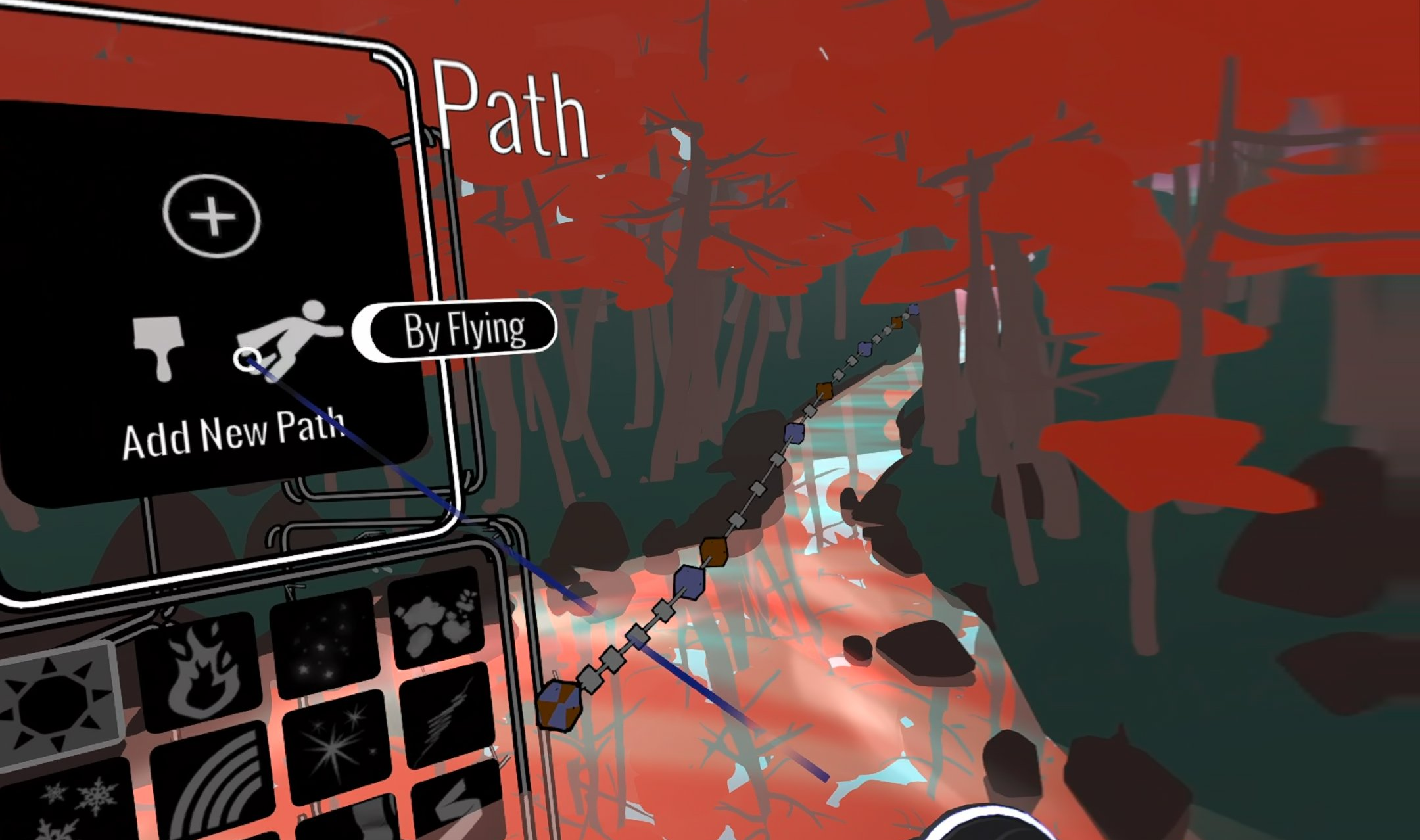
Creating camera paths is now much faster.
You can simply draw the route you want the camera to follow, or record yourself flying through your sketch with the Fly tool.
Either method creates an editable camera path that you can then refine using the existing path tools.
Gaussian Splat Capture
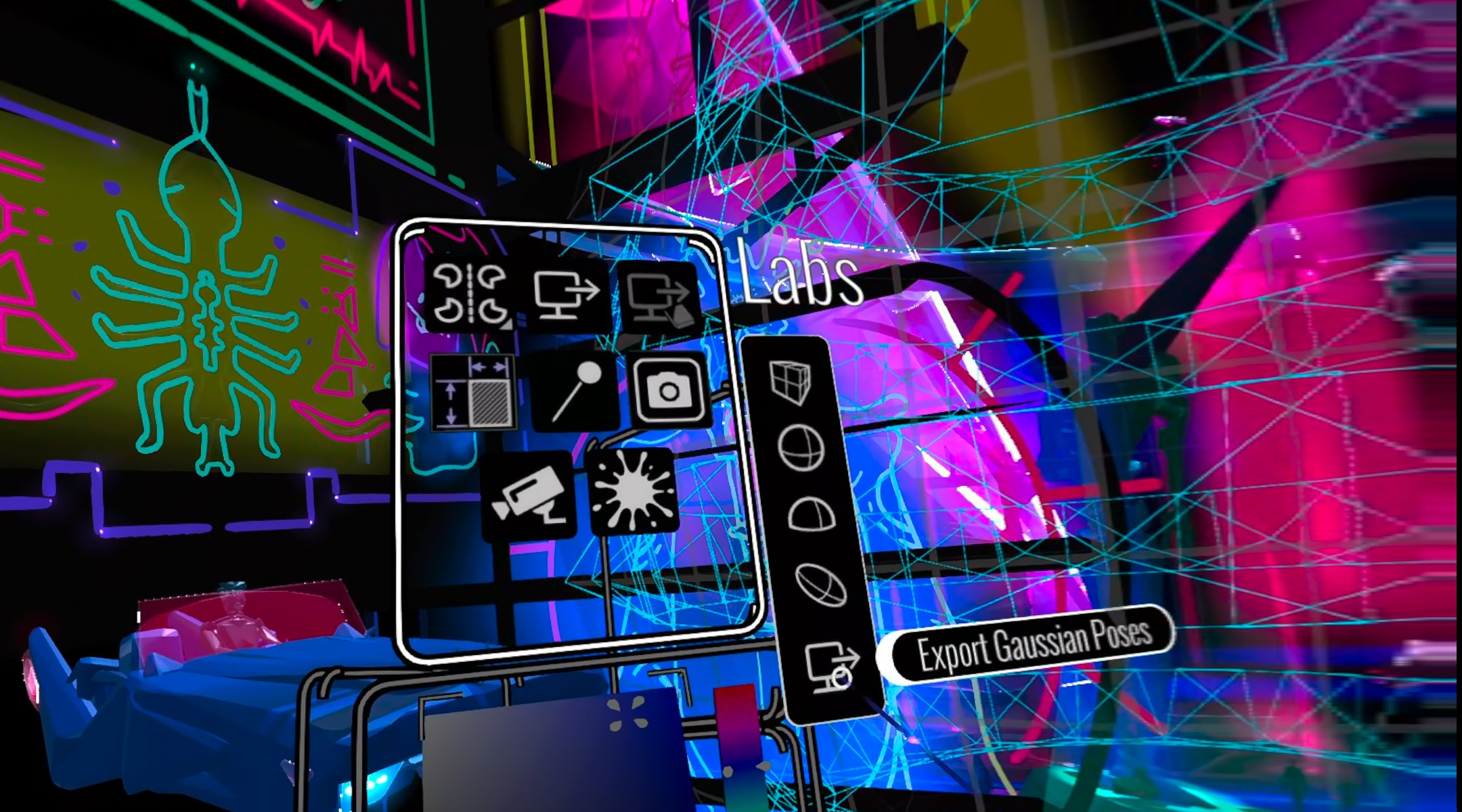
New Gaussian Capture widgets make it easier to generate camera views for Gaussian Splat workflows.
Place a box, sphere, hemisphere or ellipsoid around the part of your scene you want to capture, and Open Brush can generate a consistent set of viewpoints around or within that area.
The output includes colour and depth information for use with tools such as Lichtfeld Studio.
Better Multiplayer
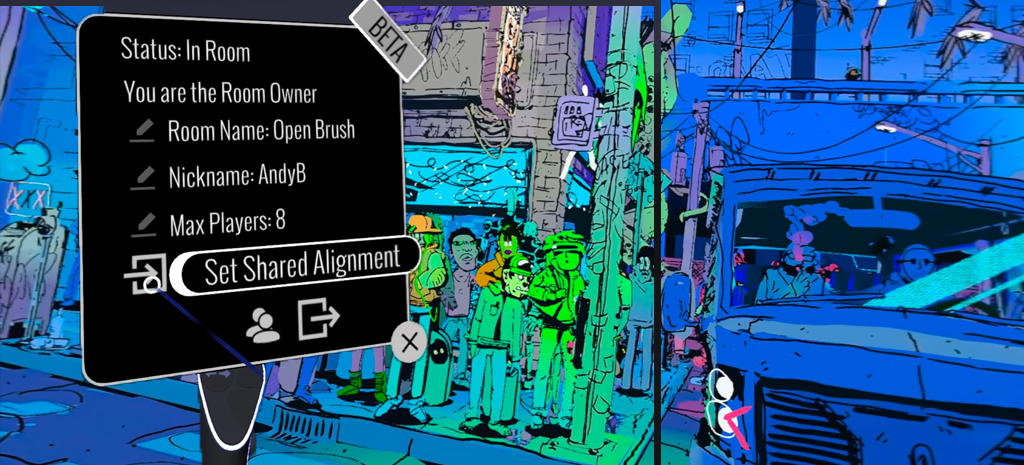
Multiplayer now supports up to 12 people, along with two useful new options.
Passthrough rooms let everyone paint together while still seeing their own real-world surroundings.
For people sharing the same physical space, manual colocation lets you align everyone’s virtual play spaces using a shared real-world reference.
Improved View-only Mode
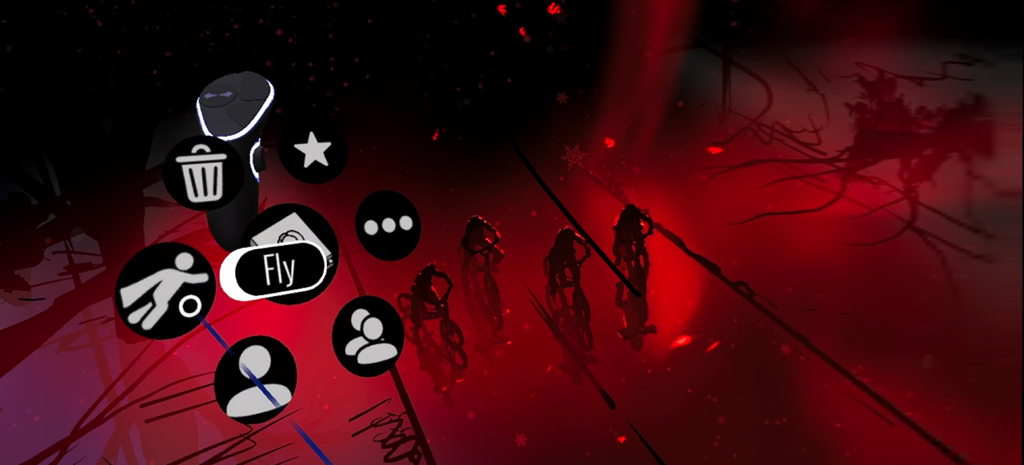
View-only Mode now has a dedicated interface for exploring sketches without the painting and editing tools getting in the way.
It works both in VR and on a regular screen, making it useful for exhibitions, demonstrations, shared headsets and dedicated viewer installations.
The non-VR version also has improved sketch browsing, navigation and touch controls.
Steam users can choose View-only Mode when launching Open Brush.
Better 360° and Depth Capture
The Camera tool can now take 360° snapshots, as well as saving depth information alongside normal images.
Offline panorama rendering can also now produce images up to 8K wide, giving you more flexibility for high-resolution panoramic output.
Read more about the 360° / ODS workflow.
Windows Explorer Sketch Thumbnails
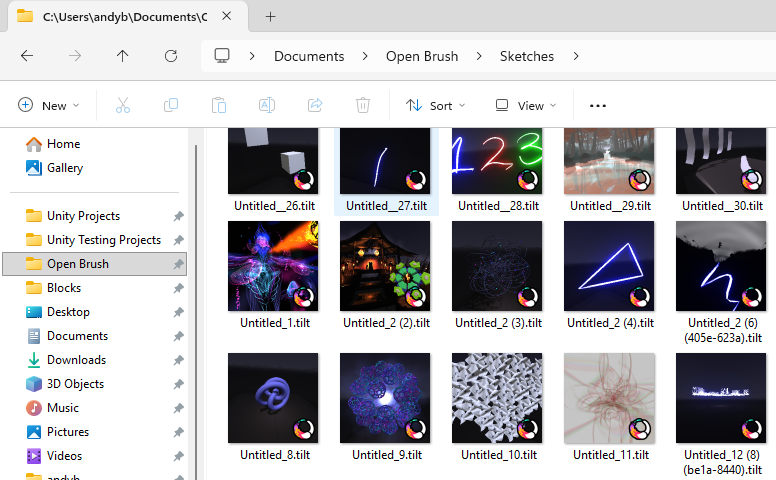
The Windows Steam release now includes the Open Brush thumbnail extension installer.
Once installed, Windows Explorer can show the saved thumbnail for each .tilt sketch, making it much easier to browse your Open Brush files.