Update 1.2.0 — The Soundboard Update
Simple Voice Changer — Soundboard & Mic Effect · published
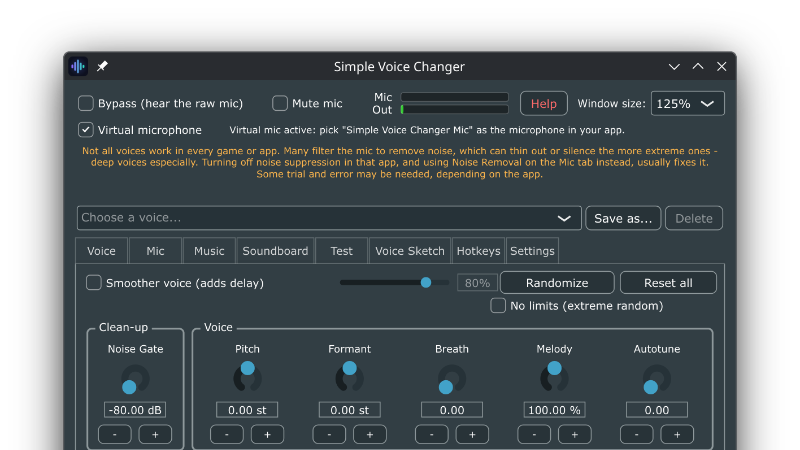
Simple Voice Changer now has a soundboard too.
Version 1.2.0 adds a new Soundboard tab: drop in your clips, give each one a hotkey, and fire them into Discord, game chat, or any app that uses a microphone mid-game, without alt-tabbing. Your voice keeps working over them the whole time. Because the soundboard is built into the voice changer, it shares the same virtual microphone. No second app fighting over an audio cable, no routing tutorials and your clips are never pitch-shifted by accident: sounds are mixed in after the voice effect, so they always play back exactly as they should sound.
What's in the tab
Sound tiles — color-coded, searchable, with a progress fill while a sound plays. Clicking a tile selects it for editing; the Play button or its hotkey makes the noise, so tidying your board never blasts audio into a call.
Global hotkeys — a system-wide key for every sound, plus "stop all sounds" (the panic button) and "play a random sound". They work while a game has focus.
Multiple boards — separate boards for different games or streams, switched from a drop down, remembered between sessions.
Even out volumes — clips are measured in the background and leveled against each other, with a per-sound volume trim on top. No more one quiet meme and one deafening one.
Per-sound behavior — each sound can loop, and each chooses what playing it again does: restart from the top, or stop.
Easy import — add files or drop. WAV, AIFF, FLAC, OGG and MP3 (plus WMAon Windows). Clips up to 90 seconds; longer audio belongs on the Music tab, which streams from disk.
The details that matter in a real call
Background music from the Music tab automatically ducks under a playing clip, exactly as it ducks under your voice.
"Hear sounds myself" plays your clips on your own speakers as well, so you can time them.
Everything still meets the same output ceiling, so a stack of loud clips will not clip or crackle down the line.
The tab starts with a small set of built-in sounds, so your first press also doubles as the quickest possible check that the virtual microphone is reaching your chat app.
One tip for Discord users: its default "Voice Isolation" input profile can treat longer clips as background noise and fade them out. Switching Discord's Input Profile to "Studio" (Settings → Voice & Video) lets clips through at full length. The in-app Help covers this too.
The update is free for everyone who owns Simple Voice Changer, on Windows, Linux and Steam Deck alike.
If you've been enjoying the app, a Steam review is always appreciated. It is the main way other people find small software like this.