A new update has been released, you can view the full changes on our blog post.
https://sbox.game/news/update-26-09-15
Painter
`Painter` is a small utility struct that replaces `HudPainter` and the panel rendering system. It's now used to render the whole panel system and you can use it to render things like UI, HUDs, panels and world panels manually using a common sense API.Shapes are generally SDF rendered so they are totally antialiased and beautiful. We have the ability to draw Arcs, Arrows, Bezier Lines, Capsules, Circles, Credcents, Crosses, Hearts, Lines, Poly Lines, Polygons, Quads, Rects, Rings, Stars, Ticks and Triangles..
We support a bunch of different strokes. Inside, center and outside. Solid, dashed, dotted..
And fill can be a color, an image, a radial gradient, a linear gradient or a conic gradient..
Line rendering supports different miters, including bevel and round, with a miter limit..
This all uses a batching system under the hood, so performance is actually pretty insane. This demo is all rendered in one single draw call.
Here's what the code looks like, in a component..
	void Update()
	{
		using var painter = Camera.BeginHud();		var color = Color.Green;
		painter.Fill = Fill.LinearGradient( Color.Red, Color.White, 45.0f );
		painter.Stroke = Stroke.Solid( color, 3 );
		painter.Circle( new Vector2( 100, 100 ), 50 );
	}
This change also makes `IPanelDraw` now redundant, a you can now just override the `OnDraw( Painter painter )` function.
GPU Text Rendering
Text Rendering has been the oldest component of our engine, it worked well, but it had it's caveats, specially for being generated from the CPU, was blurry on any transform.Since we are going to focus on using our UI system for tools, we ought to make text rendering awesome.Continuing from my work from a few hackweeks back, I have fully implemented GPU Text Rendering based on the Lengyel algorithm to the engine while retaining all the current API, curves are passed to GPU and all drawn on the shader.You don't need to do anything, it just works, supports CJK, emojis, and everything that the previous system supported, and looks unbelievably sharp even from a millimeter away
This ends up being significantly faster than our previous system while always looking awesome.
All still rendered using our UI renderer in one draw call
Host Migration
When the host leaves, their snapshot state now gets restored on the new host, host-only objects included. If your state survives a late join, it should survive host migration.
Running code doesn't carry over though, so anything mid-flight needs resuming on the new host. There are analyzers to help you check that your state and behaviour are migration safe.You can find more detailed information in the docs.
Hover Cards
We added hover cards to the menu. Hover a game and you can quickly glance at the info you need to decide whether to play.
We've also reworked the game modals and toasts elsewhere in the menu. Making game interactions like Reviews, Favorite, Hide Game... more visible and consistent.
Editor Quality Settings
Changing graphics settings in the editor previously meant launching a scene and opening the in game settings menu.
There's now a dropdown in the viewport controls to switch quality presets directly.
Block Party
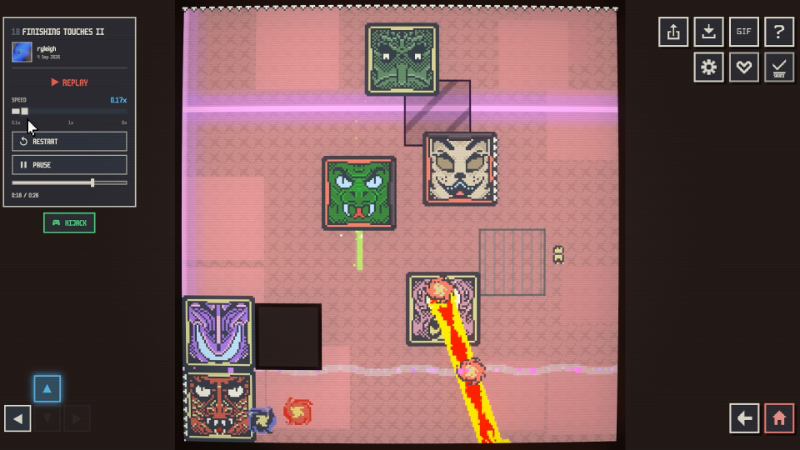
Here's a new game using the 2d sprite system for you to check out:
https://sbox.game/facepunch/blockparty/
It's got leaderboards with replays, a level editor with workshop support, gif exports, and some other fun features.
Map Mesh Flipping
Block Tool - Align To Face
Serialization Performance Improvements
GameObject cloning is now ~2.6x faster with about 38% fewer allocations in synthetic tests. Anything spawning prefabs at runtime benefits.
In our actual tests it's less significant because the main bottleneck here for cloning is spawning models collisions etc.. the actual serialization overhead of the cloning was already quite low.Network snapshots are also cheaper on the host. Scene state is still captured on the main thread, but JSON, blob and packet encoding now runs on workers, so players joining or loading in cost the host a lot less.
Mac and Linux Improvements
A bunch of Mac and Linux improvements:
- Mac fixes cover game-view input, editor DPI scaling, Finder folder opening and scene staging.
- Geometry shader support fixes Highlight component crashes on Mac; procedural render callbacks also have a lifetime fix.
- Code editor detection and the publish/export controls work on Mac and Linux.
- Linux native builds use Steam Linux Runtime 4.0
- Colour emoji fallback uses Twemoji on Mac and Linux.
Open Source Workflow
I've improved the open source workflow a bit more, adding a simpler Setup.bat and now Setup.sh for Linux & Mac.
The Setup.bat now has progress reporting, mainly for the download steps as you had no idea how much or how long you were downloading for before previously.On top of that the setup now installs Git hooks - each time you pull or switch branch the download step is run automatically, meaning you don't have to run Setup.bat every time.
Storage Settings
Redesigned the storage settings page.
CSS: overscroll-behavior
I've implemented the CSS property overscroll-behavior which lets you both disable the edge bounce of scrolling and also prevent scrolling cascading to the parent panel.
Changelog
🎁 Added
UI & CSS
- Painter - added a shared drawing API for panels, HUDs, world panels, textures and command lists, with antialiased shapes, paths, fills, strokes and clipping facepunch/sbox PR #5785 by @garrynewman, @handsomematt
- Panel drawing - added OnDraw(Painter painter) for custom panel rendering facepunch/sbox PR #5785 by @garrynewman, @handsomematt
- Overscroll behaviour - added overscroll-behavior and per-axis controls to disable scroll edge bounce facepunch/sbox@8296281 by @handsomematt
Editor
- Mesh flipping - added controls to flip selected meshes facepunch/sbox PR #5786 by @bakscratch
- Surface-aligned blocks - hold Shift while dragging to create a block along the hit surface normal facepunch/sbox PR #5781 by @bakscratch
- Graphics presets - switch rendering quality directly from the viewport toolbar facepunch/sbox@080e430 by @lolleko
- Multiplayer testing - added editor and MCP tools to host sessions, spawn local instances and migrate the host facepunch/sbox@5acd730 by @lolleko
Networking
- Host migration analyzers - added diagnostics for unsynchronised state and pending host logic, enabled according to the project networking setting facepunch/sbox@b9ef291 by @lolleko
Menu
- Hover cards - hover a game to see an interactive preview with play, rating, favourite, review and hide actions facepunch/sbox@87e7929 facepunch/sbox@11e4a11 by @lolleko
- Game context menu - added like, dislike, favourite and hide actions to the right-click menu facepunch/sbox@6a4bd24 by @lolleko
- Jam nominations - nominate eligible games from hover cards, the game modal and the end-of-game toast, with minimum play-time checks facepunch/sbox@bab2a63 facepunch/sbox@57aa0db by @lolleko
Rendering
- Shader feature values - read a feature by name as an integer in shader code without extra declarations facepunch/sbox PR #5776 by @wheatleymf
Platform
- Mac geometry shaders - added geometry shader support to KosmicKrisp facepunch/sbox PR #5798 by @sampavlovic
🧼 Improved
UI & CSS
- GPU text rendering - UI, HUD, TextRenderer and particle text now render directly from glyph outlines on the GPU, staying sharp when transformed or viewed up close facepunch/sbox PR #5685 by @sampavlovic, @garrynewman
- Panel rendering - panels now use the shared Painter backend with batching and cached paint data facepunch/sbox PR #5785 by @garrynewman, @handsomematt
- HUD drawing - deprecated HudPainter in favour of Painter.Begin, CameraComponent.BeginHud and BeginOverlay facepunch/sbox PR #5785 by @garrynewman, @handsomematt
Performance
- GameObject cloning - reduced cloning time and allocations; the commit benchmark reports approximately 2.6x faster cloning and 38% fewer allocations facepunch/sbox@d527633 by @lolleko
- Snapshot encoding - moved JSON, blob and packet encoding for join, scene-load and migration snapshots onto workers while preserving per-connection send order facepunch/sbox@b21367e by @lolleko
Networking
- Host migration - graceful host departures now hand off a snapshot to the next host, including host-only objects, snapshot state and replicated ConVars facepunch/sbox@ac95437 by @lolleko
Navigation
- Crowd steering - improved wall avoidance and cornering, limiting wall checks to the next path corner and neighbour avoidance to agents on a collision course facepunch/sbox@6a9bd11 facepunch/sbox@aeabfc9 facepunch/sbox@94a8167 by @lolleko
Editor
- Connect Vertices - validate selections before editing and explain why vertices cannot be connected facepunch/sbox PR #5720 by @aylaylay
- Movie Maker export - capture frames through scene update hooks in the main loop; AV1 is now the default video codec facepunch/sbox PR #5784 by @metapyziks
Menu
- Game modals - moved rating, favourite, review and hide controls beside Play, and added a write-review prompt facepunch/sbox@57aa0db by @lolleko
- Jam browsing - jam shelves link to the Jam tab, nomination controls use gold styling, and entry cards show Play until eligible facepunch/sbox@088bfc2 facepunch/sbox@612c2ec by @lolleko
- Storage settings - redesigned downloaded-content usage and type breakdowns, with scan progress, clearer cleanup recommendations and removal confirmation facepunch/sbox PR #5806 by @xezno
Platform
- Linux runtime - native Linux x64 builds now use Steam Runtime 4, with updated libcurl dependencies and bundled ICU facepunch/sbox@0df6dcd facepunch/sbox@062c296 facepunch/sbox PR #5808 by @handsomematt
- Source setup - simplified bootstrap, added timed build and download progress, and introduced public Setup.bat / Setup.sh with platform-specific artifact downloads and Git update hooks facepunch/sbox PR #5808 by @handsomematt
- Graphics diagnostics - include the graphics environment alongside hardware information in system reports facepunch/sbox@4c60c25 by @lolleko
🪛 Fixed
UI & CSS
- Razor outros - keep child content alive while the parent plays its outro animation facepunch/sbox-public #11175 facepunch/sbox@45fd884 by @handsomematt
- Scroll bounce - enforce a hard boundary on edge overscroll facepunch/sbox@8296281 by @handsomematt
- Dragging - clear stale drag state when a mouse press lands outside any panel facepunch/sbox@bd40b95 by @ryleigh
- Bitmap text - preserve HDR colours, ignore the bitmap pen and align text using layout bounds facepunch/sbox PR #5685 by @sampavlovic, @garrynewman
- Colour emoji - fixed emoji alpha and added Twemoji glyph fallback on Mac and Linux facepunch/sbox PR #5685 facepunch/sbox PR #5801 by @sampavlovic
Editor
- Asset Browser layouts - restore every saved Asset Browser, reuse disabled browsers and remove stale closed-browser menu entries after restarting facepunch/sbox PR #5557 by @carsonkompon
- Publish hotload - recover from hotload by returning to compilation so the wizard uploads fresh assemblies facepunch/sbox PR #5775 by @devultj
- Doo editing - mark scene changes dirty and integrate Doo edits with undo handling facepunch/sbox-public #11772 facepunch/sbox PR #5721 by @handsomematt
- Mesh mirroring - preserve grouped mesh transforms and scale facepunch/sbox PR #5763 by @handsomematt
- Pivot picker - set the pivot without changing the selected mesh facepunch/sbox PR #5782 by @bakscratch
- Mapping materials - use the latest Asset Browser material selection in mapping tools, including Hammer facepunch/sbox-public #11399 facepunch/sbox@d2ed97c by @handsomematt
- FBX import - preserve bone streams when scale helpers are generated facepunch/sbox PR #5787 by @aylaylay
Navigation
- Agent transforms - runtime object and parent transforms no longer reset the simulated agent or its path; use SetAgentPosition to reposition it explicitly facepunch/sbox-public #11811 facepunch/sbox@364a039 by @lolleko
- Custom link traversal - preserve the agent landing position when completing a custom link facepunch/sbox@e472ae8 by @lolleko
- Navmesh rebaking - discard loaded tiles that the latest bake leaves empty facepunch/sbox@5e0fe16 by @lolleko
Physics
- Character Controller - respect StepHeight when grounded movement hits an obstacle facepunch/sbox PR #5783 by @aylaylay
- Collider cleanup - avoid a null-reference exception when destroying a keyframe without a scene facepunch/sbox@601b0ef by @aylaylay
Rendering
- Refractive materials - fixed a VRAM leak from unused framebuffer-copy textures facepunch/sbox PR #5791 by @sampavlovic
- Clutter LOD - match coverage between perspective and orthographic views facepunch/sbox-public #11313 facepunch/sbox PR #5729 by @handsomematt
- Resource reloads - preserve procedural resources when mounted files reload facepunch/sbox PR #5797 by @ryleigh
Networking
- Connection serialization - correctly resolve connection types that differ between peers facepunch/sbox@d9ae0de by @lolleko
- Targeted messages - prevent recursive nested messages from overflowing the server stack facepunch/sbox@c7fc6de by @lolleko
- BytePack - track nesting depth explicitly and limit nested data to 32 levels facepunch/sbox@db678e4 by @lolleko
- HTTP requests - prevent hostnames resolving to 0.0.0.0 from bypassing loopback restrictions facepunch/sbox@c354923 by @lolleko
Menu
- Game actions - favourite, vote and nomination buttons update immediately and reconcile with the server response facepunch/sbox@af667b3 by @lolleko
Platform
- Mac rendering - fixed procedural-render callback lifetime crashes and Highlight component crashes facepunch/sbox PR #5798 by @sampavlovic
- Mac editor - fixed game-view input, DPI scaling, Finder folder opening and scene staging facepunch/sbox PR #5798 by @sampavlovic
- Mac and Linux tools - fixed code editor detection and availability of publish/export controls facepunch/sbox PR #5798 by @sampavlovic
Characters
- Female skin - corrected outdated roughness, normal and ambient-occlusion texture details facepunch/sbox@f316f9b by @danduwfp