Horror is a sensory experience. The atmospheric sound, the detailed graphics, the trembling of the controller in your hand, they work together to activate your nervous system to simulate real fear. However, there are many ways to experience fear, and some people may need a bit of assistance to get there. Here's how Little Nightmares III helps everyone get in touch with their fears and navigate The Nowhere in search of the heart of The Spiral.
Visual Accessibility: Enhancing Clarity and Focus
Little Nightmares III has a suite of visual aids that help players better perceive characters, objects, and environments as they travel through dim and shadowy environments like The Factory.
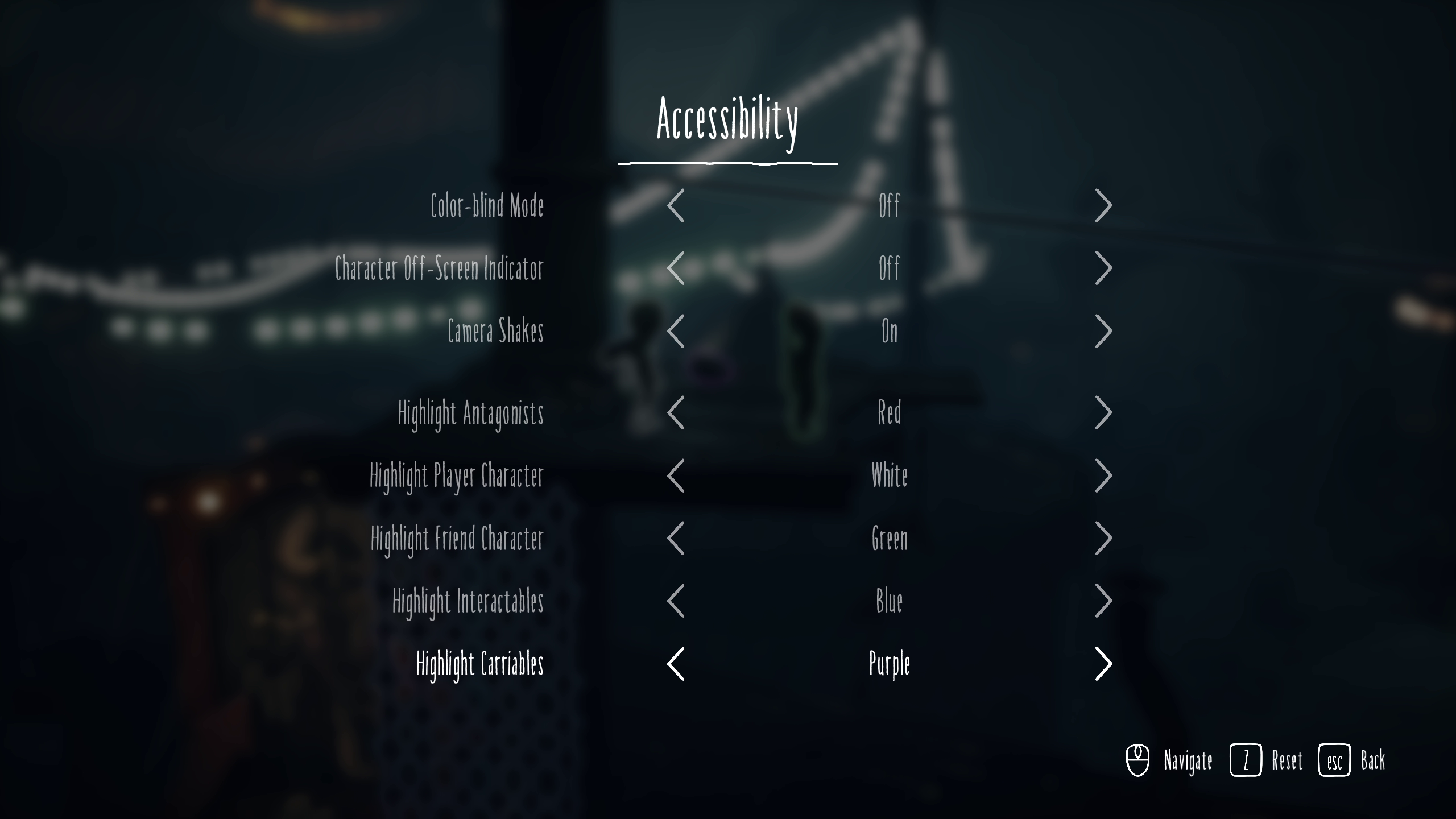
Color Blind Modes
Little Nightmares III offers options for multiple types of color blindness (Deuteranopia, Protanopia, and Tritanopia) that allow players with color vision deficiencies to navigate the world more comfortably by applying specialized filters. These adjustments significantly improve environmental clarity in darker or more color-dependent scenes.
Highlighting Characters and Objects
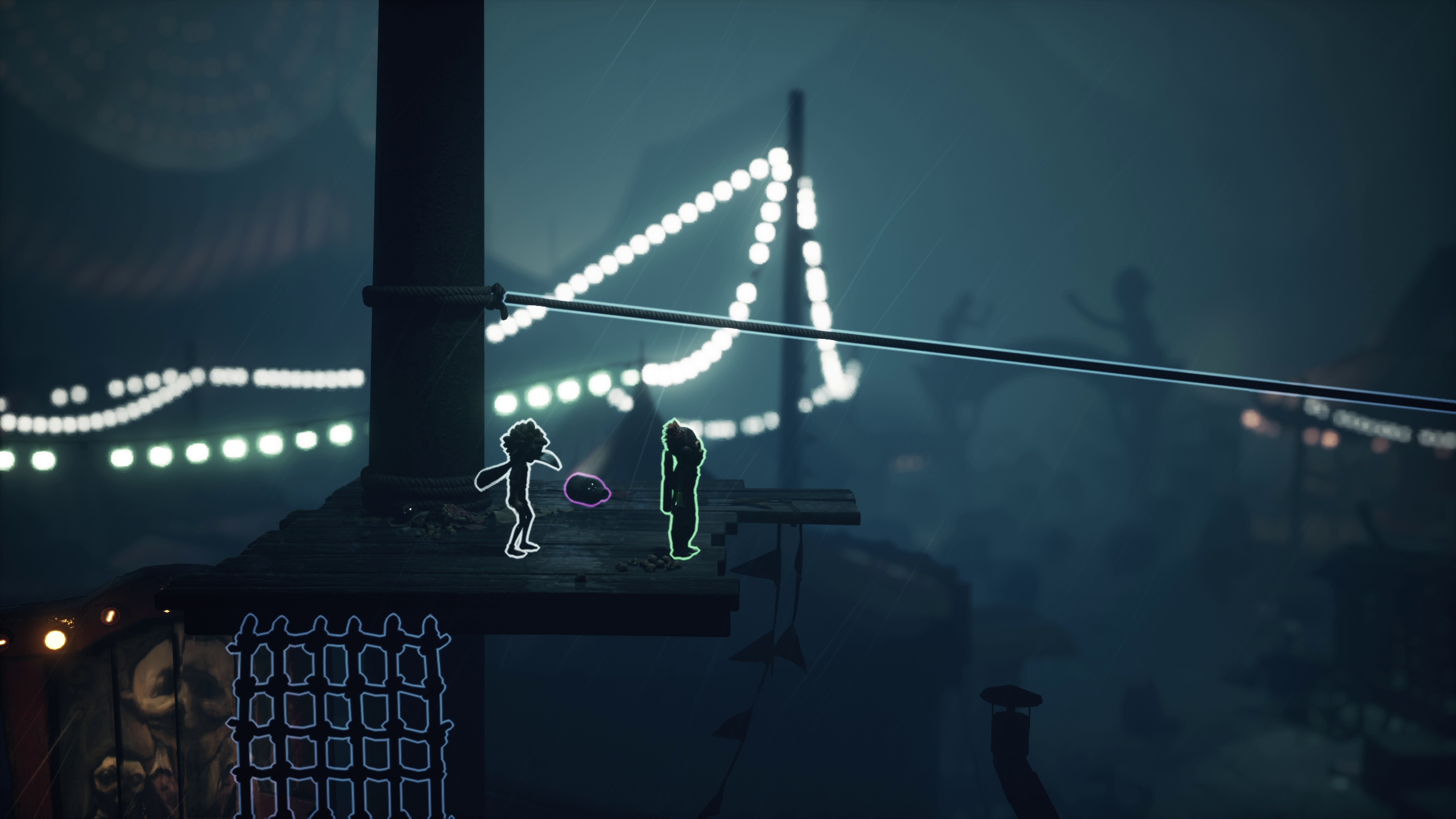
Players who struggle to take in low contrast environments can choose to outline certain gameplay elements in a range of colors. Enemies, objectives, interactive objects and more can be picked out to make sure that players are constantly aware of the horrors they must avoid to survive.
HUD & Text Accessibility: Making Information Easier to Read
No one should be afraid to open the menu of a video game. Little Nightmares III has robust options to keep the tension in the game where it belongs.
Dyslexic-Friendly Font
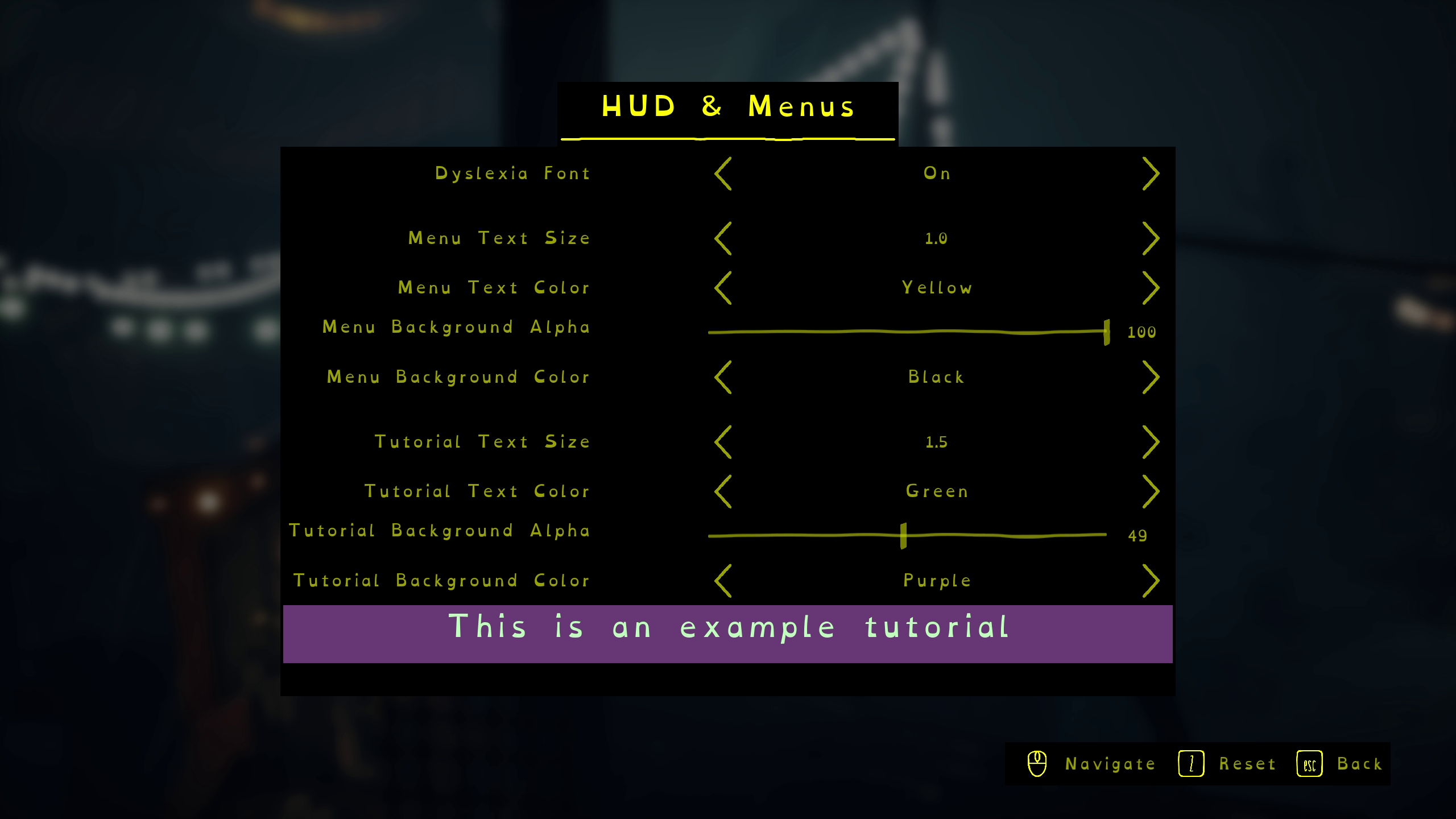
OpenDyslexic font is a popular, widely used typeface that improves readability for players with dyslexia. This open-source solution supports up to 45 phonetic alphabet languages, many of which are also offered as language options in Little Nightmares III. Turning on this option should help support players who struggle to read UI text.
Adjustable Text Size & Color
Little Nightmares III allows users to adjust the size and color of texts in menus and tutorials, helping players who need larger text or greater contrast in their gaming experience.
Customizable Background Panels
If a player needs to limit visual details due to low vision or light sensitivity, they can change the color and amount of transparency in the background panels behind all game menus and text tutorials.
Audio Accessibility: Tailoring Sound to Player Needs
Sound and music have been a core element of the Little Nightmares games since the first installment, and Little Nightmares III takes care to give players settings that make those audio cues more informative.
Audio Mix Control
Little Nightmares III has multiple presets that optimize the game's audio mix for headphones, speakers, surround sound, or even Nighttime Mode, which blunts loud audio spikes – a setting certain to improve relationships with the neighbors.
Independent Volume Sliders
If the audio presets don't quite meet someone's needs, there are also dedicated controls for not only music and sound effects, but specifically for antagonist audio cues and friendly NPC audio cues. This allows players to prioritize the sounds they find most helpful or immersive. For example, players with hearing sensitivities may reduce sharp SFX, while others may boost antagonist audio cues to improve situational awareness.
Control & Motor Accessibility: Making Movement More Manageable
Avoiding danger in The Spiral often means taking quick action, so it's important for those inputs to be as clear and reflexive as possible. Here's how Little Nightmares III supports alternate control styles.
Full Input Remapping
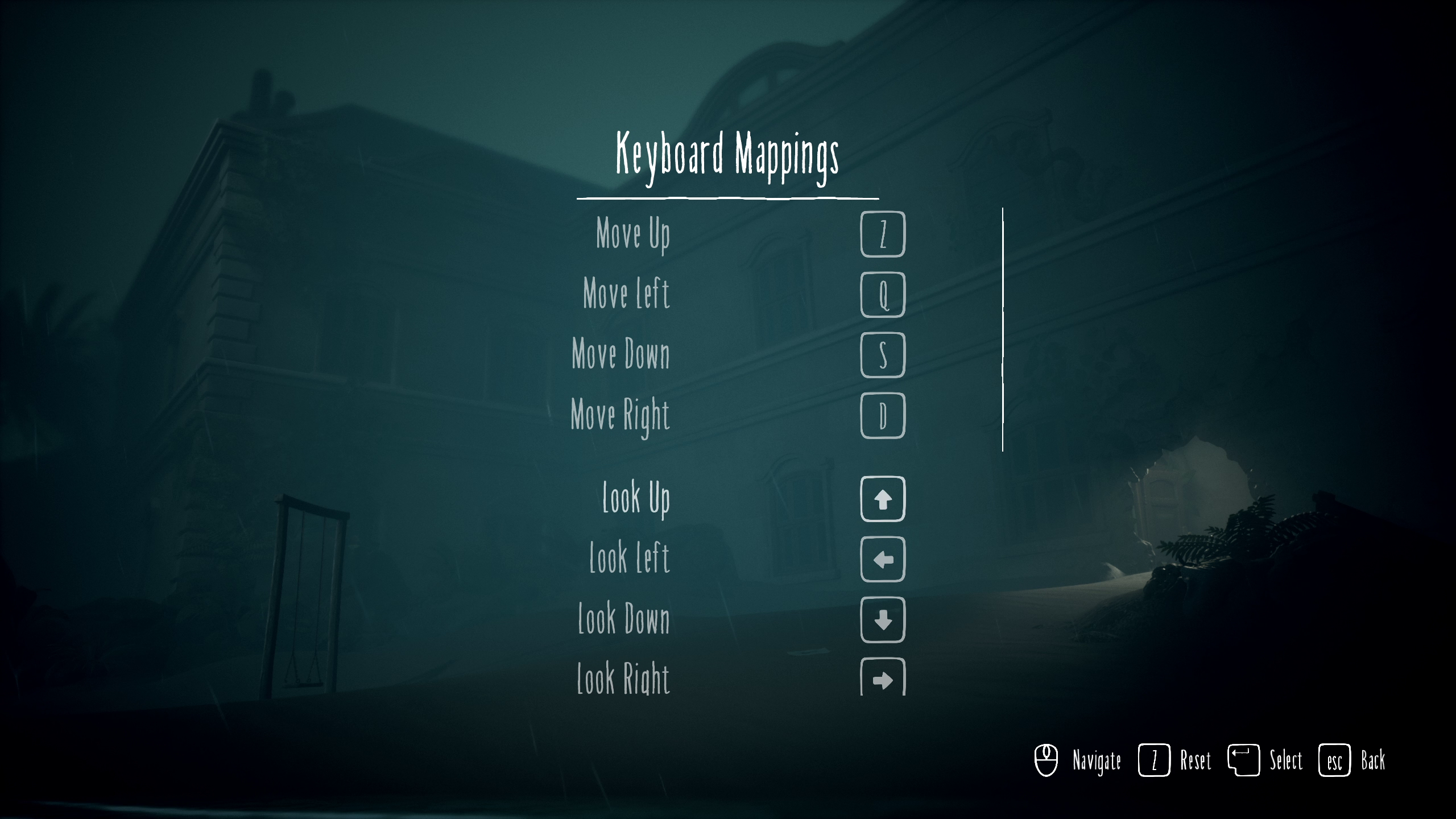
All controller and keyboard actions can be reassigned. Sticks and D-pad inputs are also interchangeable in many cases, allowing players to configure movement in whichever way feels most natural.
Toggle Options for Hold Actions
Actions typically requiring a sustained hold—like running, grabbing, or crouching—can be switched to toggles. This reduces physical strain and makes extended play sessions more comfortable.
Adjustable Sensitivity & Axis Inversion
The look stick sensitivity can be modified significantly, from 50% to 200%. Both camera and movement axes can be inverted, accommodating a wide range of player preferences and needs.
Sensory & Cognitive Accessibility: Reducing Overwhelm
When danger is near, the wrong kind of input can cause humans to freeze rather than flee or fight. Little Nightmares III makes sure that players have the correct reaction to their terror by giving them control over two critical options: camera shake and controller vibration.
The camera shake setting aids players who are prone to motion sickness and controller vibration setting lets players disable haptic feedback in order to avoid unintended discomfort.
"Accessible" Charming Horror
Fear is for everyone, and with these granular controls, Little Nightmares III is trying to expand access to its own particular brand of cathartic horror experience. Each player experiences horror differently, but with these options, we hope that more players can face their childhood fears together.
Little Nightmares III is available now
https://store.steampowered.com/app/1392860/Little_Nightmares_III/