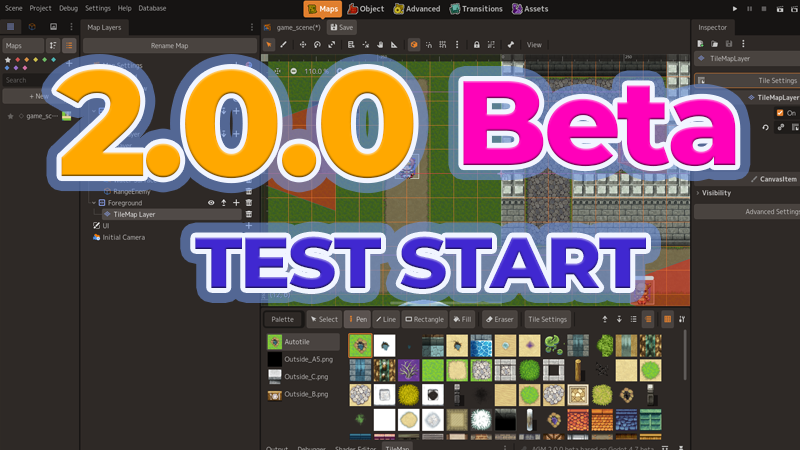
ACTION GAME MAKER 2.0.0 Beta Patch Notes
The beta version of ACTION GAME MAKER 2.0 is now available!
Try out the new features planned for version 2.0 ahead of the official release.
How to Join the Beta
- Right-click "ACTION GAME MAKER" in your Steam Library and select "Properties" from the menu.
- Open the "Betas" tab.
- Select "beta" from the "Beta Participation" dropdown.
- The beta version will begin downloading automatically.
⚠ Important: This is the largest update in ACTION GAME MAKER's history
We have done everything we can to minimize the impact on existing projects, but given the scale and scope of this update, problems are not unlikely.
Please be sure to back up your projects before using this version.
In addition, the following changes will affect existing projects.
⚠ Changes That Affect Existing Projects ⚠
Platform velocity can now be added when jumping off a moving platform
This uses a standard Godot feature and is enabled by default, so the behavior clearly differs from versions prior to 2.0.
To restore the previous behavior, change the GameObject node property "CharacterBody2D > Moving Platform > On Leave" from Add Velocity to Do Nothing.
Changes to "Adjusted Jump" behavior
- Adjusted Jump can now be used by enabling it on a state, even when Adjusted Jump or the jump key is not configured in "MoveAndJumpSetting". When no Adjusted Jump key is set, the key from the preceding input transition is automatically used as the Adjusted Jump key.
- Fixed a bug where Adjusted Jump was canceled when the state changed during the jump.
As a result of these two changes, Adjusted Jump will now work correctly in states where it was enabled but never functioned because no Adjusted Jump key was set, and in states where it was enabled but ended early because the state switched immediately. This means behavior may differ from before.
We apologize for the inconvenience of these manual adjustments, and thank you for your understanding.
What's New
Completely Redesigned UI
You can now choose "Maker Mode", a completely redesigned new UI.
The original UI remains available as "Godot Mode". All new features from Maker Mode can also be used in Godot Mode.
Usability Features
New tutorial introducing the editor layout
Available from the launcher's tutorial section, this hands-on tutorial is integrated directly into the editor.
New dedicated animation features
- Added a Sprite Animation feature that makes importing sprite animations easy.
- Added a Hitbox Animation feature that lets you set hit detection per frame of a sprite animation.
- Added a feature that automatically builds animation sets from sprite sheets created for ACTION GAME MAKER / RPG Maker templates.
New docks that list game scenes and objects
Relevant files in your project are listed automatically. You can also add labels and register favorites.
New system for importing official assets, official DLC, and official systems
As of 2.0.0, the available official system is a menu system for saving, pausing, and loading.
Reference search for variables and switches
You can now search for where a variable or switch is used, from the Variable/Switch settings window or from the Database. A rename feature based on the search results has also been added.
New collision compatibility checker
Visually check what happens when Object A and Object B come into contact, whether A's attacks hit B, and more.
New Environment Template feature for setting up a scene's atmosphere
Apply environments such as sunset, snowfield, or mystical forest with a single button. Tile and object color tones, shaders, and more are adjusted automatically.
New ACTION GAME MAKER Debugger for debugging while you play
Watch values during a test play and rewrite them on the spot.
New AI-friendly features
Added the ability to export/import Visual Scripts in a text format that AI can read, as well as a feature that outputs a catalog for AI use.
And many more improvements
Previews added to Portals, previews added to effect and particle display, Inspector cleanup, and more.
New Features for Your Games
Dedicated loading system
Beyond straightforward load-speed improvements, you can now set up loading scenes and use object pooling to create objects in advance.
Top-down view support
- New node: Top-View Water
- Expanded: The "Template Movement" action can now use pathfinding designed for top-down view.
- Expanded: Import of RPG Maker format auto-tiles
- Expanded: Import of RPG Maker format character chips
- Expanded: Project type can now be set to "Side View" or "Top View". Your choice determines which templates and some settings are available.
Mouse / touch / analog stick support
- New action: Assign Mouse Information to Variable
- New action: Assign Stick Input to Variable
- New condition: Mouse Input
- Expanded: Stick movement added to Movement and Jump settings
- Expanded: Bullet data can now fire toward the mouse or stick direction
New velocity and momentum controls
- New action: Set Object Velocity
Choose a target and a velocity to give it momentum — knock it back, launch it, or make it jump. - New custom node: Forced Movement Area
Create conveyor belts, strong-wind areas that push you back, water currents, tractor beams that pull at a fixed speed, and more.
Pick up and throw placed objects
- New action: Pick Up Object
- New action: Put Down / Throw Carried Object
New action for easy knockback
- New action: Knockback Self
New action for changing an object's angle
- New action: Change Object Angle
New ladder-related actions
- New action: Grab Ladder
- New condition: Overlapping Ladder Tile
- Expanded: Tiles can now be given a ladder attribute.
Auto Save and Quick Restart
- New action: Quick Restart
Return to an auto-save point, or to the last platform you touched. Because no scene load is involved, it is fast and the BGM does not cut out. - Expanded: "Save Game Data" can now specify an auto-save slot.
Shared Board
- New action: Set Value to Shared Board
- New action: Search Objects and Record to Shared Board
- New condition: Check Shared Board Value
- Expanded: Objects on the Shared Board can now be used as targets for some actions and for "Fire Bullet".
Compared to the existing lock actions, this records objects far more flexibly, letting you change their properties or store data such as strings that variables cannot hold.
Lightweight objects for placing and spawning in large numbers
- New action: Create Score Drop
- New custom node: Gimmick Object
Gimmick Objects cover things like breakable walls and coins — equivalent to the Gimmick Tiles of our previous product.
Score Drops are the item version of bullet hell: scatter large numbers of experience orbs and the like.
New node for building moving platforms
- New custom node: Course Platform
Moves along a course, with activation conditions specified through simple conditional branching.
Ongoing Effects, making "poison", "regen", and "buffs/debuffs" easy to build
- New action: Start Ongoing Effect
- New action: Change Ongoing Effect
- New action: Clear Ongoing Effect
- New condition: Ongoing Effect Active
You can create effects such as "take 1/8 of max HP in damage once per second for 5 seconds, stacking up to 3 times".
Overhauled text features
You can now display variables inside text and use database images as emoji.
- New custom node: ValueLabel
- New custom node: ValueRichLabel
- Expanded: "Display Text" now supports in-line variable display and BBCode.
Expanded damage system
- New action: Apply Damage
- Expanded: Damage display settings can now set colors for healing and more.
For full details on the new features, please see the manual on RPG MAKER GUILD.
https://guild.rpgmakerofficial.com/t/topic/2979