Age of Clicks 0.80
The big ones: armies and cities are now visible on the map, divisions take manual orders, cities get sieges and encirclement, and the game gains a texture editor and mod containers for the Workshop. The economy, diplomacy and statistics windows were redone along the way. The game is still in Early Access and the balance is still being tuned.
In short
- Armies on the map: era units, stacks, tracks, gunfire and explosions at the front
- Manual orders: select divisions, tap the map: march, to the border or attack
- Operation map: attack arrows with stages through cities, an offensive plan and strength plates on the front
- Sieges: garrisons, an encirclement perimeter, pockets and surrendering cities
- Cities: buildings by level and era, a "Your cities" list, logistics between cities
- Texture editor and packs: your own units and cities, packs for nations, cultures and periods
- Mod containers: several scenarios, textures and events in one Workshop item
- Economy: a clear budget, new upgrades and production windows, open-ended trade deals
- Diplomacy: campaigns of relations and influence, an agreements desk with a signature and a seal
- Map and sound: a new look for forests, mountains and water, world sounds, a smooth change after peace
- Interface: a main menu with a logo, side tabs on your own country, a game report
WAR
Armies on the map
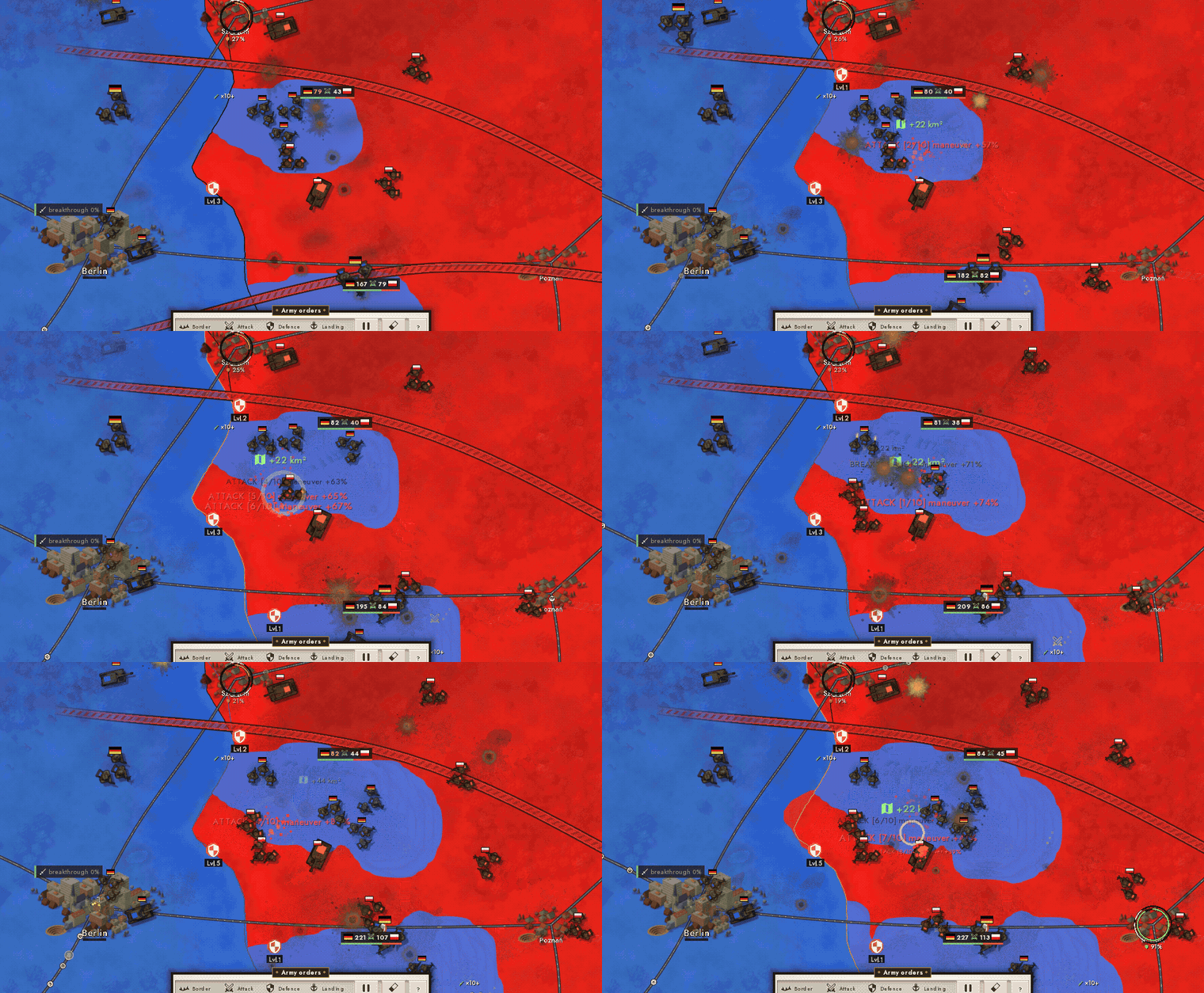
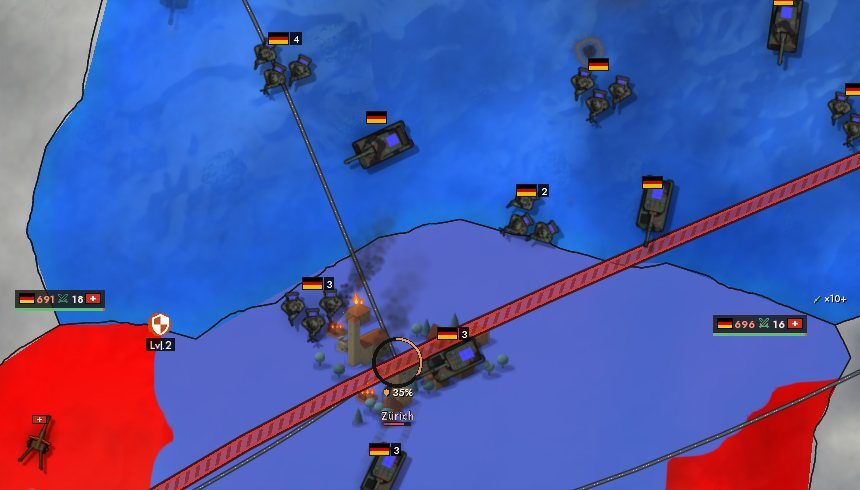
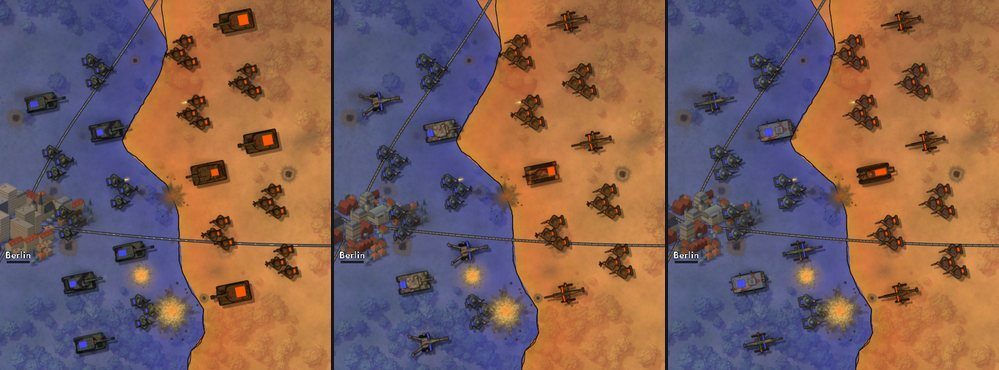
Settings gained an "Armies on the map" choice: flags, units, or both together. Units are infantry, cavalry, tanks and guns drawn from above. Their look follows the era: from crested helmets and catapults to modern helmets, tanks and howitzers. Every unit carries a mark in its country's colour. Several divisions in one place gather into a single stack with a number.
Units hold their point on the front line and no longer sway after every click. A shadow lies under them, tanks and wheels leave tracks, and a fight at the front brings muzzle flashes, craters, fire and smoke. Sound follows: unit gunfire is heard when the camera is close to the front.
Manual orders for divisions
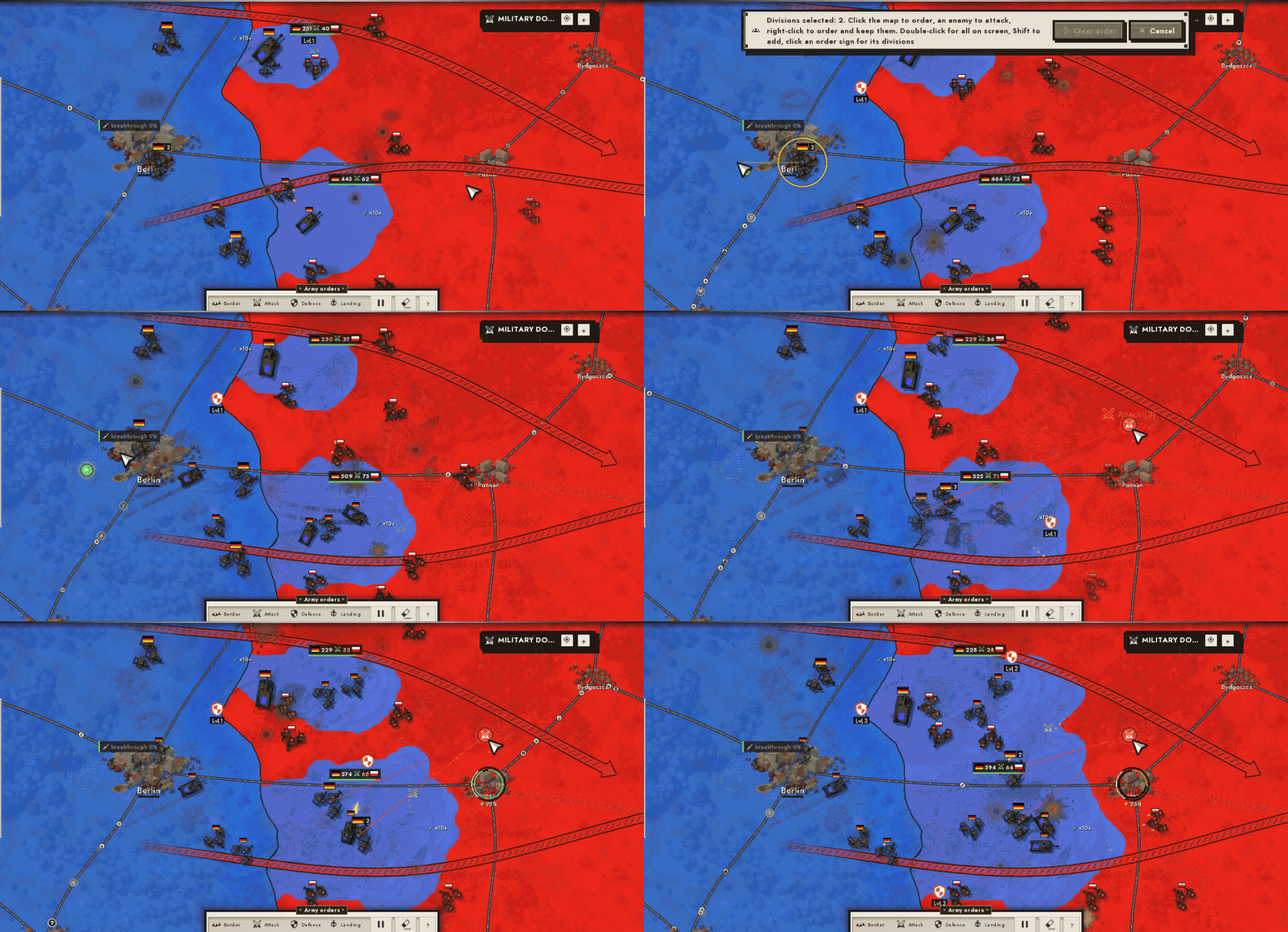
Tap a unit or its flag and the division is selected. The next tap is an order: on your own land it is a march, on a neighbour in peacetime a move to the border, on an enemy an attack in waves from the selected divisions. On PC you can select several divisions: Shift+click, a box, and the right button for an order without dropping the selection. An order finishes by itself: the divisions go back to auto control and tell you so. An ordinary click on the map works as before. The "Combat system" choice is gone from settings: there is one now.
The operation map and the offensive plan
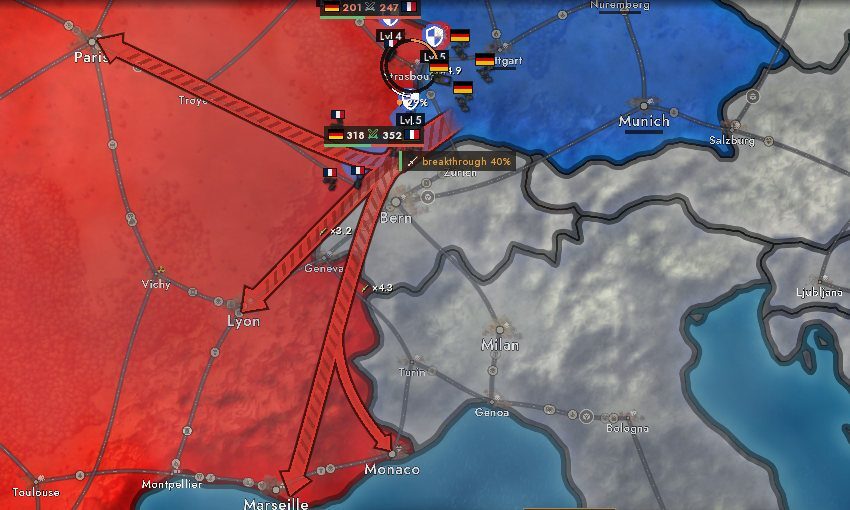
Attack arrows are drawn as an operation map: stages run through cities, every stage has its own head, branches go to big cities in the corridor, and close arrows merge into a shared trunk with a fork. Behind each arrow stands an offensive plan that runs by itself. While preparation goes on, readiness grows; when the war starts it turns into a breakthrough charge that is spent as land is taken. An arrow without a charge strikes less often, and on a frozen front the plan rebuilds itself. The "Pause the offensive" button stops all arrows at once, and "Withdraw orders" removes the orders you tap.
The front line carries strength plates: both sides on one plate right on the sector, and swords show who is taking land now. Sectors split and merge with the zoom, and above an encircled city a pocket plate appears.
Sieges and encirclement
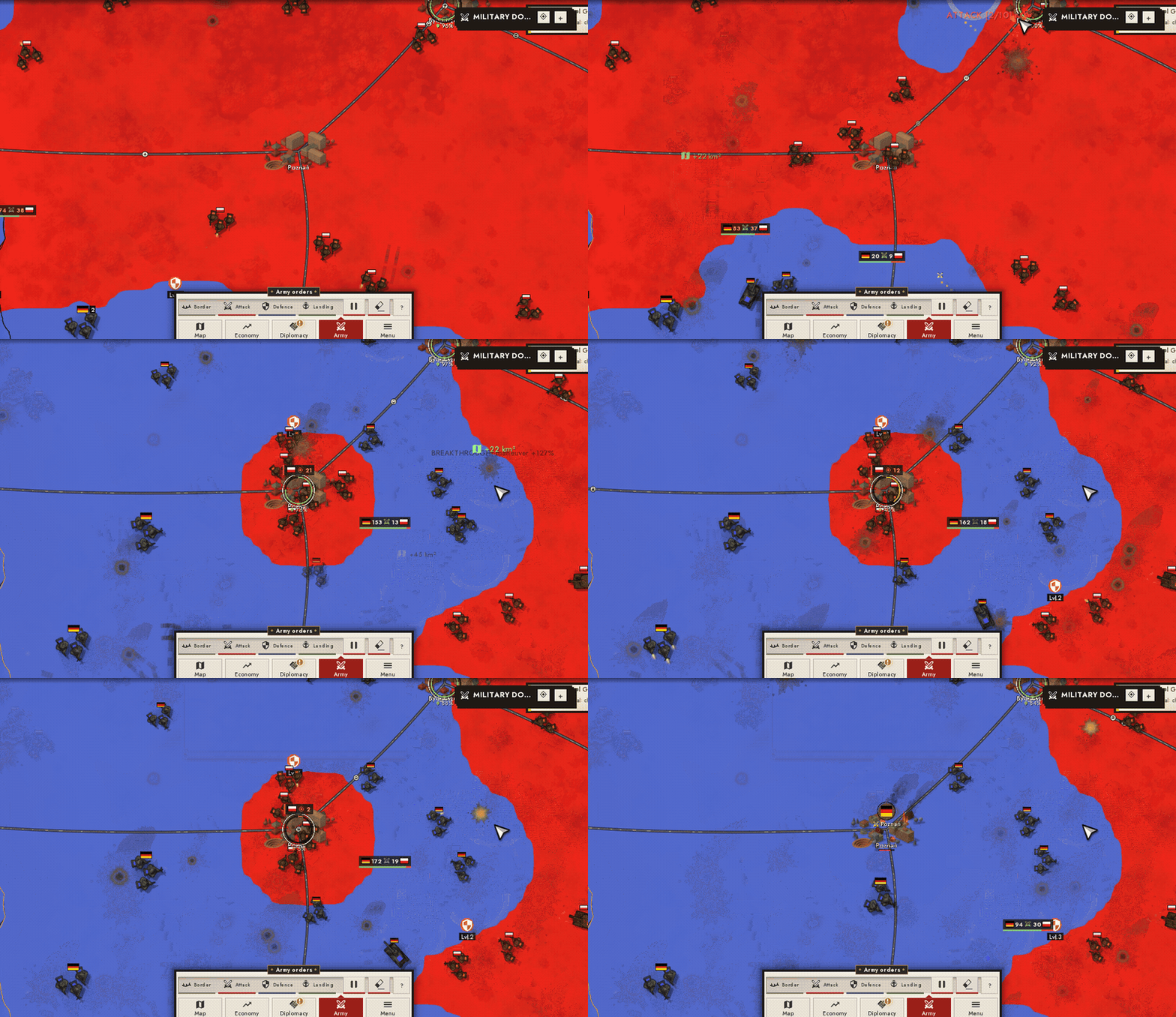
A city has a garrison. An enemy wave does not take a pixel of the city core but wears the garrison down; your own waves mend it instead. When the garrison is gone the city falls as a whole, and the map shows a siege ring and the land gained.
Encirclement matters: only land taken in this war counts. A partial encirclement does not make a city quick to take, a full one gives a fast assault. An encircled city also surrenders little by little on its own, faster under assault, and big cities hold out longer. Cities cut off in a pocket get no reinforcements and do not recover.
Terrain, roads and manoeuvre
Terrain now matters much more for capture: mountains hold better than fields, and units do not take them alike. Troops move along roads noticeably faster than off-road, and a route is chosen by travel time. With a big advantage in strength and composition an army has manoeuvre: a breakthrough goes wider. A country's size and rank give no strength by themselves: strength comes from army, equipment, terrain, fortifications, supply and economy.
More on the war
- Peace with a bot divides land along even borders, without diamonds and enclaves.
- Refusing an ultimatum no longer declares war by itself: it needs a casus belli, as in an ordinary declaration.
- A nuclear warhead can now be built. It is expensive, and among the bots only the leading powers have it.
- Land behind a river no longer goes to the enemy whole when the crossing went unnoticed, and "Puppet established" now honestly means a puppet.
- Bots go to war with the neighbours worth fighting, not with dwarfs next door; their sieges no longer stand still; bots have army groups that hold and advance.
- Occupation is visible again in the "Only borders" and "Only the selected country" map modes.
CITIES AND THE MAP
City buildings
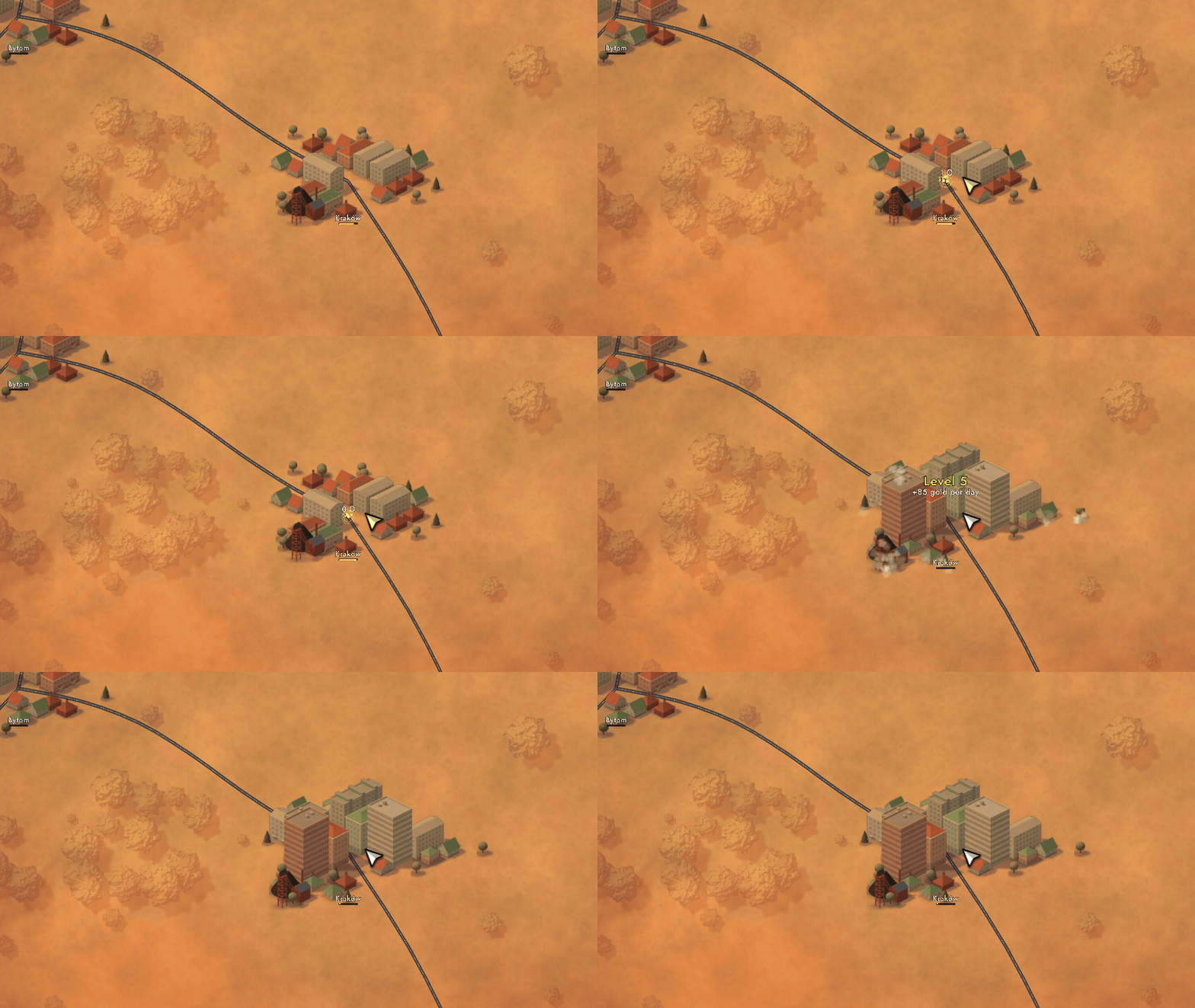
Cities on the map are now built up. Houses change with a city's level and the era, an industrial zone grows by a deposit in its resource (a city on coal looks like a coal city), and a growing city shows construction. Houses take the light and colour of the land under them, streets lead to a square, and tree crowns are tinted to the painted forest. Names stand at the forward edge of the buildings, and hovering works across the whole development. It shows at high city detail.
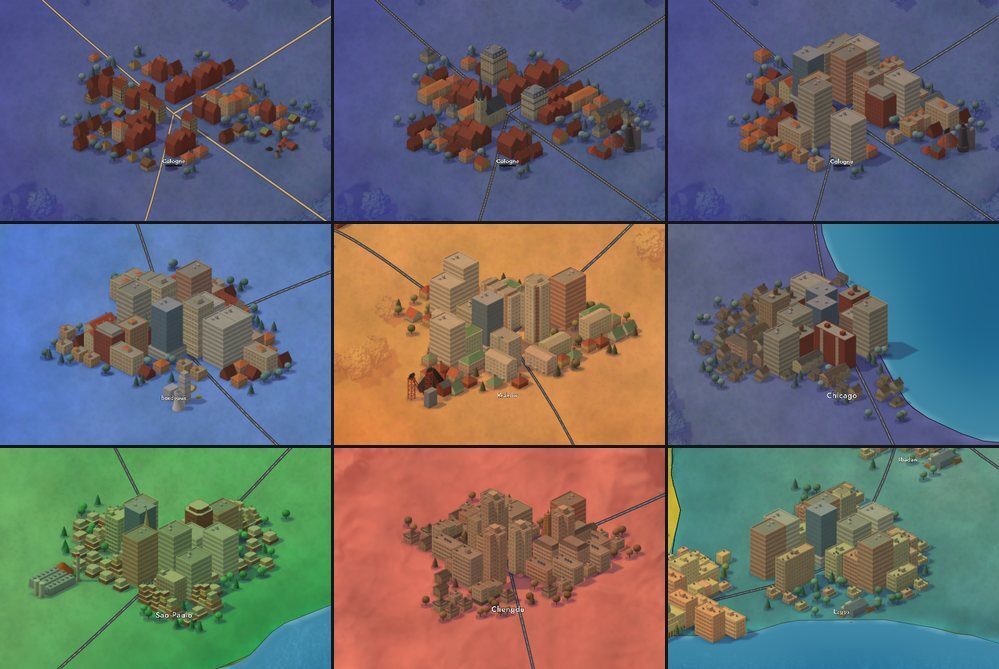
Cities have several cultural looks: West and East Europe, North and Latin America, Asia and Africa. Which look a country wears is set by a texture pack (see "Editors").
Your cities
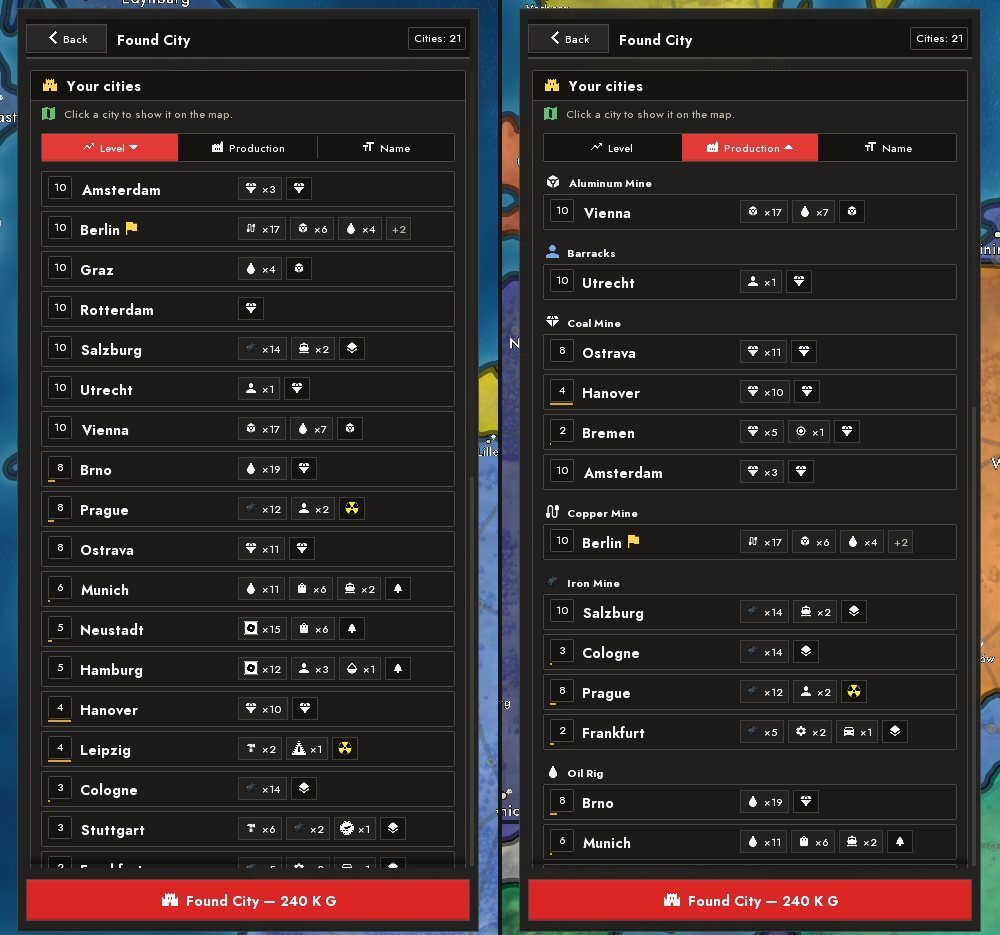
The "Found a city" page of the upgrades menu has a "Your cities" list: sorted by level, by production (grouped) or by name. Tapping a city moves the camera to it.
City logistics
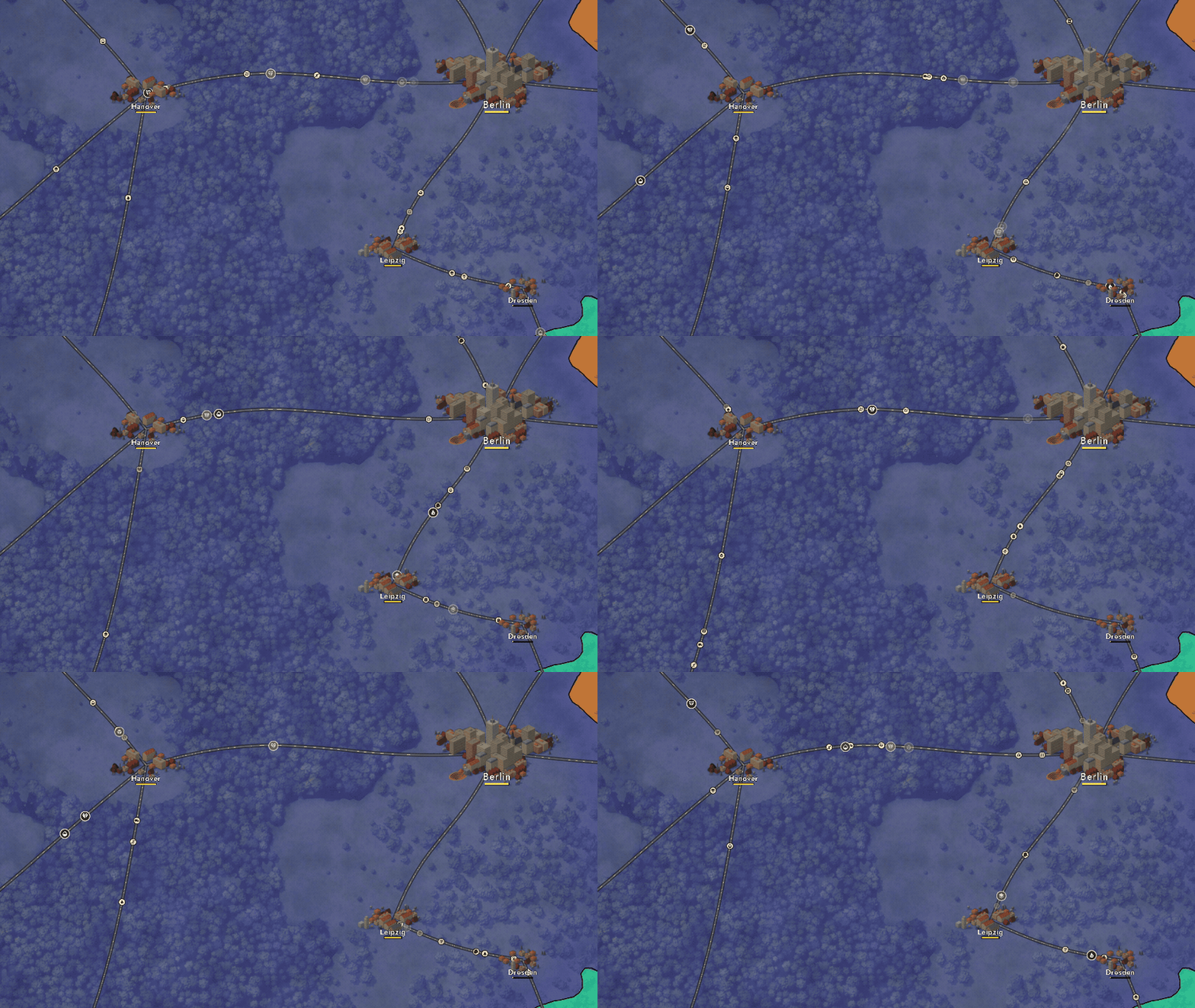
Factories are now placed in cities by their raw materials, not only in the biggest ones. Goods inside a country travel along roads, and you can see it on the map. The autoclicker adds a little to the growth of the city you last clicked by hand (the smallest one if there is none).
The look of the map
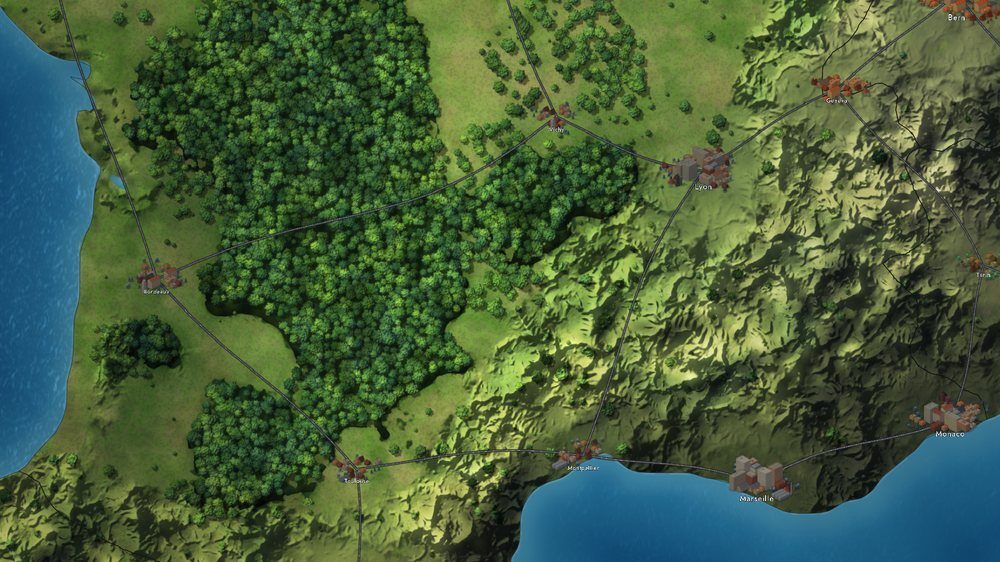
On "Ultra" the forest became a raised layer with crowns, side walls and shadows, mountains got volume, and the water is darker and calmer. The picture no longer looks like a flat fill: meadows have texture and biomes blend at the seams. "High" got the light half of this: relief light, colour thickening near borders, clouds with shadows. Sea trade routes now follow the sea along the coasts instead of cutting across continents.
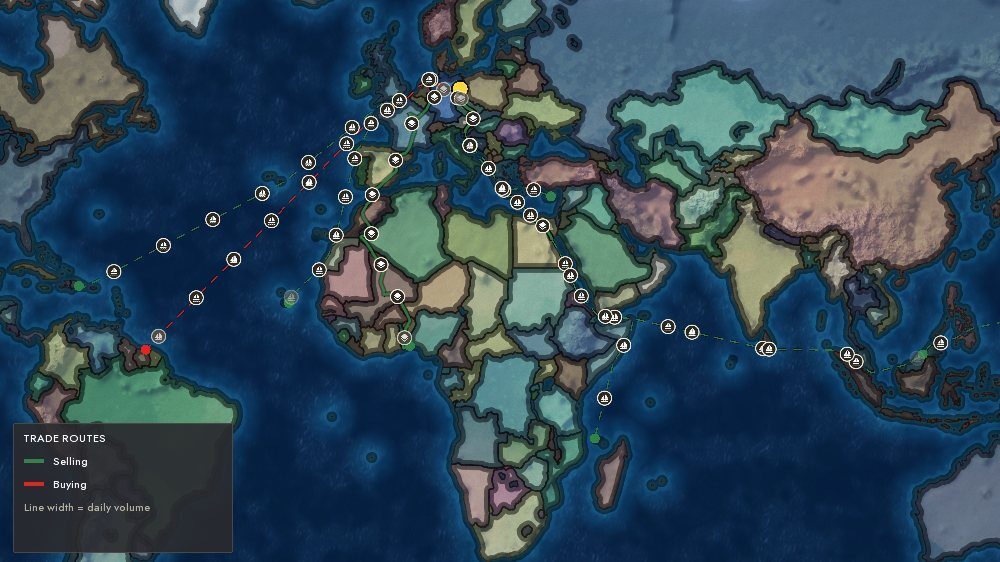
Panning the map near forest and water on "Ultra" no longer jerks the frame.
World sounds and full screen
The "World sounds" switch in settings turns on a background that follows what is under the camera: forest, sea and wind, cities of their era, and distant fighting in war. "Full screen" is now a borderless window over the whole monitor: Alt+Tab and screenshots work without oddities.
Deposits and borders
A country gets its share of a deposit by the area of the deposit's disc on its land, and a city on a deposit yields exactly its resource. The coastline no longer breaks up, and the land the background draws stays inside the country's border. After peace the map does not flicker: while all the rebuilds run, a snapshot of the area is held on top and then fades smoothly.
ECONOMY AND PRODUCTION
A budget without riddles
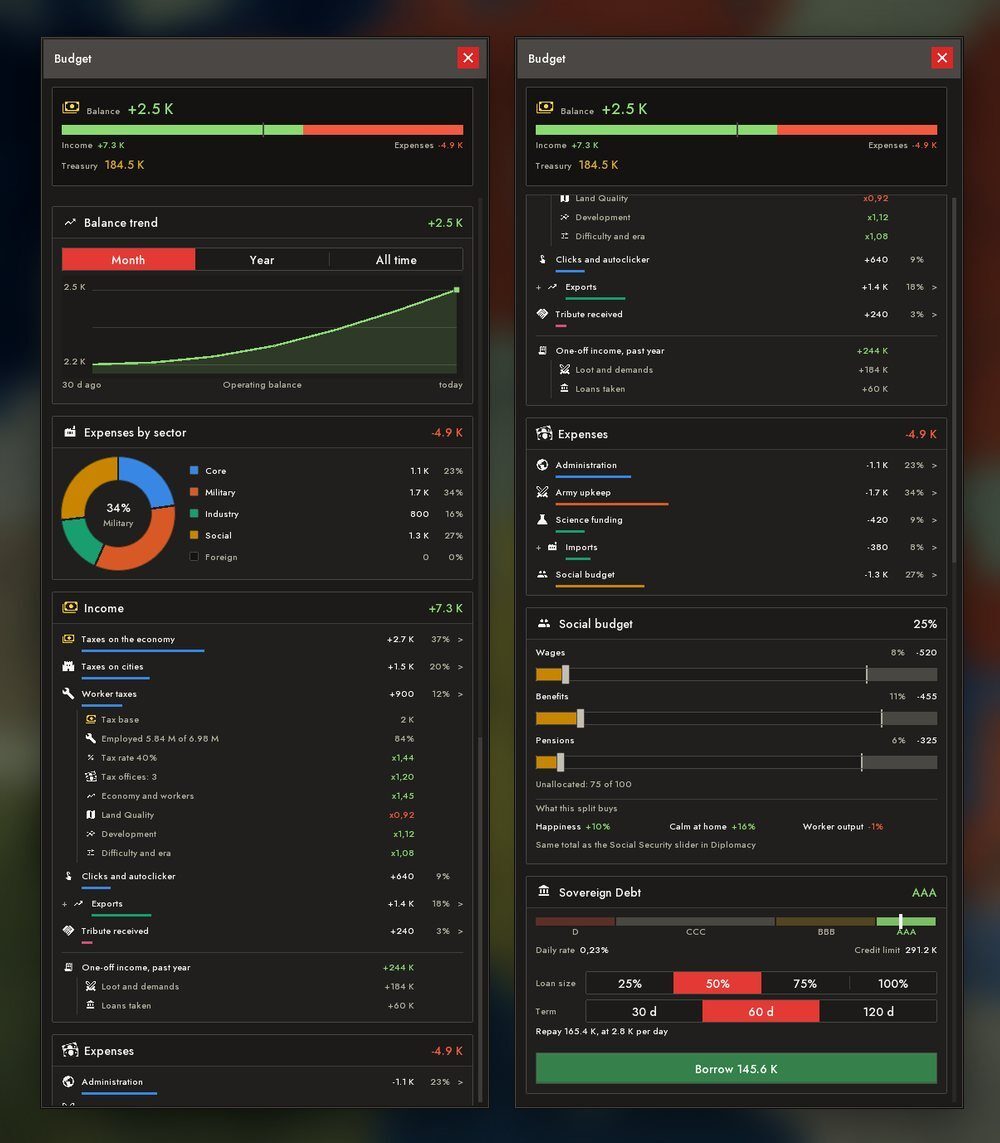
Every window counts income over the same period: a day. Taxes are split into lines: from the economy, from cities and from jobs (the employed and the unemployed pay differently), with the formula shown beside the sum. Clicks, rent, colonies and one-off receipts (tribute, reparations, gifts, events) have lines of their own; whatever you receive or pay is visible in the budget. A "Country development" row shows how the level of development affects output. Army pay depends on the country's income, and social security is a share of taxes.
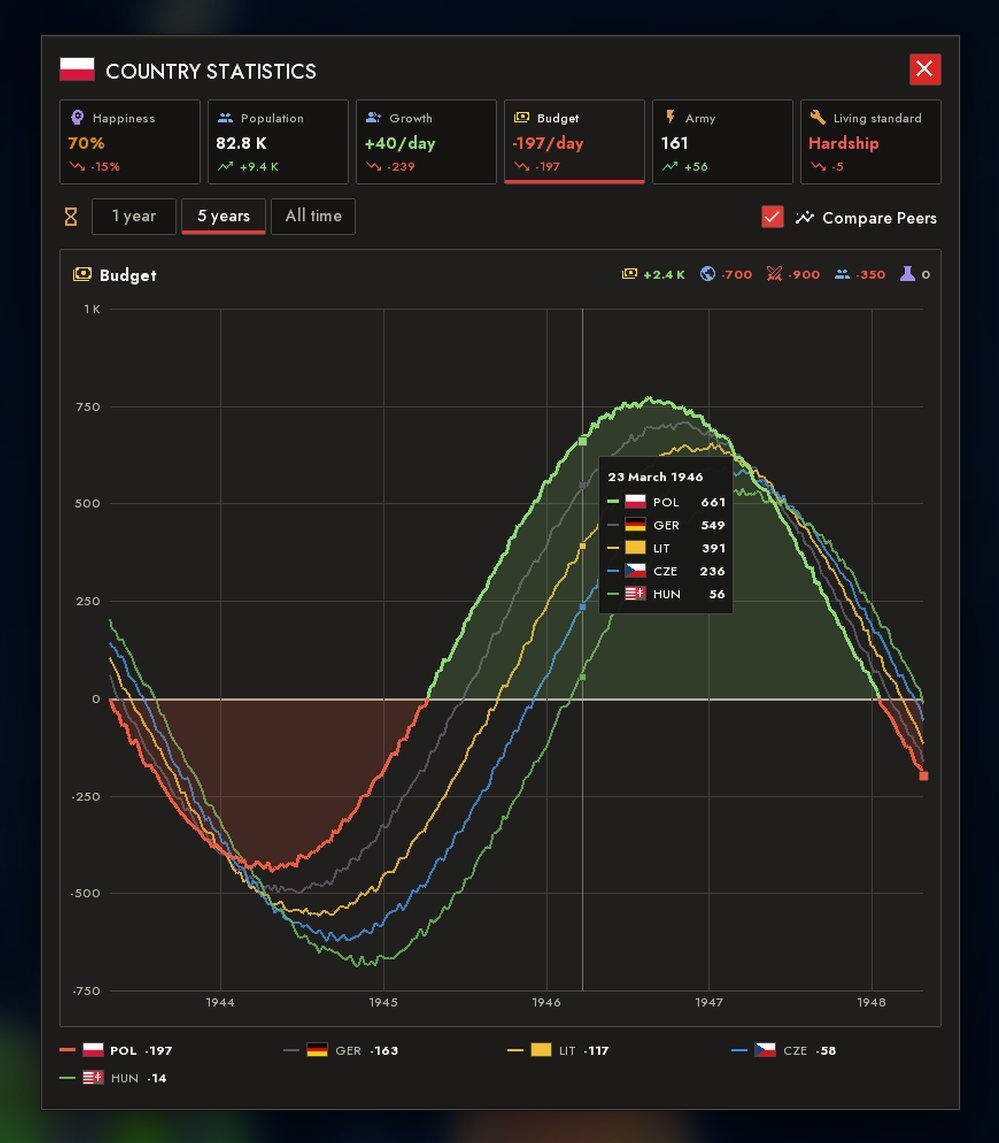
The country statistics window was redone: overview tiles, dates on the time axis, smooth curves. The periods (a year, five years, all time) are counted in real days.
Upgrades and production
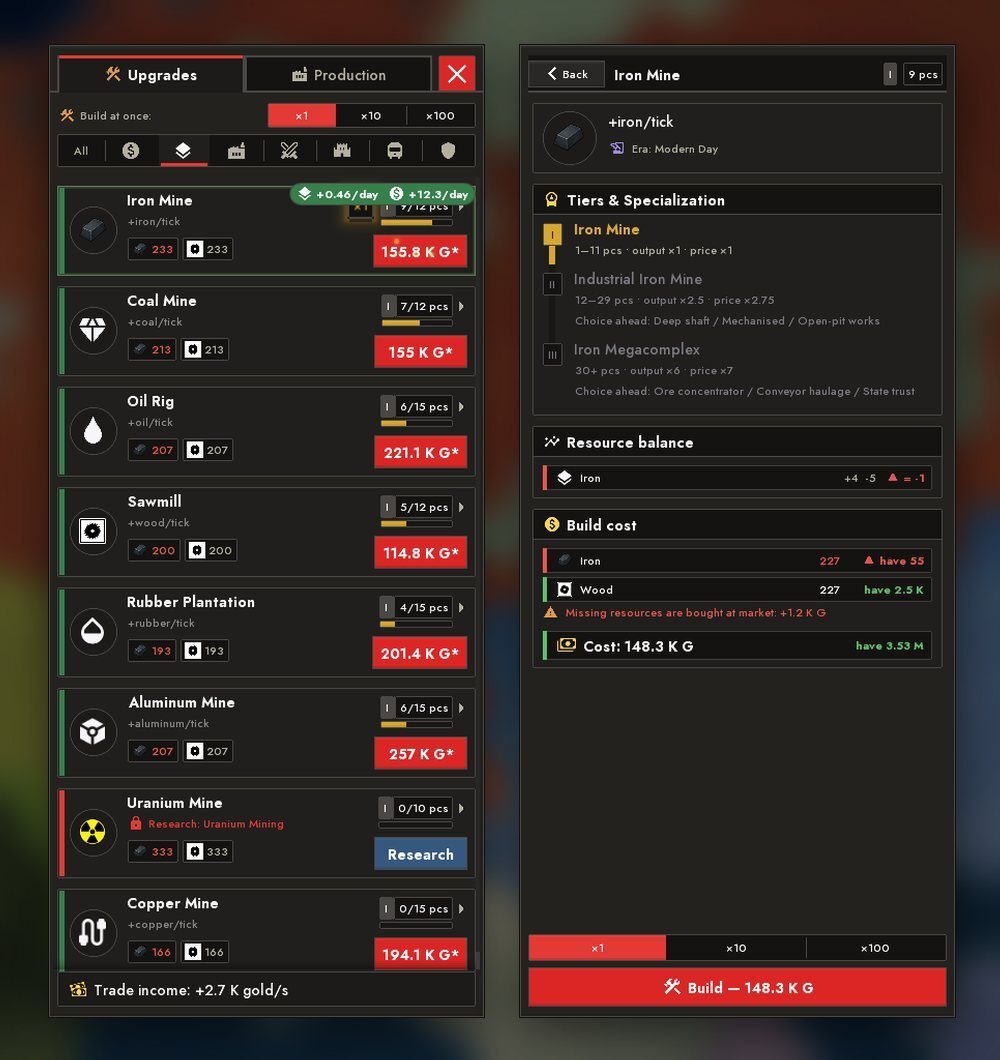
Instead of fold-away headers the upgrades menu has category tabs: "All" by default and an icon for each block. Buttons got round medallions, the count of built ones merged into the stage badge, and summary tiles sit on top. Next to a purchase stands a "what the purchase gives" plaque. The menu came alive: rows and cards appear in a cascade, a purchase flies off in sparks, the "+N pcs" plaque flies into the counter, and the button shakes when you lack gold.
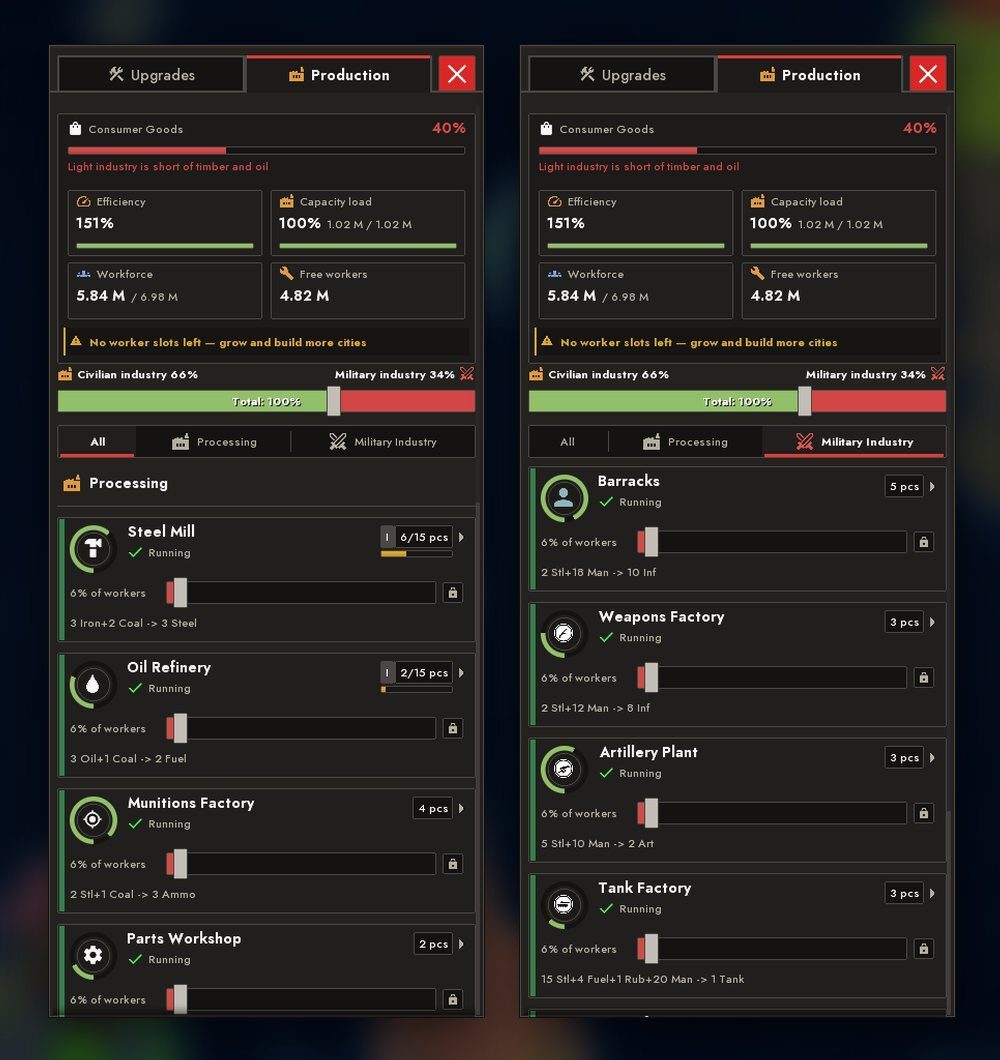
On the "Production" tab sliders apply the moment you release them and do not move their neighbours; a line that has run out of its free share stops. The common "Civilian ↔ Military" slider now decides who gets the conscripts. The ring around a line counts one month of its tempo; clicking it speeds the output up, but not without limit. Unintegrated land cuts the number of workers and recruits, not the population you see on the screen.
More in the economy
- Ammunition factories and spare-parts workshops are on sale again in "Upgrades" and "Production" in every scenario.
- A strike ends sooner, and the treasury autopilot waits it out without breaking your settings.
- Bots also feel a shortage of workers: without workers a bot raises social payments, lowers taxes in peacetime, buys goods and does not build factories that have neither people nor demand.
TRADE AND DIPLOMACY
Open-ended deals
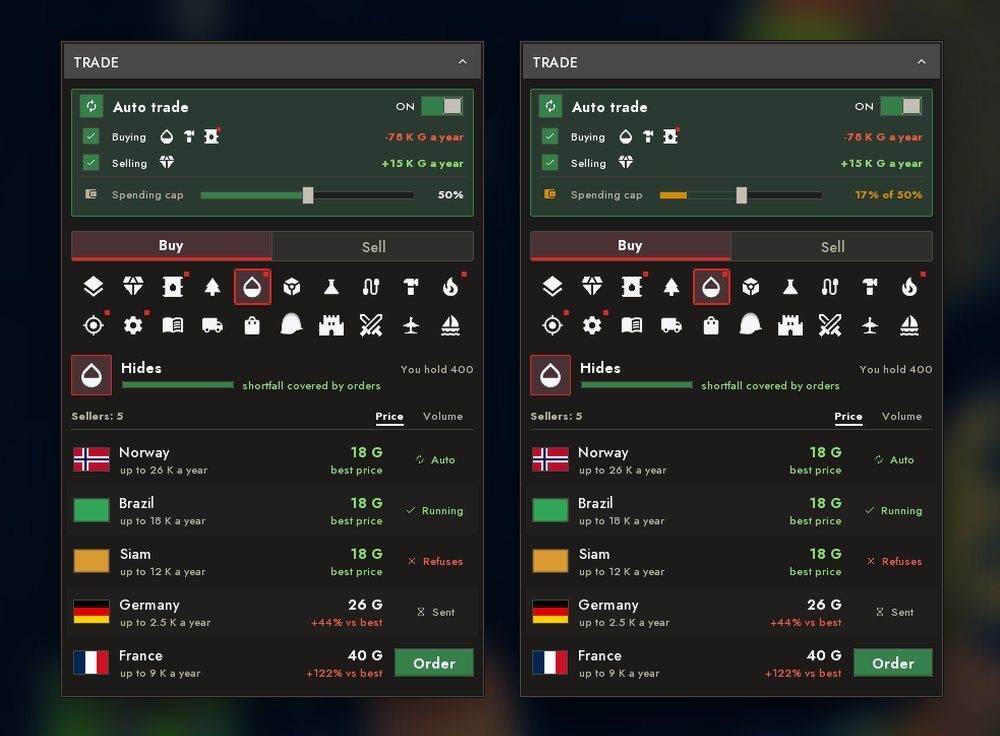
A contract can now take three forms: a one-off order, a fixed quantity per month or a share of the seller's output. Monthly and share deals have no end date: they run until you or the partner cancel, and a missed delivery is forgiven. The limit on the volume you can sell is gone. The auto-trade card has a slider for the auto-purchase limit: one limit for auto-trade contracts and for topping up factories, and it lowers itself when the treasury is thin. The hidden auto-buying obeys the auto-trade card.
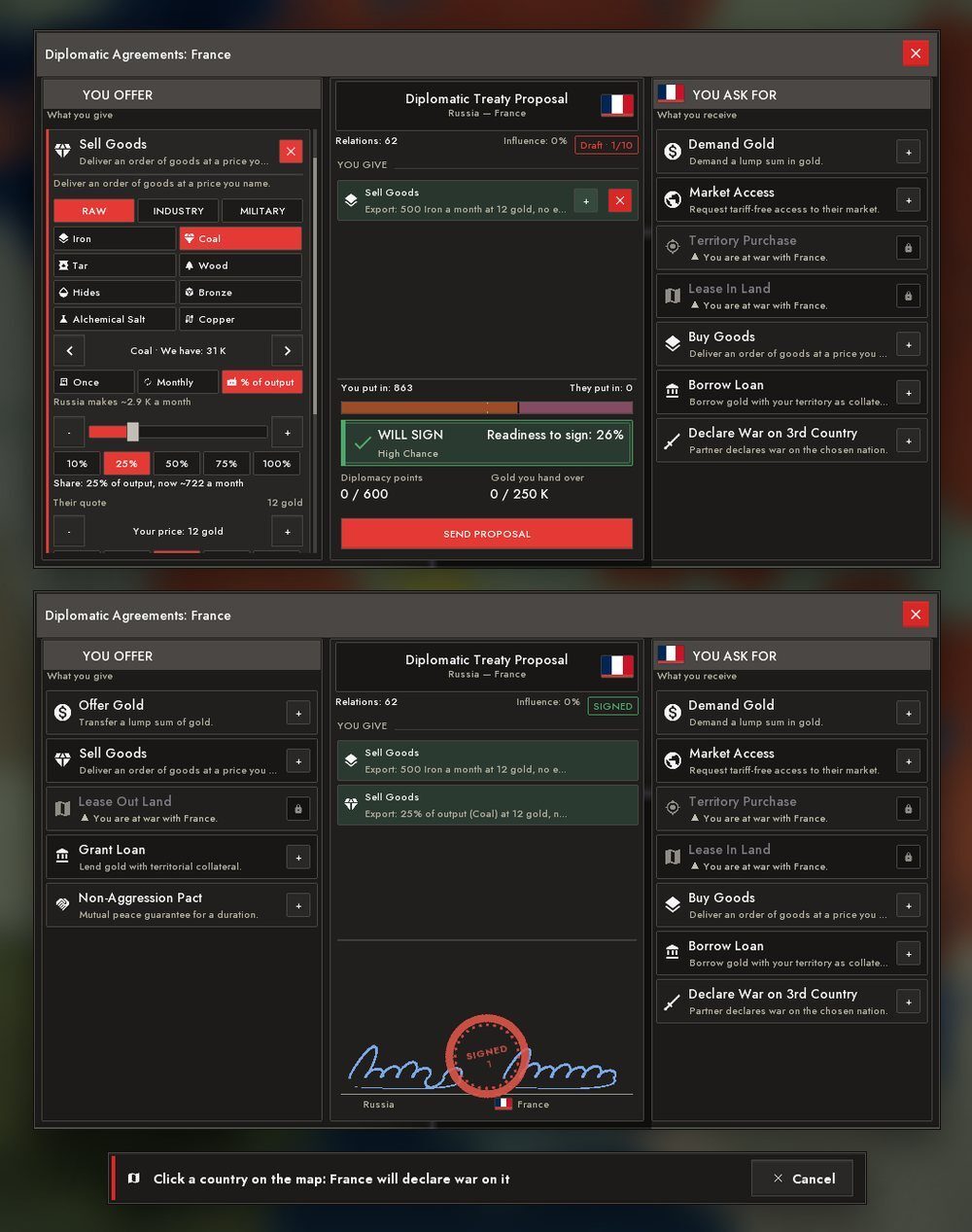
The agreements desk seals a treaty with a signature and a seal; the ceremony is only there, not in the trade window. The third country for the "Declare War on 3rd Country" clause can be chosen with a click on the map: the desk steps aside for a moment. The AI sells land dearly and reluctantly, and cities can now be part of a deal; leasing land from the AI got stricter.
Campaigns in diplomacy
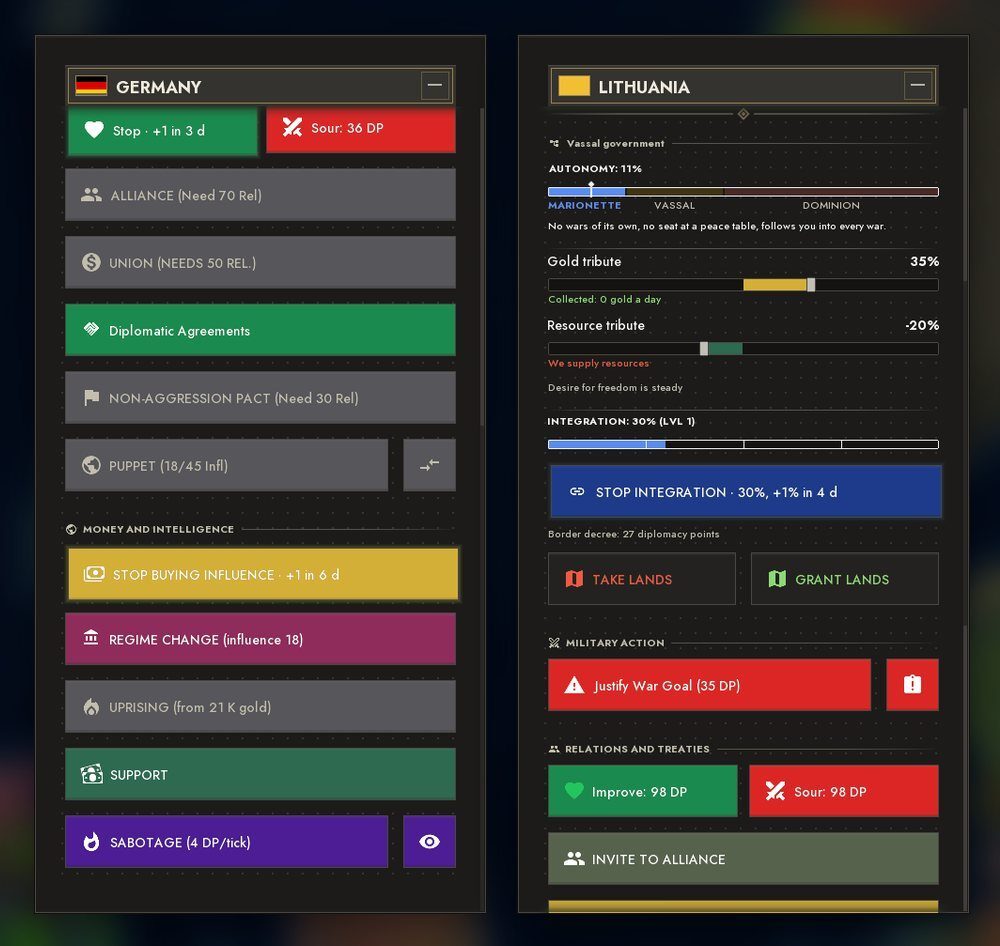
Improving and worsening relations, buying influence and integrating a puppet are now campaigns rather than instant clicks: as long as you have the money, a step happens at a steady period. The button turns into "Stop" and shows when the next step comes or what it is waiting for. A campaign ends by itself when the goal is reached, a war starts, the target disappears or the puppet is free. Clicks on the map in diplomacy and economy stayed instant.
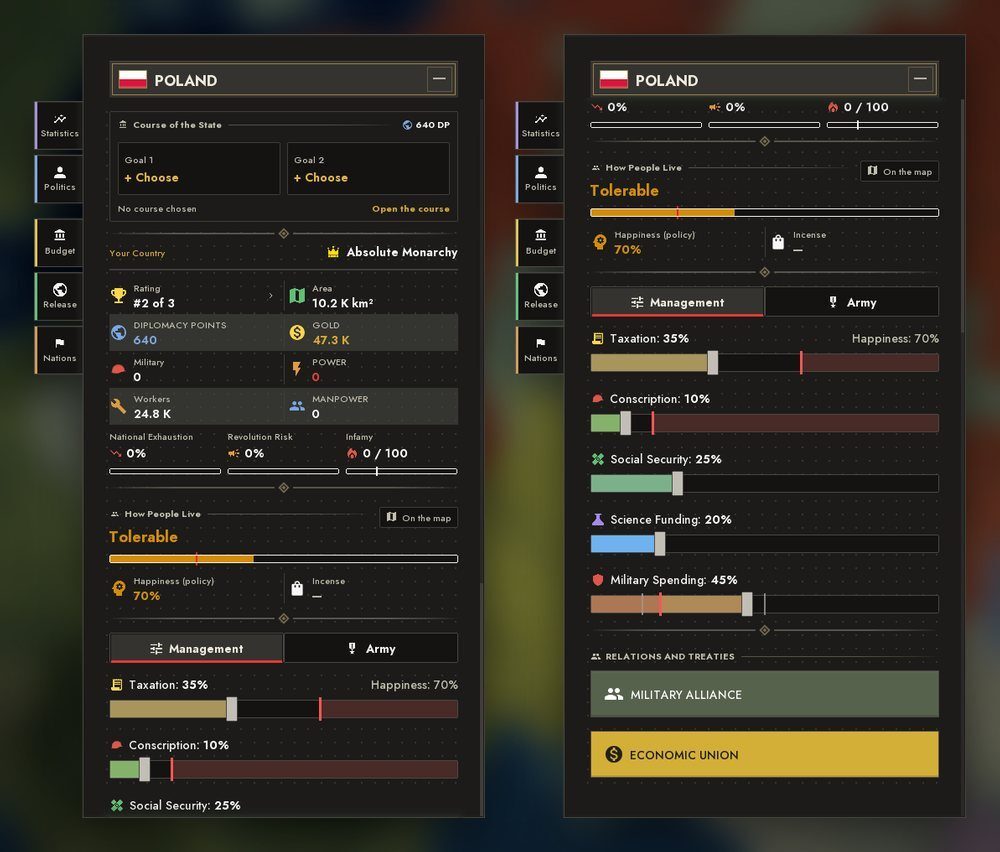
Your own country's panel now has its tabs on the side, under the panel's edge: "Statistics", "Politics", "Budget", "Release", "Nations". They slide out under the cursor and the open tab merges with the panel. The panel header became a brass plate, blocks unfold in a cascade, scales fill, sliders light up their row and glide, and the wheel scrolls softly.
Alliances and the AI in diplomacy
- A coalition against an aggressor gathers only those able to fight.
- Peace with a coalition member costs more.
INTERFACE
The main menu and the splash
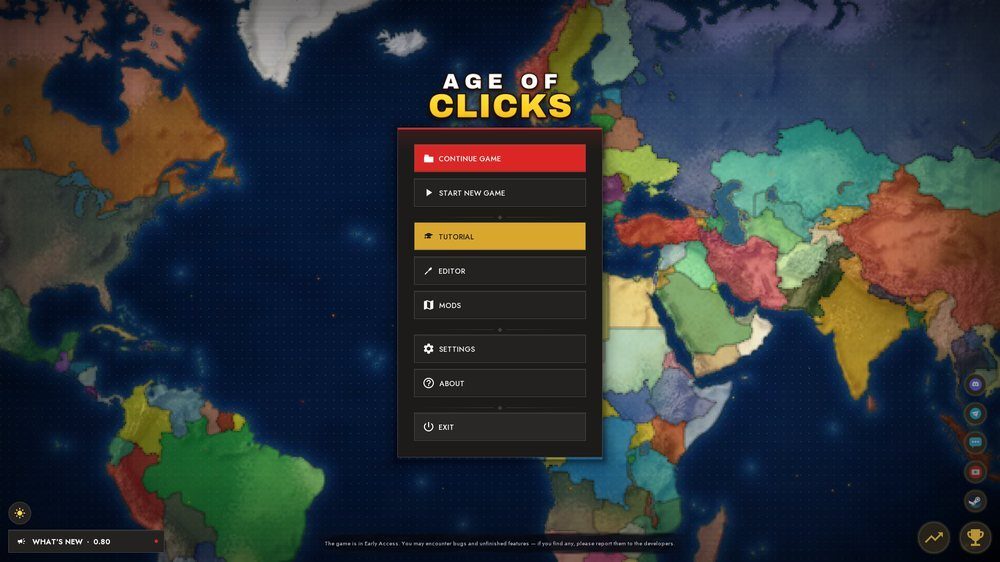
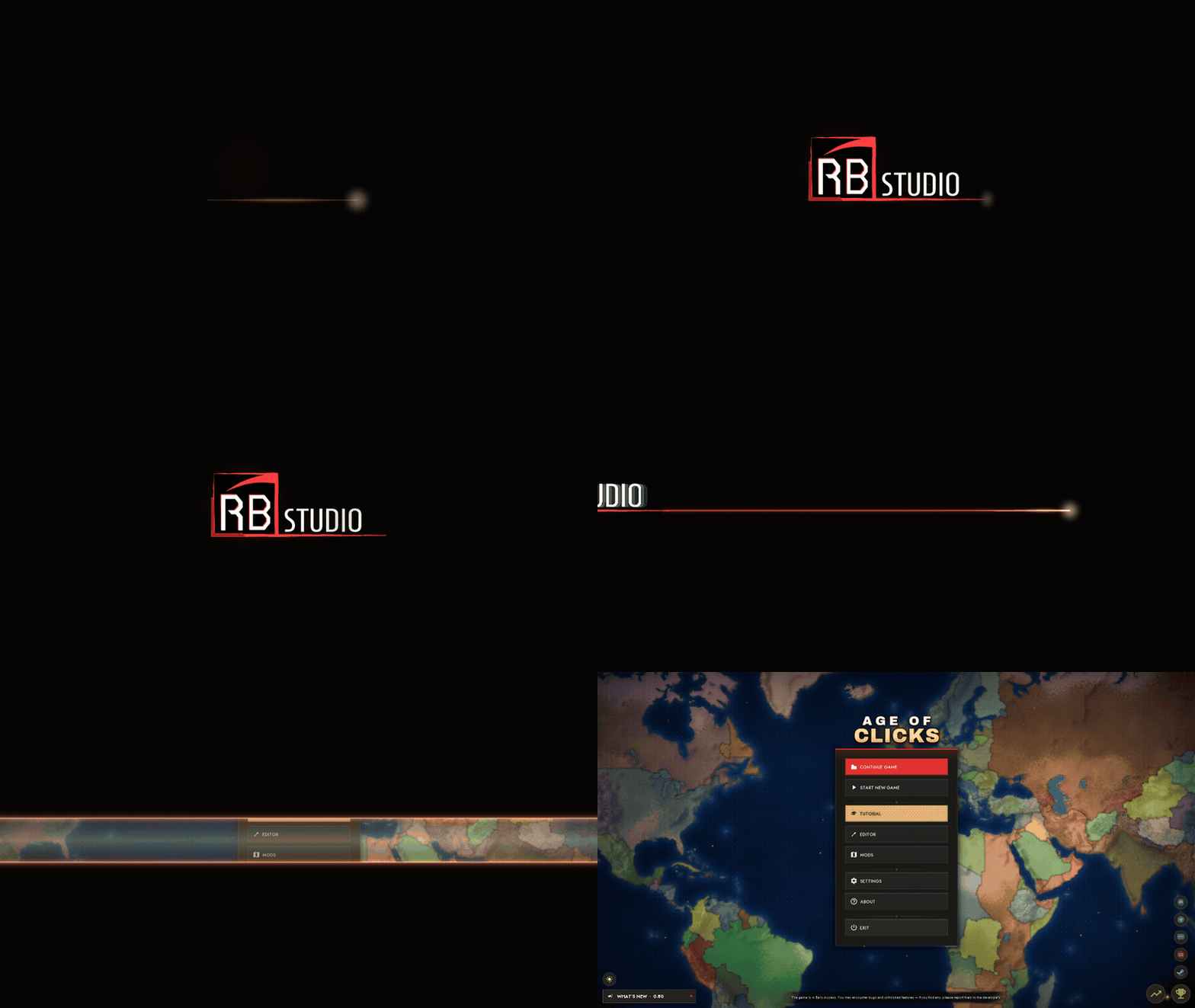
The main menu header is now a picture with the AGE OF CLICKS logo, and a Discord button sits among the other links. The bottom cluster lays itself out by the screen's geometry, and the "What's new" block pings until you read it. At launch the red line under STUDIO is drawn to the right, the camera follows it, the logo leaves to the left, and the menu opens with two curtains over the live screen; a tap speeds the cut up.
The bottom dock
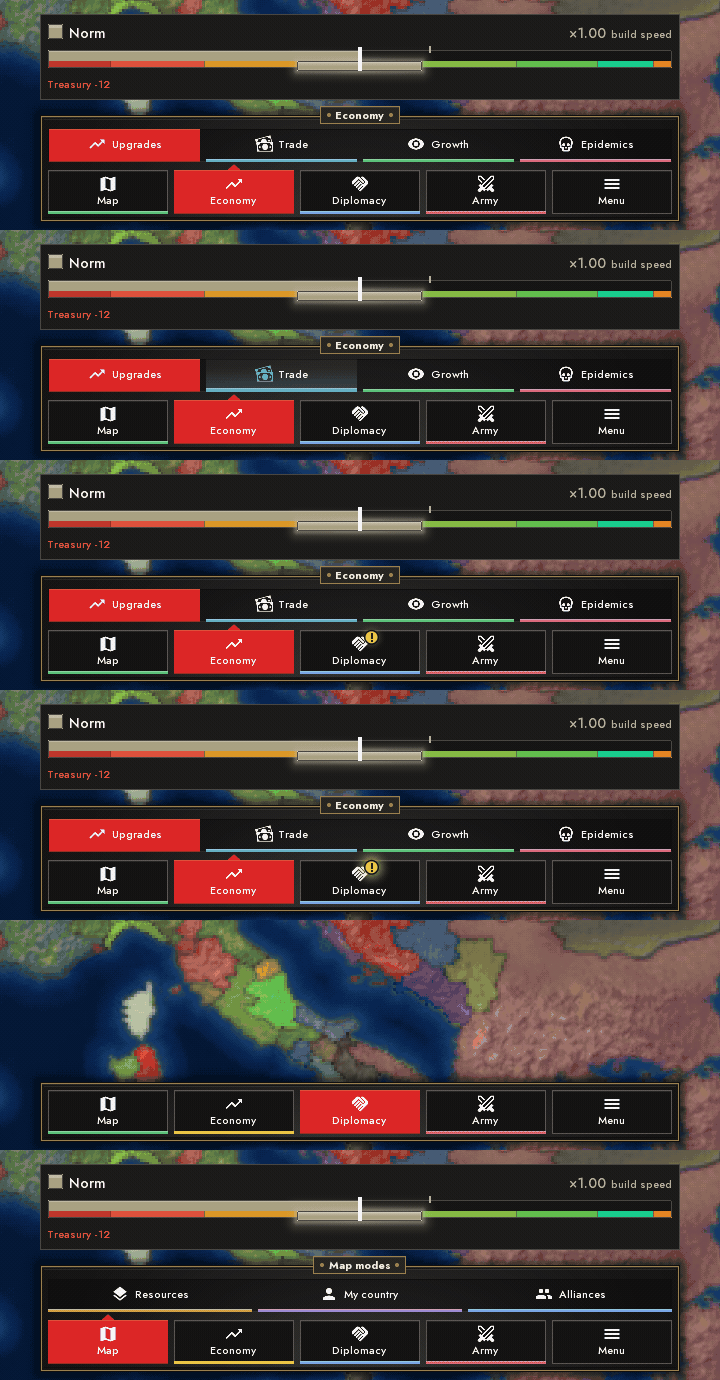
Dock icons rise under the cursor and take the colour of their line, and the line glows onto the edge. A press sinks, opening springs; the second row has its own sliding plate. Instead of a yellow flash a tab now shows a "goal is waiting" badge, and a padlock sits on a tab that is still closed.
The game report
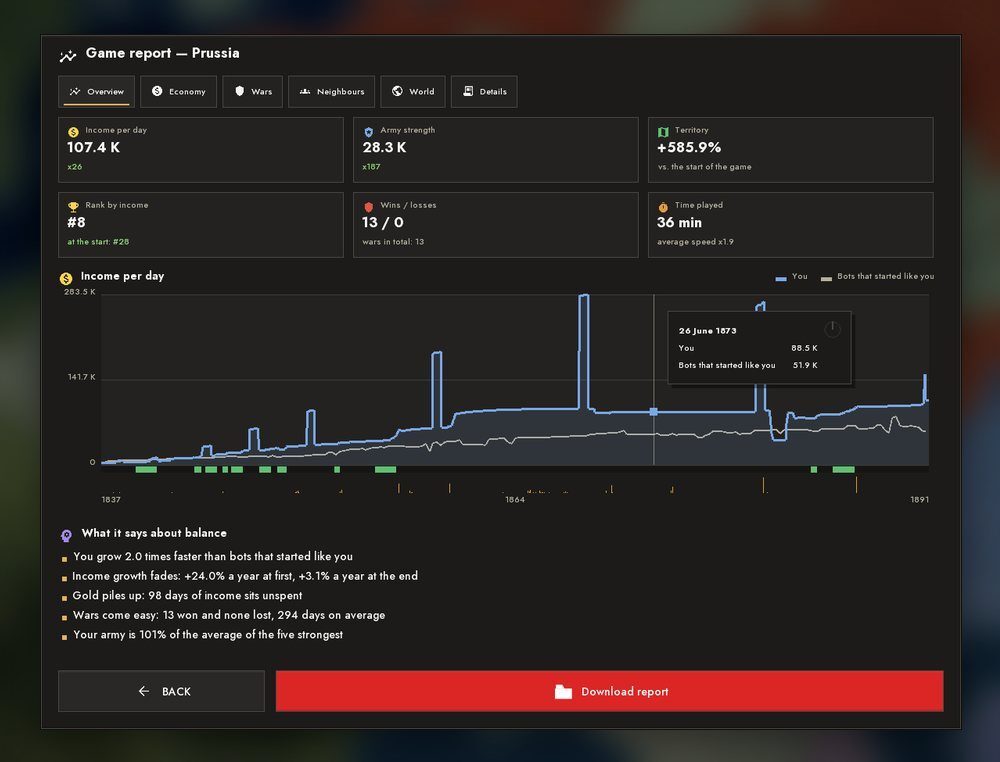
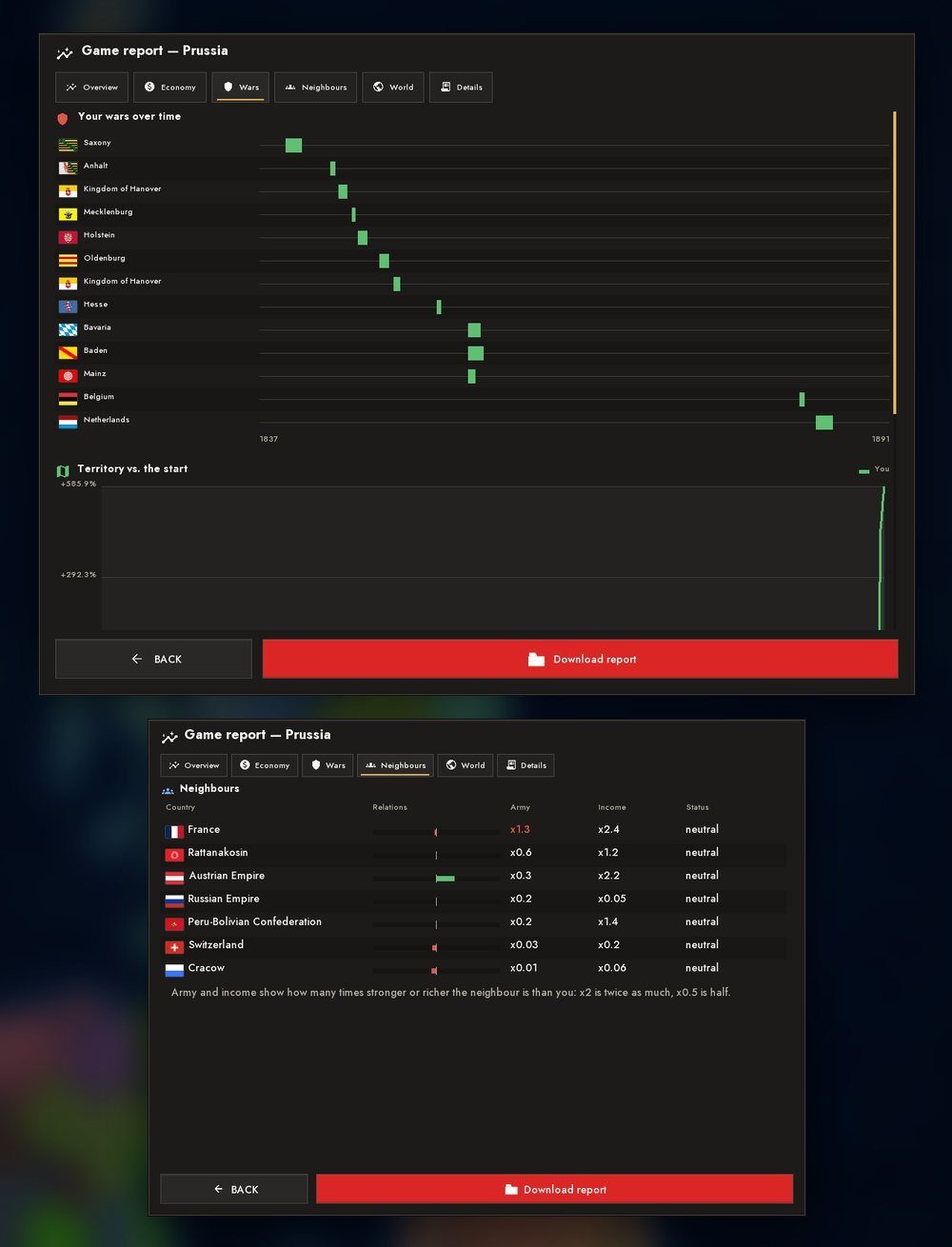
The pause menu gained a "Game report". It records the course of the game and shows it in pictures: overview tiles, charts with hover, what you bought and when and how it affected you, wars on a timeline, neighbours with flags, the world and the bots. The report can be exported as a single file and sent to us, which makes it easier to study the balance on real games, especially from phones.
The rest of the interface
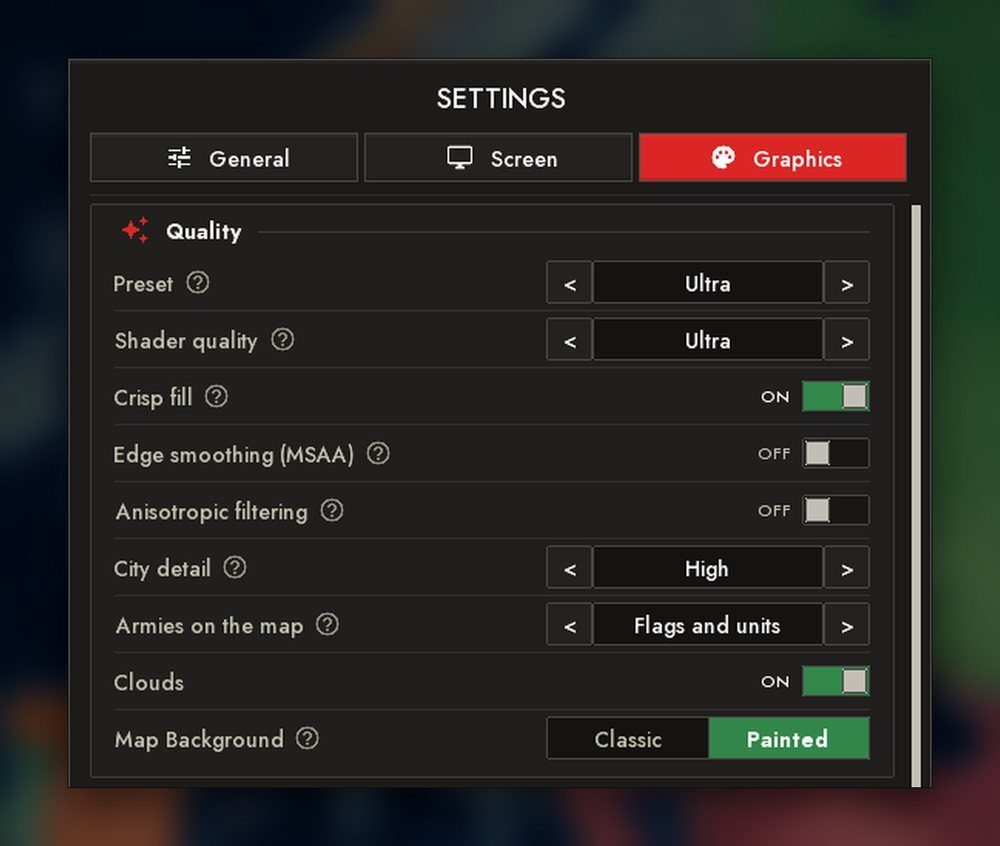
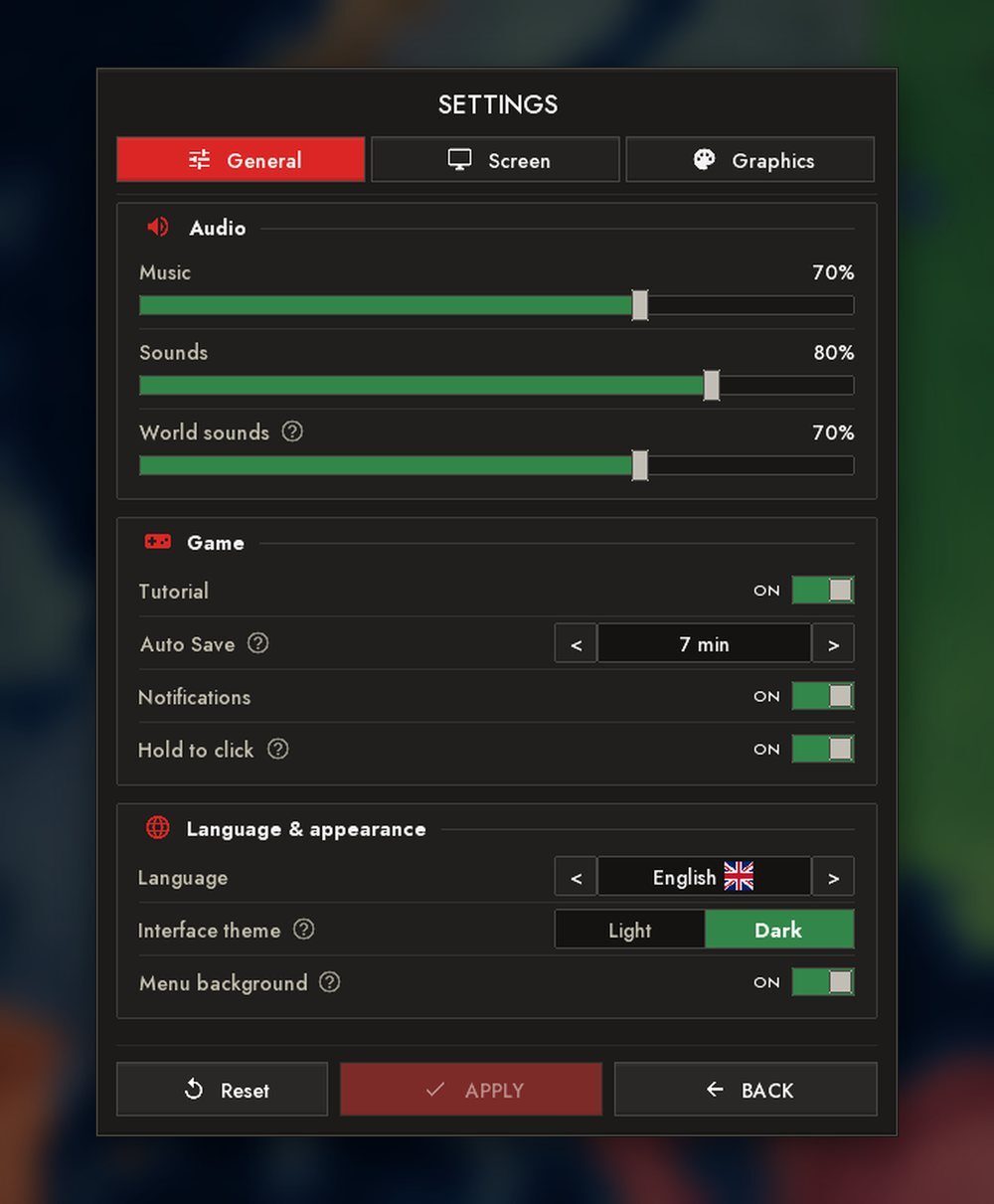
- In settings: "Armies on the map", "World sounds", "Memory limit", "Crisp fill" (sea-zone stripes, integration and lease stripes and selections lie exactly on country borders; on phones the "High" and "Ultra" presets turn it on), and the "Ultra" preset on phones.
- The country selection card counts a country as if you played it, and the rank in its caption is the one the game gives at the start.
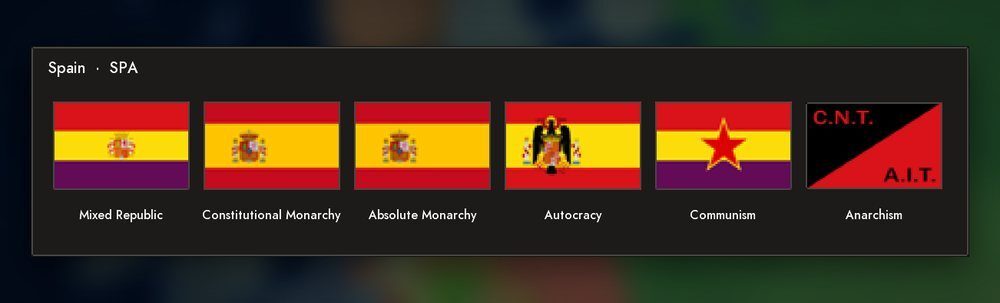
- Flags from the editor are saved by country tag and survive a restart; a country's flag changes together with its form of government.
- On phones: the formable nations window closes with a button, the "Back" gesture is caught by the window, the camera shake on every city click is gone, and a city's dot grows as you zoom in.
EDITORS, TEXTURES AND MODS
The texture editor
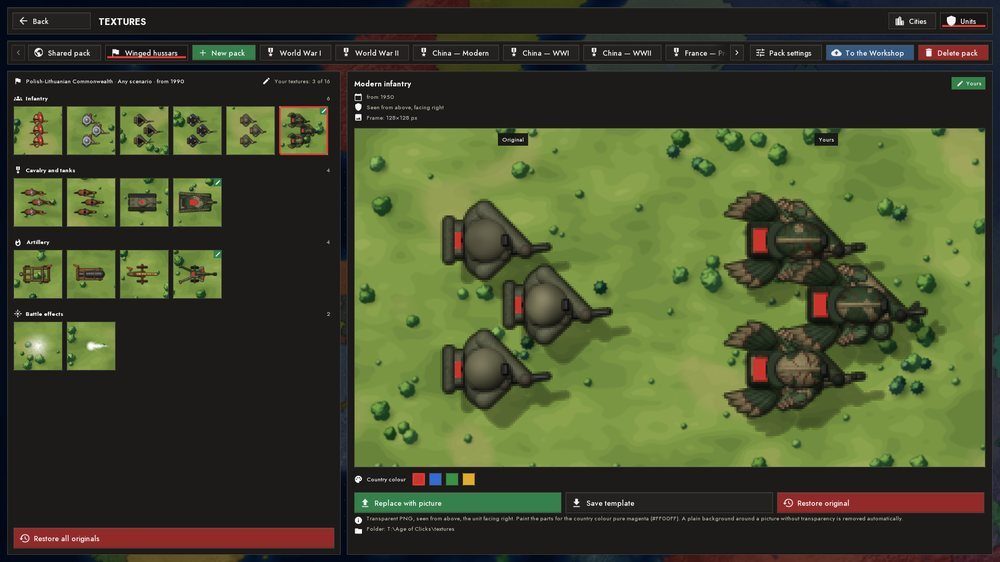
The scenario workbench has a texture editor between "Backgrounds" and "Mods". In it you can replace unit sprites and city buildings with your own pictures: a bright magenta in a unit turns into the country's colour. Replacements are gathered into packs; a pack has a name, the countries it applies to and years. In the game packs are picked up by themselves.
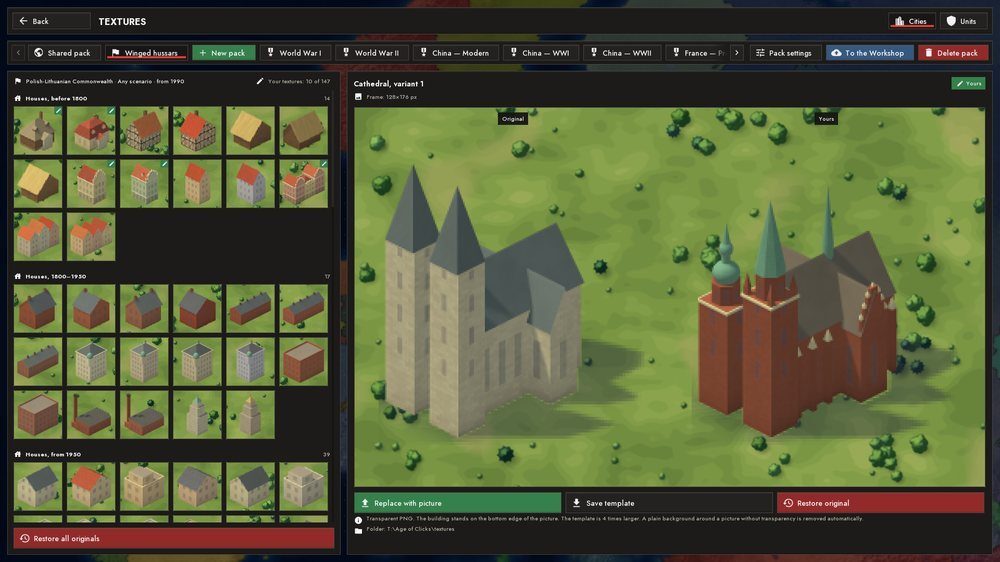
The game already ships packs of nations (units for a number of countries), packs of city cultures, and packs of periods: the First World War and the Second World War.
Mod containers
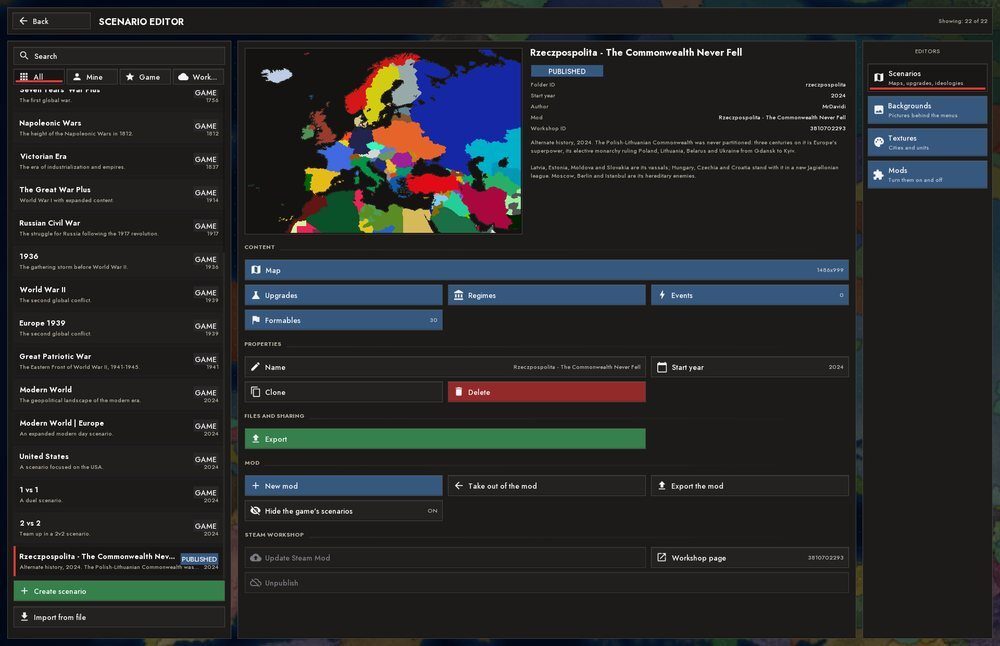
A mod is now a folder with a mod.txt file whose sub-folders are the mod's scenarios. It is one Workshop item: scenarios, shared textures, events and formable nations travel together. You can hide the game's own scenarios if the mod is a global one. The workbench has "New mod", "Move into a mod", "Take out of the mod" and "Hide the game's scenarios", and export and import work with the whole mod archive. A mod can bring its own changelog too, shown by a "What's new" button in "Mods".
Editors
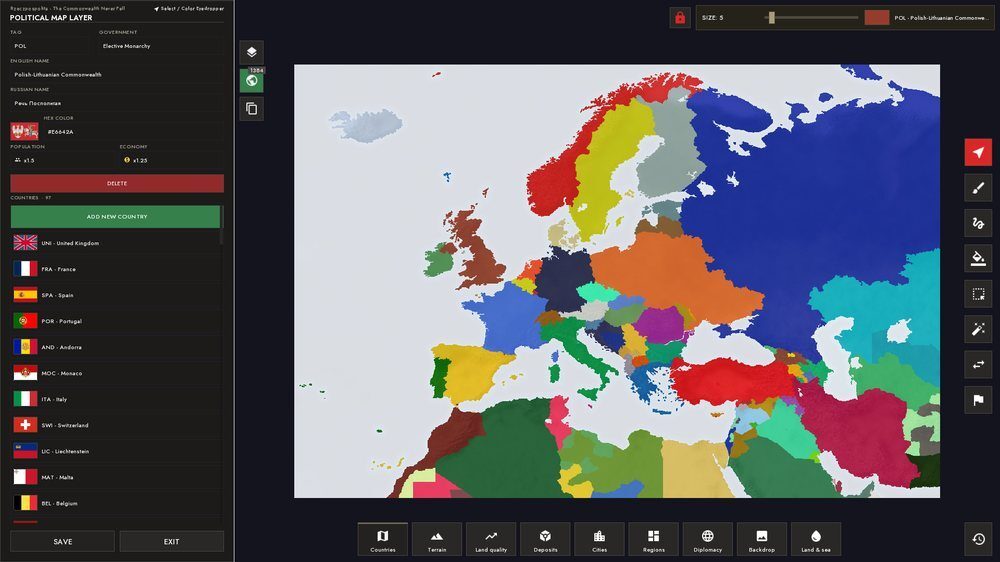
- All editors went through a usability pass: shared panels, long press, a query field in the picker window.
- In the map editor a country can get population and economy multipliers.
- A formable nation in the editor has a "Flag" field; the scenario's flag lives in its flags folder and is picked up on save.
- A mod and a texture pack are published to the Workshop as one item.
BALANCE
We keep tuning the economy, wars and the AI, and there is no ideal yet. What changed in substance:
- The rule: neither a country's size nor its rank gives bonuses in battle, at the start or at the end of a war. Strength comes from army, equipment, terrain, fortifications, supply and economy.
- Wars: an advantage in strength acts on a ready wave in the same way for the player and for a bot; sieges are closed by the encirclement perimeter, and manoeuvre and terrain affect capture.
- The AI: picks targets by benefit, leads army groups, and does not stand at a city's walls forever.
- PC crashes on exit and on the old bundled Java; freezes at peace and when loading maps with many countries
- PC freezes from the priorities of background threads and from needless rebuilds; stutters during colonization and at peace
- Map sections flickering after a peace conference, and countries vanishing from the map after conquests
- After loading a save, city houses and the borders around occupation disappeared
- The coastline broke into dashes, land crossed borders, a selection spilled out of a country on phones
- Country labels on the map were empty or cut off in Japanese, Korean, Chinese and Arabic
- An empty equipment stockpile choked military industry
- Cargo vanished and a ship drove over land; sea routes went across continents
- Attack arrows stood without supply outside a country's main body; an attack took land beside the arrow
- Division orders got stuck at the border, and a march might never finish
- Strikes did not end, and policy sliders jumped by themselves
- Clicks on the map on touchpads doubled or got lost
- On maps with many countries (Modern World) the game froze for a long time loading flags; flags are now read as needed
- On phones: frame shortage in war, lags near burning cities, sounds missing the mixer
Thank you for playing and sending reports: without them the balance cannot be tuned.