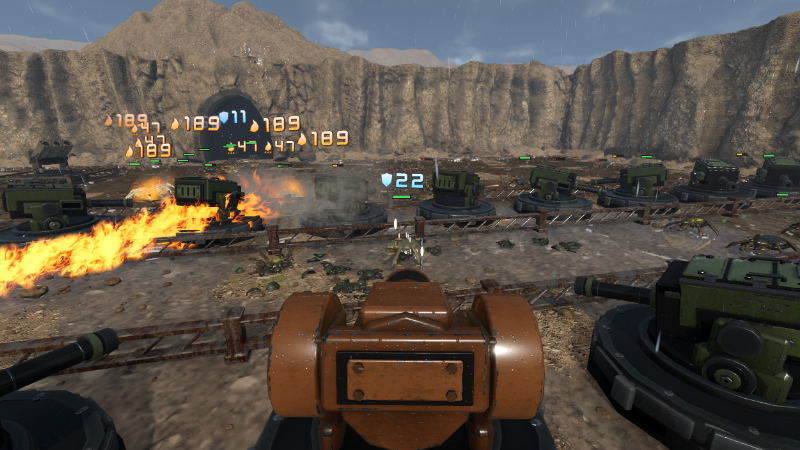
Torreta runs natively on SteamOS (no Proton needed) and plays start to finish on a controller. Here is what to expect on a Steam Deck or a Steam Machine.
Controls
- Every shortcut and button hint in the game shows your controller's own button icons, drawn by Steam Input. On a Deck you see the Deck's buttons, everywhere: the HUD, the build wheel, the factory, the cockpit, the tutorials and the menus.
- Everything works on the controller: building and upgrading, the factory, the skill tree, the cards, the guide, online lobbies and the Mods screen.
- The Deck has its own Steam Input layout. The right trackpad moves the pointer and the left stick moves the game's cursor.
- L1 opens the build wheel and R1 changes its tab. Pressing A on an empty tile opens a ring with every tower you can build and what it costs.
- In a turret's cockpit, or seeing through the Commander's eyes, you aim with the right stick. Aim assist is optional.
- Options > Gameplay has three sensitivity sliders: the cursor, cockpit aim and the Commander's look.
- Text fields, such as chat or renaming a strategy, open Steam's on-screen keyboard.
- Both guided tutorials play on the controller and show which buttons to press.
Screen and text
- Torreta always plays fullscreen on the Deck and the Steam Machine.
- On the Deck's 1280×800 screen, the factory and building windows switch to a compact layout so the factory floor stays visible.
- Options offers three text sizes.
Graphics
- On first launch the Deck starts on the Low preset. Behind the loading screen, Torreta then times itself on your device and picks the renderer and preset that suit it. This happens once.
- In our own testing, the Steam Deck holds a steady 30 FPS on Medium. The Steam Machine runs Ultra with ray-traced reflections at around 50 FPS, with some drops. Ray tracing is experimental and is turned on in Options > Display.
- You can change the preset in Options whenever you like. Changes wait for Apply, and they revert on their own unless you confirm them within 10 seconds.
- The game is capped at 60 FPS. Wave 50, with a full maze and the boss's reinforcements, is the heaviest moment. If late waves feel heavy, lower the 3D scale, try FSR, or turn on dynamic resolution (30 or 60 FPS target).
Saves
- Steam Cloud carries your profile, your Continue run and your seed history between the Deck and your PC. Graphics settings stay on each device, so the Deck keeps its own.
Feedback
If something doesn't work right on your Deck or Steam Machine, tell us in the Discussions or on Discord. Please say which device you're on and which graphics preset you were using.
More from Torreta
Other announcements
Version 0.86Hello! Version 0.86 is out. Gameplay and combat Towers destroyed by insects now burst into model debris, and their wrecks stay visible after the explosion. Towers heat up under sustained fire, and gusts of wind cross the arena. The worm’s bite shakes the board through every phase, and shakes the cockpit harder. Towers can now be placed while the camera is tilted past the maximum zoom. Upgrade p…How everything startedHow it all began The birth of Torreta December 2023. I decided to make my own game: one I would want to play myself and that, maybe, other people would want to play too. I'm a software engineer, so I knew the technical path. I researched engines and settled on Godot: open source, and no fees on the game. I devoured YouTube tutorials and the official documentation, and as soon as I worked up the…