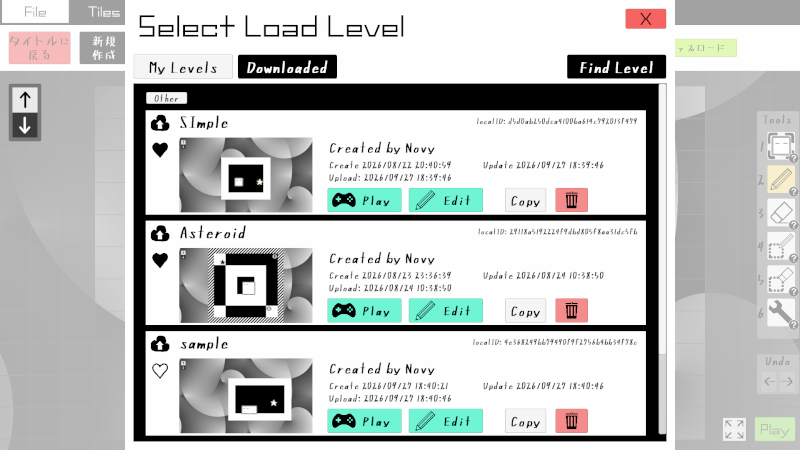
Adjusted the Save/Load UI
Previously, you could save created levels to any location you liked, but the save location is now fixed.
Saved levels now appear in a list when you press the Load button, making them easy to find.
You can still load levels from any location you choose by pressing the "Other" button on the load screen.
(You can also play levels created by others via this button by downloading their files.)
Undo & Redo
You can now Undo and Redo actions in the level editor. Use Ctrl+Z to Undo and Ctrl+Y to Redo. You can also perform these actions by clicking the newly added Undo/Redo buttons.
New Tiles
You can now use "Mirror" tiles in the demo version's level editor as well.
Staff Credits
We have listed the sources of the audio assets used at the end of the demo.
Arrow Key Support
We have fixed an issue where the arrow keys were not functioning, following reports from players in the community. We would like to sincerely thank everyone who brought this to our attention.
About Online Sharing
We developed a feature to share levels created in the editor via Steam Workshop!
However... it proved difficult to allow users who don't own the full game license to access Steam Workshop, so we unfortunately decided not to implement the online sharing feature in the demo version. We apologize for this.
In the full version, you should be able to play stages created by other users using the online sharing feature... hopefully...
So, please stay tuned for the release of the full version.
We aim to release the full version sometime this year! We really want to!
Look forward to it!