The Forever World Cup Workshop is officially up. Create, share, and subscribe to custom teams, competitions, venues, jerseys, and much more—all directly in-game.
Mod Creator & Editor
With the Workshop Editor, you can create or update mods. A mod can include teams, competitions, or both.
Teams
Use the team-selection filters to choose the teams you want to upload. Then select options such as “Include team jerseys” and “Include venues” to automatically bundle the required assets into your mod file.
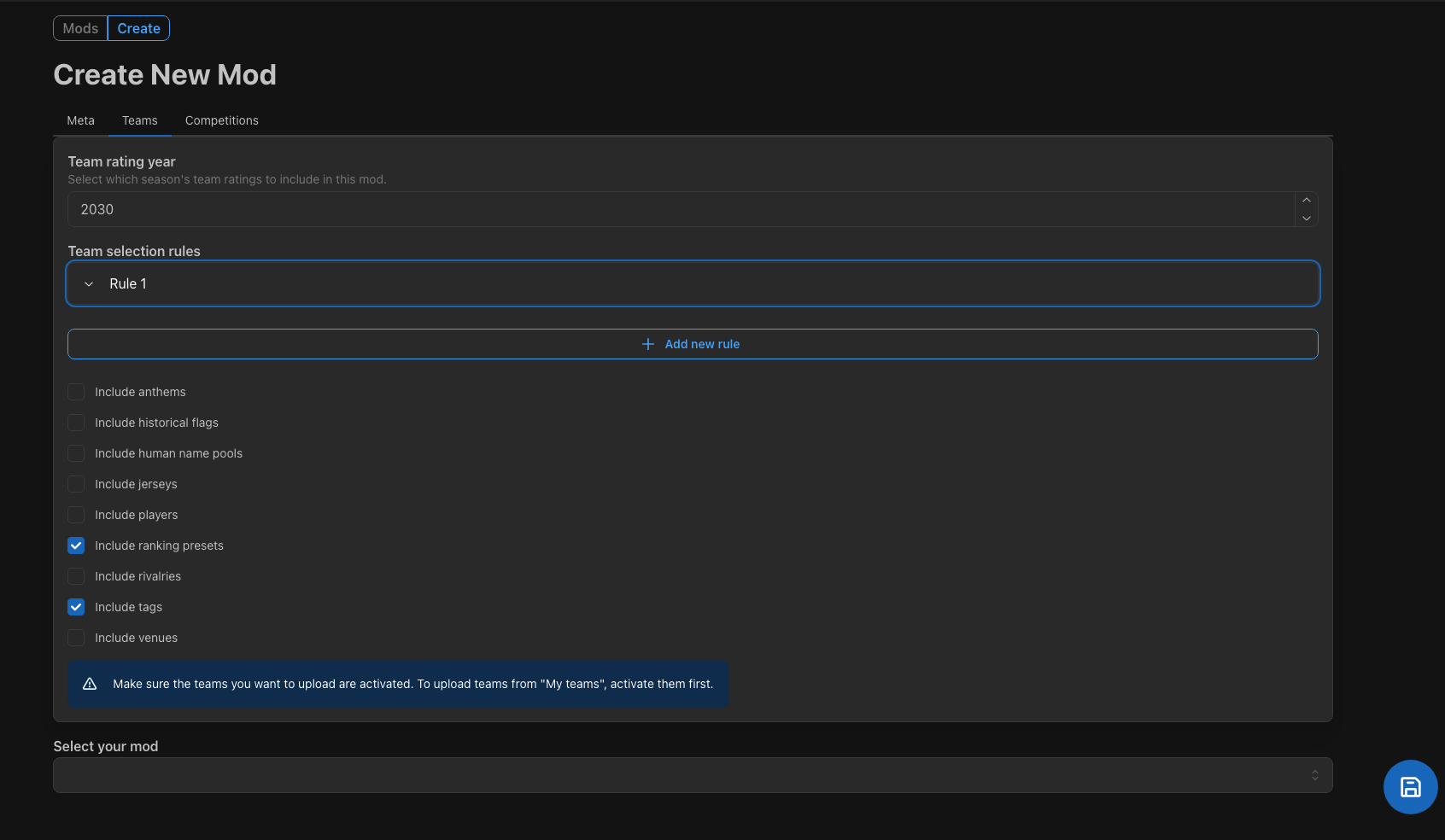
Assets you can upload include anthems, jerseys, ranking presets, players, tags, venues, rivalries, flags and more.
Competitions
Select at least one competition to upload. You can include playlists, winners and future hosts. There is even an option to bundle eligible teams for those competitions with the mod.
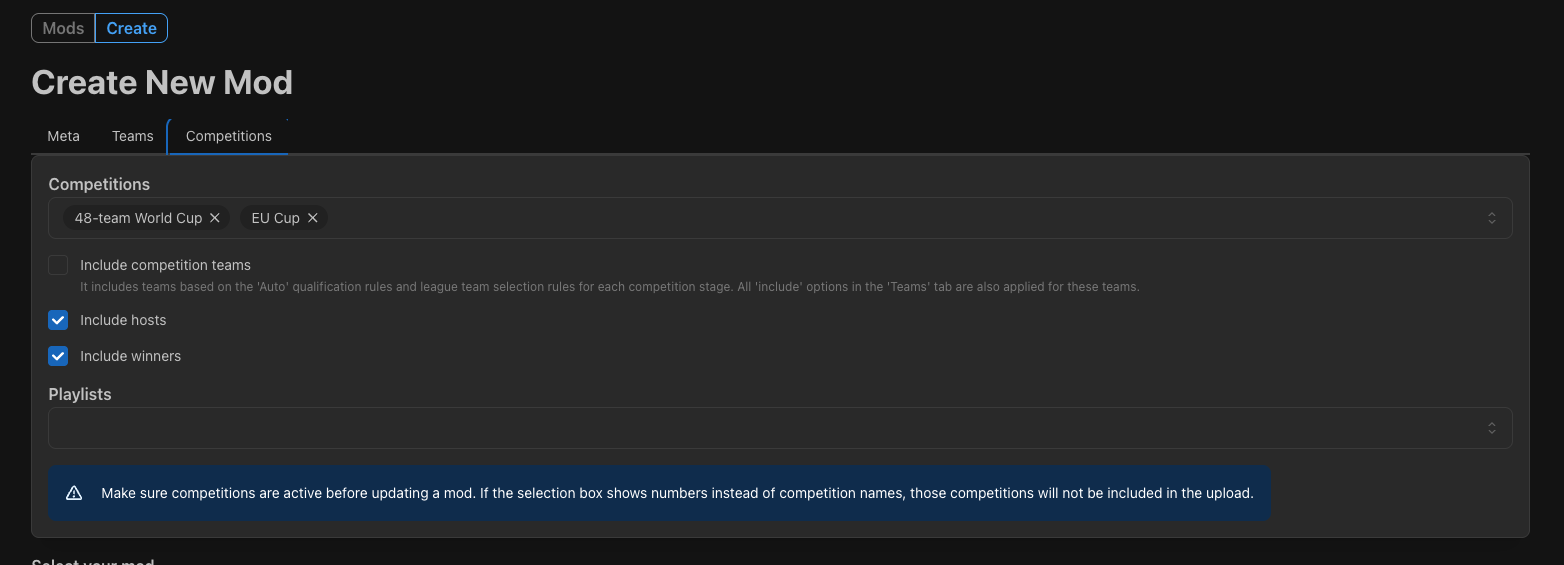
Before creating or updating a mod, make sure every team or competition you want to include is active in your save. Otherwise, they can not be exported into the mod.
Import Mods
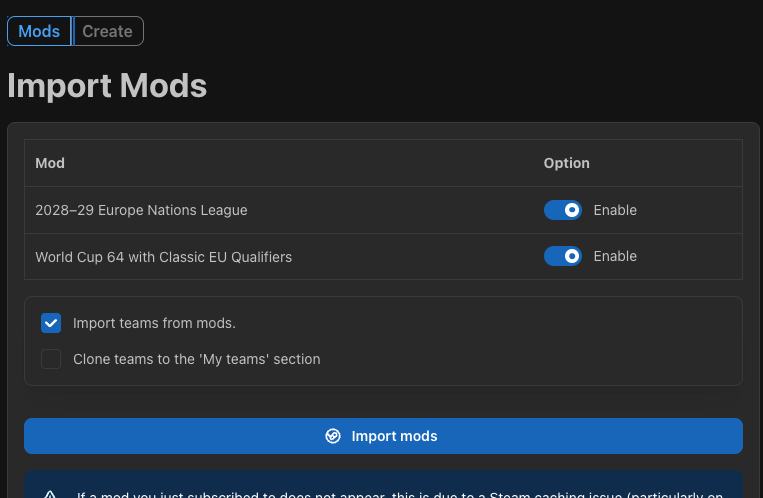
On the "Mods" page, you can import all your subscribed mods with just one click with a few customizations. If there are mods you want to exclude, just disable them before starting the import.
There are also two team-related options:
1. Skip importing teams from mod files
2. Clone imported teams to the My teams section
Sync Note (macOS / Steam Client)
On macOS, or when using the Steam desktop client, a newly subscribed mod may not appear immediately. Restart the Steam desktop app to prompt Steam to complete its background download and sync.
Road to 270
Temporarily suspended the Road to 270 section since the focus now is to improve the workshop modding.
Site:
https://simcups.com