Oblivity Update 2.5 // Scenario Creator, Target Behaviour System, Support Chat
Oblivity · published
Developer Note
Hello Oblivity community,
this update focuses mainly on improving the Scenario creation process, with better usability and new features.
Several of the new features and bug fixes were inspired by your suggestions on our official Discord server. We encourage you to join and contribute to enhancing Oblivity! Additionally, we're looking for new testers through the Discord server.
Cheers Poly Games
Change Logs
Scenario Creator Rework
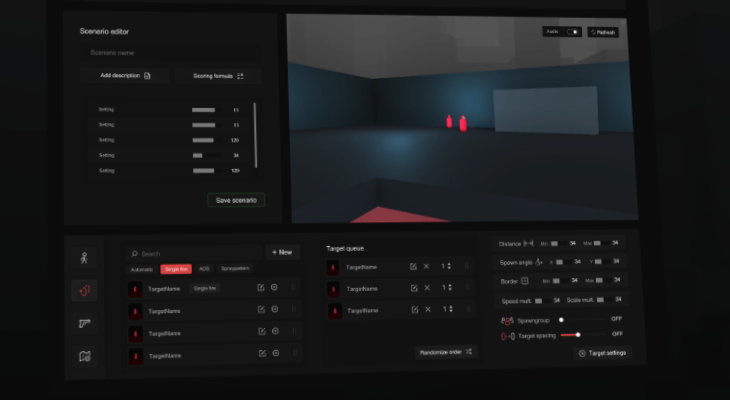
We've revamped the main Scenario Creator page, streamlining the user interface by eliminating unnecessary clutter for a more straightforward experience. Now, you can effortlessly toggle between tabs for Targets, Weapons, Characters, and Maps to adjust the essential settings for these elements directly.
If you want to adjust more detailed features, just click on "Advanced." We've also improved how you can search for and find what you need. Plus, we've added lots of helpful tooltips that explain what different settings and sliders do, so you know exactly what the options do.
We've also made adjustments to the model editor, rearranging the spawn pool to create more room for a bigger hierarchy.
Target Behaviour System
We've created a brand-new way for you to design how targets move and act, using something called a node editor / state machine. This tool lets you set up complex actions, like moving targets around, changing their size, spinning them, or adjusting their health when certain things happen.
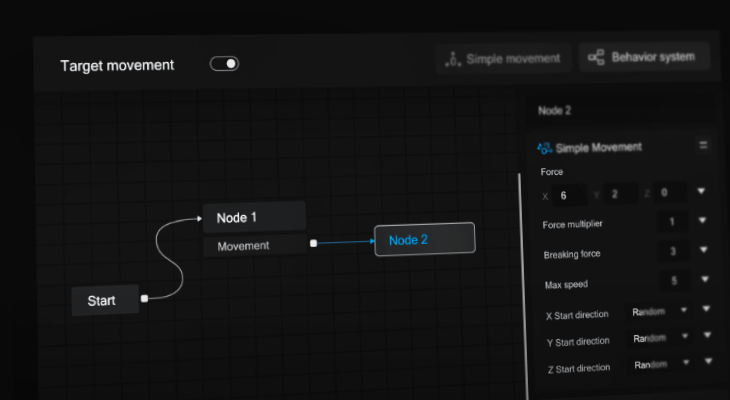
Here's how it works
You can find it on the Target Advanced Site, by switching from simple movement to advanced.
Nodes: The Node Area is the central part where you add and move around different "Nodes." Think of nodes as the building blocks for what you want your targets to do.
Each node represents a specific behavior or state for your targets.
Action Blocks:When you select a node, you can attach "Action Blocks" to it on the right side. These blocks are instructions that tell your targets how to act when that node is active. For example, you can make targets move differently or change in response to what's happening in the game.
Event Action Blocks: These special blocks, like a timer or a comparision, can trigger changes from one node to another. This lets you create sequences or patterns of behavior.
Variables: You can use variables to keep track of information that you want to share between different nodes, like numbers or vectors.
What you can do with it
This whole system gives you the power to control exactly how targets behave. You can make them teleport, shrink as they lose health, follow complex paths, or even mimic the player's movements. We've provided lots of actions to start with, and we'll be adding more. With a bit of creativity, you can bring a lot of exciting ideas to life!
Support Chat
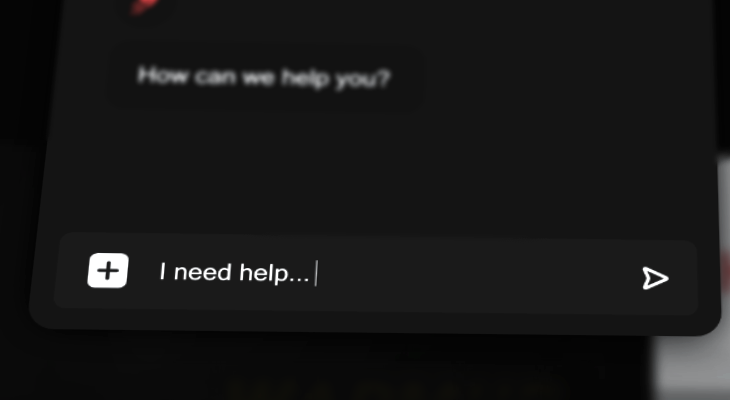
We've added a new feature in our update: now you can talk to our support team right from the game using a chat box. Plus, if you need to, you can easily move your chat over to our Discord server and keep the conversation going there.
Bugs & Quality of Life
- added round counter to Pause Screen
- Announcement Widget improvements
- fixed a download bar graphics issue in icon view
- fixed a issue with the sens finder widget on the start screen
- removed import buttons from target models