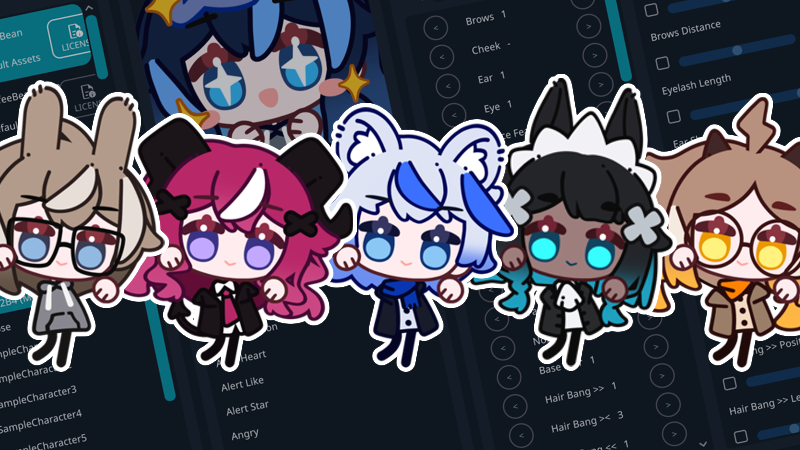
This update added new parts to the built-in model, changed the character loading system, and added new languages.
Behaviour Changes (important!)
Unified Character Data: Different versions of the same model now share the same character folder, license, and translation data. Characters are forward and backward compatible, but if a character uses parts introduced in a newer version, those parts will not appear when loaded in an older model. It is recommended always to edit and save characters using the newest model version (the one without a version number in the model list) whenever possible. For CoffeeBean models, the characte data must be placed in C:\\Users\\<username>\\Documents\\EmoteLab\\Characters\\CoffeeBean (path may vary depending on your settings).
Custom Texture Folder Changes: Each model version now uses its own custom texture folder, including the newest model. The generic “CoffeeBean” custom texture folder is no longer used.
New Languages
Community translations: Korean, Russian, Traditional Chinese, Portuguese (Brazil), Thai, Turkish
Machine translations: Ukrainian and Italian.
See all community contributors: https://github.com/GlycoProduction/EmoteLab-localization/graphs/contributors
CoffeeBean Model
New Animations: Cheers, Dance 1, Dance (Caramelldansen), Dance (Helltaker), Dance (Low Cortisol), Eat (Donut), Eat (Popcorn), Eat (Watermelon), Game, Greeting 1, Greeting 2, Sparkling 2, Think (Confident), and Think (Serious). For more details, please visit: https://emotelab.app/assets/CoffeeBean/animations/
New Parts: New parts include Facial Hair B, Cheek, Face Feature A >>, Face Feature A <<, Face Feature B >>, Face Feature B <<, Face Feature C, Nose, Earring >>, Earring <<, Piercing A >>, Piercing A <<, Piercing B >>, Piercing B <<, Hand, Leg, Cape Back, and Cape Front. Face Feature A includes symmetrical moles and freckles. Face Feature B includes symmetrical facial markings. Face Feature C includes markings around the mouth area and full-face custom designs. Hands now include fingerless gloves. Legs now support custom images. For all current available parts, please visit: https://emotelab.app/assets/CoffeeBean/parts-list/
Slider: Length adjustment for short hair (Hair Side)
Hands (Behaviour Change): Hands can now be colored independently for the character with gloves. If you changed the skin colour of the character before, you may want to reapply the colour to the hands.
Ears (Behaviour Change): Ear 1 now includes both the previous Ear 1 (human-style short pointed ears) and Ear 2 (mid- to long-pointed ears). Ear length can be adjusted using the Ear Shape 1 slider. This change was made to support the new earrings and ear piercing options.
Face Painting: Face Feature C Custom is the customizable section used for drawing face paint designs. Please note that artwork placed around the mouth area will not move with mouth animations. This is a limitation of the style. Because the character uses a chibi art style with exaggerated eyes and mouth proportions, it is not possible to create a continuous mesh that can deform properly with both the eyes and mouth at the same time.