Happy Easter!
Welcome to the first Devlog for PhoneLink VR and we've got quite a lot to show you! First things first, I'd like to address the lack of updates and communication from us. We're an indie team of just 2 people and so we sadly can't spend all our time working on PhoneLink VR and other Matterworks projects.
Now that's not to say we've not been doing anything! We've released a number of updates to our Android app and have been working on the next major update for our desktop client.
Android
Since we launched back in November 2021 we've released 6 updates to our Android app. Most of our effort has been around improving the Android app experience. Here's some of the highlights
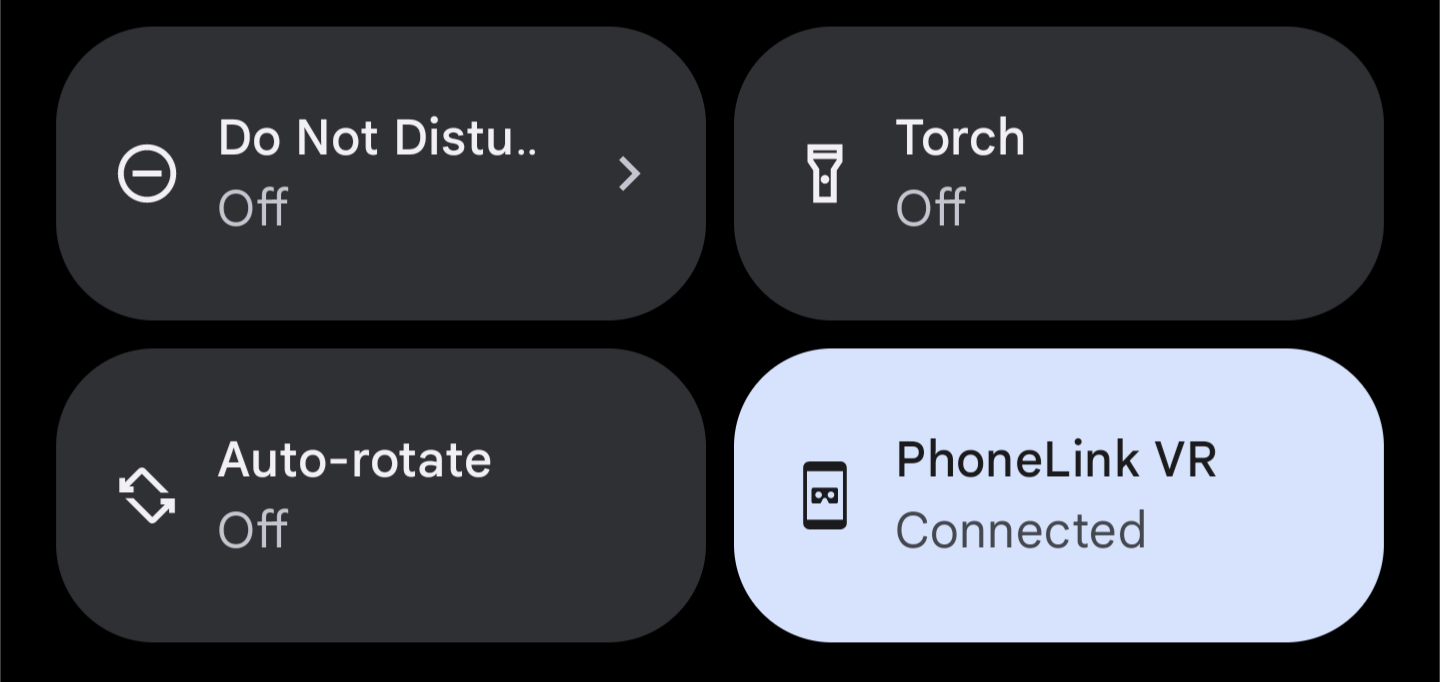
Quick settings tile
One complaint we had about the user experience is that having to open the PhoneLink VR app whenever you want to connect was a bit annoying. So we've added a quick setting tile that you can use to connect to your PC without having to open the app.
Reworked background service
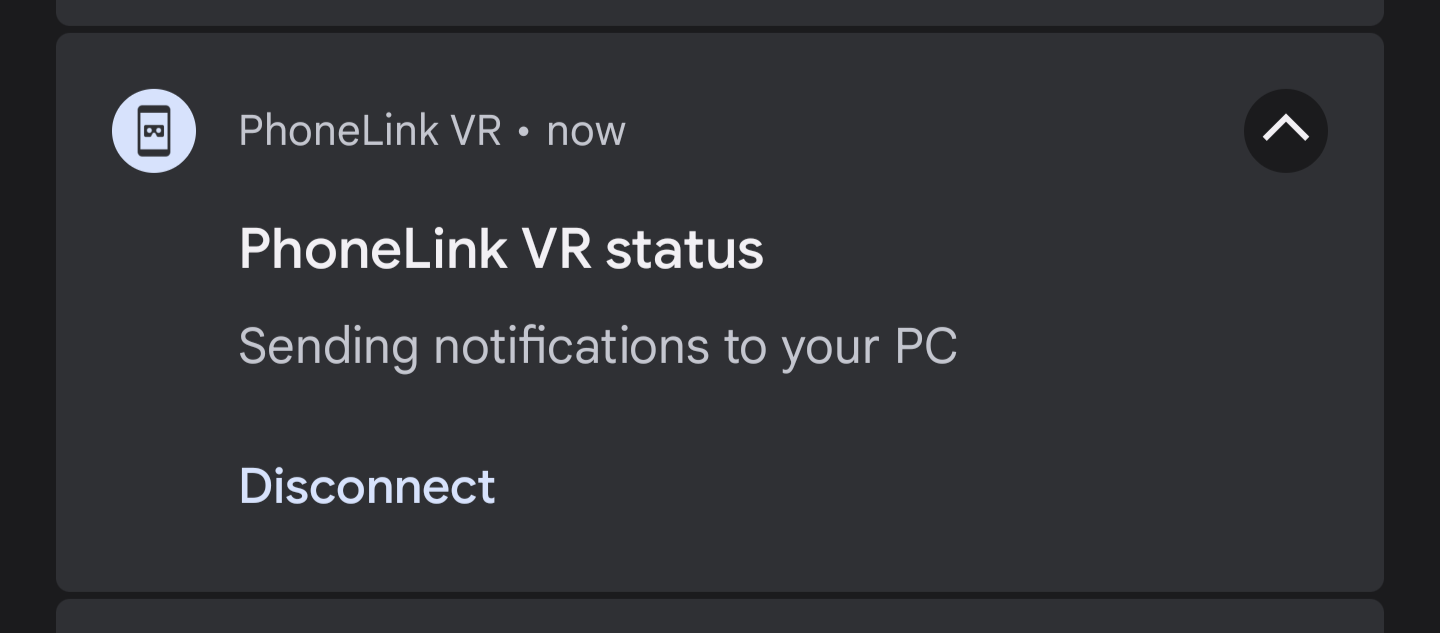
Another major annoyance we've fixed is making sure PhoneLink VR stays open in the background. We initially set up the app to disconnect from your PC when you close the app, making it super easy to manage when you're connected. However we found that this resulted in an issue where your phone would sometimes kill the app and disconnect you to improve battery life.
We've adjusted how the app works in the background to make sure it stays connected for longer. While working on this improvement, we also updated the background notification to make is super easy to see the status and disconnect from your PC.
As well as a few small but important tweaks
- Rebuilt our QR code scanner, some users on slower devices were having issues with this
- Fixed duplication notifications occasionally being sent
- Improved how we show network errors
- Squashed a lot of bugs
Desktop
One area where there hasn't been a lot of visible work is our desktop app. Obviously this is an extremely important of PhoneLink VR and somewhere where we really want to improve the experience. A few months ago we made the tough decision to redesign the app from scratch. One of the main pieces of feedback we received was about the overall design of the app so that's one area we've really focused on with this new version.
Redesigned desktop app
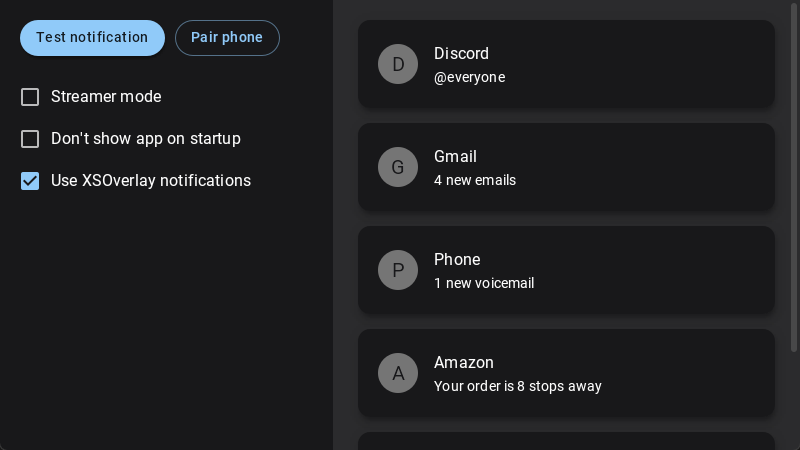
This is a screenshot from our latest dev build of PhoneLink VR, the final product may not look exactly like this. The main improvement is a switch to a Material Design style for the desktop app, this now means that both the Android and desktop app will look visually similar. The new UI will also be brought over to the VR overlay, however we're not quite ready to show that off yet.
The new version of PhoneLink VR also brings some important technical changes for future updates. For example, we've switched to a new OpenGL based renderer rather than using Qt. This means we can add new VR overlays much easier than before. We're not ready to announce any new features yet but we're laying the groundwork for what's to come.
As mentioned this is still a work in progress, so if there's anything you'd like us to add or change please let us know we've love to hear it!
XSOverlay
Another big improvement you can see is the addition of XSOverlay notification support. By checking the XSOverlay box, PhoneLink VR will switch to using much nicer XS notification system rather than SteamVR's. If you're a heavy XSOverlay user this feature's for you!
Improved streamer mode
We're also taking the time to improve the streamer mode we shipped earlier last year. This mode is great for streamers who use the VR mirror instead of capturing games directly. We're currently experimenting with a wrist mounted overlay that shows your notification count instead of popping up notifications every time.
If you're a VR streamer and have any suggestions for improvements to this mode, please get in touch!
Desktop Beta
We don't have a release date for the new redesign just yet, however with such a huge update we plan to release it in stages. First with a closed alpha test which we plan to launch soon (if you're a PhoneLink VR power user and want access, please get in touch!), then we'll launch an open beta followed by the public release.
Make sure you're following PhoneLink VR on Steam and keep your eyes on our community page. We'll be posting more devlogs as we work on this update!
See you soon!