Terrain Identification Subtest (Navy/ASTB-E/PBMB)
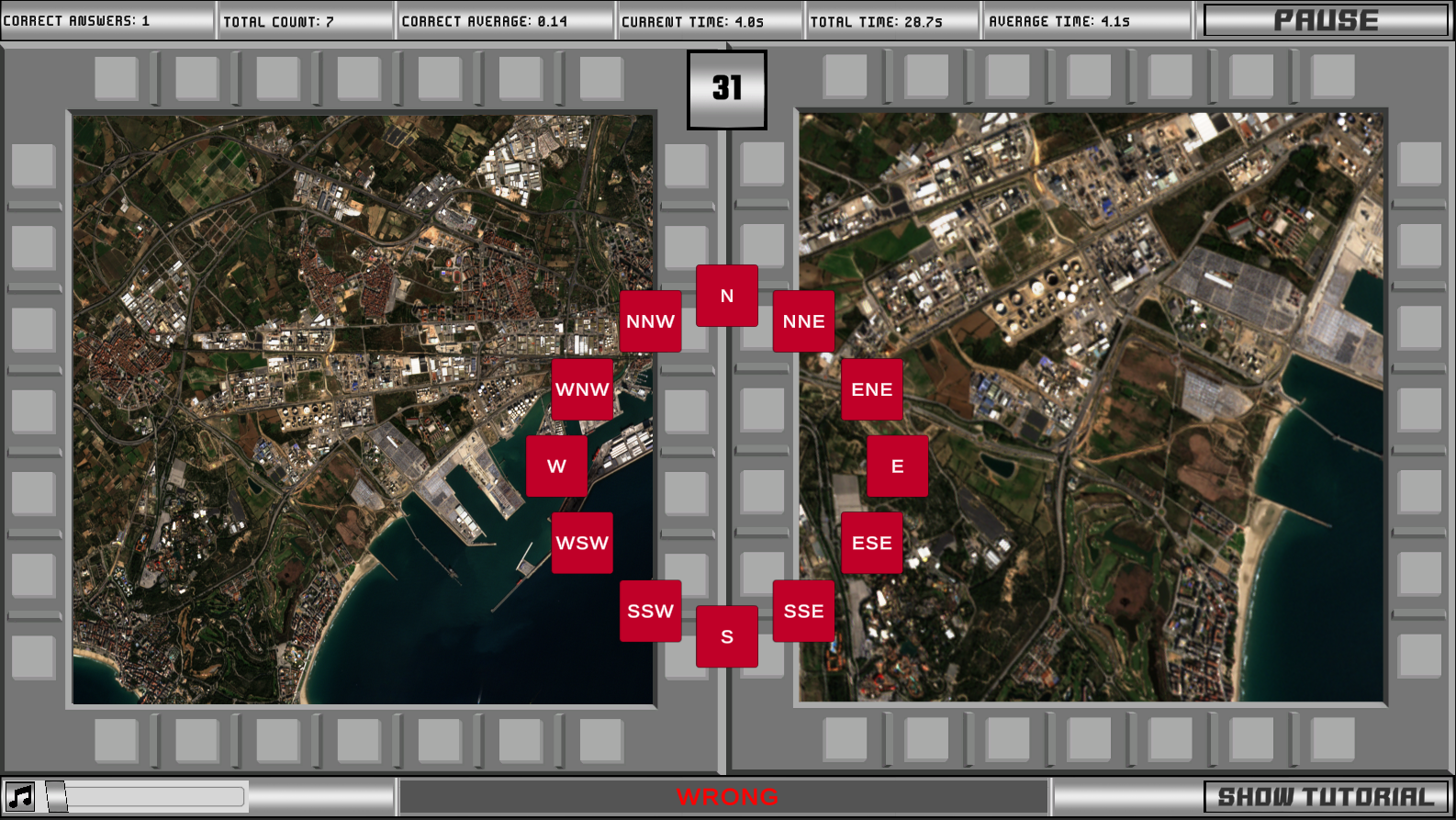
- Within 35 seconds, find the compass-orientation of a UAV looking down at terrain below by comparing the terrain in its point-of-view with a North-oriented map on the left-hand side of the screen
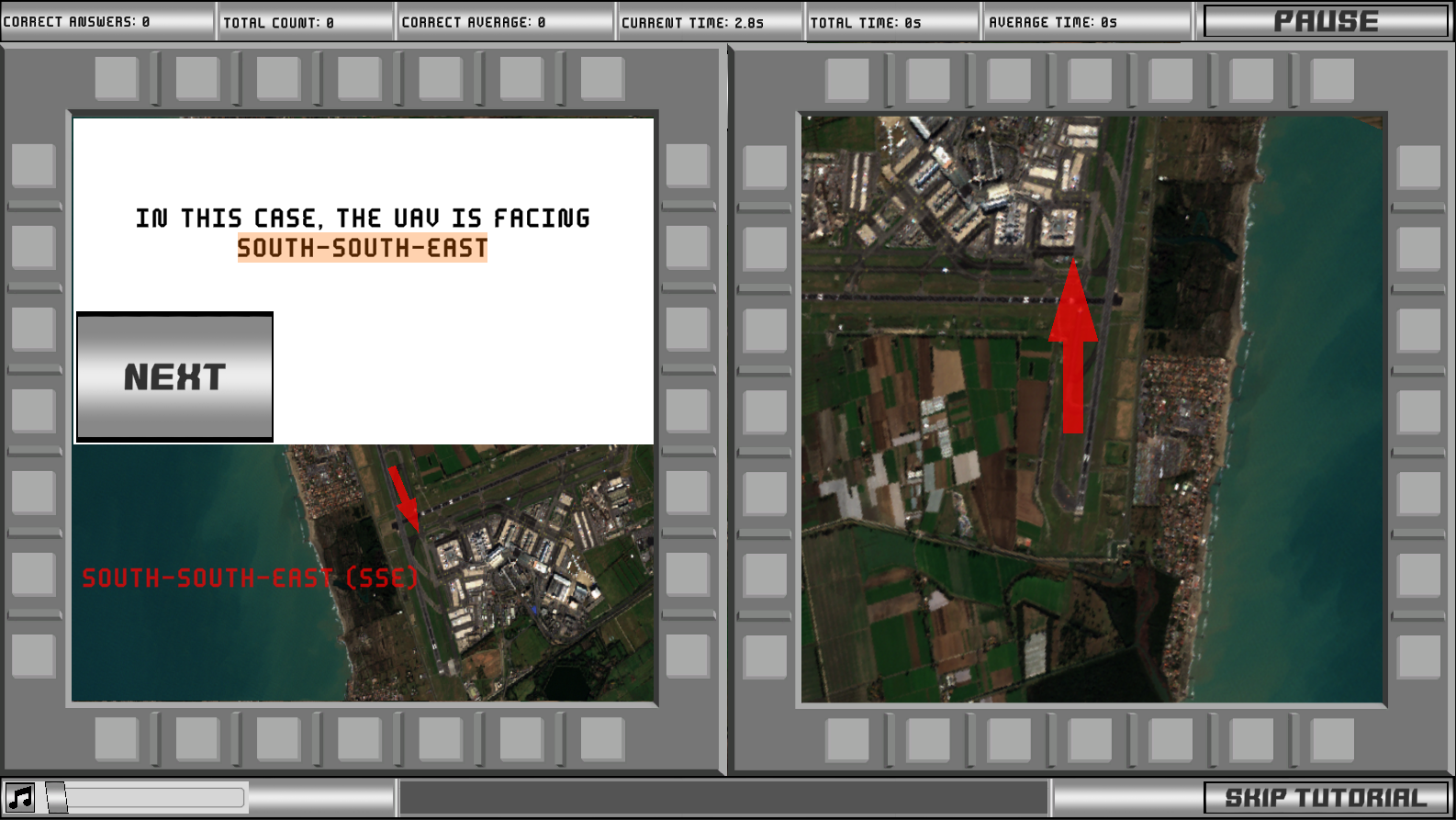
- Having trouble getting the hang of things? Try the comprehensive tutorial anytime to refresh yourself on the problem-solving process
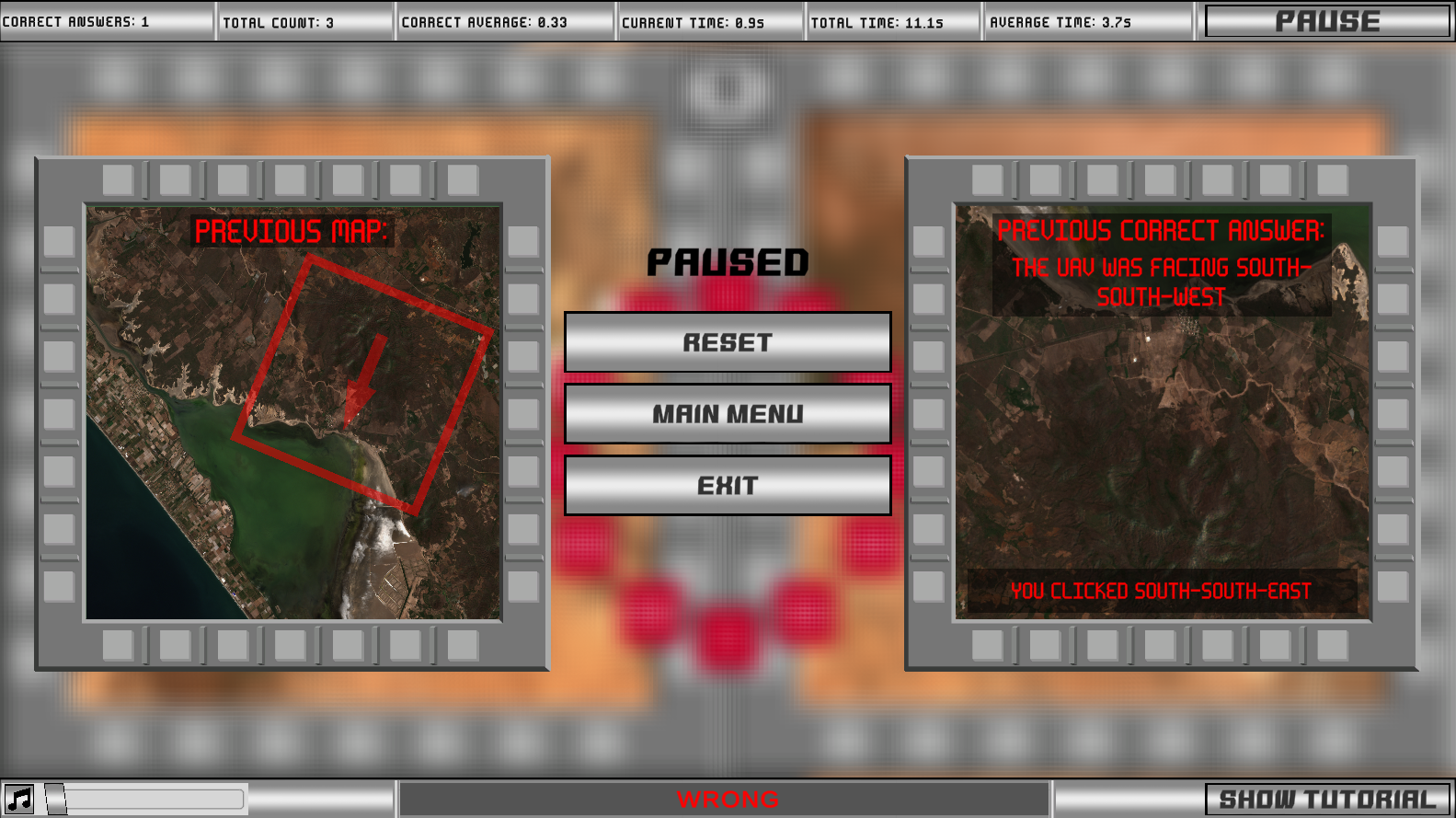
- Are you practicing, and you're not sure why some of your answers are showing as "WRONG"? Check the Terrain Identification "Pause" menu to compare your previous selection with the previous correct answer
- Want to practice the PBMB part of the ASTB-E as if you were taking the real thing? The Navy Assessment mode is now updated to include a "Assessment Mode" version of the Terrain Identification subtest
Minor Changes
- New "Stats" Menu Save File Delete Buttons: Previous assessment save files in the "Stats" menu can now be deleted via "Delete All" and "Delete Selected" buttons. This was added because there is a rare bug where save files can get corrupted, and the only possible fix is to delete the offending files. These new options allow the user to delete corrupted save files without having to dig through their file system to find them.
- Rebalanced Assessment Scoring: I noticed that it was possible to achieve decent scores in certain subtests in the previous versions of TBAS Study Pro by doing absolutely nothing. As a result, I have rebalanced Assessment Scoring to be less forgiving. You may notice that your Assessment scores are lower than before, and that's intentional.
Be aware: Due to the addition of the new Terrain Identification subtest, old Navy/ASTB-E/PBMB save files may have display issues in the new version of TBAS Study Pro. There should be no critical compatibility issues, but if any are to arise, simply utilize the new "Delete" buttons to clear out old Stat menu save files.
FUTURE PLANS
Previously I had mentioned the creation of "Custom Assessments" and an "Updated Stats Screen" as a part of a potential future "v1.2" update. Well, this is v1.2 and those features are still not available. This is because I no longer believe those features would meaningfully enhance the user experience relative to the amount of work required to build them, especially when considering that doing so would only draw my attention away from my other software projects that are far more pressing. Right now, my priorities concerning the future of TBAS Study Pro are in making sure I meet the needs of my users (YOU!) by only adding things I know for a fact are needed, like this Terrain Identification subtest (added per user request), or expanding accessibility options (see, for reference, the past few controller and bug-fix-focused updates). If you want to see something in TBAS Study Pro, please do not hesitate to reach out to me to request it! My plan has been and always will be to provide the ultimate TBAS preparatory tool, and if there's anything I can do to bring TBAS Study Pro closer to that goal I will do my best to make it so.
If you have any feedback, the best way to reach me is via the TBAS Study Pro Discord Server.
You can also reach me via Steam messenger or the Steam Discussion forum, but I don't receive notifications from posts in the Discussion forums so that method of contact is less effective.
Thank you for all your support, and good luck on the TBAS and ASTB!