Game update
Confirming Steam Controller Input Settings
METAL GEAR SOLID - Master Collection Version · published
With the release of Ver.1.5.0 on 3/13/2024, a fix for an issue in which analog input did not work as intended has been implemented.
Consequently, we have updated the button layout to allow for the analog input.
Please confirm whether the updated button layout has been applied or not using the following procedure.
- Please select "METAL GEAR SOLID - Master Collection Version" from your Steam library.
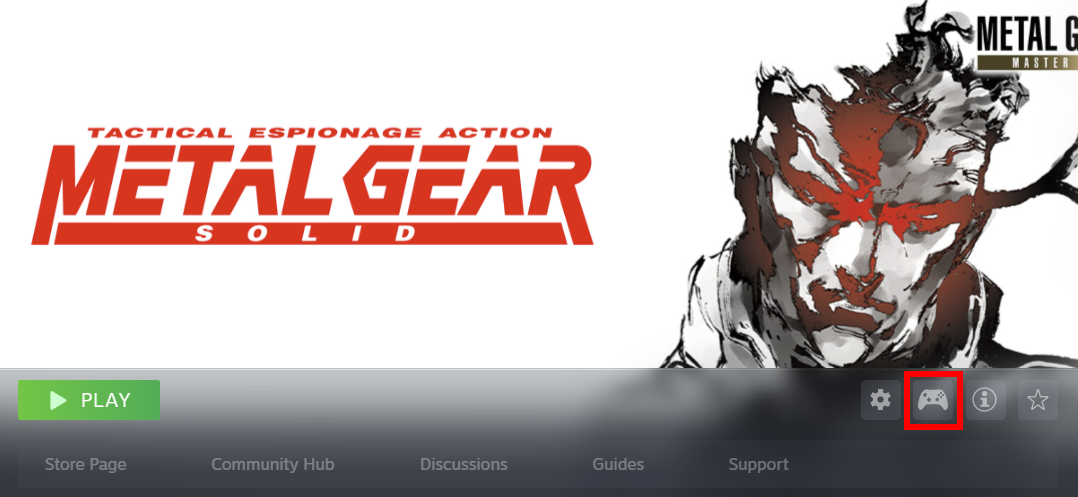
- Open "Controller Layout" by selecting the controller icon.
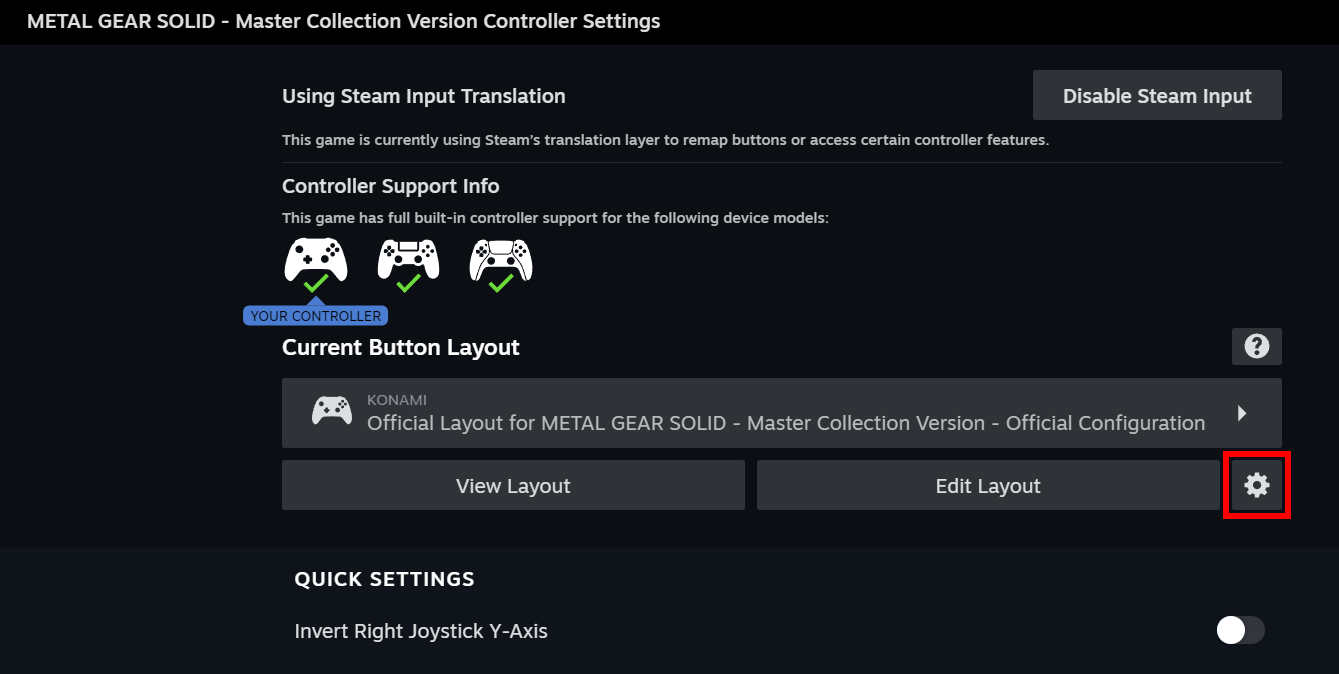
- Select the gear icon.
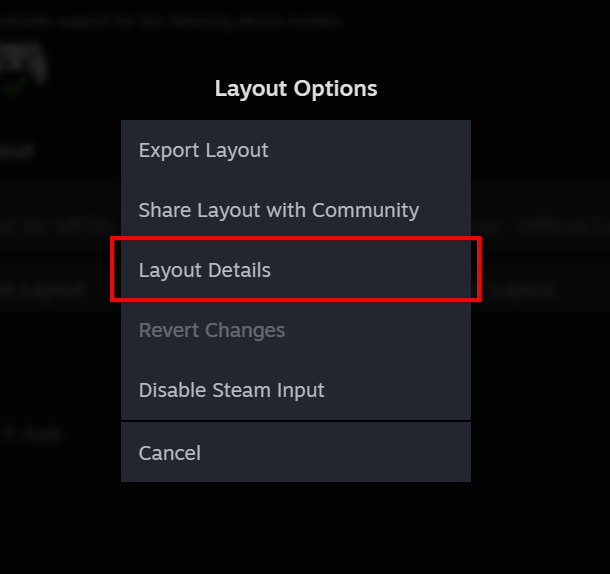
- Select "Layout Details".
- Please confirm that the "Layout ID" is one of the following ID numbers.
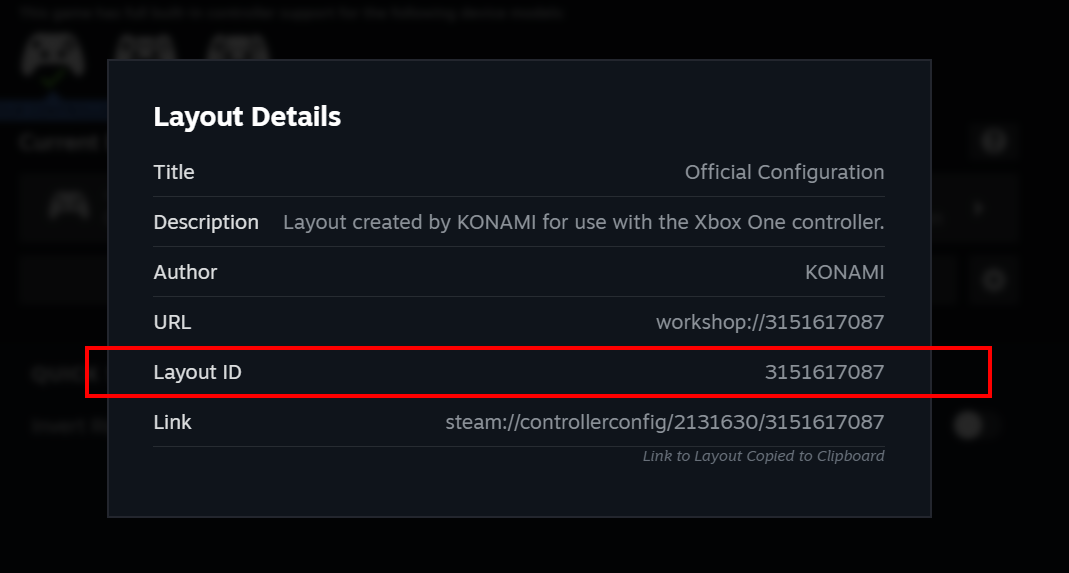
*The number will differ depending on the type of controller being used. - 3151547762
- 3151614843
- 3151617087
- 3151625643
- 3151626740
- 3151629784
- 3161667775
If the ID number does not match any of the above, please verify the integrity of game's files.
To verify the integrity of the game's files, please use the following procedure.
- Please select "METAL GEAR SOLID - Master Collection Version" from your Steam library.
- Select the gear icon.
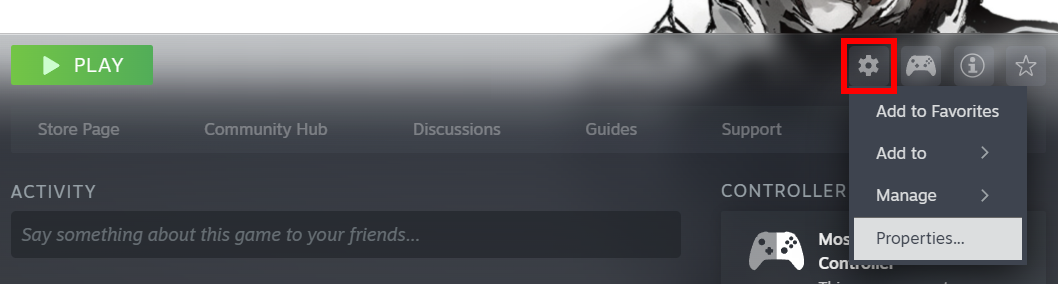
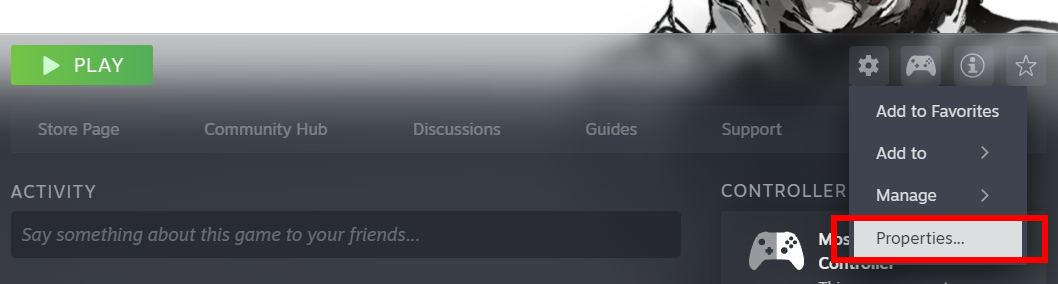
- Select "Properties".
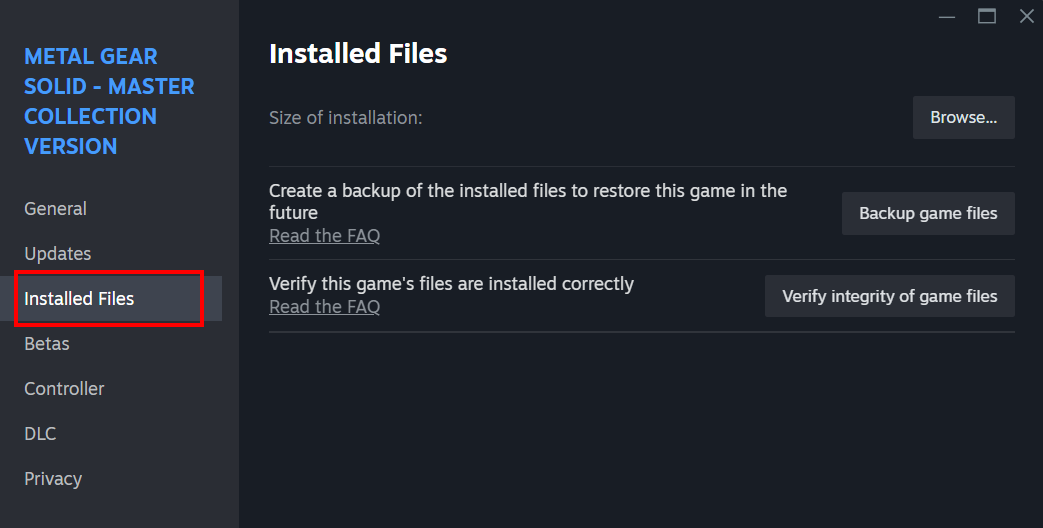
- Select "Installed Files".
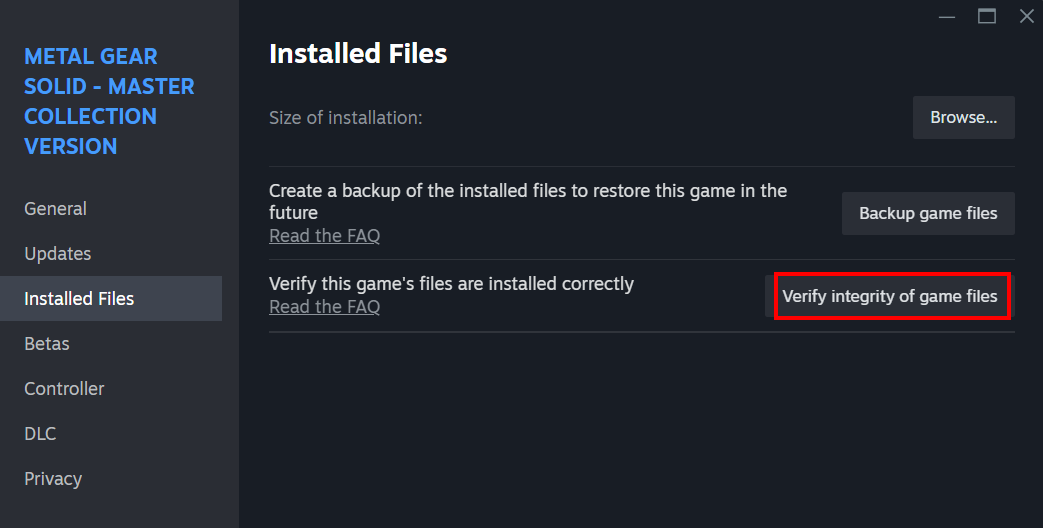
- Select "Verify integrity of game files".
We will continue to investigate and work towards addressing analog input issues to the best of our ability.
Please visit our official site and social media accounts for further updates and other information.
More from METAL GEAR SOLID - Master Collection Version
Other announcements
KONAMI PRESS START Title ShowcaseSurvey underway Pre-Order KONAMI PRESS START SALE is also underway! On sale until September 15 at 10:00 AM (PT) Don't miss out on this opportunity to enjoy KONAMI games!METAL GEAR SOLID - Master Collection Version Free PlayTo celebrate the launch of METAL GEAR SOLID: MASTER COLLECTION Vol.2 on August 27, we’re offering a free play trial for METAL GEAR SOLID! This limited-time free play will be available until July 27 at 10:00 AM (PDT). Don’t miss this chance to experience the world of the METAL GEAR series! METAL GEAR SOLID: MASTER COLLECTION Vol.2 is available for pre-order now!KONAMI Summer Sale 2026 Part 2 is now on!Don't miss out on this opportunity to enjoy KONAMI games! Featured titles! Upcoming Titles!