Accessing the Legacy Branch
Hello travelers!
Firstly, thank you all for making fun and engaging content for fans of the game! We wanted to share with you that we are releasing a legacy branch of Outer Wilds because Patch 8 introduces a massive overhaul to our input system which could make mods from previous versions of the game unplayable. To ensure everyone can continue using their favorite mods, speedrun, or just enjoy this version of the game, we are making this branch publicly available. Please see below for how to access this legacy version of Outer Wilds:This will require a Steam version of the game bought on Steam to install.
Log into Steam on its native launcher.
Navigate to your “Library” and look for Outer Wilds which should now be added to your list of games on the left side of your screen.
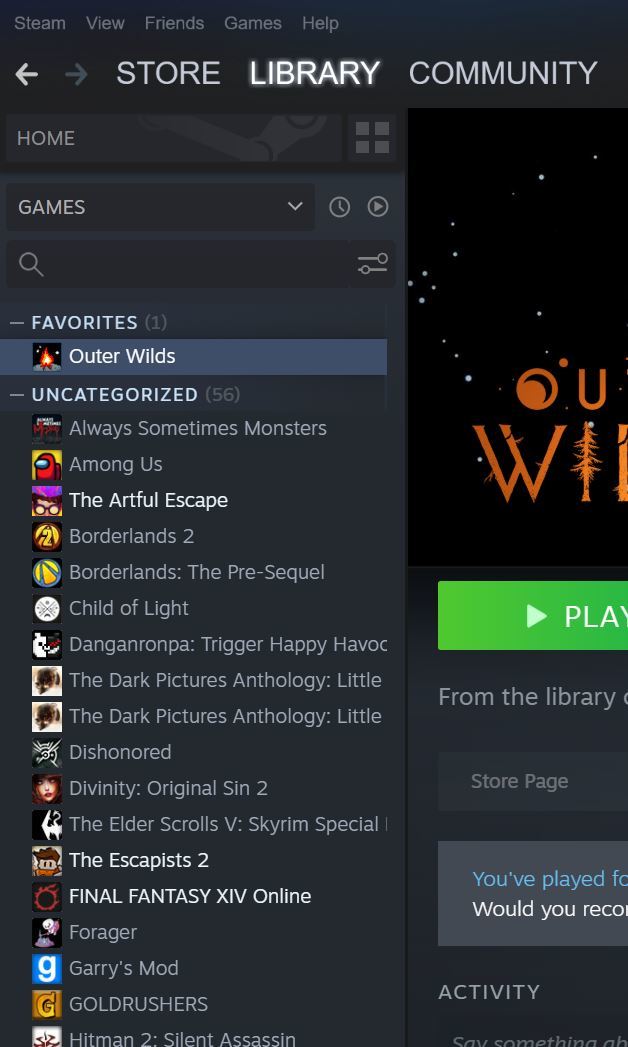
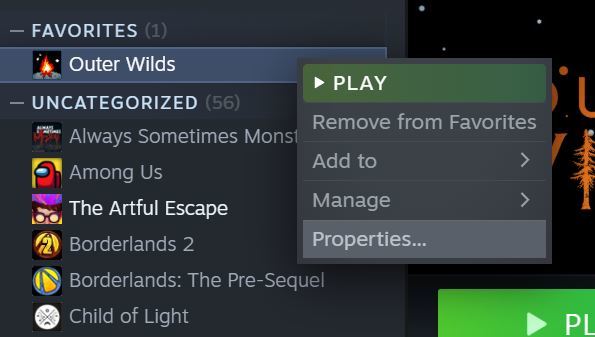
Right click Outer Wilds in this list and go to “Properties.”
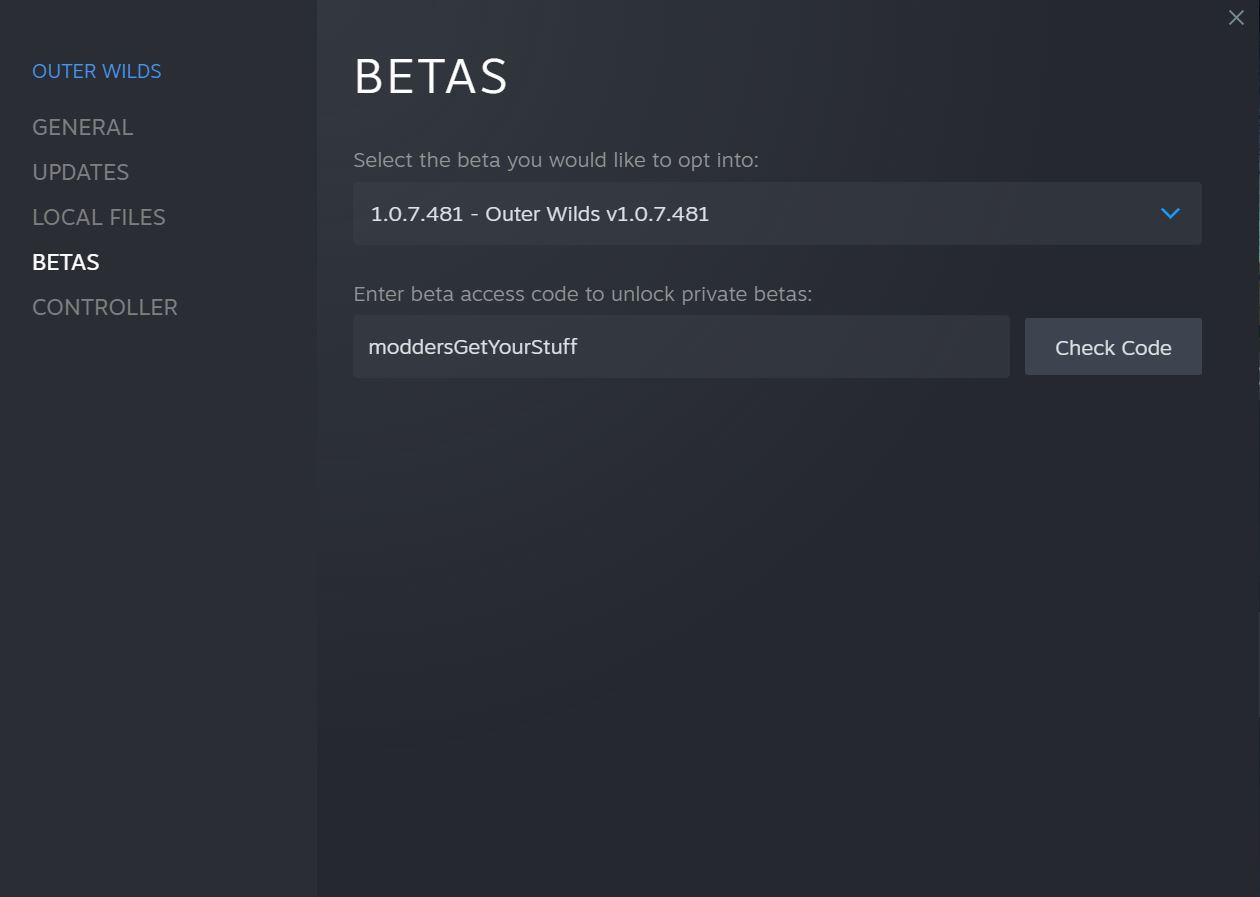
A new window should come up, navigate to the “Betas” tab.

In the text field “Enter beta access code to unlock private betas” enter in “moddersGetYourStuff” and click Check Code.
You should now have access to the “Outer Wilds: Patch 7” branch, have it start downloading and start exploring! It should look like this!

Best of luck in your interplanetary endeavors!
More from Outer Wilds
Other announcements
New Posters Available NowHello Travelers, New posters are now available! You might be saying “Hey, these look familiar.” And you’d be right! We worked closely with the folks at Cook & Becker to bring you much bigger versions of the A4 national park-themed posters based on the solar system’s major planets. Once again, these are illustrated by Mobius Digital artist Ian Jacobson. They’re available individually or as a set…Outer Wilds Patch 16 is Now AvailablePatch 16 Changes (Steam only, other platforms coming soon): This minor patch is now out on Steam only, but will be brought to all other platforms except Nintendo Switch in late May. If you’re not on Steam, don’t worry, you’re not missing out! This is a minor patch mainly for adding a couple folks to the credits and fixing two PC-only bugs: clicking out of the game disabling certain inputs (such…New Merch RoundupHello Travelers, There’s been so much new Outer Wilds merch the past year that we’ve made a little guide to it all! There have also been restocks of some of the more popular items, like the Outer Wilds Soundtrack Vinyl. A lot of our partners are doing sales and promotions for the holidays, so be sure to take a look. You can read this same update on our website by clicking here . In particular,…