Status
SteamPeaks
ChartsSalesUpcomingPatchesNewsCalculator
New on SteamEvery app, DLC and depot the minute Steam creates itAppsEvery app on Steam, newest change firstPackagesSubs and bundles, and what each containsDepotsDepots, manifests and install sizesTagsSteam's user tags and the games under themDevelopers & publishersCompanies and their cataloguesTechnologiesEngines, SDKs and anti-cheat found in the filesChange historyEvery PICS changelist as it lands
SignalsNineteen readings of the whole catalogueCompareAny games side by sideRecordsAll-time peaks and the days they were setReportsWeekly and monthly write-upsAlerts & newsroomWatch a game, get told when it movesSteam statusIs Steam up, right nowWeb API explorerTry the endpoints in the browser
NewsSteam's own announcements and the sales calendarCalculatorWhat a Steam account is worth, and its pile of shame
/
Sign in
/
SteamPeaks
The ultimate resource for Steam data.
ExploreChartsSalesSales and festsUpcomingPatchesNewsRecordsTrendingSignals
DatabaseAppsPackagesDepotsTagsDevelopersTechnologiesChange history
ToolsCalculatorCompareSearchAlertsSteam statusAPI
SiteMethodologyFAQDiscordSupportSign in via Steam
Not affiliated with Valve or Steam. Game names and artwork belong to their owners. All times UTC.
PrivacyCookiesFair useStatus
FWsim - Fireworks Display SimulatorNewsThe Entire World in 3D - FWsim 3.5 Beta 1
In-game event

The Entire World in 3D - FWsim 3.5 Beta 1

FWsim - Fireworks Display Simulator · published 15 Sep 2023, 12:30 UTC

All newsPlayers around this dateRead on Steam

Dear FWsim Community,

we are excited to announce this beta update with the following features:

Loading the entire World in 3D

FWsim could load 3D models in the past. But if you wanted to simulate a real place, you might face challenges. You’d either have to make your own 3D models or try to find the desired building models online. Yet, typically, you’d only find isolated buildings, not the entire landscape.

The latest version, FWsim 3.5, solves this problem. Now, you can launch fireworks anywhere in the world, in 3D. It not only provides the location you want, but also includes the entire surrounding area.
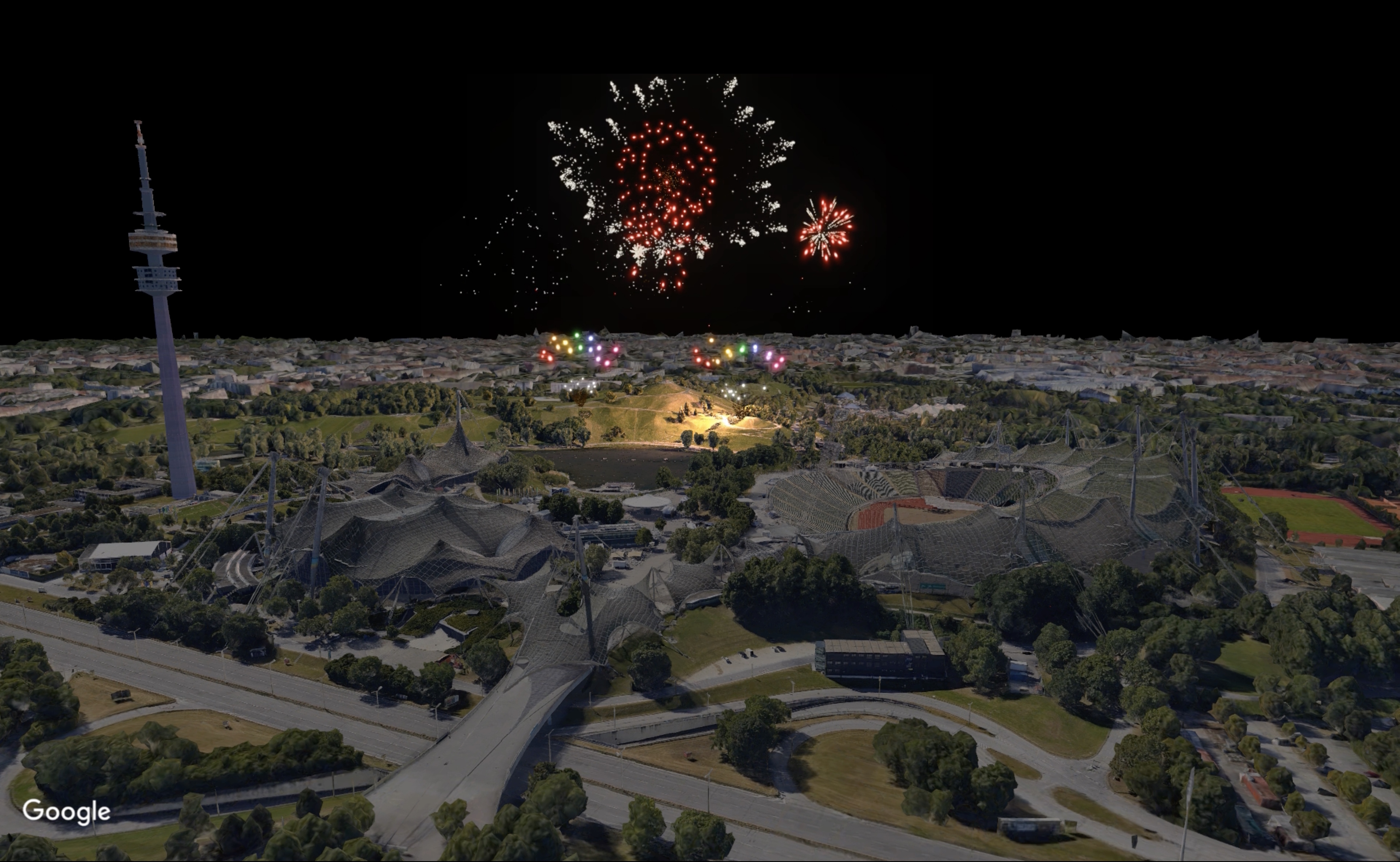
Our data is provided by Google and consists of 3D terrain (hills and mountains) for the entire surface of the earth. It also includes 3D buildings for thousands of cities. The data is downloaded on request. Please note, since we rely on an external data provider, there is a risk this feature might stop working in the future.

Here’s how to use it:

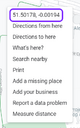
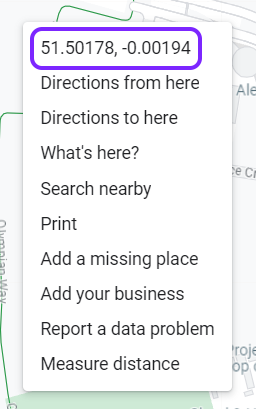
  1. Find the geographical coordinates (latitude and longitude) in decimal degrees, for example 51,503° / 0.00° for a location in London. To get coordinates, simply open Google Maps and right-click on the point you want:
  2. Open an existing show in FWsim or create a new one.
  3. Click Show → Scenery, and select the “Real Location” option.
  4. Enter your coordinates and click “Load”. Please make sure to use the right decimal separators. For example, if your Windows is set to German number format, you need to enter “51,50178” whereas on an English computer you would type “51.50178”.
  5. Depending on the location you load, your camera might be below the terrain. If you don’t see anything, move your camera upwards.
If you would like to preview interesting locations, or find out how good the data is at certain places, please use Google Earth.

Better placement of Fireworks on Buildings


In previous versions of FWsim, it was difficult to place fireworks on buildings. In this version, this is much easier and more intuitive.

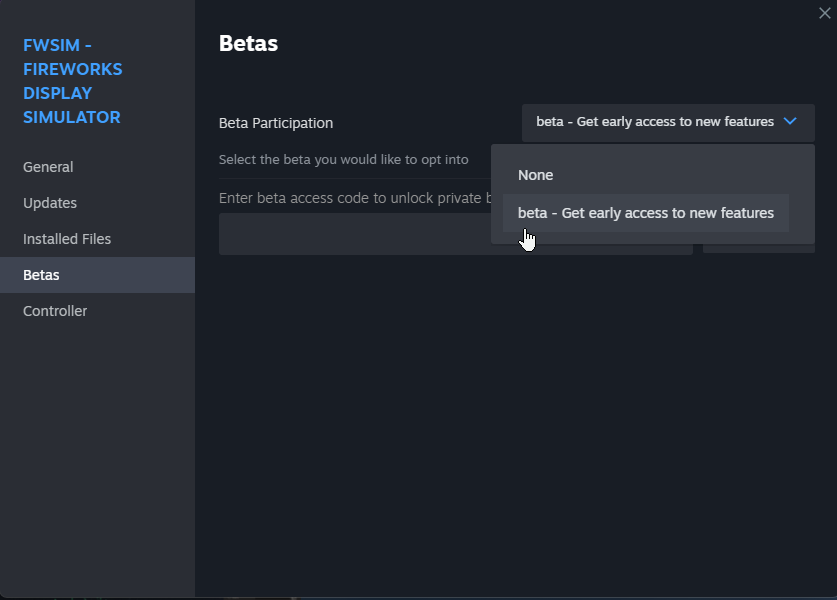
How to activate the Beta


Please right-click FWsim in your Steam Library, and select “Properties”. There you can choose to participate in the beta:
Show us your work!


We look forwards to seeing what you do with the new features. You can post your shows here in the discussions, or at the FWsim community forum.

More from FWsim - Fireworks Display Simulator

Other announcements

All news
Major update8 Sep 2026v4.4.2 - Massive Effect Editor Upgrade, plus improved performanceFWsim 4.4.2 is rolling out on Steam now. This one is all about the effect editor, plus a speed boost that everyone gets without touching a single setting. Faster out of the box · Accelerated Rendering is now on by default. Same visual quality, noticeably faster, and easier on laptop batteries. It works on NVidia and AMD dedicated graphics cards, and you can switch it off under Preferences > Gra…Major update15 Jun 2026FWsim 4.4 - Motorized Stars, Better Performance, and new effects featuresCheck out update 4.4! Here's what's new: ⭐ Graphics improvements · More realistic appearance of stars · Accelerated Rendering (Settings → Graphics) — runs much faster and uses less battery at the same visual quality. Available on NVidia and AMD dedicated graphics cards. · Even without accelerated rendering, this new update should be faster on all systems. · More realistic water reflections ✨ Ef…Game update16 Sep 2025Massive Performance ImprovementIn this update: · Better performance when editing your show, especially on large shows with many cues · New option: “Reverse Order on Timeline” (CTRL + SHIFT + R). Use this when you make a stepper out of single cues and you want to reverse the order. · The timeline now looks much better when you zoom out very far. Your show will look cleaner and it’s easier to make edits even at extreme zoom le…