Version 1.16 has been released! This version is a direct continuation of 1.14, with new, optional features in the schedule system for advanced players. And for everybody, this release also marks the first time NIMBY Rails has a proper collision system, so you must now pay attention to train physical size and footprint when designing your track layouts.
Unassigned trains
The schedule system now has the capability of setting trains to become unassigned at the end of an order. This means the train stays in the tracks, stopped, but has no orders and no schedule.
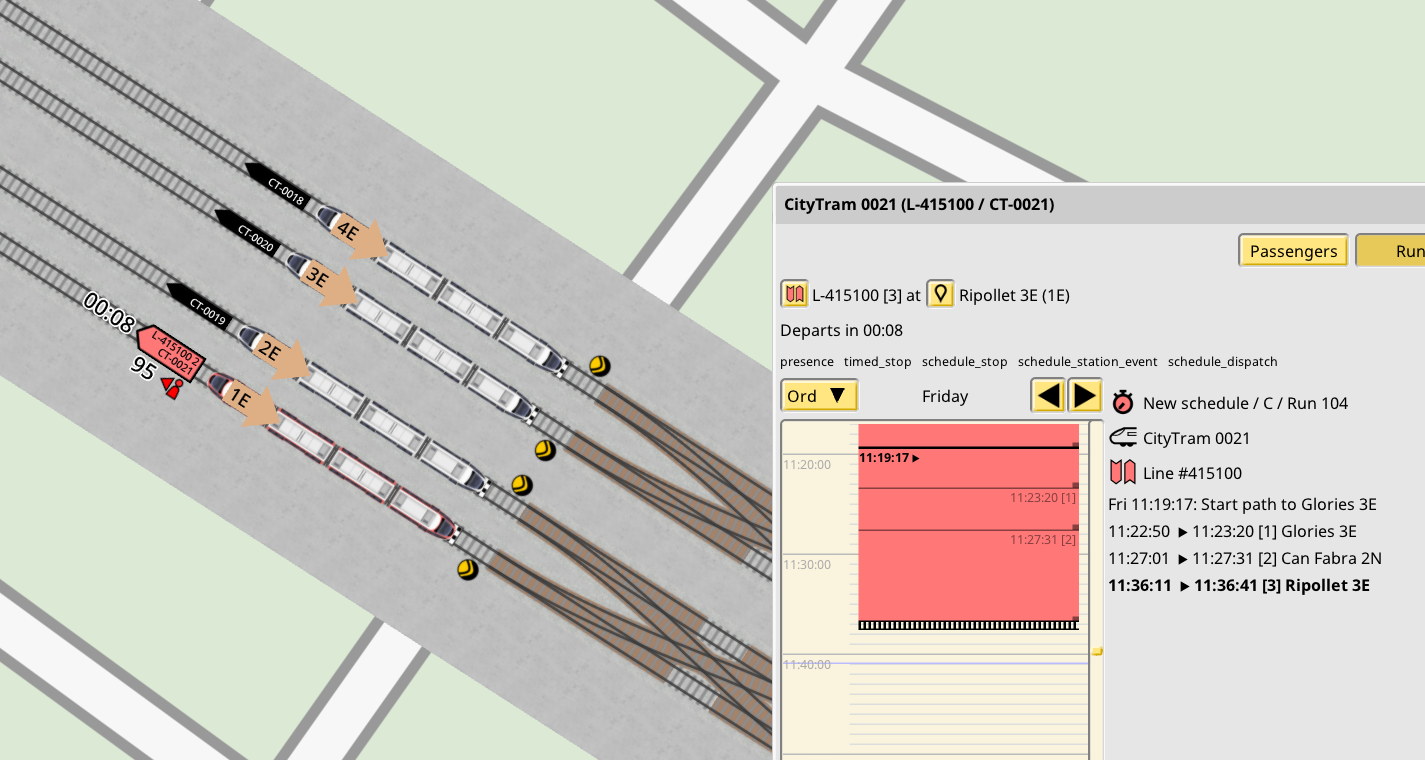
Unassigned trains a have new capability: they can become assigned to any shift, as long as a set of rules apply:
- The shift must be currently unassigned
- The train must be enabled to run the shift
- The current sim time-of-week must match the stopping time (be between arrival and departure times) of a stop in a run in the shift
- The current location of the train must also match the platform set of said stop (be on the main or the secondary platform of the stop)
This means that for the first time it is not required for the player to come up with shifts that fill an entire week worth of time. If you plan the unassigned stays properly, you can now make shifts as short as desired, including for single line runs, and let the assignment rules pick the trains as needed.
This feature is strictly opt-in. No changes are made to existing saves, and you must manually set orders to end in unassigned mode. If you don't want to deal with this new feature you don't have to. That being said, since trains can now be authorized to multiple shifts, the interfaces for assigning trains to shift are a little different, but still allow to set 1 train per 1 shift, so you can keep scheduling like you always did.
To learn more about this feature and the exact set of rules which govern it, see this devblog:
https://carloscarrasco.com/nimby-rails-january-2025/
Due to this fundamental change in the scheduling system all trains in existing saves have received an intervention. On loading the game it might take awhile for them to get reassigned to their shifts and to respawn, also you might see some alert spam.
Global, always enabled full 2D train collision
Up until 1.15 the train collision system was based on special cases which only enabled in and around track branches. It was very limited and missed many kinds of collisions, including every collision based on train sizes over parallel tracks, for example. This is not the case anymore in 1.16:
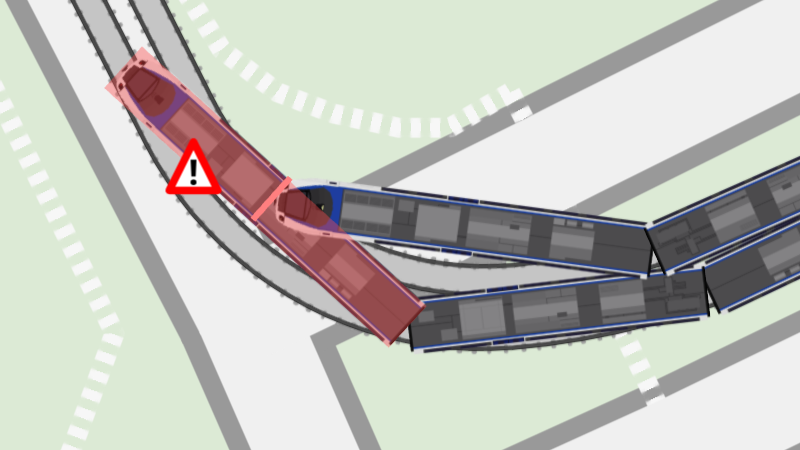
This means you now have to pay attention to these parameters, rather than assuming trains are like ghosts to each other. In general, as long as you kept your parallel tracks with a decent offset and properly signaled your branches, you won't have much trouble. But if you do, path signals are now more capable of checking nearby tracks for potential conflicts, if you need to help them a little with the new "overlap distance" track parameter. This usually needs to be set to the expected maximum train car width for a given track. You will now see the "shaded" area which appears when tracks intersect now also appears when tracks are very close to each other, and that distance corresponds to the "overlap distance". Path signals now check the nearby shaded areas for given train path before signaling the train to pass.
Station-level stop selection signals
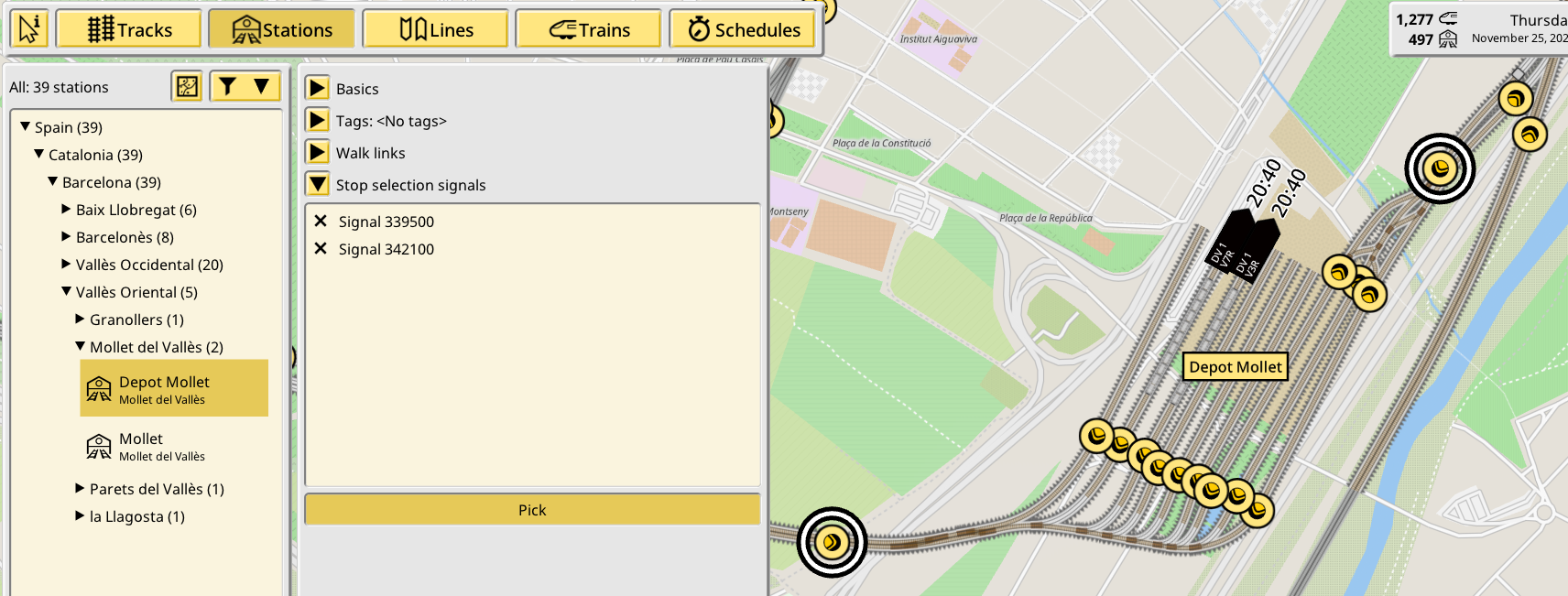
Line stop-level secondary stop signals have been replaced with station-level stop selection signals. This means that when you want to designate a signal for the role of being able to select secondary train stops, you must now do so in the station editor. When a train reaches a stop selection signal, and its current path ends on a track platform of a station which includes the signal in its set of stop selection signals, it will be allowed to change its destination stop area. This is the same functionality formerly provided by line stop secondary signals.
Stop selection signals do not define or restrict the set of eligible stop areas in any way; the eligible set of stops areas is always the current line stop set consisting of the main area and secondary areas. This new feature allows to have multiple stop selection signals and to only need to set them up once per station, so you don't need to create multiple line versions just to change the secondary signal anymore.
Deprecating waypoints with secondary "stops"
This redesign has also highlighted some unintended behaviors of secondary stops. In particular secondary stops are not supposed to work for waypoints. This is an oversight in the previous design and it should have never been allowed to exist.
In 1.16 these stops still work and now display a big warning in the line stop editor panel, but in a future version their secondary stops will be ignored. Reproducing their behavior will require using new tools and it won't be an automatic import process.
Queue behavior for advanced stops
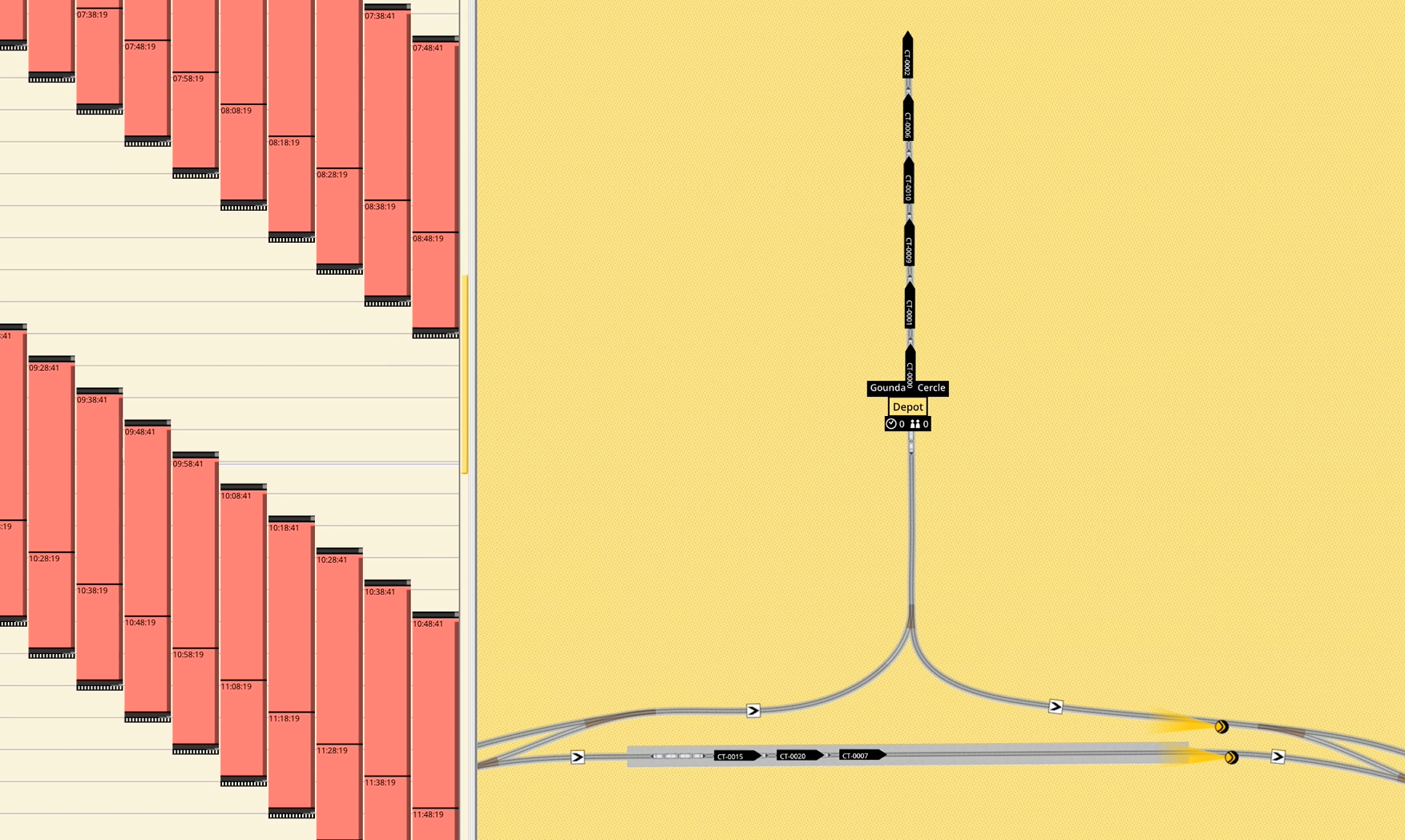
A set of new features allows for trains to queue up behind one another while performing a stop, both in regular line operation and when unassigned, without having to set up multiple individual stop points and track segments. The combination of the following features enable this new behavior, although they are also usable for other purposes by themselves.
- Advanced stops footprints can now be longer than the reference train. To create an oversized advanced stop, after the first click to set the head point, keep moving the mouse past the end of the line reference footprint. The new stop creation panel now also displays the stop length.
- Trains arriving into stops passing by a stop selection signal can now decide to stop behind trains already stopped. This is only possible if the space behind the existing trains is long enough to fully contain the arriving train, plus a margin of roughly 3m. The available space corresponds exactly to the stop footprint, never to the track platform segments, therefore it is only active when the stop is created in advanced mode and when it is oversized.
- Path signals can now be restricted to not check past scheduled stops. This is required to enable multiple trains to use the same stop while in regular operation, otherwise the path check would refuse to let the train enter the stop with other trains in its future path. If you use this option make sure your platform exits are properly signaled.
- Trains being dispatched are now aware of other trains surrounding them in the stop footprint of the dispatch being considered, and will only accept the dispatch if the footprint between the train and the stop head point is free of other trains. This enables dispatching to only pick trains at the front of a queue, as long as the picker order stop is pointing in the correct direction. In particular, if you are using this feature with dead end depot tracks, the arrival stop must point towards the track dead end, and the departure stop must point towards the linked end.
- All stop vs train and stop vs stop matching is now done based on the precise footprint of line stops or trains over the tracks. The old rules based on the train/stop heads, track segments and directions are not used anymore.
Run and line duration can now go down to 10s
Minimum run duration and line duration is now 10s. In exchange shifts cannot have more than 2520 runs (equivalent to filling the week with 4m runs). If this limit is reached the last run of a shift will be marked as not continuing and the rest of the orders will be ignored. Existing schedules using lines with a native duration of under 5m which were depending on the automatic padding and distribution of 5m duration might need adjusting. For example, a common error is to have your depot orders set to max number of repeats. Make sure you disable repeating runs for single stop depot orders.
Runs generated for autorun lines are sill limited to a minimum of 5 minutes, and this time is now padded, not distributed. If a line with a duration of under 5m is wanted to run in auto run mode with distributed time, please use the line timing options to do so.