Version 1.16 is now ready for testing in the beta branch! This version is a direct continuation of 1.14, with new, optional features in the schedule system for advanced players. And for everybody, this release also marks the first time NIMBY Rails has a proper collision system, so you must now pay attention to train physical size and footprint when designing your track layouts.
Unassigned trains
The schedule system now has the capability of setting trains to become unassigned at the end of an order. This means the train stays in the tracks, stopped, but has no orders and no schedule.
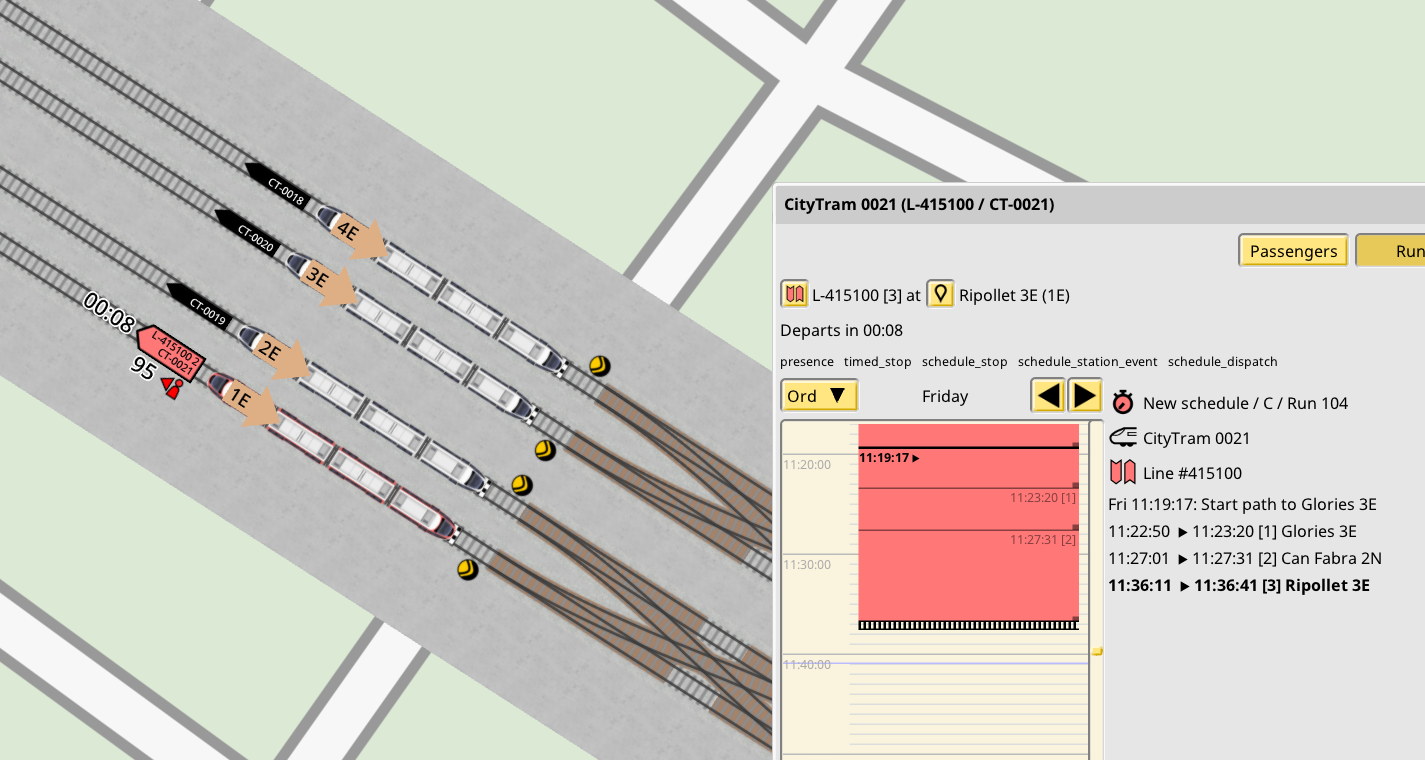
What is the use of this seemingly useless feature? Unassigned trains a have huge, new capability: they can become assigned to any shift, as long as a set of (strict) rules apply. Basically, if an unassigned train is located on the right platform at the right time, it can become assigned to any shift schedule to service said platform at said time, as long as no other train is assigned to the shift, and the train is authorized to run it. This also means that for the first time it is not required for the player to come up with shifts that fill an entire week worth of time. If you plan the unassigned stays properly, you can now make shifts as short as desired, including for single line runs, and let the assignment rules pick the trains as needed.
This feature is strictly opt-in. No changes are made to existing saves, and you must manually set orders to end in unassigned mode. If you don't want to deal with this new feature you don't have to. That being said, since trains can now be authorized to multiple shifts, the interfaces for assigning trains to shift are a little different, but still allow to set 1 train per 1 shift, so you can keep scheduling like you always did.
To learn more about this feature and the exact set of rules which govern it, see this devblog:
https://carloscarrasco.com/nimby-rails-january-2025/
Global, always enabled full 2D train collision
Up until 1.15 the train collision system was based on special cases which only enabled in and around track branches. It was very limited and missed many kinds of collisions, including every collision based on train sizes over parallel tracks, for example. This is not the case anymore in 1.16:
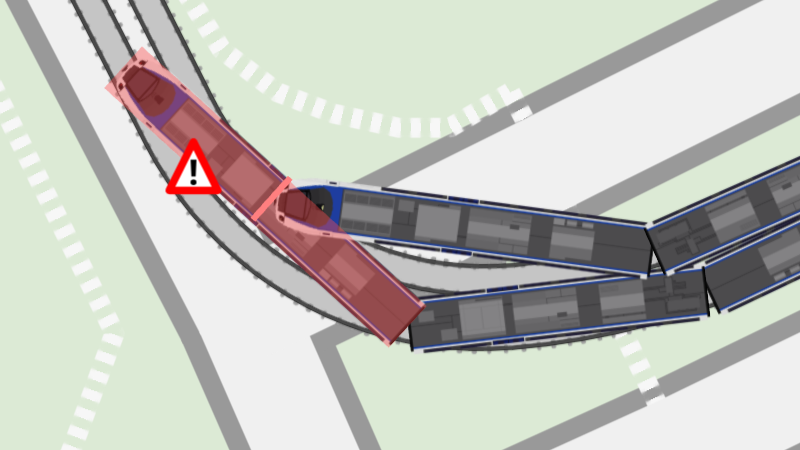
This means you now have to pay attention to these parameters, rather than assuming trains are like ghosts to each other. In general, as long as you kept your parallel tracks with a decent offset and properly signaled your branches, you won't have much trouble. But if you do, path signals are now more capable of checking nearby tracks for potential conflicts, if you need to help them a little with the new "overlap distance" track parameter. This usually needs to be set to the expected maximum train car width for a given track. You will now see the "shaded" area which appears when tracks intersect now also appears when tracks are very close to each other, and that distance corresponds to the "overlap distance". Path signals now check the nearby shaded areas for given train path before signaling the train to pass.