Status
SteamPeaks
ChartsSalesUpcomingPatchesNewsCalculator
New on SteamEvery app, DLC and depot the minute Steam creates itAppsEvery app on Steam, newest change firstPackagesSubs and bundles, and what each containsDepotsDepots, manifests and install sizesTagsSteam's user tags and the games under themDevelopers & publishersCompanies and their cataloguesTechnologiesEngines, SDKs and anti-cheat found in the filesChange historyEvery PICS changelist as it lands
SignalsNineteen readings of the whole catalogueCompareAny games side by sideRecordsAll-time peaks and the days they were setReportsWeekly and monthly write-upsAlerts & newsroomWatch a game, get told when it movesSteam statusIs Steam up, right nowWeb API explorerTry the endpoints in the browser
NewsSteam's own announcements and the sales calendarCalculatorWhat a Steam account is worth, and its pile of shame
/
Sign in
/
SteamPeaks
The ultimate resource for Steam data.
ExploreChartsSalesSales and festsUpcomingPatchesNewsRecordsTrendingSignals
DatabaseAppsPackagesDepotsTagsDevelopersTechnologiesChange history
ToolsCalculatorCompareSearchAlertsSteam statusAPI
SiteMethodologyFAQDiscordSupportSign in via Steam
Not affiliated with Valve or Steam. Game names and artwork belong to their owners. All times UTC.
PrivacyCookiesFair useStatus
Tiny Bookshop Digital ArtbookNewsGuide to Report Bugs
Community

Guide to Report Bugs

Tiny Bookshop Digital Artbook · published 7 Aug 2025, 17:06 UTC

All newsPlayers around this dateRead on Steam

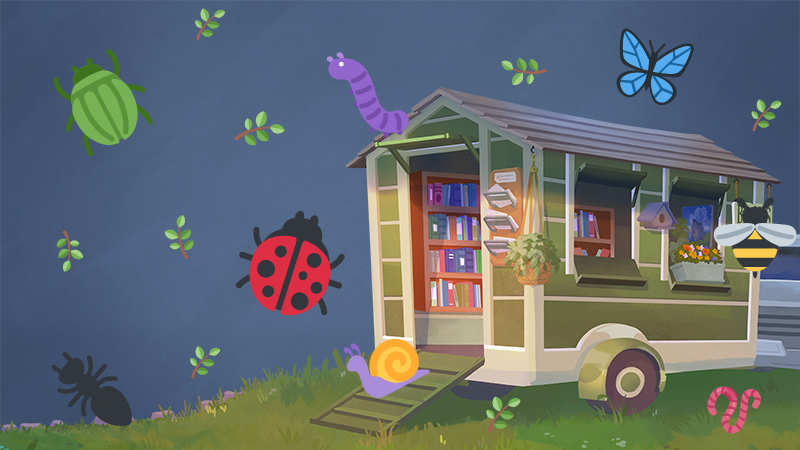
Like the six-legged critters, bugs can sneak in from anywhere. And before we can address them, we need to identify them. The faster we can figure out what caused a bug, the faster we can fix it!

Here are a couple tips on how you can help with that, after you encountered one.

1. Play the game until the bug appears,

2. Then press F2 (depending on your configuration, you might need to hold down the FN key on your keyboard when pressing F2).

3. This brings up our bug report tool. Here you can give the bug a good name, and describe what happened BEFORE the bug occurred and describe the bug itself.

4. If you're open to being contacted with follow-up questions, you can enter your mail, but you don't have to.

5. Press send!

If you can't open the game, or prefer reporting bugs otherwise, you can also email us with a bug report to developers[at]neoludic.games.

It's still important for you to describe what was happening and what is happening in as much detail as you can.

Thank you for your help!

More from Tiny Bookshop Digital Artbook

Other announcements

All news
Game update11 May 2026Version 1.1.6Hi everyone! As most of you will have seen by now, we recently launched Tiny Bookshop’s physical version as well as releasing on Playstation 5 and Xbox! But gladly, we also found some time to catch up with your requests and bug reports, and fixed what we could with the time we had. Without further ado, here is what we addressed with this update 🔧♥️: Fixed rare game-freezing dog interaction Fix…Esports16 Jan 2026A Tasty Recommendation from the Tiny Bookshop team!We’re excited to bring Tiny Bookshop to new players with our first major Steam sale! Leave everything behind to open a tiny bookshop by the sea for 25% OFF this weekend; and for those of you who may also dream of opening your own restaurant ? We have a delicious wishlist recommendation: Arcane Eats from our friends at Wonderbelly Games! In Arcane Eats, the best deck-building mechanics get spice…Game update15 Jan 2026Version 1.1.3Hi everyone, we fixed a couple bugs, like: Problems changing save files or returning to main menu And some book tags In addition we are happy to announce a new item: A Grandfather Clock, that strikes when half of your customers today have entered your shop And another 100 books in the English version ✨ Have a nice weekend everyone, thank you for your support!