Status
SteamPeaks
ChartsSalesUpcomingPatchesNewsCalculator
New on SteamEvery app, DLC and depot the minute Steam creates itAppsEvery app on Steam, newest change firstPackagesSubs and bundles, and what each containsDepotsDepots, manifests and install sizesTagsSteam's user tags and the games under themDevelopers & publishersCompanies and their cataloguesTechnologiesEngines, SDKs and anti-cheat found in the filesChange historyEvery PICS changelist as it lands
SignalsNineteen readings of the whole catalogueCompareAny games side by sideRecordsAll-time peaks and the days they were setReportsWeekly and monthly write-upsAlerts & newsroomWatch a game, get told when it movesSteam statusIs Steam up, right nowWeb API explorerTry the endpoints in the browser
NewsSteam's own announcements and the sales calendarCalculatorWhat a Steam account is worth, and its pile of shame
/
Sign in
/
SteamPeaks
The ultimate resource for Steam data.
ExploreChartsSalesSales and festsUpcomingPatchesNewsRecordsTrendingSignals
DatabaseAppsPackagesDepotsTagsDevelopersTechnologiesChange history
ToolsCalculatorCompareSearchAlertsSteam statusAPI
SiteMethodologyFAQDiscordSupportSign in via Steam
Not affiliated with Valve or Steam. Game names and artwork belong to their owners. All times UTC.
PrivacyCookiesFair useStatus
Desktop Mascot EngineNews2D Characters, New Interface and more stablity
Community

2D Characters, New Interface and more stablity

Desktop Mascot Engine · published 9 Nov 2018, 12:21 UTC

All newsPlayers around this dateRead on Steam

As you might have already noticed we recently updated Desktop Mascot Engine and you can now load the 2D workshop contents that you are subscribed to.
Also, some of you might be confused with where are the settings or the interface.
Unless you've noticed we've added a small toggle button for showing and hiding the interface at the bottom right of the screen.
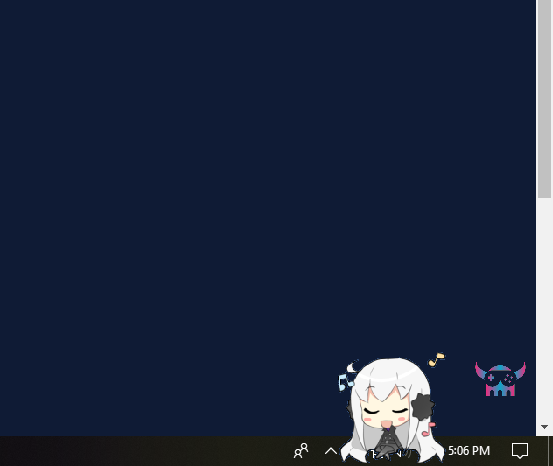


We redesigned the interface inspired by Sword Art Online's UI. The settings are pretty much self-explanatory, you can select a character you want to load either 3D or 2D (3D one at a time, 2D you can click and load multiple at once), open up the Workshop tool, alter settings, head to discussions board for Help or Exit.


We also added the tab to load 2D characters. You need to subscribe to some 2D characters from the workshop in order for them to show up in the menu. You can load any number of characters by simply clicking the character you want in. In order to remove a character, just drag a character to any corner of your screen and drop.
We'll be improving the 2D characters features over time. You'll be able to flip the sprites in case they are not properly oriented and also resize the character according to your need.
In the meantime, we welcome users to submit characters to the workshop, as that improves our scope for ruling necessary settings.

The current application is tried and tested on displays with 16:10, 16:9 and 4:3 ratio screens and seems to be more fluent and stable considering the previous shortcomings.

We're currently working on more features that'll allow users to engage with the application better. We're always open to new ideas and features. We're always reading any bug report or discussion thread to improve. Feel free to reach out to us with any query or even general chit-chat. ;)

More from Desktop Mascot Engine

Other announcements

All news
Community13 Nov 2019DME Status, what happened, why and whats nextHello Everyone, This might be a long post so I will conclude everything in short here itself: 1. DesktopMascotEngine project is not dead, however, this project turned more ambitious than I initially thought or planned for (I am a one man army, no team here) and unfortunately its early access sales itself couldn't cover much of our/my working costs. 2. By November 2018 end, I had fallen to press…Community19 Jan 2019Regarding state of Windows 7/8 compatibility and Feature RequestsHey fellas, We were supposed to release a content update around/before Christmas but due to family commitments and being ill since New Year delayed a lot of stuff. Since then, I have been committed to diagnose, research and fix DME' backward compatibility with Windows 7 and Windows 8 as my priority issue. I am happy to confirm that I have finally found a way to make DME work for Windows 7 and 8…Community9 Dec 2018Demi AI now released, some small fixes and new trailer videoI think were half a week late from the promised release of Demi AI update. Last week we had a critical bug so we had to delay the patch release till now. This new build includes DEMI, a conversational AI powered by Neural Networks (Machine Learning). Currently it is available for use for all users on Windows 10* and only requires a mic. Its free to use. We trained our data using 3rd party conve…