Author: krakauer, Chucklefish Programmer
Hello everyone! Today we’re doing a public beta of a long awaited PC feature, modding! We’ve been testing it ourselves, but as you are all much more creative than us, we’d really like your help to break it as much as possible while creating cool mods!
How do I access the beta?
Good question! First of all – back up your save files!
Next, you’ll find the beta is available on Steam by using a beta branch. In your Steam library, right-click on the Wargroove entry and select “Properties”. In the “Betas” tab, you should see a drop down and a textbox. In the textbox, enter the password ‘caesarisagoodboy’ and click “Check Code”.
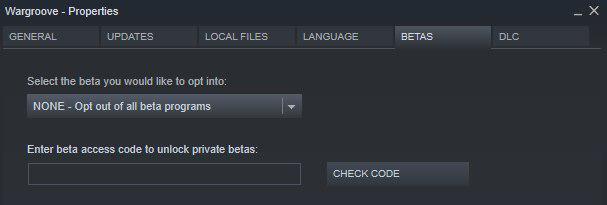
If the code has worked, you should be able to select the ‘public-beta’ option from the drop down box. Once you’ve done that, Steam should install the beta and you’re ready to go!
How do I make a mod?
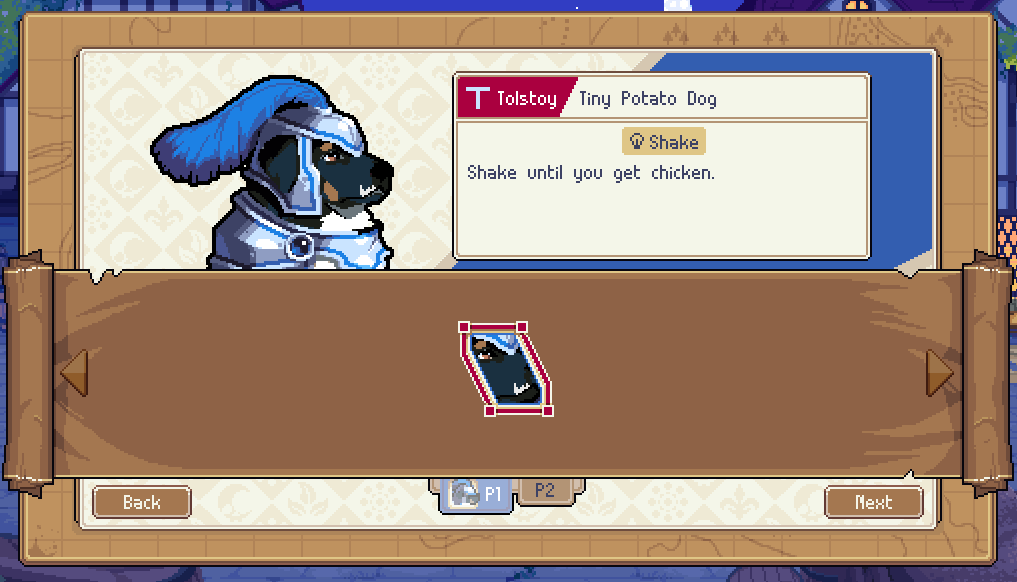
I have written a document to help you get started, which you can find on the Wargroove wiki! (Is this document just a thinly veiled attempt to get my dog more Instagram followers? Answer: yes). In addition, we’ve created a few little examples that you can find by following the file path C:\Program Files (x86)\Steam\steamapps\common\Wargroove\modpacker_bin
How do I share a mod?
Once you’ve created your mod, it should have put itself in your Wargroove appdata folder. You can probably find this at %appdata%/Chucklefish/Wargroove/mods. Copy the folder with your mod name on it and send it to a friend! They just put the folder in the same spot in their appdata folder.
How do I use a mod?
Custom Maps
If you want to create a modded map, go into a custom map and open the main menu. Hit the branch new “Mods” button, and you should see a list of your installed mods.
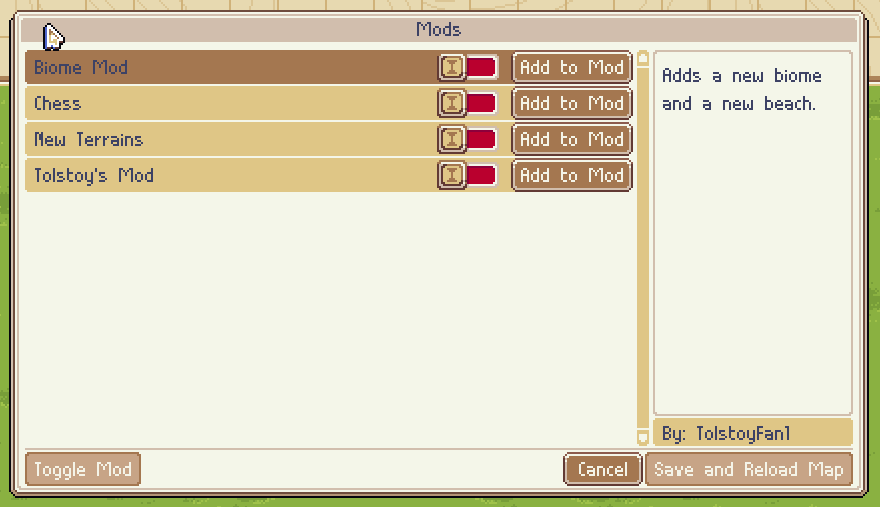
Just flip the switch for the ones you want to use and change the ordering if you need to. Hit “Save and Reload Map”. This should reload your map with the mods on. The “Add to Mod” button is for packaging maps within a mod, and you can read about it in the document linked in the “How do I make a mod?” section.
Local Multiplayer
If you want to use a mod in a map that already exists, go to local multiplayer and select the map. In the “Match Settings” window, hit the “Mods” button, and you should see a list of your installed mods. Flip the switches for the mods you want to use and change the ordering if you need to.
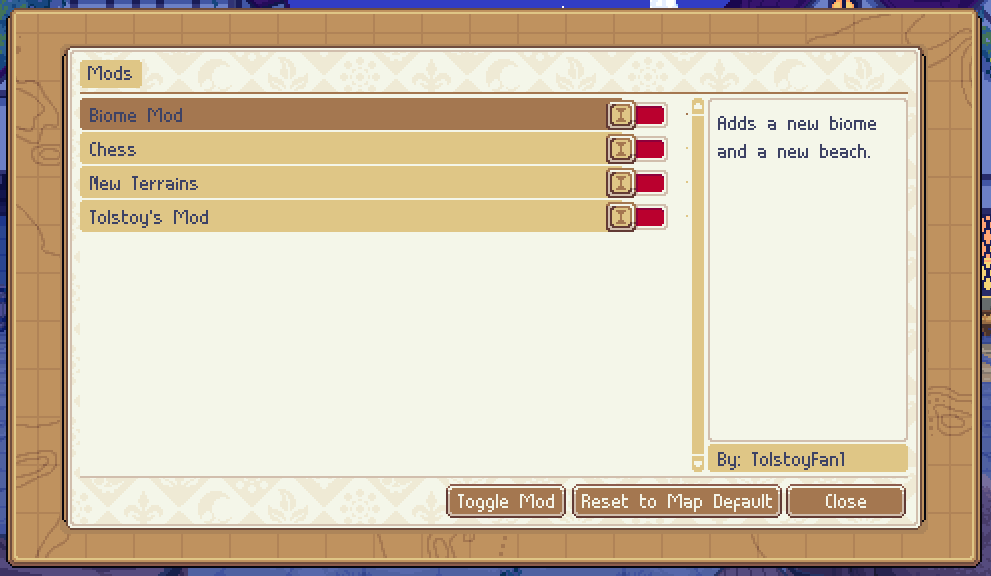
Hit close when you’re done and you should be using your mods!
Online Multiplayer
The only modded maps that can be used in online multiplayer are maps that have been packaged within a mod. All players must have the same version of the mod installed. If you do, when you go to host a game you should see the modded map available. Anyone with the same version of the mod installed can join the game like normal.
Will console versions receive modding tools?
Unfortunately not – this is a platform restriction we don’t have control over, so modding tools are a PC only feature. Console players will not be able to access any custom content or join any online matches which use PC mods, and instead will see an error message.
I have more questions!
I’ll be on the Wargroove discord today to answer questions, and I’ll be available as long as I’m near my computer!
Something is broken! How can I report it?
First of all, thank you! We’ve set up a forum post to collect feedback HERE. You can also post on discord, but please post on the forum as well so that it doesn’t get lost!
Happy modding!