Railbound v3.50 (May 29th 2025) - Level Editor Open Beta Update
Hi,
Since we announced that we're working on a level editor for Railbound, we've also been thinking about how to best handle releasing this mode. In the end we decided to release it a bit early so that you, the players, can put your hands on it earlier and help us steer this feature in the best possible direction.
Introducing - the Railbound Level Editor Open Beta:
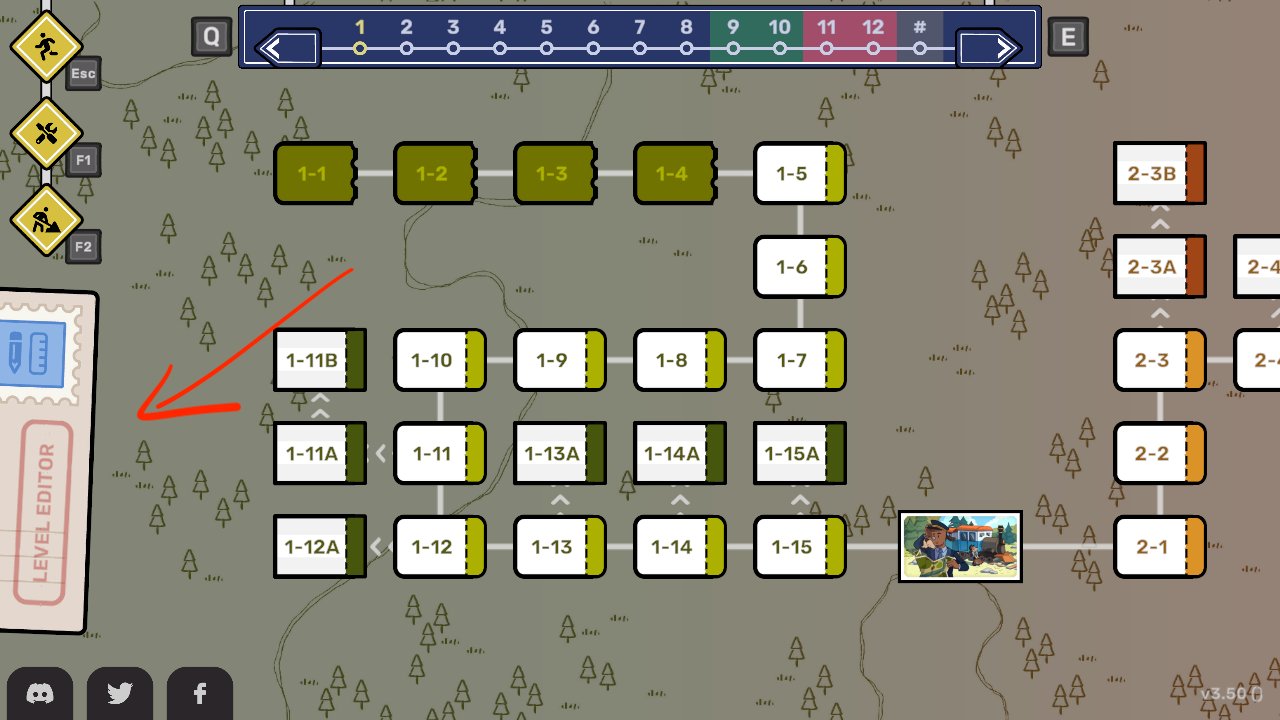
This new mode is available for everyone who updates the game on Steam to version 3.50 (visible in the bottom-right corner of the main menu). You can access the level editor mode through the button on the left side of the main menu.
Playing & sharing
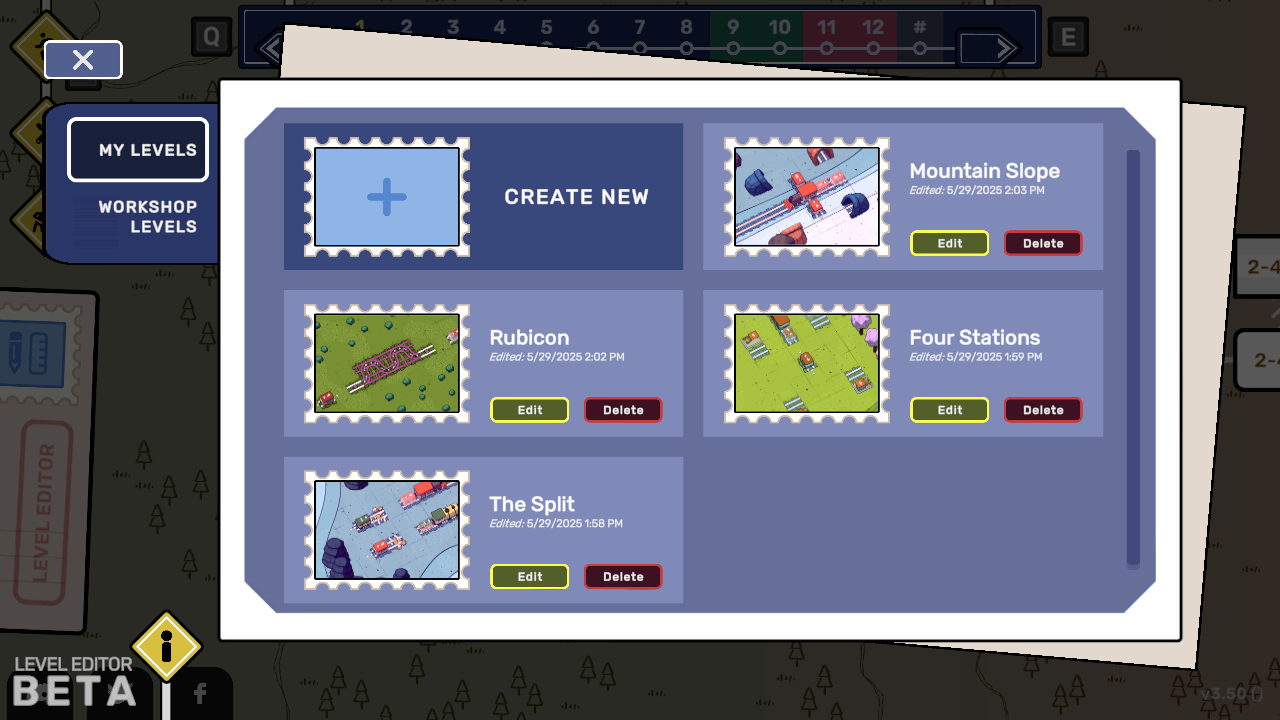
When opening the Level Editor mode you'll be greeted by a custom level browser menu - from here you can check out your own creations (on the "My Levels" tab) or play other people's designs (via "Workshop Levels") tab.
You can find new puzzles to solve over on the Steam Workshop tab for the game: https://steamcommunity.com/app/1967510/workshop/
Currently you need to restart the game in order to update the subscribed levels list in the main menu; we'll update this behaviour later to make it smoother.
Designing a puzzle
After you press the "Create Level" button in the "My Levels" tab you'll enter the level editing mode. The workflow here is split into four main stages:
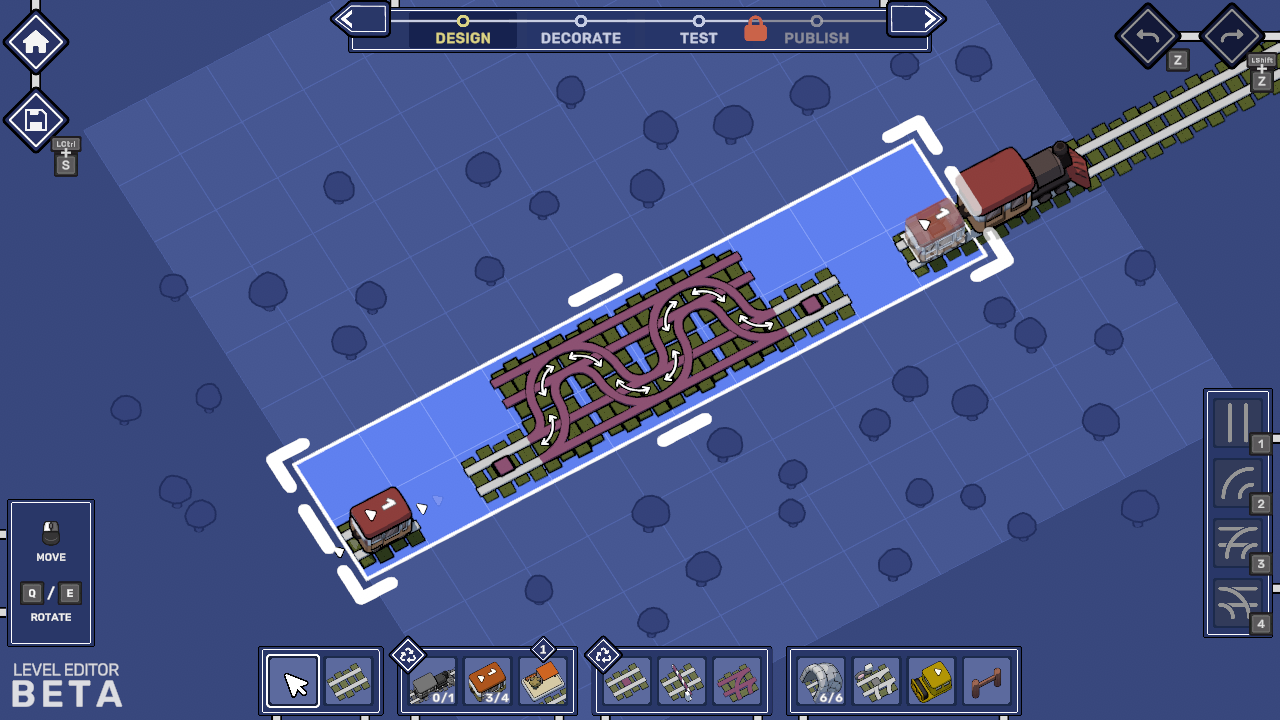
In the Design stage you can determine the size of your puzzle (and modify it later if your plans change), and lay down all interactive parts of a level - locomotives, train cars, switches, immutable rails, stations and more! This mode gives you access to all of the tools we have at our disposal when designing puzzles for the game (it's just that the tools are a bit nicer that what we've used when creating Railbound).
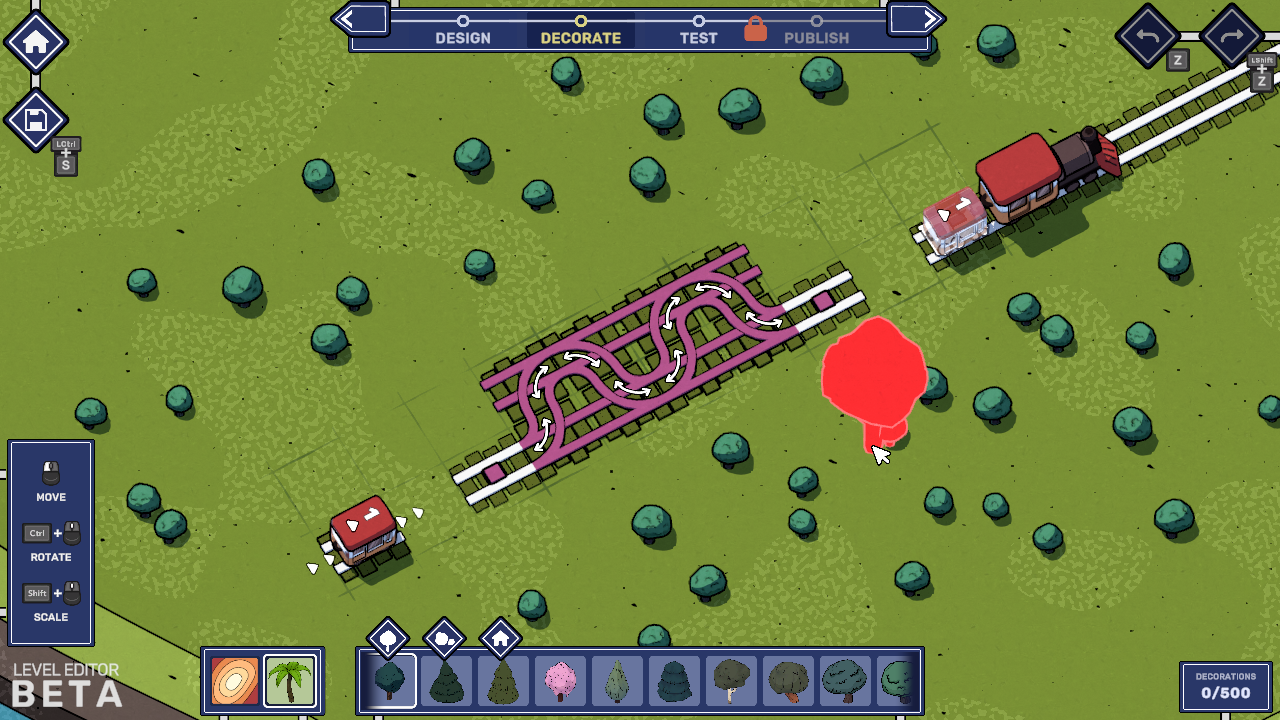
At any time during design you can head over to the Decorate tab and touch some grass, plant some trees, set up a bunch of buildings, change the visuals on the floor and make your puzzle as pretty (or as unique) as you want.
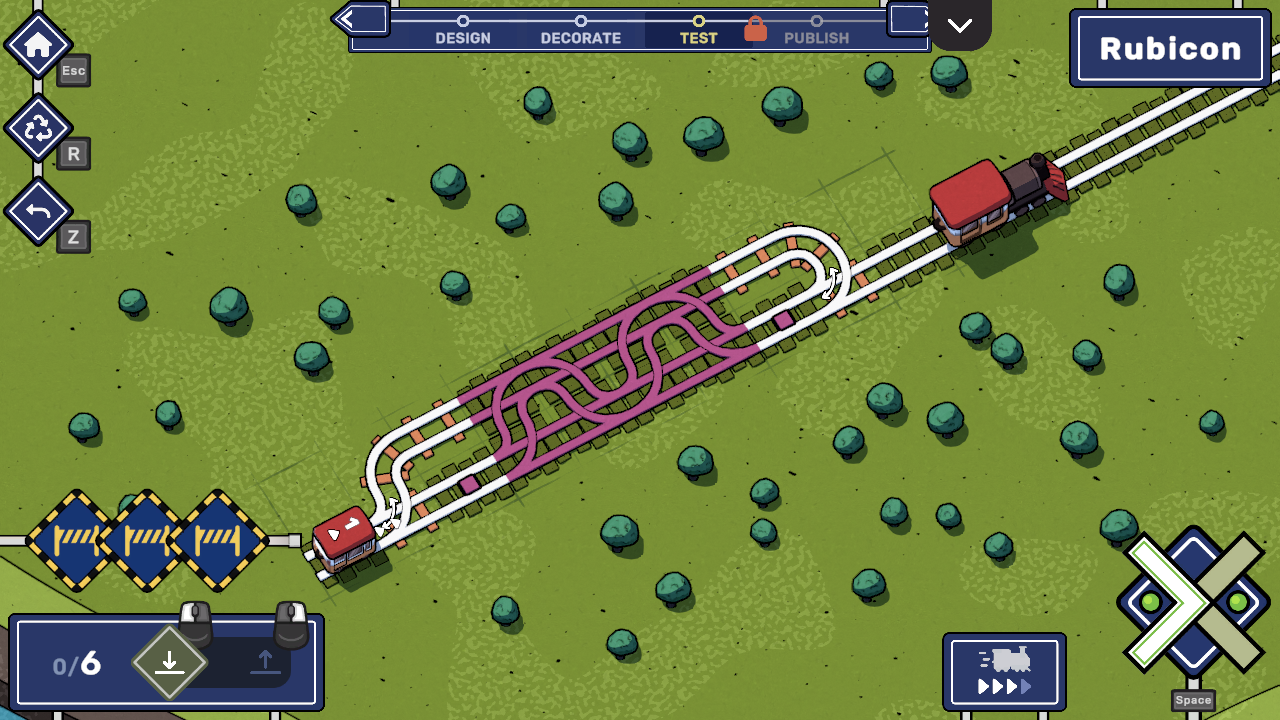
Once you're happy with your results it's time to Test your creation - in this mode you need to show that your puzzle can actually be solved before being able to share it with the world. You'll have unlimited rails at your disposal, but when sharing the puzzle with everyone else we're using your result (the amount of tiles you laid) to limit the available rail count for players.
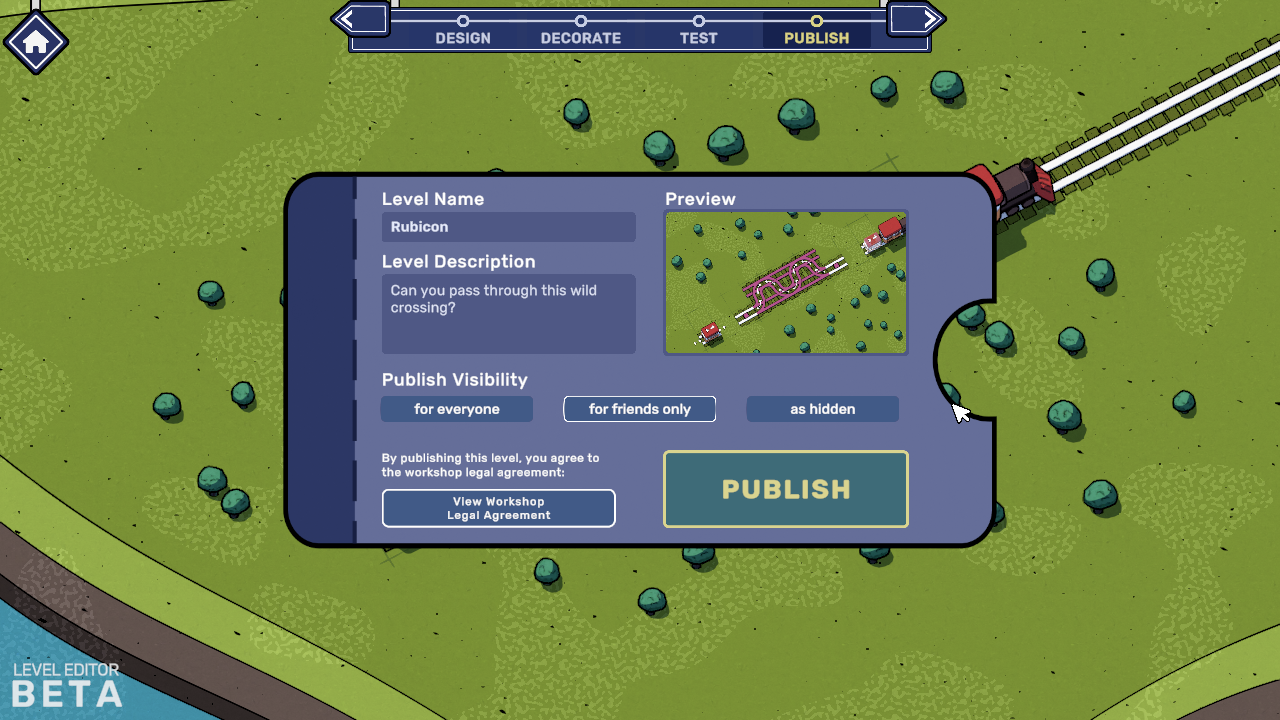
The last step is the Publish stage - name your level, give it a fun description, decide whether to share it with yourself, your friends or all Railbound players - and off you go!
Few things about the beta
As mentioned at the start, this mode is currently in open beta - we've shipped it earlier to get your counsel on which features we should prioritise as we're continuing work on the editor. This feature is very complex and took us a long time to develop, so expect to see some bugs, visual glitches or UI/UX issues as you're playing around with the new tools.
Some of the currently known issues that we're investigating include:
- UI issues with displaying Workshop levels under some circumstances (usually fixed by restarting the main menu or game),
- issues with displaying level names in edge cases,
- minor UI/UX glitches when using the editor in combination with some of the accessibility features,
- etc.
We hope you'll have a lot of fun with the level editor - if you run into any problems feel free to share them on our Steam Community forum, through our Discord or via e-mail ([email protected]).
Wrapping up
Railbound was also featured during today's Thinky Direct and will be taking part in the Cerebral Puzzle Showcase from May 29th till June 5th and the Cozy & Family-Friendly Games Celebration over the weekend! We've also applied our biggest discount yet (45%) so now's the best time to give Railbound a try if you haven't done it yet.
PS. We've also just launched a big update to our latest game - Pup Champs - check it out if you haven't seen it yet :)
https://store.steampowered.com/app/2848800/Pup_Champs/