
Hi everyone,
Major Update 4 is on the way and there is a beta branch version of it available to play!
As ever your feedback is crucial in helping us refine the latest set of additions, so please have a go and tell us your thoughts. To access version 0.9.27593, you’ll need to switch to a beta branch:
- Find SENTRY in your Steam library and right-click on it, selecting “Properties”
- In the menu that pops up, choose “Betas”
- Select “Beta Branch” in the “Beta Participation” drop-down list
- In your Library you should see “” appended to the game name
When you play the new version, please remember that while your profile saves will carry over (i.e. all your equipment and campaigns you’ve unlocked thus far), your current escape run will not – so if you’re in the middle of a run and you don’t want to lose any new blueprints you haven’t banked, reach a gate and bank them before switching to the latest version.
It’s also generally good practice to back up your profile saves ahead of any Major Update, just in case you find an obscure bug. You can find your profile and save folder here:
C:\Users\AppData\LocalLow\Fireblade Software\SENTRY\Saves\Steam[SteamID]
Tech and Optional Objectives
These are two new systems that help provide additional combat variety and we’d absolutely love to hear your thoughts on them.
Tech is the replacement for the old “Passive Gear” that we’ve been phasing out. It takes the form of memory cards that you apply in your loadout to help lean into specific playstyles.
You earn a single choice of Tech from a randomised selection in the After Action Report that you get at the end of each battle, whether you won or lost.
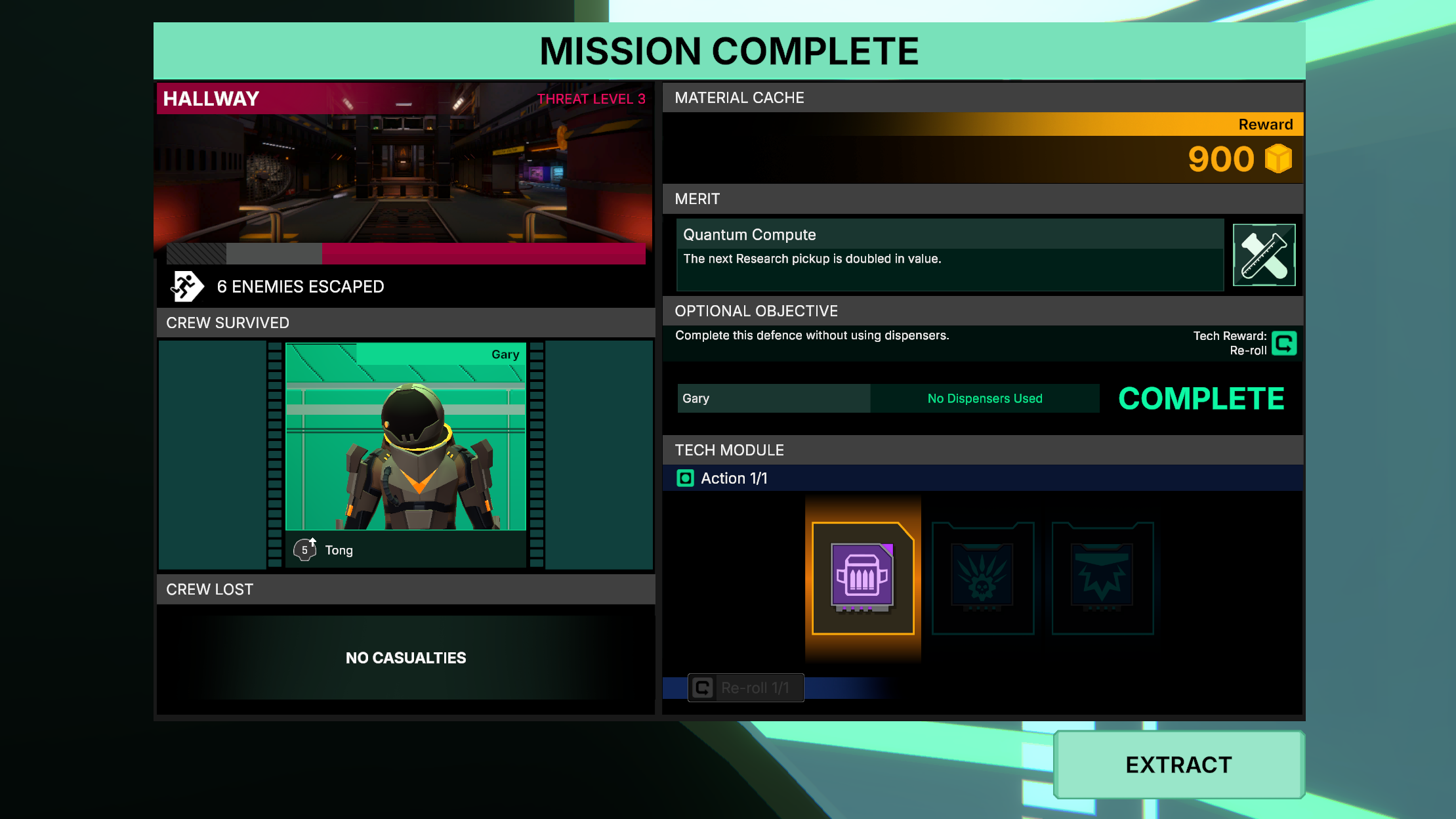
You can influence the Tech that appears by completing Optional Objectives. These are randomised tasks that provide different challenges during battle. By successfully completing them you’ll be given one of the following Tech-related abilities:
- An additional piece of Tech will appear with the other choices
- Choose to re-roll the Tech choices
- You can make two choices of Tech instead of one
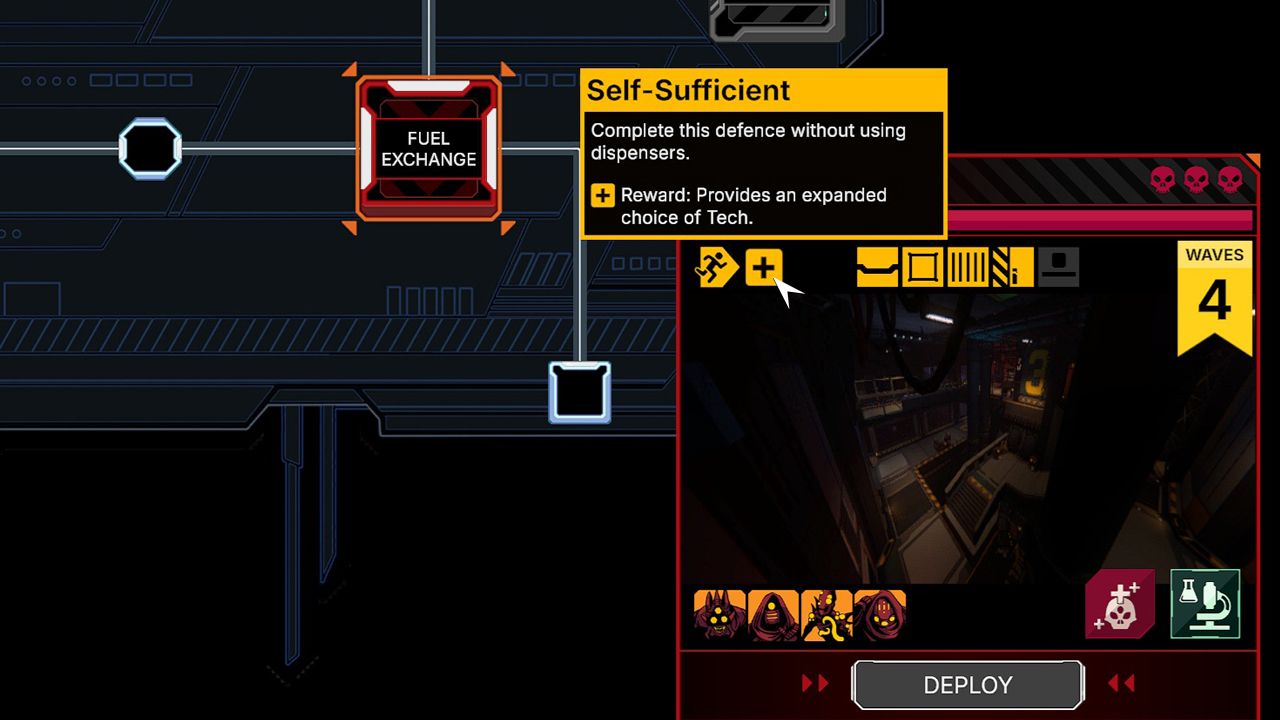
You can see a preview of the Optional Objective, along with the associated reward as a tooltip when hovering over the icon next to the Mission Type in the top left of the Sub System Status UI when an enemy is occupying that level. These randomise each time the enemy moves through the ship, so provide an additional consideration when choosing which battle to fight next.
Because a lot of Tech relates to status effects, we’ve done another pass on Burn, Bleed and Poison to inject more interesting behaviour to them. While they all do differing types of damage over time (some constant, some in stabs) there are additional layers to them such as:
- Burn has a chance to spread between nearby targets, can be extinguished if affected by venting and additionally if the player rapidly crouches and stands
- Poison reduces accuracy, eats away at armour at an increased rate and can be immediately stopped by healing
- You’ll be immune to bleed if you’re wearing armour, but if you sprint around while bleeding it’ll do increased damage. Bleed can also be stopped by healing. We’ll make some of the existing enemies cause bleed damage in time for the release of MU4, so right now it’ll only affect the player in co-op with friendly fire turned on (although enemies will suffer bleed as normal).
Oh – a few people have asked about what’s happening to the Bandolier – no need to worry, it’s been swapped to a piece of Unique (i.e. purple) Tech.
We have a long list of both extra Tech and Optional Objectives that we’ll continue to work through in later updates, so expect to see more in future.
New Enemy and Levels
You’ll find a new enemy waiting for you in Starfarer Campaigns:
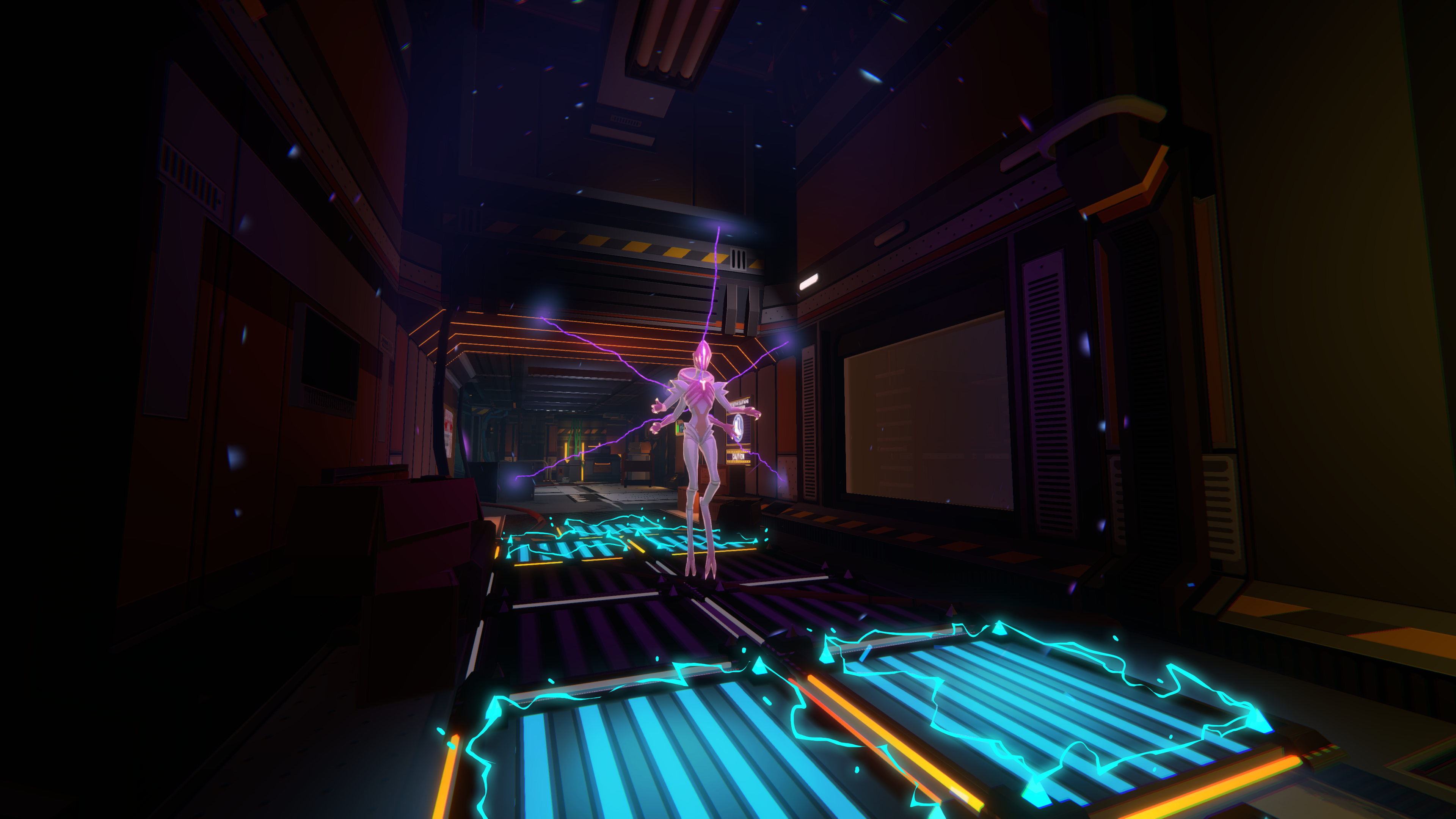
This floating creature flings homing projectiles at you, can phase out when under attack and disables nearby deployables, which is a tricky combination!
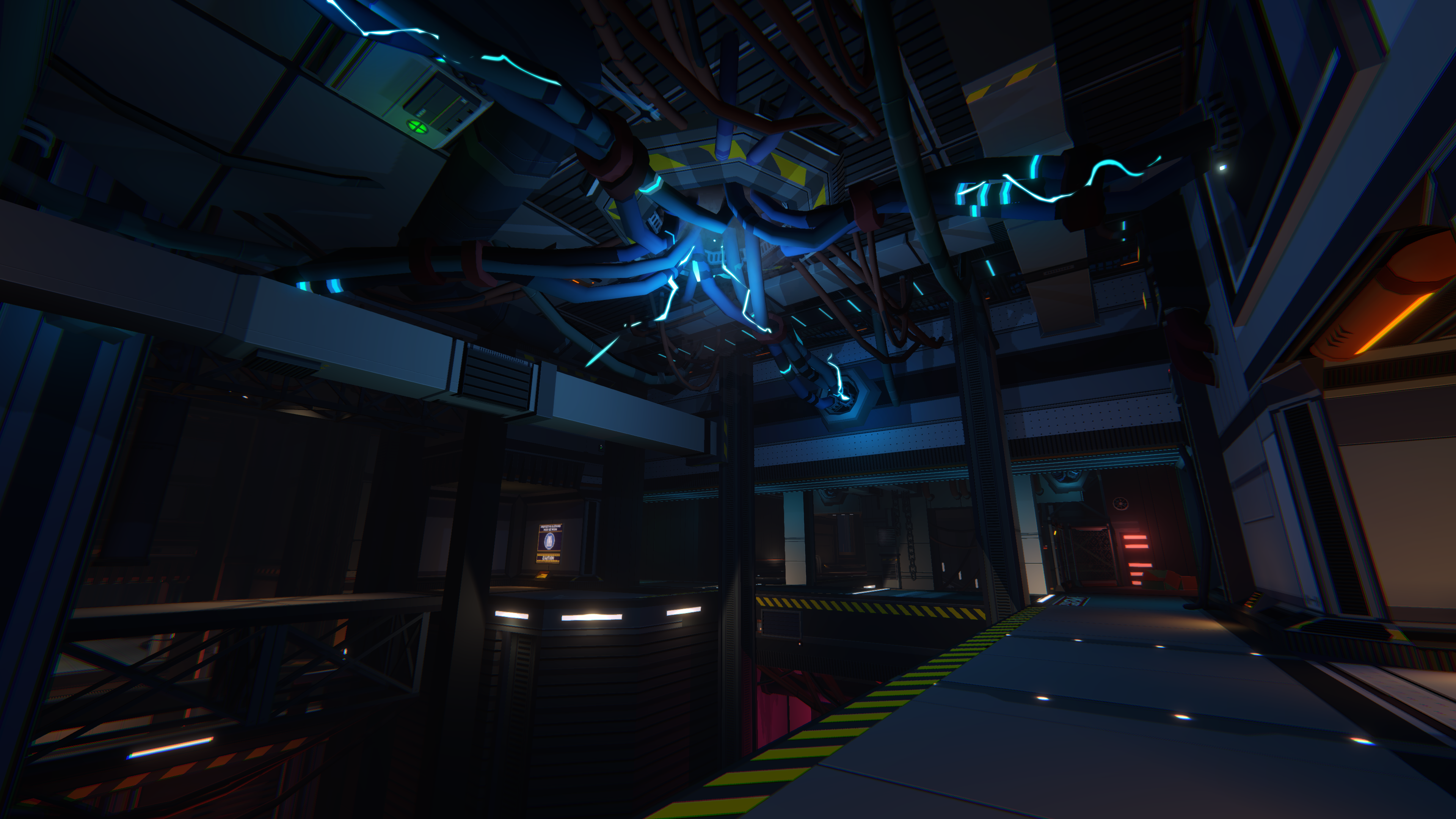
There are two new levels you can fight in: Habitation and Conduit.
Habitation is another level where clever use of doors can re-route enemies along your preferred paths, with plenty of opportunities to fling them into bottomless pits.
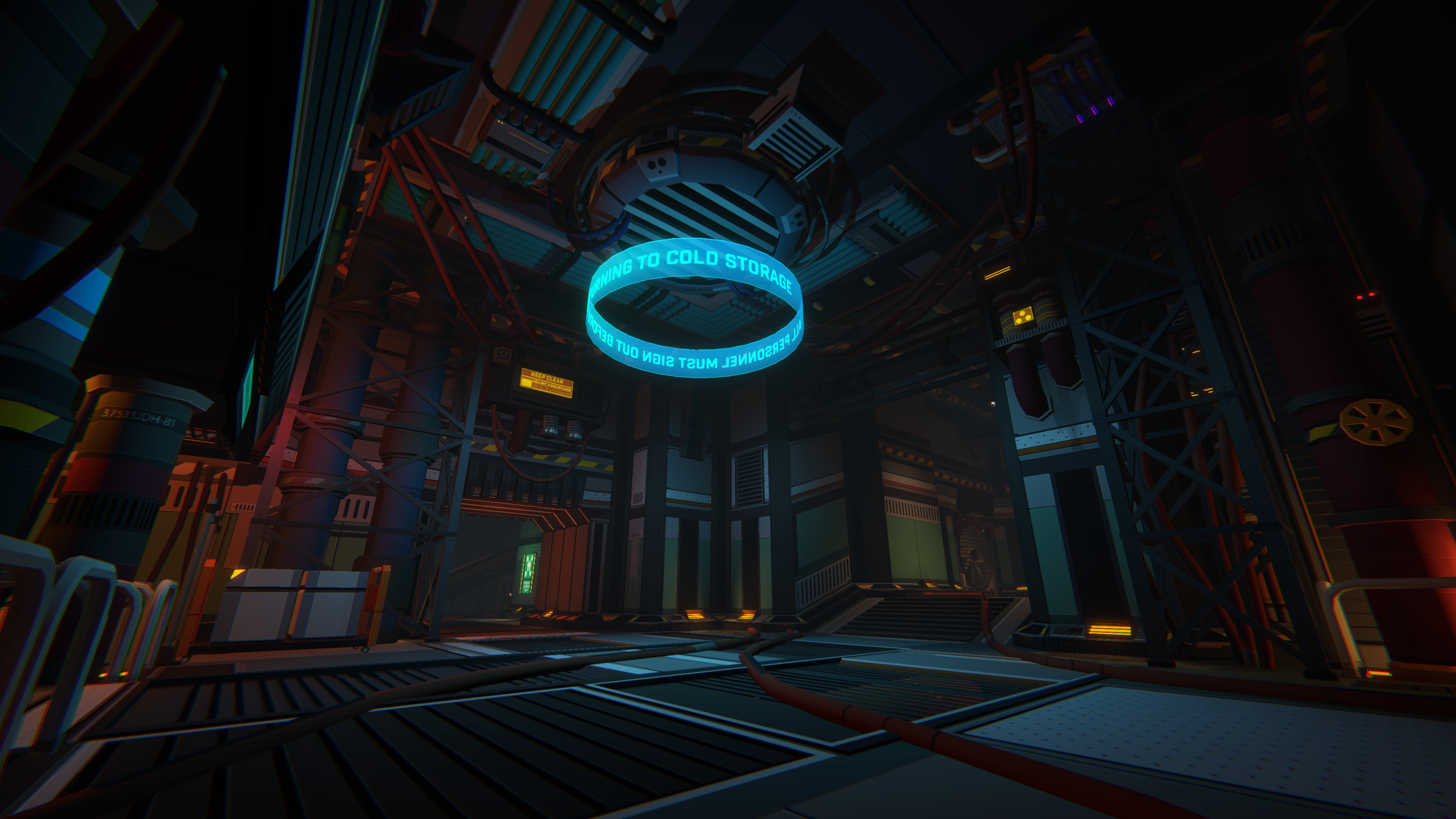
Because we love throwing aliens to their deaths, Conduit has a fair few chasms too. The upper routes have some great choke points, while the A and B spawns have a split route that’ll test your defensive abilities.
Important Notes
There’s a huge amount of changes and as usual we’ll provide a list for them in the final MU4 release post. The following are worth calling out now though, either because they’re big changes from how they worked previously, or are things we’re especially keen to hear your thoughts on.
- As you’ll see in the After Action Report, your materials reward is based on the threat level of the enemies you fought. This means the harder the fight, the greater the reward.
- Upgrades have had an overhaul. Most have had one level removed, while some – such as dispensers, land mines, barrels and Gear have had three levels removed. This means that your path to the final upgrade is swifter, and condensing the upgrades removes filler. It’s also one part of a cool change coming in the next Major Update
- Repairing levels start off cheaper, but increase with each repair you conduct.
- Similarly, reviving dead crew in the Crew Menu increases the more you do it. All of the above are quite hefty changes to the campaign economy, so getting your feedback on whether you now have too much or too few of a particular resource would be great.
- We’ve changed the font, along with the HUD. This was to provide clearer information, do a better job of messaging secondary fire and to look nicer. A change like this pretty much touches everywhere in the game so will feel like a big difference to what you’re used to. If you see anything janky, or text appears too small – let us know!
- There’s been the usual rebalancing of enemies and equipment that accompanies a Major Update. You’ll also notice the starts of campaigns are a bit faster with Sector 1 predominantly sticking to 3-wave battles. Right now, the Initiate campaign benefits from all of these changes, while you’ll likely find Starfarer far too easy – especially in co-op – so bear that in mind while playing. We’ll have completed work on Starfarer in time for the MU4 release.
- The tutorial hasn’t been updated to drip-feed in the new systems yet, so Optional Objectives and Tech will be available from the first encounter. Again, that’ll be sorted by the time MU4 is ready. I doubt many Beta Branch players play the tutorial, but am mentioning it just in case :)

Discord or the Steam forums are the best place to provide feedback, but any of the channels listed below are welcome.
In order to not mix up beta branch feedback with the main game, there’s a dedicated area on the Steam forums to post your beta branch comments: https://steamcommunity.com/app/1252680/discussions/0/
We’re still working through a list of tasks, so once we’ve done that and had the chance to action any important community feedback we’ll release Major Update 4. As we’re such a tiny team your comments and feedback are utterly invaluable to the process, so we really appreciate the continued support.
Thanks everyone!
