The GBA version is also playable on SteamDeck.
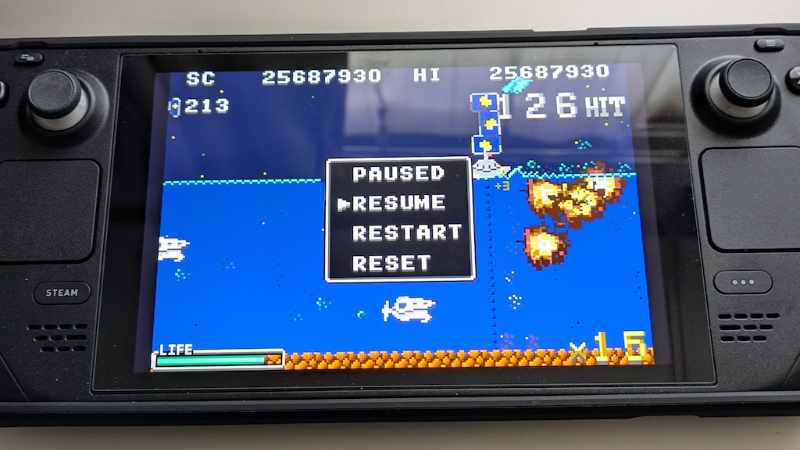
You need getting the RetroArch from the Steam Store.
https://store.steampowered.com/app/1118310/RetroArch
Also needed the mGBA core.
https://store.steampowered.com/app/1227448/RetroArch__mGBA/
However, you must first copy the ROM files under /home/deck as follows:
- Switch to desktop mode.
- Launch the desktop Steam client.
- Find the ROM file in the “Browse local files” section of Battle Marine.
- Press Y to copy the ROM file
- Go to your home document.
- Press the X button and tap the "Paest" soft key.
We have written this article to help you if you want to play only with SteamDeck, although we do not think you will have any doubts if you are using a PC.
More from Battle Marine
Other announcements
FM Synthesis (OPN2) Music Now Available!This update includes the following changes: · Added FM synthesis (OPN2) versions of the music · Adjusted the sound effect volume balance · Changed the Steam Input integration method · Added RESET to the pause menu · Added a CONFIG menu to the title screen · Improved the CRT filter · Added automatic notch avoidance on macOS · Worked around keyboard input issues on macOS/Linux · Overhauled the re…Battle Marine Advance! Is Coming Soon!The GBA version currently included as a bonus with Battle Marine is coming to Steam as a standalone title: Battle Marine Advance! Battle Marine Advance! uses Dewpoint Advance to connect the GBA game with Steamworks. It preserves the original gameplay experience while adding support for Steam leaderboards and achievements. Key Features · Replay-enabled leaderboards that let you watch the runs be…[Windows Update] Audio Playback Issue FixAn issue has been identified in the Windows version of Battle Marine where audio may occasionally stop playing during gameplay. Additionally, when this issue occurs, the game may take longer than expected to fully close. This update implements a fix for the above problem. ■ Issue Details · In the Windows version, audio may occasionally stop playing during gameplay. · When this occurs, the game…