Status
SteamPeaks
ChartsSalesUpcomingPatchesNewsCalculator
New on SteamEvery app, DLC and depot the minute Steam creates itAppsEvery app on Steam, newest change firstPackagesSubs and bundles, and what each containsDepotsDepots, manifests and install sizesTagsSteam's user tags and the games under themDevelopers & publishersCompanies and their cataloguesTechnologiesEngines, SDKs and anti-cheat found in the filesChange historyEvery PICS changelist as it lands
SignalsNineteen readings of the whole catalogueCompareAny games side by sideRecordsAll-time peaks and the days they were setReportsWeekly and monthly write-upsAlerts & newsroomWatch a game, get told when it movesSteam statusIs Steam up, right nowWeb API explorerTry the endpoints in the browser
NewsSteam's own announcements and the sales calendarCalculatorWhat a Steam account is worth, and its pile of shame
/
Sign in
/
SteamPeaks
The ultimate resource for Steam data.
ExploreChartsSalesSales and festsUpcomingPatchesNewsRecordsTrendingSignals
DatabaseAppsPackagesDepotsTagsDevelopersTechnologiesChange history
ToolsCalculatorCompareSearchAlertsSteam statusAPI
SiteMethodologyFAQDiscordSupportSign in via Steam
Not affiliated with Valve or Steam. Game names and artwork belong to their owners. All times UTC.
PrivacyCookiesFair useStatus
CruftNewsSteam Deck Compatibility
Community

Steam Deck Compatibility

Cruft · published 17 Dec 2025, 22:34 UTC

All newsPlayers around this dateRead on Steam

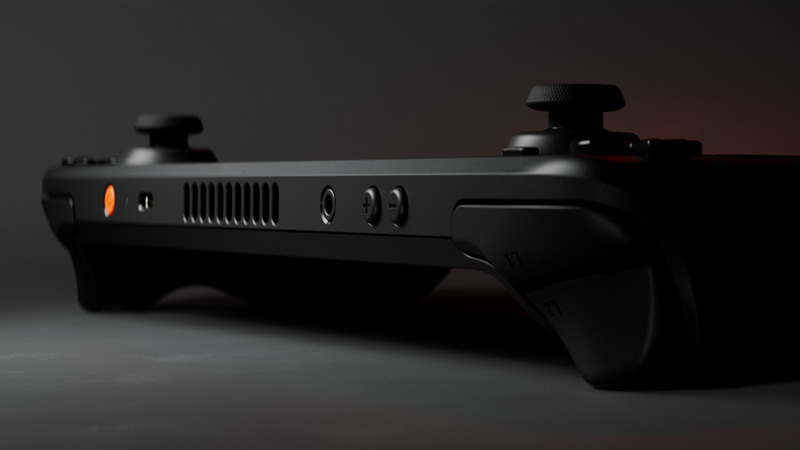
Cruft runs well on the Steam Deck, and if you are comfortable using its joystick or trackpad to move the cursor, it’s a great way to play. The simple graphics are a breeze for its hardware and the no-pressure gameplay is perfect for dropping in and out of.

Cruft’s input system was not conceived with controllers in mind.  It’s a very mouse-driven game, so there isn’t an alternative to doing most things through the mouse cursor. Thanks to Steam’s Input Translation feature, you can use the joystick or trackpad alongside the L/R buttons to do everything you would do with a mouse. We also made sure that you can rebind your controls in-game from the escape menu, in case a specific button mapping isn’t working for you. The controller layout that seems to work the best for Cruft is “Keyboard (WASD) and Mouse”. You shouldn’t need to select this layout, it is the default.

There are some limitations related to our partial controller support that matter to the Steam Deck and deserve to be explained:

  • The combination of our version of Unity and UI Toolkit has a bit of a blind spot around virtual mouse support, which prevents us from letting you rebind ANY button to the primary or secondary action.  Those actions have to be linked to the buttons that are being translated into the left or right mouse buttons.

  • Because we are relying on Steam’s Input Translation, we cannot show the proper button glyphs in the tutorial or other menus.

Let us know if you run into other problems Crufting on the Deck!

More from Cruft

Other announcements

All news
Major update12 Jun 2026Cruft WORLDWIDE*The sun never sets on CRUFT. In part because we never did finish that day/night cycle feature, but also because you can now play it in these eight languages: · Brazilian Portuguese · English · French · German · Italian · Japanese · Simplified Chinese · Spanish If you're passionate about fonts, or play Cruft on a small screen, then you may also want to know that we've revamped all UI text. It's…Major update17 Mar 2026Welcome to the Dump!Hello Crufters! Ever wonder where a bunch of that Cruft ends up? Well wonder no more because we're taking you to the dump =) I'll warn you, it is a pretty challenging experience. Cash Money, while still useful, isn't all it's cracked up to be. Your neighbors need their Cruft taken care of and are willing to trade to make that happen. You'll be up to your eyeballs in Cruft and space to work will…In-game event10 Feb 2026Animals AnimateHere's what's new: · Animals have idle animations. · The station icon is now highlighted when the crafting job is ready to collect. · Pulled Pork recipe available at the smoker · Mango trees can now be grown in plots and saplings can be cultivated. · Fixed a bug that caused the main menu to appear squashed if you increased UI scale and then returned to the main menu.