In order to improve your user experience when navigating through the Epic Roller Coasters menus, our Product Team has implemented several improvements, whether for the moments when you choose a roller coaster to play, or for when you decide to buy a new DLC within the game, expanding your range of fun.
We have separated the game navigation from the shopping navigation, so that both experiences can facilitate access to what you are looking to do within Epic Roller Coasters.
Interface for playing: Choosing my ride
The roller coasters are now grouped by theme, and the free ones have a special highlight so that they can be easily found by those who are accessing the game for the first time.
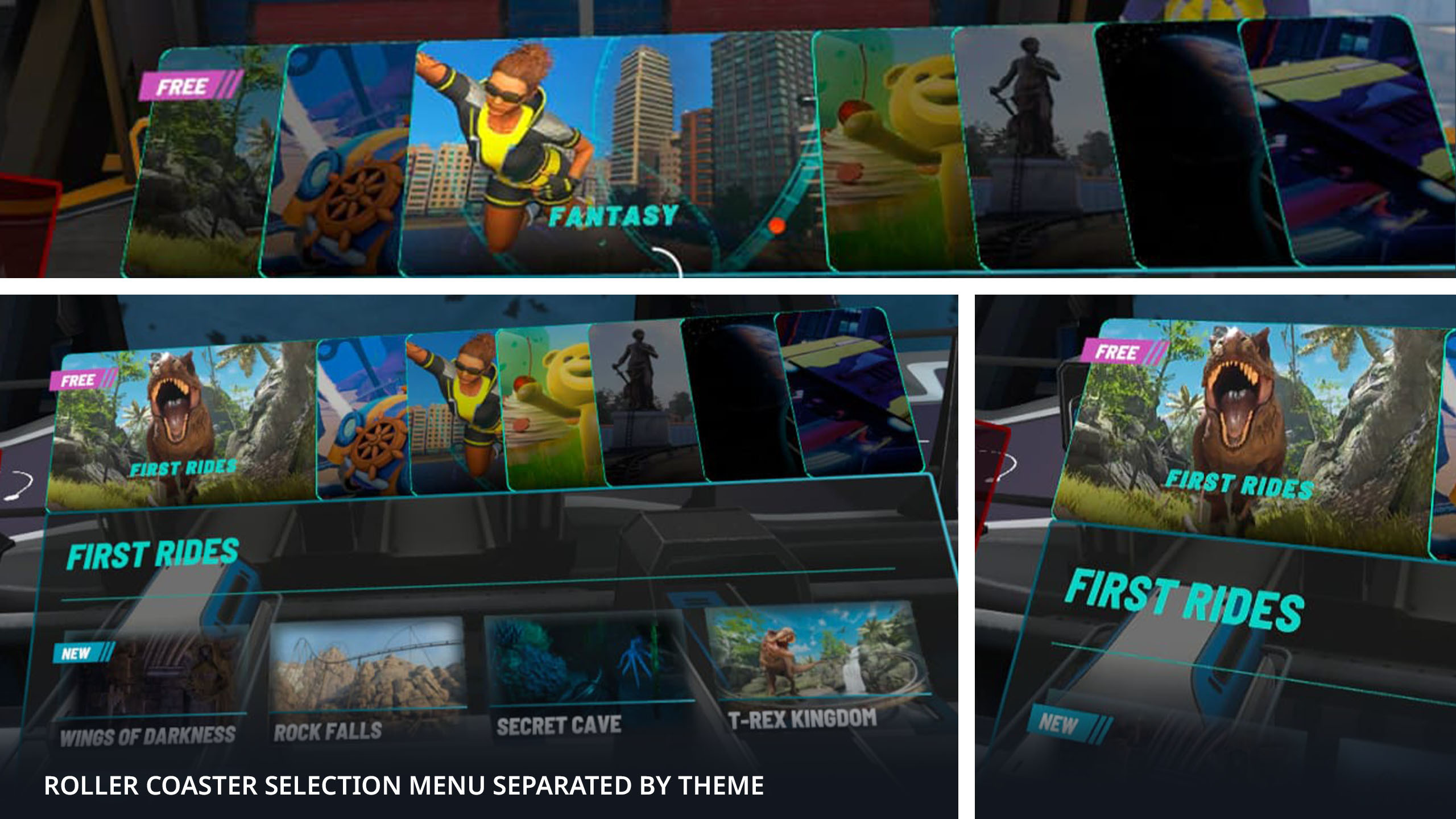
This navigation is done through a top menu, which also changes the Lobby environment depending on the set of roller coasters you are accessing, making you get into the mood of the selected theme.
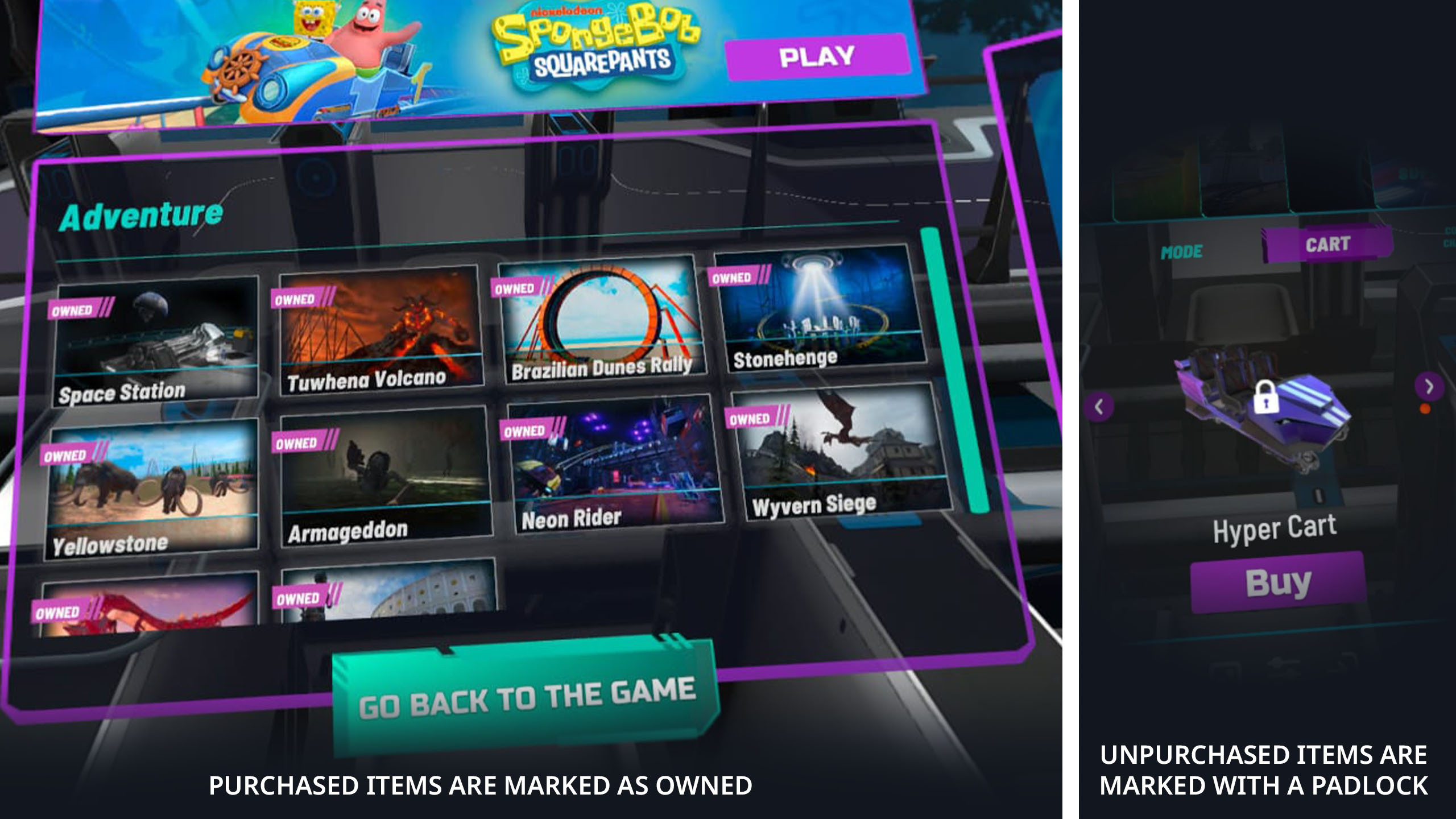
Roller coasters and other related items, such as carts, companions or weapons, that you do not have on your Epic Roller Coasters account, are always marked with a padlock, indicating that the item is locked and must be purchased from the game store or from the platform you use with your device.
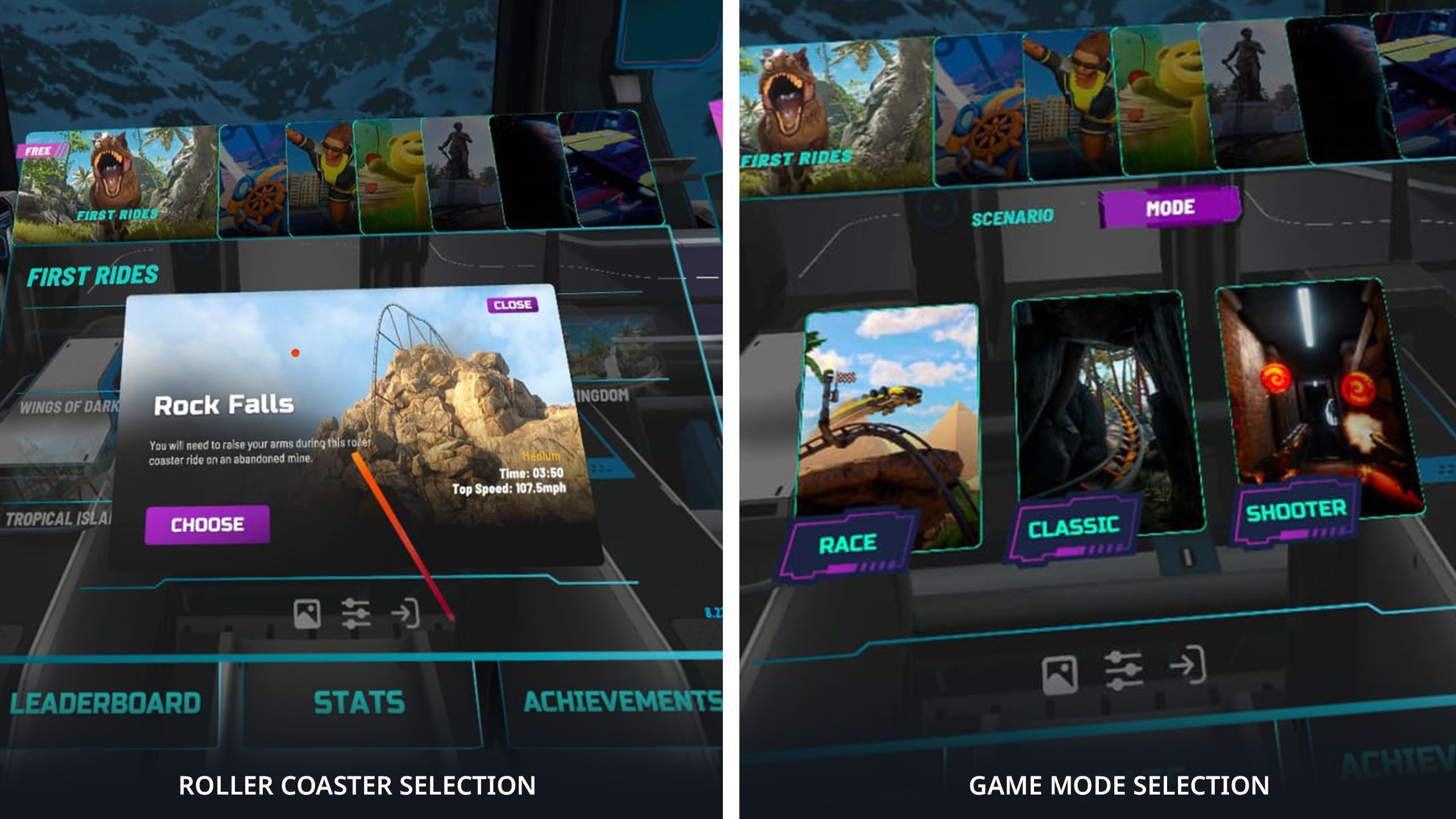
After choosing the roller coaster you will play, you will be directed to the game mode selection menu, where you can choose between Race, Classic or Shooter modes.
When you choose Race Mode, you will be prompted to select the cart you want to use to race on the selected roller coaster, and after choosing, you will be directed to the button to start the game.
When you choose Classic Mode, you will be prompted to select the cart you want to use on the ride, then you will choose whether or not you want a companion to be with you during the game, and then you will be directed to the button to start the game.
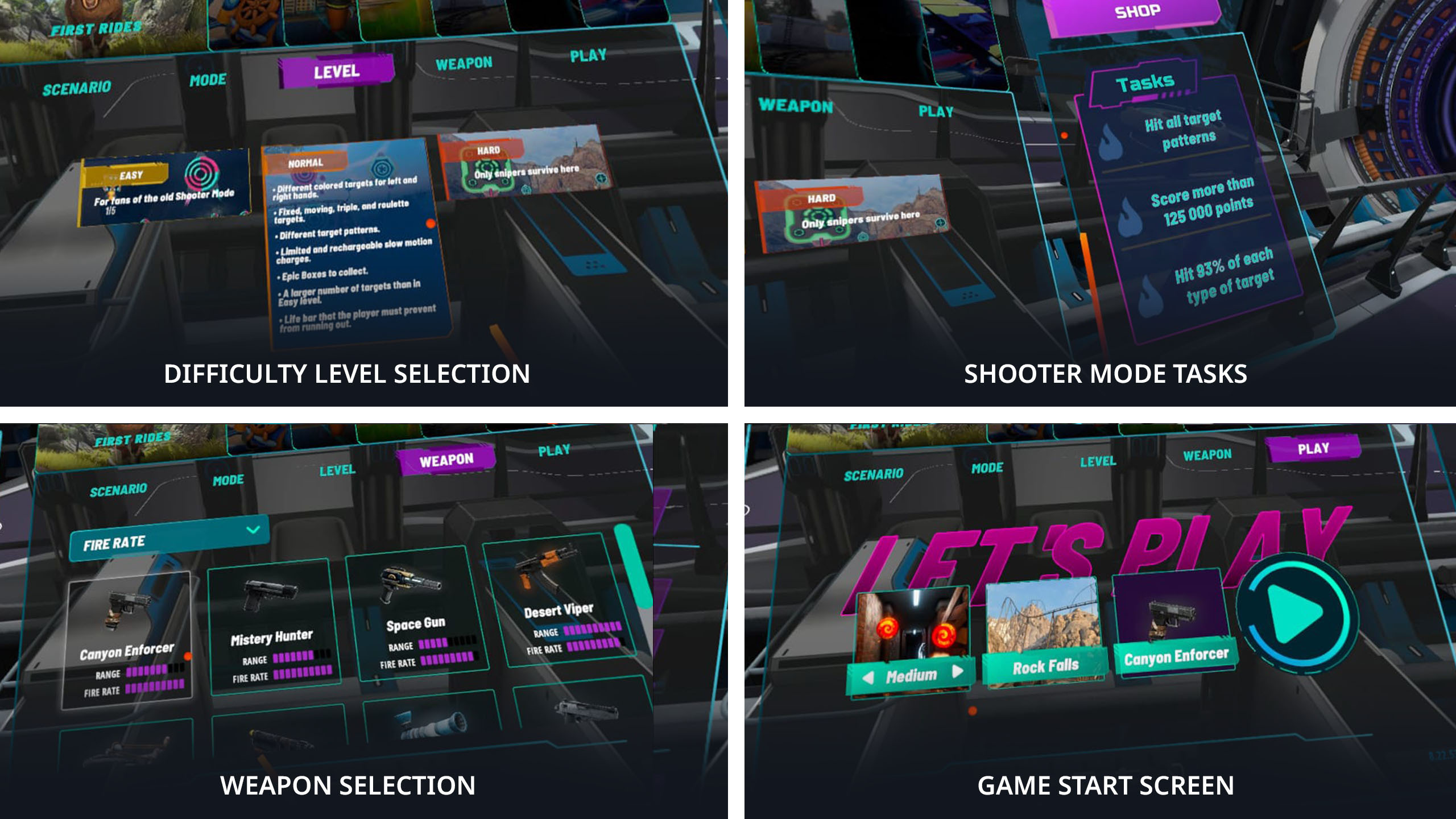
When choosing Shooter Mode, you will first choose between the Easy, Normal or Hard difficulty levels. Then, you can go to the weapon selection menu, where you choose which weapon you will use for your match. You will then be directed to the button to start the match.
Leaderboard, statistics and achievements
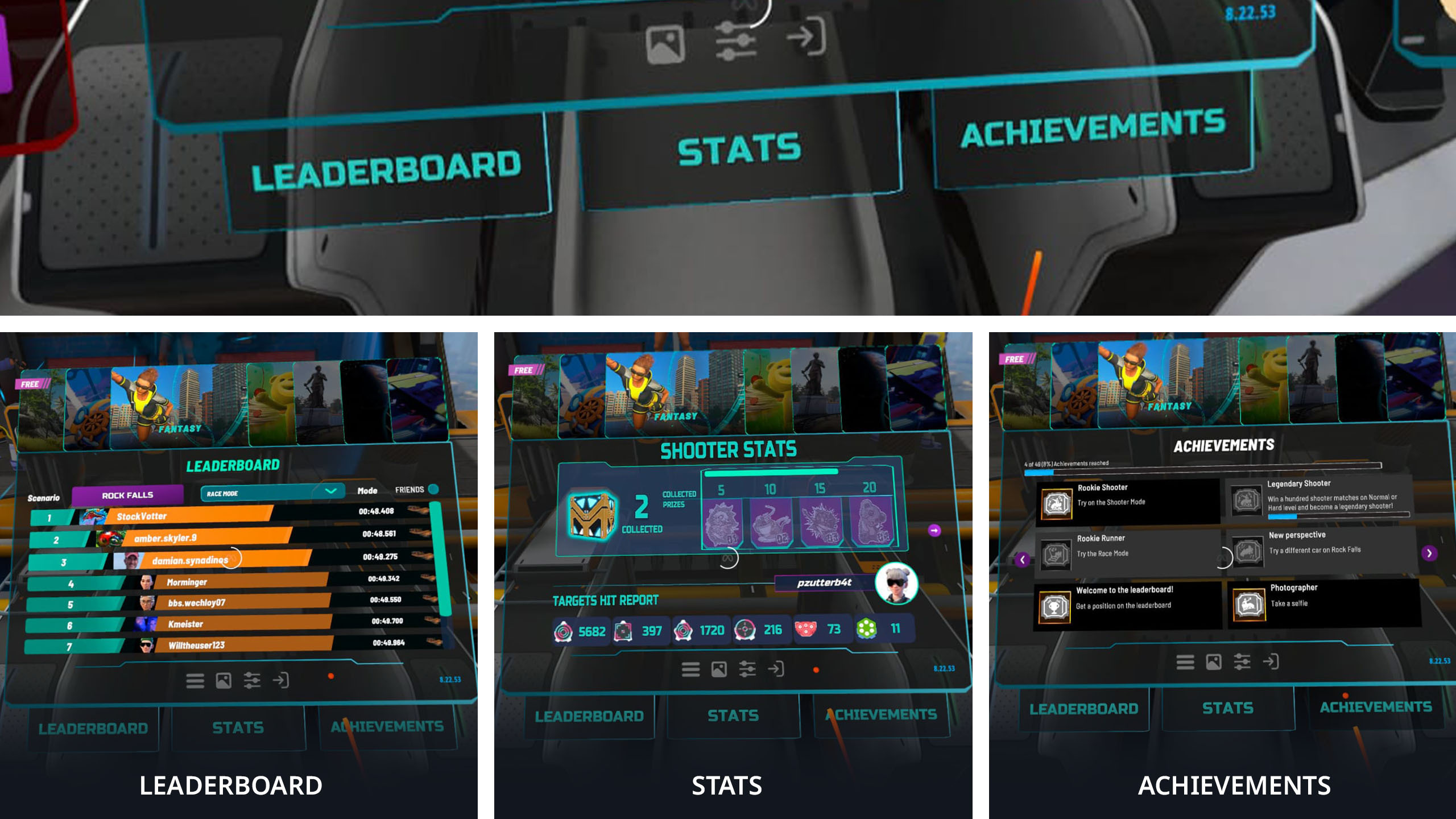
At the bottom of the roller coaster selection screen, you will now find buttons to access the leaderboard, shooter mode statistics and achievements. This makes it easier for you to access information about the best scores of players around the world, your statistics in the new Shooter Bullseye mode, and all the achievements you will earn during your matches.
Multiplayer
Our multiplayer panel remains on the left of the main panel, allowing you to invite your friends to play with you, or to join matches with random players connected to the game.
Settings menus
The settings menus remain at the bottom of the main panel, keeping navigation in the place you are already accustomed to.
Purchase navigation
In addition to the right panel dedicated to promotions and detailed information about DLCs at the time of purchase, you will find a button for the Epic Roller Coasters store right above it.
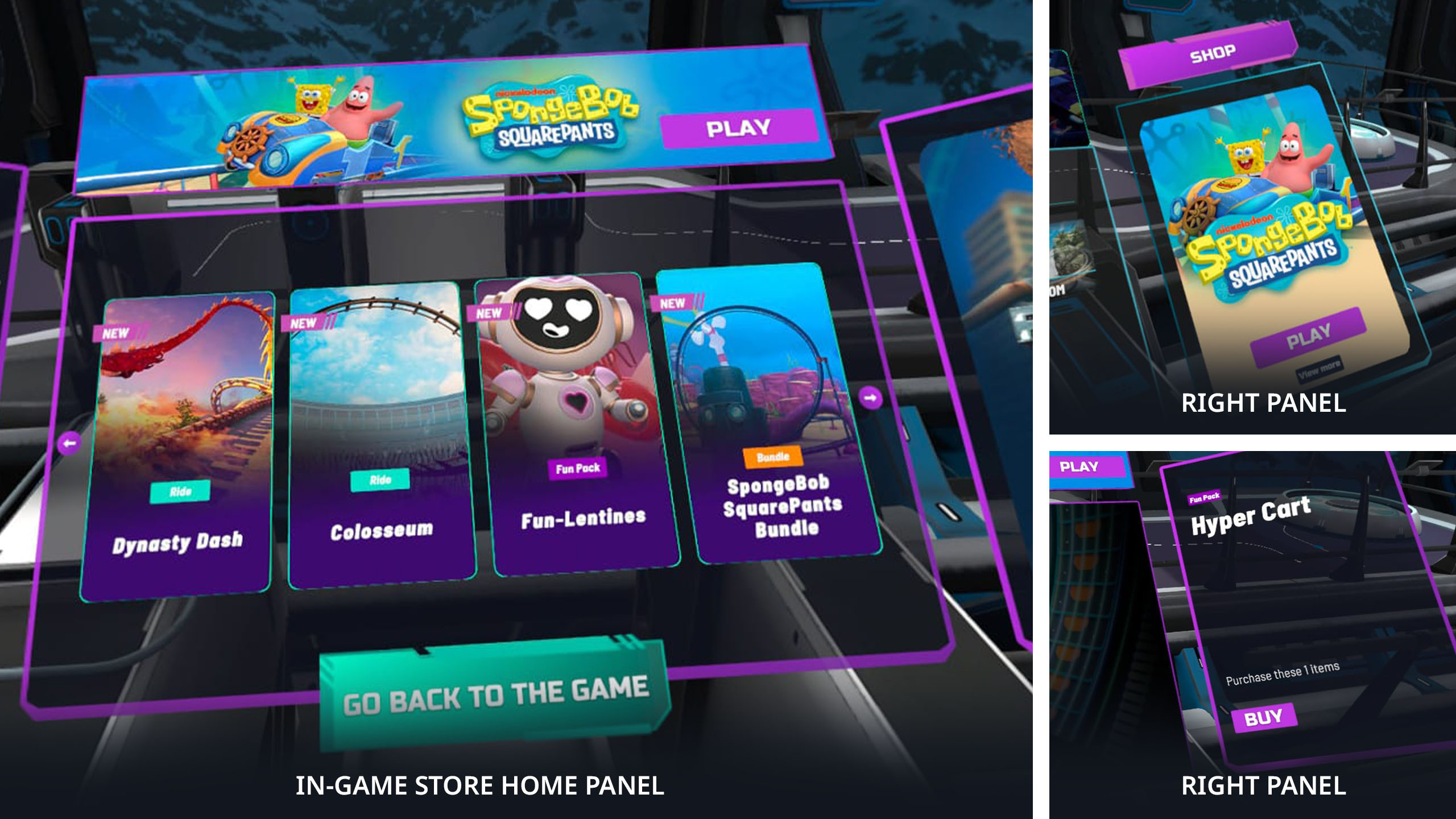
When you click on this button, you will access the game's purchase environment, where the main panel will show cards with suggestions for bundles, fun packs or roller coasters for you to choose from.
At the top of this panel, there is a banner showing Epic Roller Coasters news and unmissable offers. At the base of the main panel is the button to return to the game environment.
The panel on the left now has a categorization function to facilitate your purchase navigation, displaying buttons for roller coasters, bundles, and fun packs.
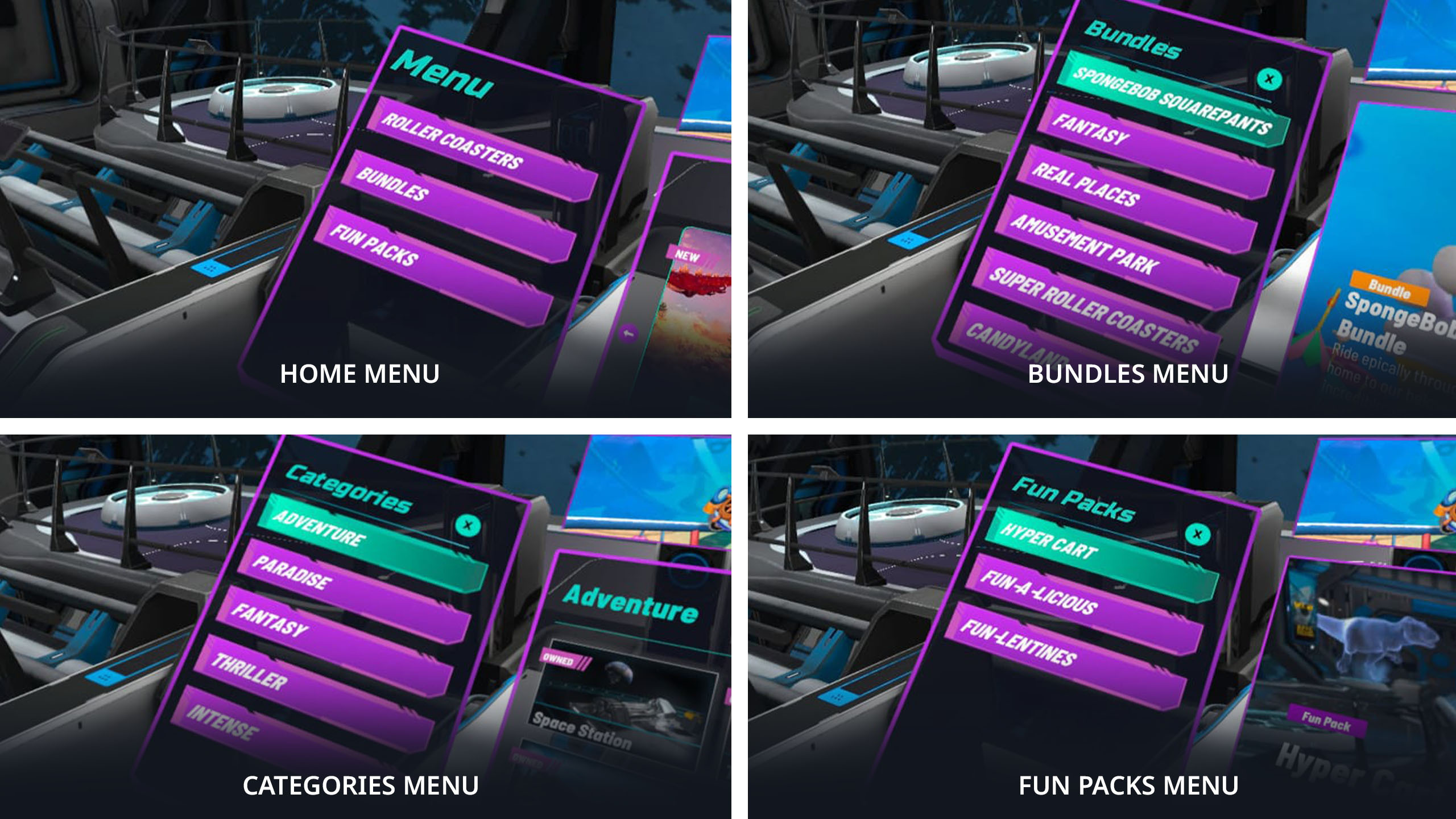
When you access the roller coasters button, on the left panel, the options for choosing the themes Adventure, Paradise, Fantasy, Thriller and Intense will open.
The Bundles button will display SpongeBob SquarePants, Amusement Park, Super Roller Coasters, Fantasy Thrills, and Candyland bundles for you to choose from. The Fun Packs button will also display Fun-A-Licious, Fun-Lentines, and Hypercart DLCs as options for you to choose from.
Whenever you select an item you want to purchase, the purchase button will be displayed on the right side panel.
DLCs that are already in your inventory will be marked as owned, either on their identification icons or on the right panel. The right panel will also display the play button for items you already own.