Zero-K v1.13.12.0 - Huge Graphics Update
Zero-K - Bronze Donation ($10) · published · build 21276300
This update overhauls the tech behind drawing units, wrecks and map features on your screen. This has many advantages. To start with, it allows for more and better looking fancy unit rendering effects, many of which are showcased in gif form below. It should also be less performance hungry on most hardware since it makes much more use of the GPU.
The deeper impact is that the new tech (physically based rendering) gives artists more tools to make units look even better. Tweaking textures to work with the new tech is an ongoing process, and one that would be much improved by the help of a volunteer artist or two. Another task is that of improving the lighting on many maps. Units are now more responsive to the sun, and tweaking it is just a matter of moving a few sliders around.
Most of this work builds on efforts within BAR to push the visuals of the engine forwards, with special thanks to ivand and FLOZi for assistance with adapting and improving it for Zero-K. We also want to thank the testers and contributors that helped add features and find technical issues prior to release. Finally, thanks 64-Bit Dragon for putting together the video below.
Watch on YouTube
Visuals
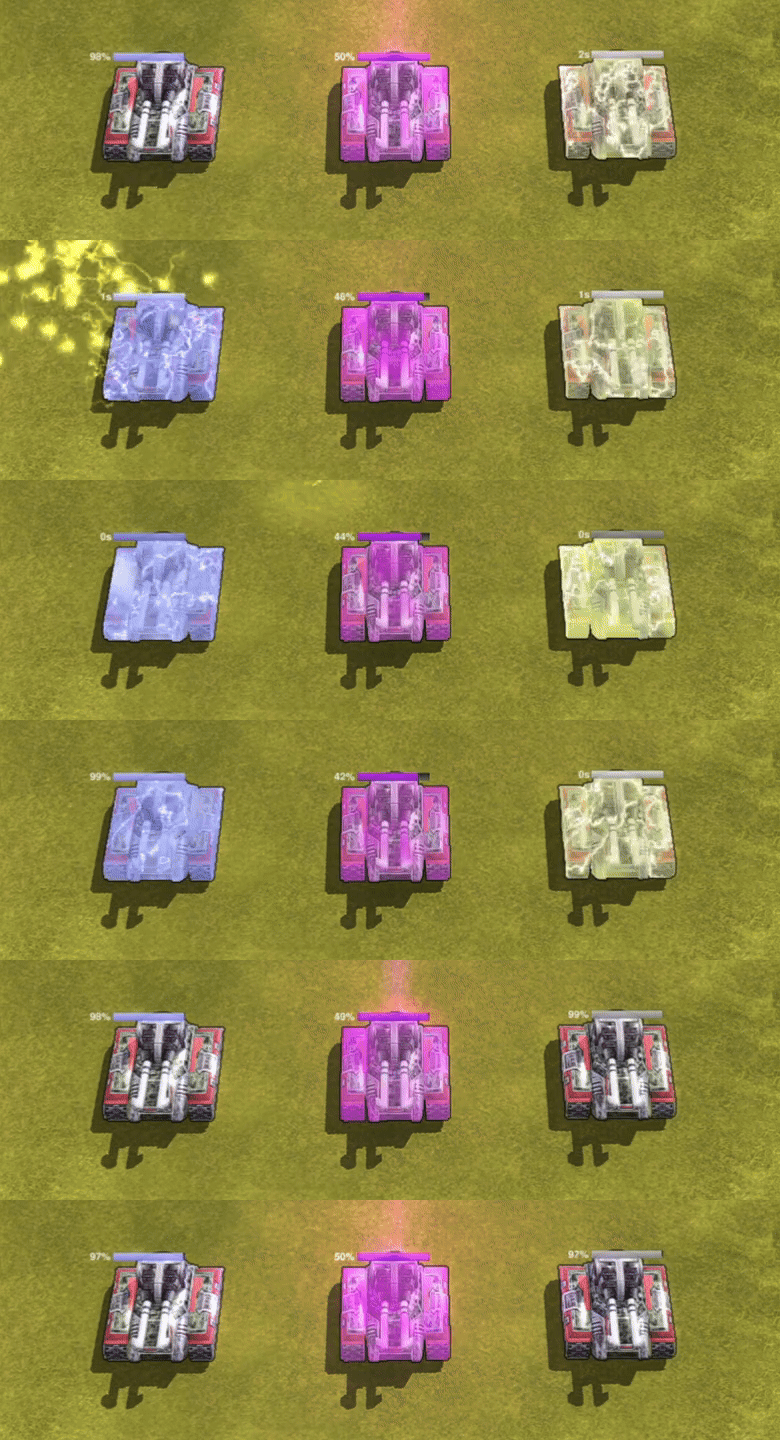
New and improved status effects!
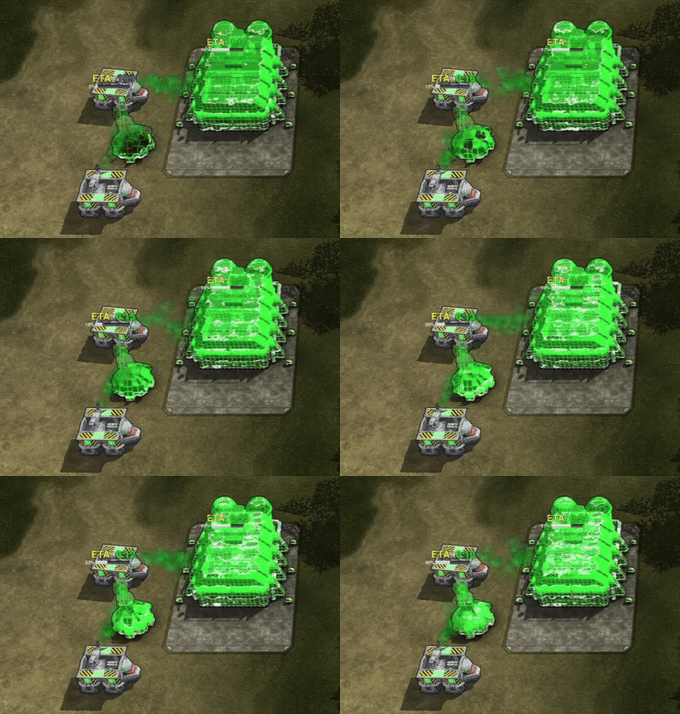
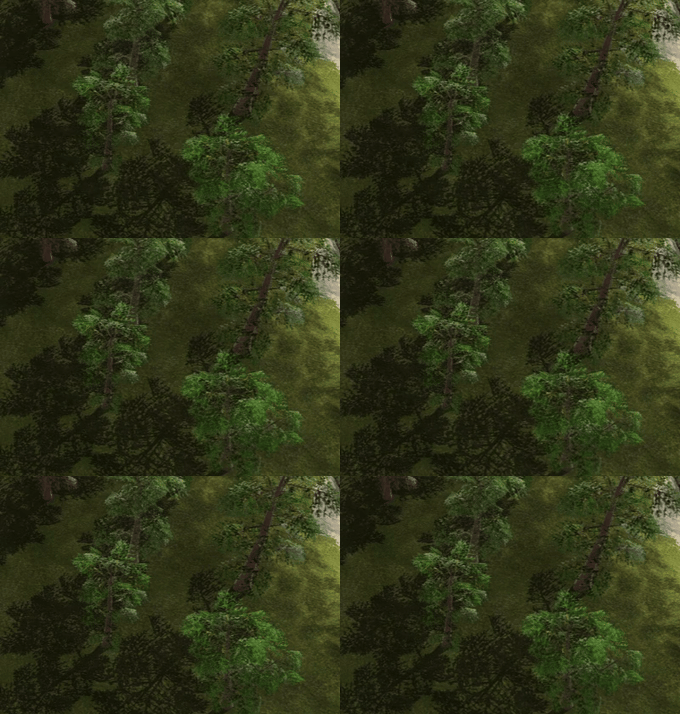
Fancy nanoframes and swaying trees! The nanoframes are highlighted near 99.9% to make abandoned construction harder to overlook.
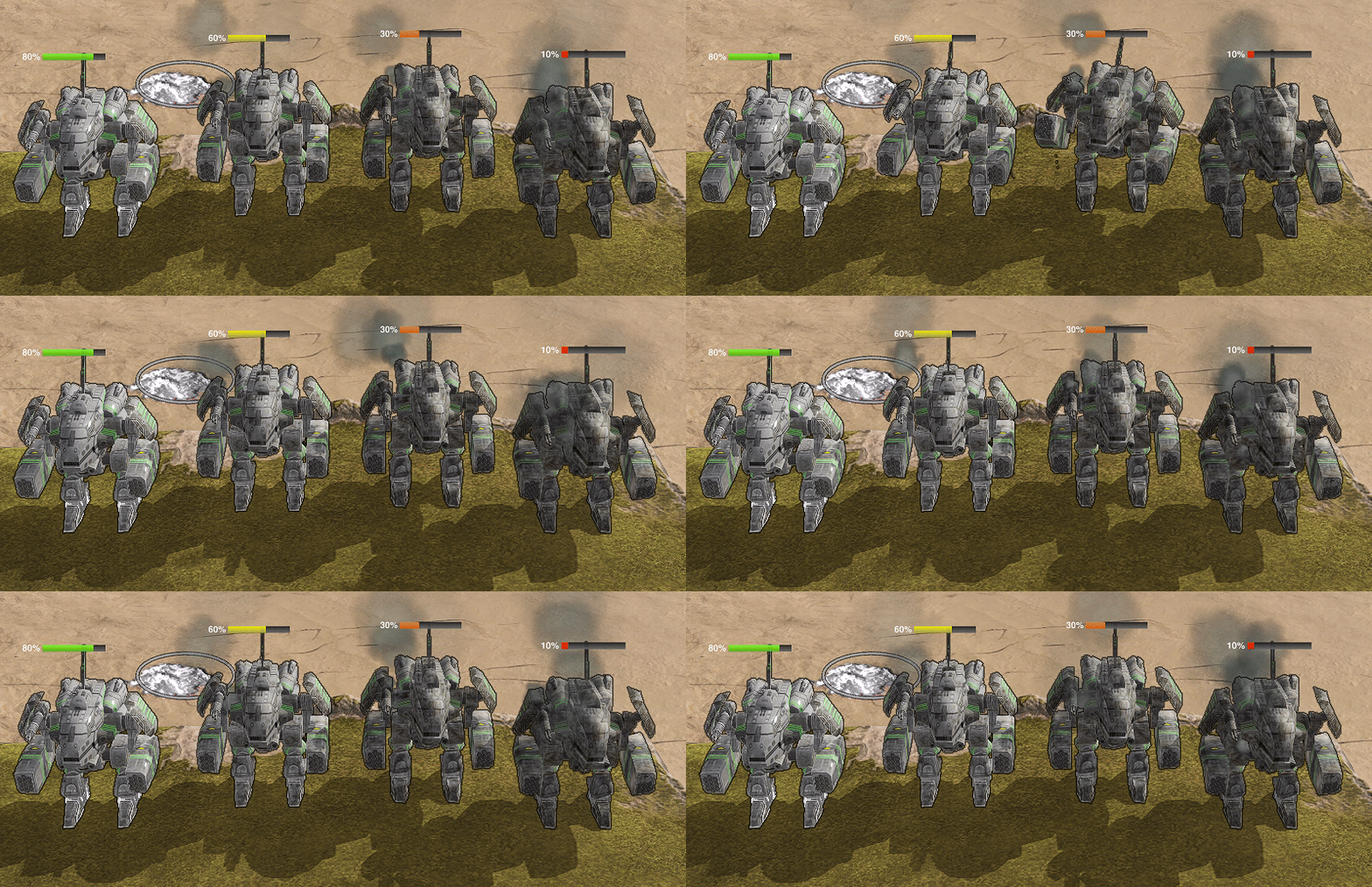
Units start getting wrecked before they die!
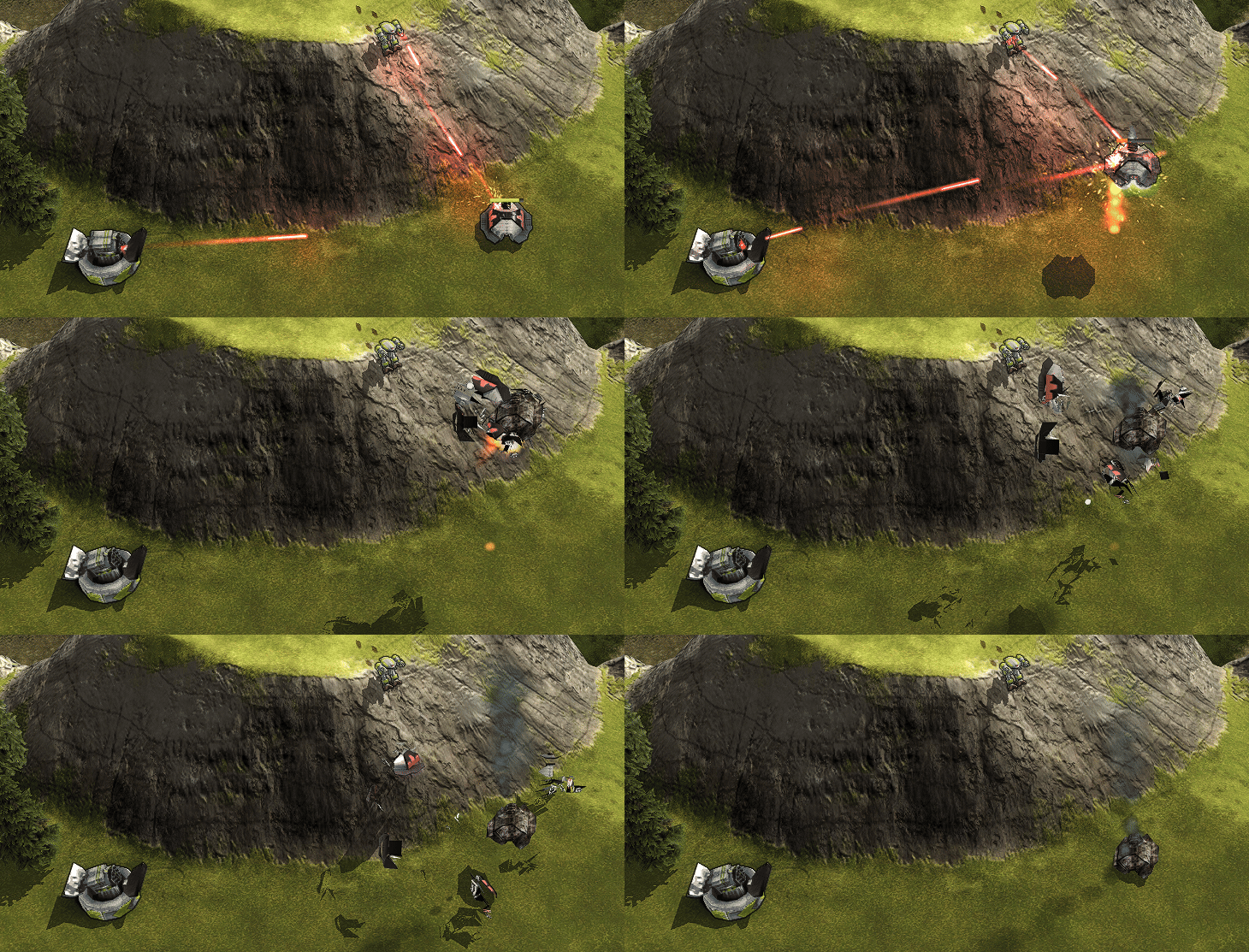
Trails for pew-pew lasers (thanks Thorneel)!
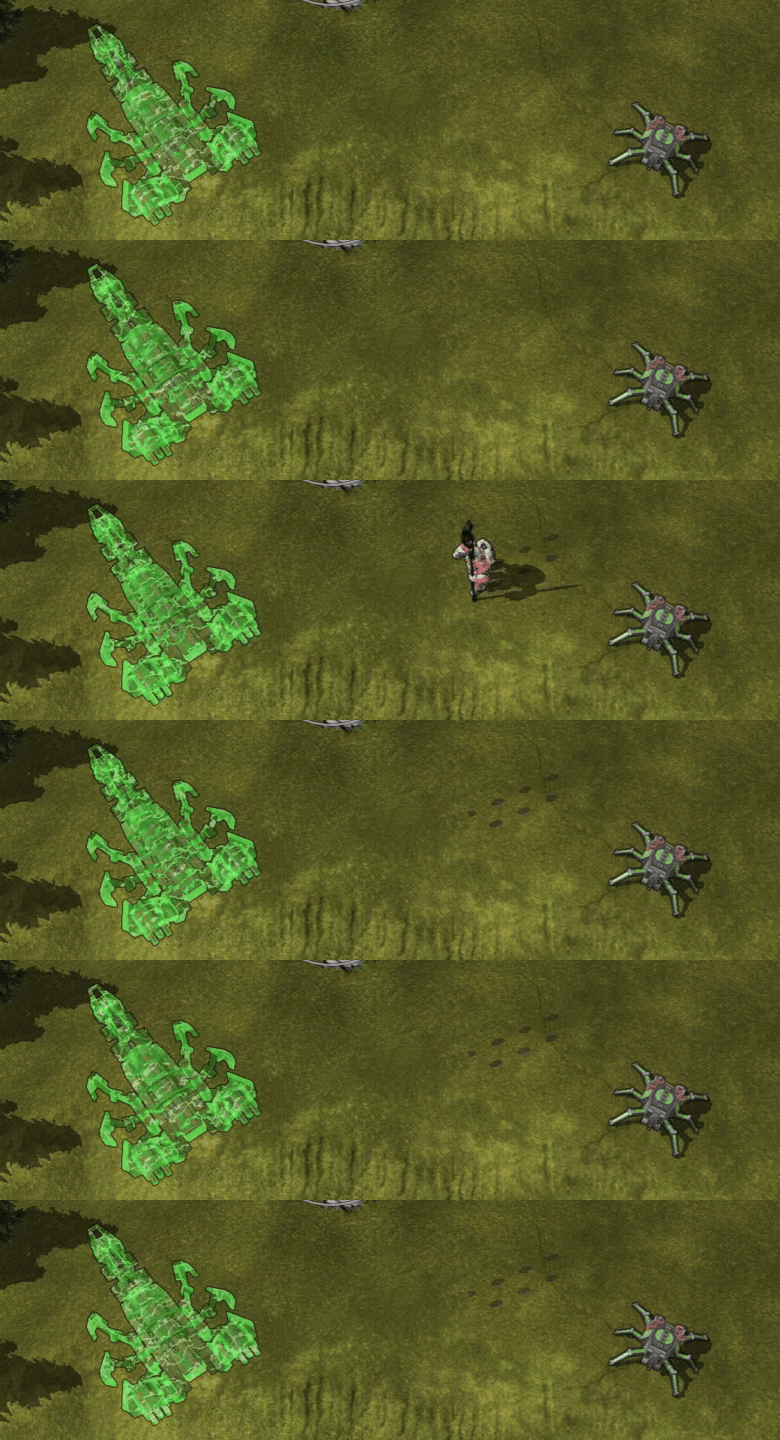
New cloak effects!
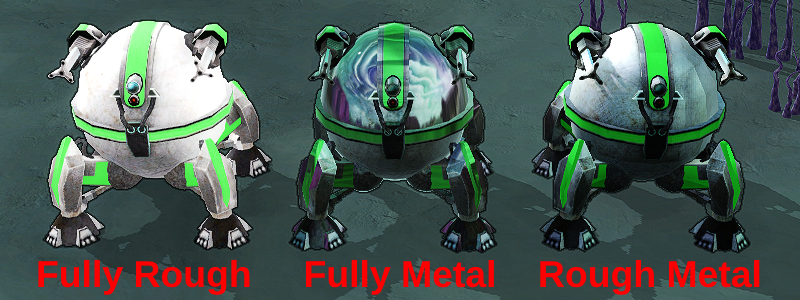
Relatively modern physically based rendering to expand the artistic palette!
Also:
- Units cast shade on each other.
- Boosted contrast adaptive sharpen slightly.
- Toned down bloom.
- Disabled screen space ambient occlusion by default as it is not worth the performance cost.
- Adjusted the textures of many units and the lighting on many maps, but there is still more to do.
Features
- Improved the radar shadow preview widget and enabled it by default. It is now more accurate (thanks Helwor) and takes structure terraform into account.
- Units stop and wait when a nearby friendly transport tries to pick them up.
- Constructors in friendly transports are considered idle when the transport is idle, and pressing the idle constructor button selects the transport (thanks strategineer).
- Constructors in enemy transports are no longer considered idle (thanks strategineer).
- The idle constructor button flashes briefly when a new constructor becomes idle, configurable under "Settings/HUD Panels/Quick Selection Bar" (thanks strategineer).
- Added tooltips for endgame awards (thanks strategineer).
- Factories no longer inherit the retreat state of their builder by default.
- Added maximum zoom option to the COFC camera (thanks therxyy and kcin).
- Added clickthrough settings for the command panel and quick selection bar, found in "Settings/HUD Panels" (thanks strategineer).
- Added an option to show unit icon on the command panel, found in "Settings/HUD Panels/Command Panel" (thanks strategineer).
- Added Workman keyboard layout preset, found in "Hotkeys/Grid Hotkeys" (thanks strategineer).
- Tidal generator placement no longer uses the wind icon to denote income (thanks strategineer).
- Made it harder to unwittingly disable shaders in lobby settings.
Mapping and Modding
- Units and map features can be given normal maps by setting customParams.normaltex. Eg normaltex = "unittextures/bomberheavy_normals.dds".
- Model tex2 is now interpreted as a PBR texture. Red is emissivity (for lights and engines), green is metalicness, and blue is roughness.
- Unit textures can now be overridden with customParams.override_tex1 and customParams.override_tex2. Eg override_tex2 = "unittextures/m1r0.dds".
- Shielded units can set customParams.shield_fxs_type = "chicken" to render a chicken shield (thanks XNTEABDSC).
- Added a toggle for the metal spot placer mapping tool to Settings/Toolbox.
- The startbox editor now has a tooltip that tells you where it the startbox file.
- Added a tickbox under "Settings/Graphics/Sun, Fog & Water" to set a default sun angle and pitch.
- Developer mode detection also looks for devmode.txt.txt.
Fixes
- Hacksaw no longer wiggles around while under construction.
- Non-line jump commands to groups of units now only spread units to passable terrain.
- Fixed slightly misapplied Ronin texture (thanks garfild888).
- Fixed Gnat gun being slightly detatched from its body. (thanks garfild888).
- Fixed unit information window crash on Funnelweb space click.
- Fixed Mace sometimes having trouble leaving the factory.
- Fixed Duck range not resetting properly when exiting deep water (thanks strategineer).
- Removed excess technical details from unit spotter markers on AI units (thanks strategineer).
- Fixed resource bar text truncation with large font sizes (thanks strategineer).
- Shifted the default garbage collection rate more towards stability.
- Removed leftover terraform points on planet Ungtaint.