The first major update for Guild Wars 2®: Visions of Eternity™ arrives on February 3 and will allow players to create and save Fashion Templates to easily swap between.
A New Home for Your Wardrobe
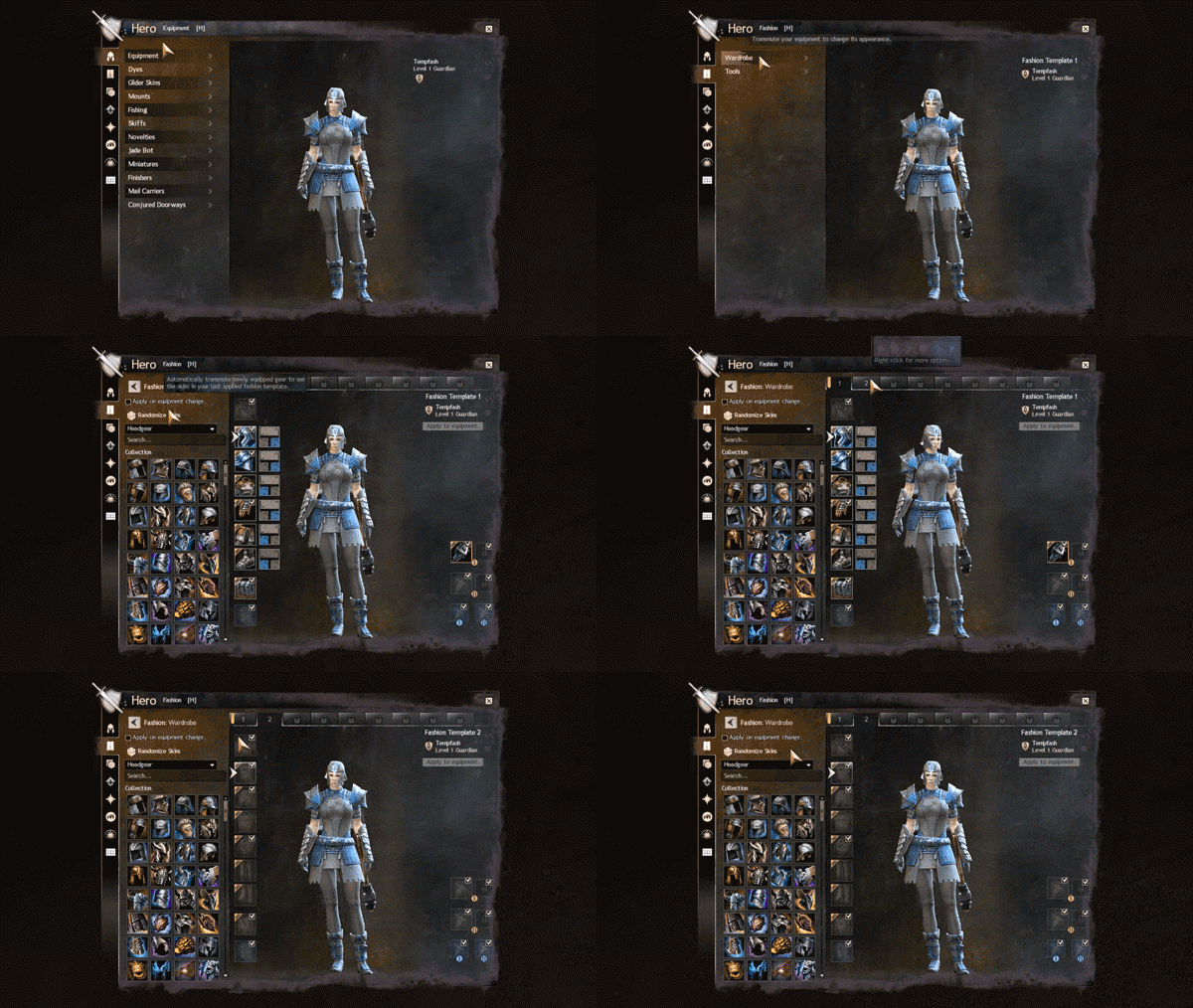
A new Fashion tab within the Hero panel will house wardrobe and gathering tool appearance choices, which means you will no longer find wardrobe or outfit selection in the Equipment tab. In the wardrobe, players can change the appearance of their armor, outfits, backpacks, and weapons.
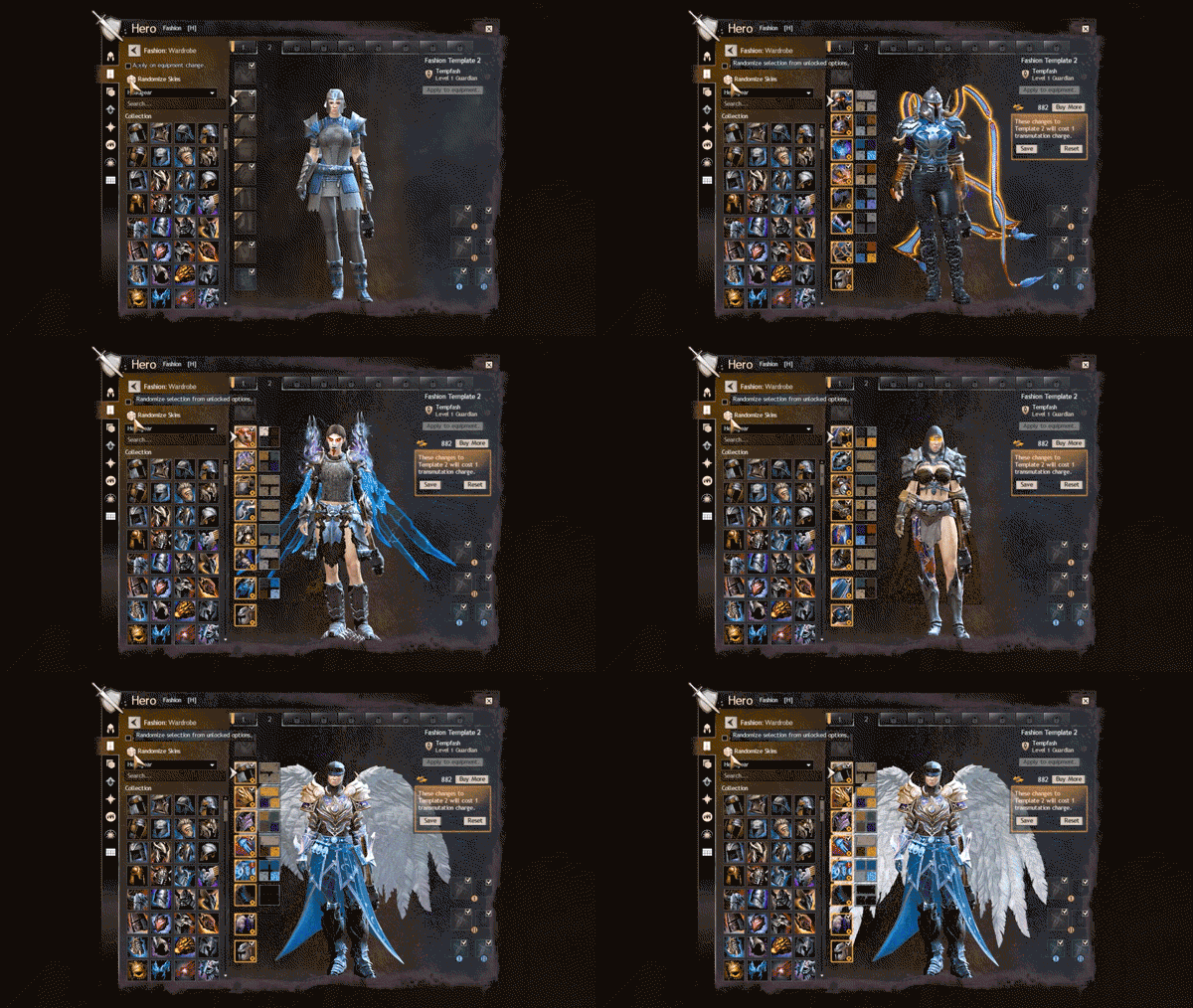
As players of our own game, we're particularly excited that the wardrobe now allows you to also edit the dye colors of applicable items, rather than needing to switch between different tabs for appearance and dye options. When you have an item slot selected, you'll be shown cosmetic options, and when you select a dye channel, you'll be shown dye options. The randomize feature will continue to only impact skins or dyes in a single randomization; selecting an appearance slot will change the randomize button to only randomize skins among those available to your armor class and race, and selecting a dye channel will make it only randomize dyes.
It's important to note that the wardrobe will only display appearance options for the weapons that your character currently has equipped, and equipping weapons is still managed through the Equipment tab. Similarly, infusions are tied to the equipment item system rather than cosmetics, so they are still managed through the Equipment tab.
Introducing Fashion Templates
At the top of the wardrobe, tabs will indicate which Fashion Template a character is currently using and allow for navigation between different templates to preview or edit. Every character begins with two Fashion Templates by default, so you'll be able to swap between two separate looks. Additional template slots, up to a total of nine, will be available for purchase in-game through the Black Lion Trading Company for 600 gems. A template slot is for your entire account; each character will get the benefit of being able to swap an additional look for each template slot unlocked.
Transmutation Charges are used to save a cosmetic skin to a Fashion Template, but Fashion Templates are free to apply. A Fashion Template is first edited (which has no cost), then saved (costing a Transmutation Charge for each piece of equipment to be updated in the template itself), and then can be freely applied to your equipment until it is edited and saved again. If a piece of equipment that your character has equipped is of legendary quality, saving a new cosmetic appearance for that item in a Fashion Template will not cost Transmutation Charges.
If a Fashion Template includes the appearance of a weapon (or any piece of equipment) that you are not currently wielding, that appearance will not be applied.
When this goes live, you'll receive an in-game mail with some free Transmutation Charges and a suggestion to check out the system. On each character, you'll have a one-time chance upon first visiting the Fashion panel to save your currently equipped cosmetics to your first Fashion Template without spending any Transmutation Charges.
Fashion Endgame
Beyond the basics, there's a bevy of options for fine-tuning your fashion. Right-clicking on any single item slot saved to a Fashion Template will allow you to apply it individually, rather than needing to apply the whole template. A new checkbox will allow you to apply your chosen cosmetics to any items that your character equips, so if you're leveling or otherwise swapping out armor, you don't have to reapply the template every time. And advanced controls within the wardrobe will allow you to inspect, clear, and rename your Fashion Templates.
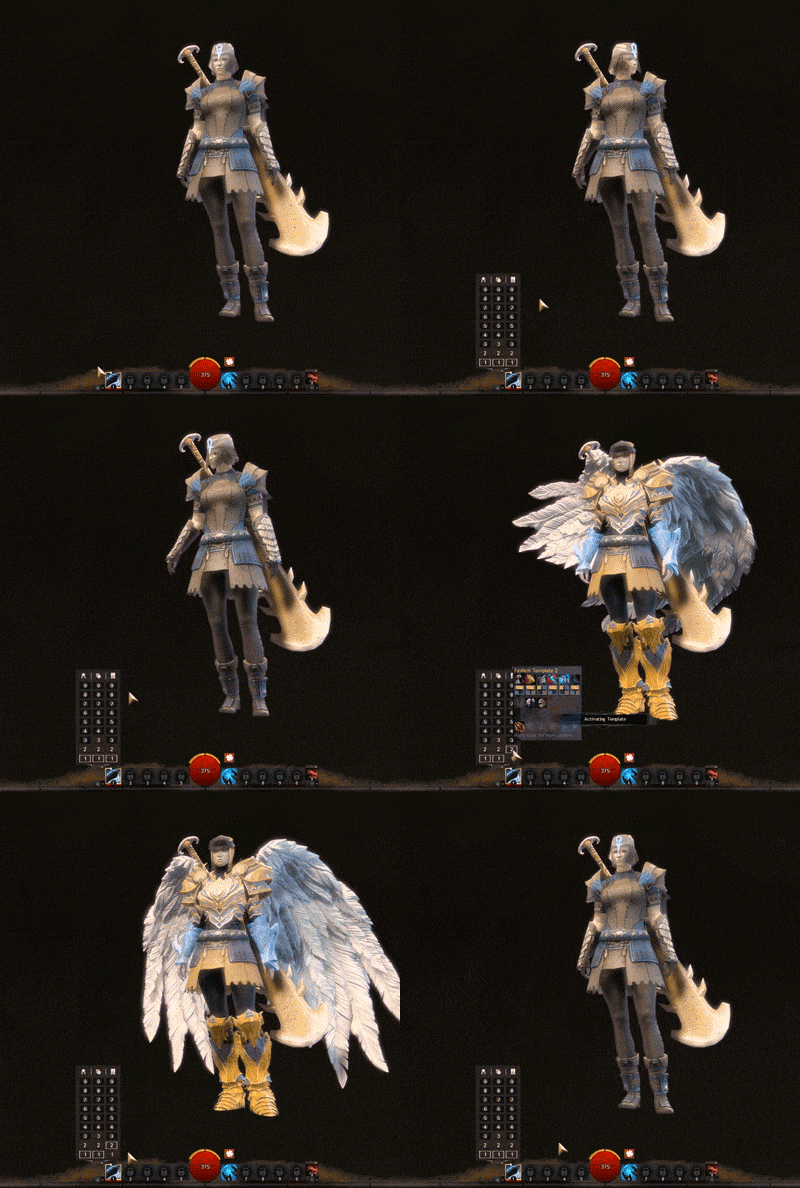
Like Build and Equipment Templates, you'll be able to select Fashion Templates through the quick-access menu on your skill bar and assign a hotkey to them. Hovering over a Fashion Template in the quick-access menu will show a preview of which items and dye choices are associated with that template.
And, like Build Templates, Fashion Templates will be sharable! You can generate chat- sharable Fashion Template codes that can also be saved if you want to preserve old looks or share fashion tips outside of the game.
And Tools, Too!
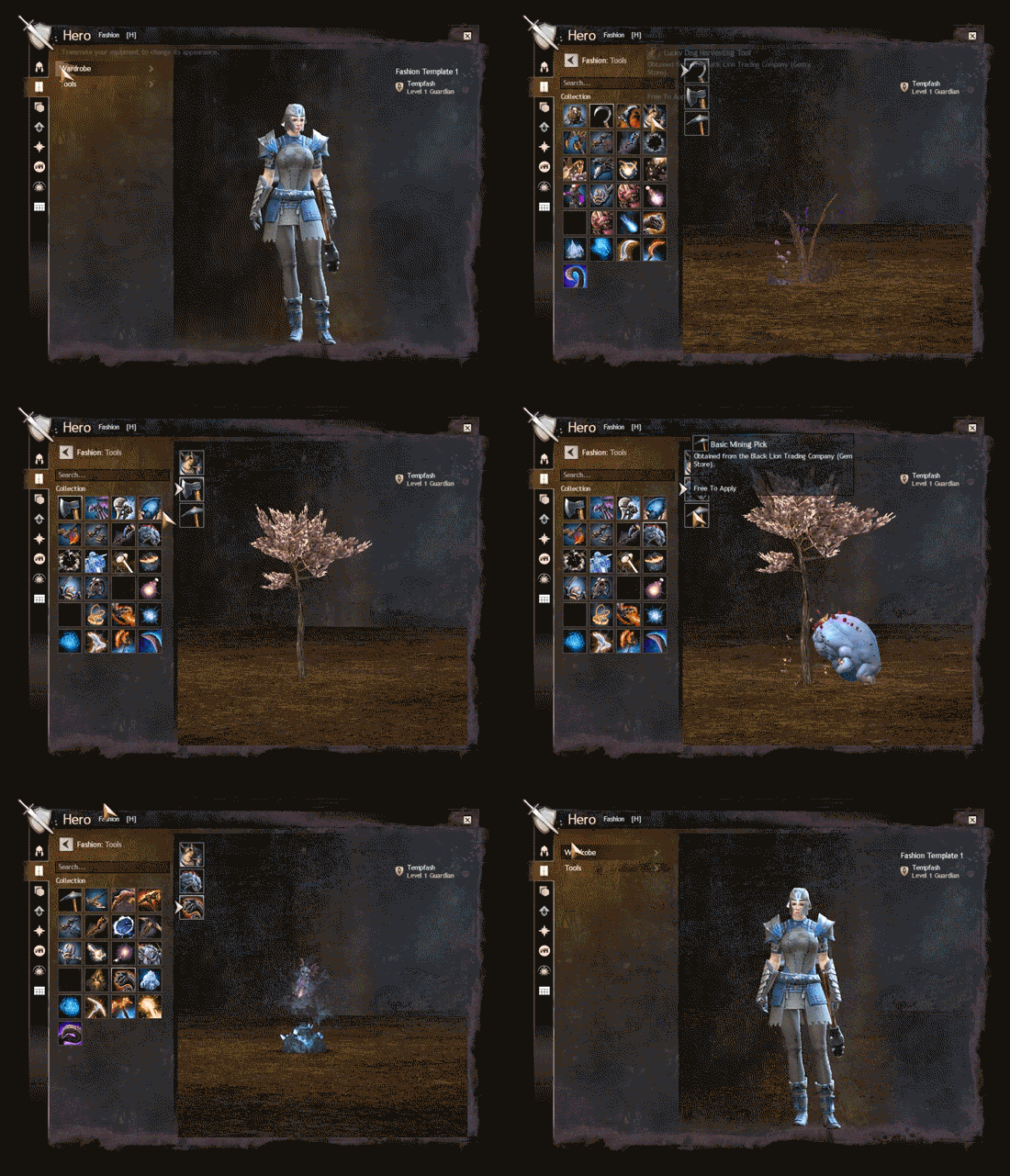
Like other pieces of equipment, gathering tools and their glyphs will still be managed through the Equipment tab. However, gathering tool cosmetics will be separated from the wardrobe and Fashion Templates. Their appearance can be changed—for free!—through the Tools section of the Fashion tab.
Into the Future, Fashionably
We're continuing to work on the Equipment and Fashion sections of the Hero panel, including moving mounts, gliders, and conjured doorways to the Fashion tab; expect to see additional updates in a future release for Guild Wars 2: Visions of Eternity.
We'll be live on our Twitch channel this Friday, January 30, at noon Pacific Time (UTC-8) to take a closer look at the Fashion Templates feature, so tune in to see it in action!