
Patch 1.05 is here! In addition to a handful of fixes, corrections, and quality of life features, we’re excited to announce that we’ve also made additions that should improve performance and optimization across a variety of player setups!
If you’re curious about what’s new in Patch 1.05:
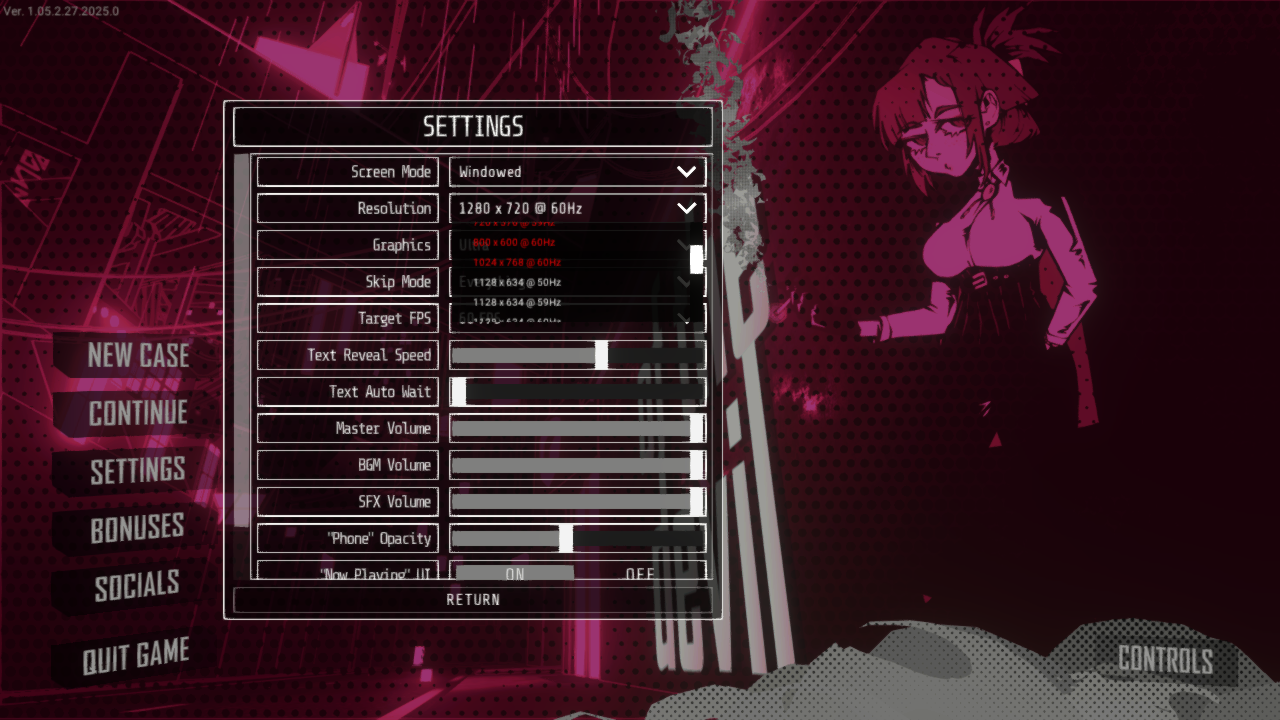
of the Devil no longer restricts the list of resolutions you can choose from- you’re free to select any resolution that your monitor supports. Please note that choosing a resolution listed in red is not recommended as it may result in small presentation issues.
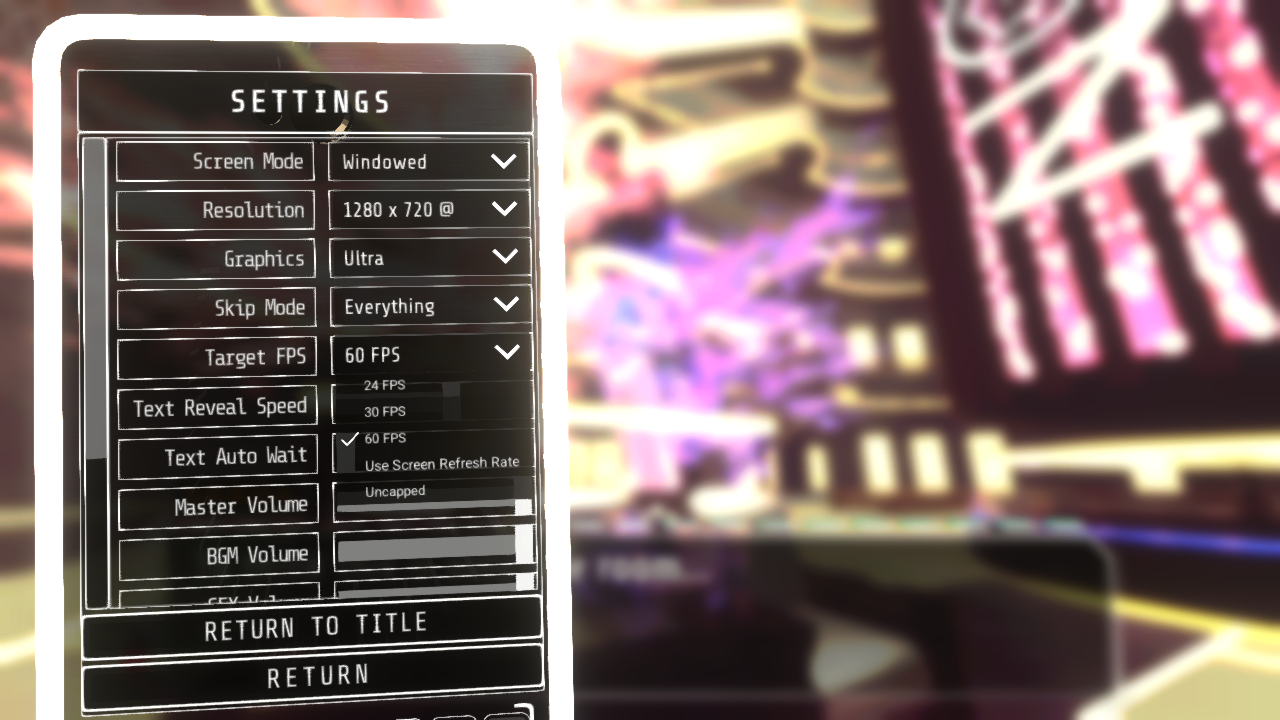
of the Devil has a new feature in the Settings menu that allows you to select a Frames-per-Second number to target. If you’re playing on an older computer, running on a battery, or just more interested in fidelity than framerate, you can set it to 30 FPS for longer battery life (and more quiet PC fans) or even as low as 24 FPS for a more “cinematic” feel.
You can also set the FPS target to try and always match your monitor’s refresh rate, or you can choose to play with your framerate entirely uncapped, but these options are recommended only for higher spec machines.
Optimization and Performance
- Significantly reduced memory usage on start up, reducing the time it takes for the game to boot up.
- Significantly reduced the average and maximum memory usage in-game, reducing the risk of crashes and improving performance on computers with less available RAM.
- Added a Target FPS dropdown to settings and set of the Devil’s default target FPS to no greater than 60.
Gameplay:
- Fixed an issue where certain choice cards and evidence items weren’t matching their display names 1:1.
- Adjusted minor contextual hinting during Trial 1-1.
- Adjusted contextual hinting during investigation to illustrate that codes may be alphanumeric/
- Added failsafes to attempt to award Demo-based bonuses if the Demo has already been uninstalled.
Scripting:
- Addressed a variety of grammar and spelling errors.
UI and Display:
- Fixed an issue where the incorrect resolution value could be displayed upon starting the game and opening Settings for the first time.
- Fixed an issue where text reveal speed set in Settings was resetting to default value at improper times.
- Fixed an issue where Wager choices could fail to scale up properly if the game was being Skipped through at a high enough speed.
- Fixed an issue where screen elements in the background of the Courtroom could fail to animate properly.
- Reduced the intensity of camera bobbing inside the Courtroom.
- Fixed an issue where charms’ reflections were being lit improperly based on certain backgrounds being loaded.
- Fixed an issue where the Dialogue textbox would display text improperly for the duration of its dismissal animation.
- Fixed an issue where certain choice cards could be dragged and dropped at inappropriate times.
- Fixed an issue where Dialogue could display instantly due to certain player input in Objection segments.
- Fixed an issue where Investigation camera movement wouldn’t always freeze while the game is paused.
- Fixed an issue where Settings wouldn’t display the proper values on the in-game phone if adjusted from the title screen or vice-versa.
- Fixed an issue where certain UI elements and unlockable concept art would appear at the wrong resolution on certain graphics quality settings.
- Fixed an issue where the phone wouldn’t always have the proper case color during texting conversations.
- Fixed an issue where the backlog could be viewed on the title screen.
Improvements and Quality of Life features we're looking into for future patches:
- Additional keyboard shortcuts for navigating to Evidence, Profiles, Settings, etc.
- More robust support for Steam Deck and other controller setups.