Status
SteamPeaks
ChartsSalesUpcomingPatchesNewsCalculator
New on SteamEvery app, DLC and depot the minute Steam creates itAppsEvery app on Steam, newest change firstPackagesSubs and bundles, and what each containsDepotsDepots, manifests and install sizesTagsSteam's user tags and the games under themDevelopers & publishersCompanies and their cataloguesTechnologiesEngines, SDKs and anti-cheat found in the filesChange historyEvery PICS changelist as it lands
SignalsNineteen readings of the whole catalogueCompareAny games side by sideRecordsAll-time peaks and the days they were setReportsWeekly and monthly write-upsAlerts & newsroomWatch a game, get told when it movesSteam statusIs Steam up, right nowWeb API explorerTry the endpoints in the browser
NewsSteam's own announcements and the sales calendarCalculatorWhat a Steam account is worth, and its pile of shame
/
Sign in
/
SteamPeaks
The ultimate resource for Steam data.
ExploreChartsSalesSales and festsUpcomingPatchesNewsRecordsTrendingSignals
DatabaseAppsPackagesDepotsTagsDevelopersTechnologiesChange history
ToolsCalculatorCompareSearchAlertsSteam statusAPI
SiteMethodologyFAQDiscordSupportSign in via Steam
Not affiliated with Valve or Steam. Game names and artwork belong to their owners. All times UTC.
PrivacyCookiesFair useStatus
Sword and Fairy 3News仙剑奇侠传三 启动器已更新
Community

仙剑奇侠传三 启动器已更新

Sword and Fairy 3 · published 20 Apr 2021, 03:42 UTC

All newsPlayers around this dateRead on Steam

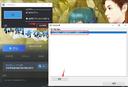
更新后,可使用新的启动器上传、安装、管理创意工坊内容。

创意工坊内容管理方法:
1. 在创意工坊 订阅 您喜爱的MOD,(举例如图)

2. 使用Steam运行游戏,打开启动器(Launcher)中的MOD管理,点选您想安装的插件。

3. 按下 安装 按钮,点击 完成 ,再进入游戏,即可游玩已经装载好MOD的版本了~

*若您需要切换游戏语言,建议先移除安装的创意工坊MOD,完成语言切换后,再重新安装MOD,以免出现兼容问题。
More from Sword and Fairy 3

Other announcements

All news
Community15 Apr 2021仙剑奇侠传三 游戏相关问题解答Q1. 开启游戏时跳出:句柄无效弹窗 请彻底关闭Steam程序,重新用 系统管理员身份 开启Steam ,再进入游戏。 部分原本游玩没问题的玩家在更新Win10系统后,也会出现此问题。 (若您全萤幕游玩游戏,读取进度时出现画面定住的情况,也有可能是后台跳出了此弹框的缘故。)此时建议您先退出​​游戏,以系统管理员身份启动Steam,再进入游戏试试。 Q2. 使用窗口化执行游戏,开启时显示:Input Device Create Failed! 在游戏成功开启前,请先耐心等待一会儿~ 启动过程中 避免使用鼠标的左键或右键 ,即可避免此问题唷~ Q3. 我执行游戏后字都显示乱码怎么回事?! 在Steam版中,您的 非Unicode显示文字与Steam语言选项必须一致 ,游戏文字才能正常显示。 1. 请打开控制面板 --> 时钟、语言和地区,选择 地区及语言, 非Unicode程序目前使用的…