Status
SteamPeaks
ChartsSalesUpcomingPatchesNewsCalculator
New on SteamEvery app, DLC and depot the minute Steam creates itAppsEvery app on Steam, newest change firstPackagesSubs and bundles, and what each containsDepotsDepots, manifests and install sizesTagsSteam's user tags and the games under themDevelopers & publishersCompanies and their cataloguesTechnologiesEngines, SDKs and anti-cheat found in the filesChange historyEvery PICS changelist as it lands
SignalsNineteen readings of the whole catalogueCompareAny games side by sideRecordsAll-time peaks and the days they were setReportsWeekly and monthly write-upsAlerts & newsroomWatch a game, get told when it movesSteam statusIs Steam up, right nowWeb API explorerTry the endpoints in the browser
NewsSteam's own announcements and the sales calendarCalculatorWhat a Steam account is worth, and its pile of shame
/
Sign in
/
SteamPeaks
The ultimate resource for Steam data.
ExploreChartsSalesSales and festsUpcomingPatchesNewsRecordsTrendingSignals
DatabaseAppsPackagesDepotsTagsDevelopersTechnologiesChange history
ToolsCalculatorCompareSearchAlertsSteam statusAPI
SiteMethodologyFAQDiscordSupportSign in via Steam
Not affiliated with Valve or Steam. Game names and artwork belong to their owners. All times UTC.
PrivacyCookiesFair useStatus
Groupy 2NewsCustomizing Your Groupy 2 Tabs
Community

Customizing Your Groupy 2 Tabs

Groupy 2 · published 12 Sep 2024, 15:17 UTC

All newsPlayers around this dateRead on Steam

Groupy 2 is one of the quiet heroes of making Windows 10 and 11 take a big step forward in functionality. Adding tabs to every app may not sound like an important feature but once you experience the ability to group, launch, and tab your daily workflow, Groupy 2 will become your favorite app.

One of the core competencies of any Stardock app is the ability to customize the design and Groupy 2 is no different. The tab appearance options inside of Groupy 2 let you personalize the experience while maintaining a high level of functionality.
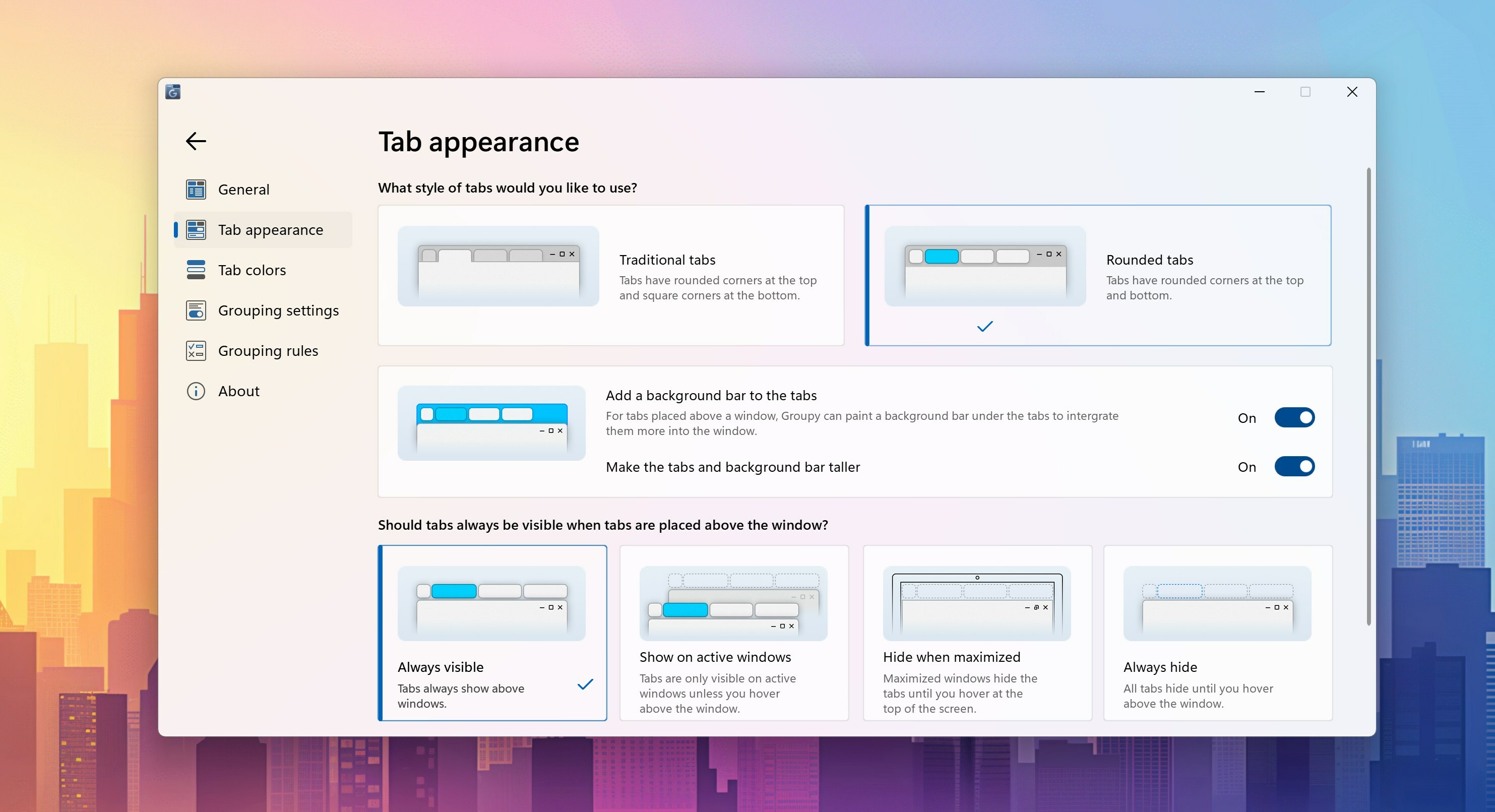
With Groupy 2 configuration panel open, the Tab appearance panel provides dozens of options to configure the tab style to match the theme of your desktop. As an example, you can have traditional tabs that are attached to the app like a file folder you might find at the library or accounting office, or you can enable a floating experience that feels modern and fits natively into the Windows 11 design style.

But my personal preference is to enable a background of the tab bar, keep the tabs always visible, and have them floating, as shown below. We put a lot of effort into creating a mica-like texture for the tab bar and with a vibrant desktop wallpaper – it really shines.

These are just a few of the options available with Groupy 2. Other options include being able to color the tabs as well, which is handy for making it easy to identify chat apps from gaming apps or productivity tools like Visual Studio, at a quick glance.

Adding a little bit of color, like the example above, makes it easy to visually identify a tab based on its purpose - such as separating out test and production environments. And as you would expect, Groupy 2 will remember the color you have applied to the app each time it is opened.

More from Groupy 2

Other announcements

All news
Game update25 Mar 2026Groupy 2.31 ReleasedGroupy v2.31 Changelog Date: 03/25/2026 Version · UI: 2.31 · File Version: 2.3.1.1 Changes · Resolved issue with VBA editor in Excel, deleting spaces when typing · Added an option so you can use the old behaviour in Groupy for rules and make a rule that can match everything · Fixed a painting issue on tabs when in tab style and not extended tab bar height · Updated ARM supportGame update17 Oct 2024Groupy 2.20 ReleasedGroupy 2.20 has been released today. For a complete changelog, and to provide feedback, please visit: As always, thanks for your feedback, time, and support. Sean Drohan Stardock Product Lifecycle ManagerGame update21 Mar 2024Groupy 2.15 ReleasedAll, Groupy 2.15 has been released. For details, please see: As always, thank you for your time, feedback and support. Sean Drohan Stardock Product Lifecycle Manager