Status
SteamPeaks
ChartsSalesUpcomingPatchesNewsCalculator
New on SteamEvery app, DLC and depot the minute Steam creates itAppsEvery app on Steam, newest change firstPackagesSubs and bundles, and what each containsDepotsDepots, manifests and install sizesTagsSteam's user tags and the games under themDevelopers & publishersCompanies and their cataloguesTechnologiesEngines, SDKs and anti-cheat found in the filesChange historyEvery PICS changelist as it lands
SignalsNineteen readings of the whole catalogueCompareAny games side by sideRecordsAll-time peaks and the days they were setReportsWeekly and monthly write-upsAlerts & newsroomWatch a game, get told when it movesSteam statusIs Steam up, right nowWeb API explorerTry the endpoints in the browser
NewsSteam's own announcements and the sales calendarCalculatorWhat a Steam account is worth, and its pile of shame
/
Sign in
/
SteamPeaks
The ultimate resource for Steam data.
ExploreChartsSalesSales and festsUpcomingPatchesNewsRecordsTrendingSignals
DatabaseAppsPackagesDepotsTagsDevelopersTechnologiesChange history
ToolsCalculatorCompareSearchAlertsSteam statusAPI
SiteMethodologyFAQDiscordSupportSign in via Steam
Not affiliated with Valve or Steam. Game names and artwork belong to their owners. All times UTC.
PrivacyCookiesFair useStatus
Start11 v2Newsv2.5 Beta Brings Vertical Taskbar Option on Windows 11
Major update

v2.5 Beta Brings Vertical Taskbar Option on Windows 11

Start11 v2 · published 12 Dec 2024, 16:18 UTC

All newsPlayers around this dateRead on Steam

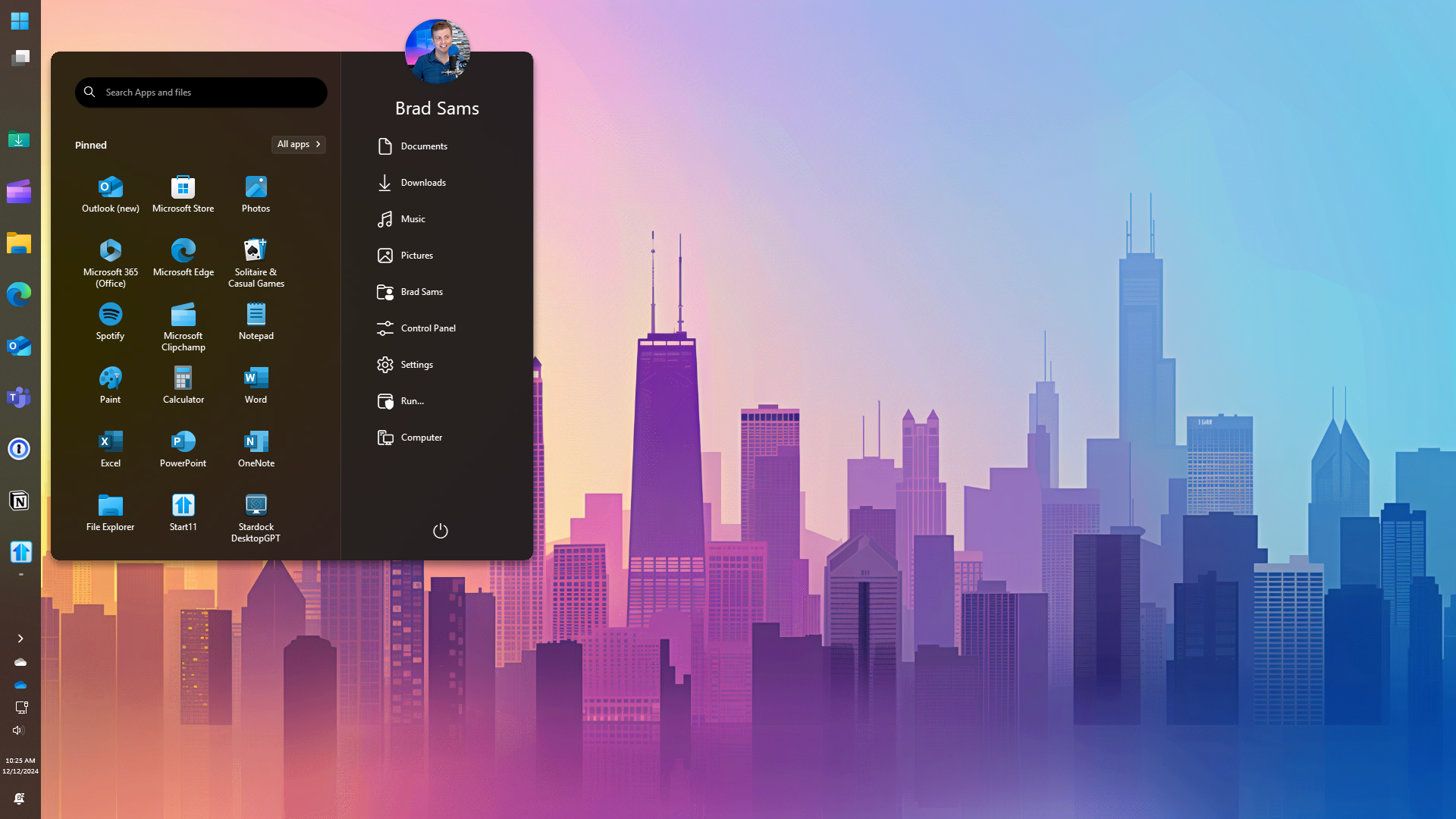
Today we released Start11 v2.5 with new features, a couple of enhancements and bug fixes as well. The update is rolling out now and you can check for an update by opening the configuration panel, clicking About, and searching for the update.

New with version 2.5 is the ability to use a vertical taskbar on Windows 11. The vertical taskbar can be placed on the left or right side of the display and functions just as you remember from previous versions of Windows where this configuration was supported. To enable the new taskbar experience, open the configuration panel, click Taskbar, scroll to the Taskbar position option and select you desired configuration.
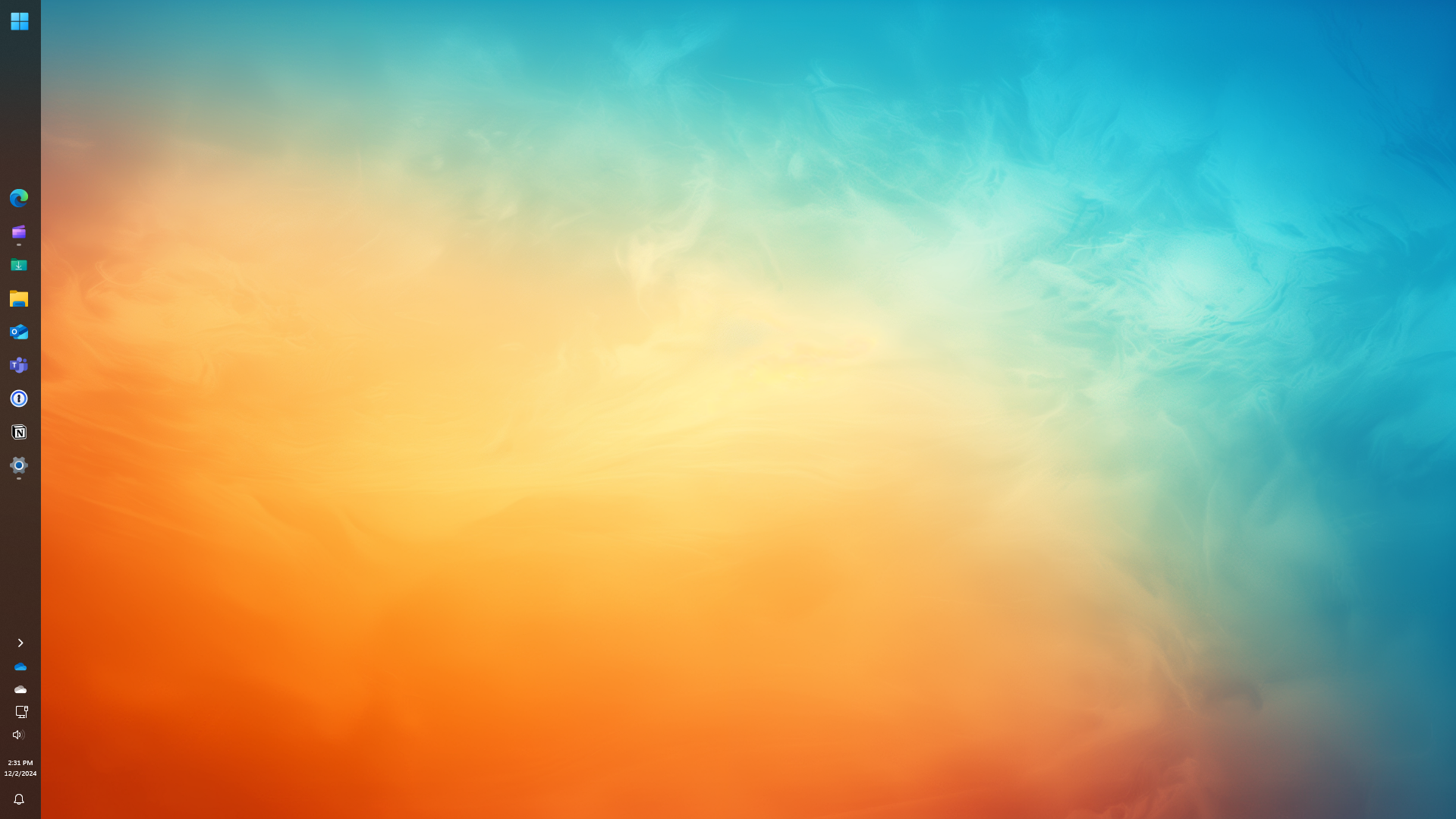
Along with the new vertical taskbar support, centered taskbar buttons with a left aligned Start icon is now supported on more than two monitors (previously only two screens were supported). While support for two monitors covered the majority of our users, we wanted to make sure power-users who have many displays can utilize this layout as well.

In addition to the new functionality, several bugs are being squashed with this update. We have improved compatibility with the latest Insider builds of Windows 11 that we expect to be released in the coming months and with this release, Start11 v2 will be ready for those updates.
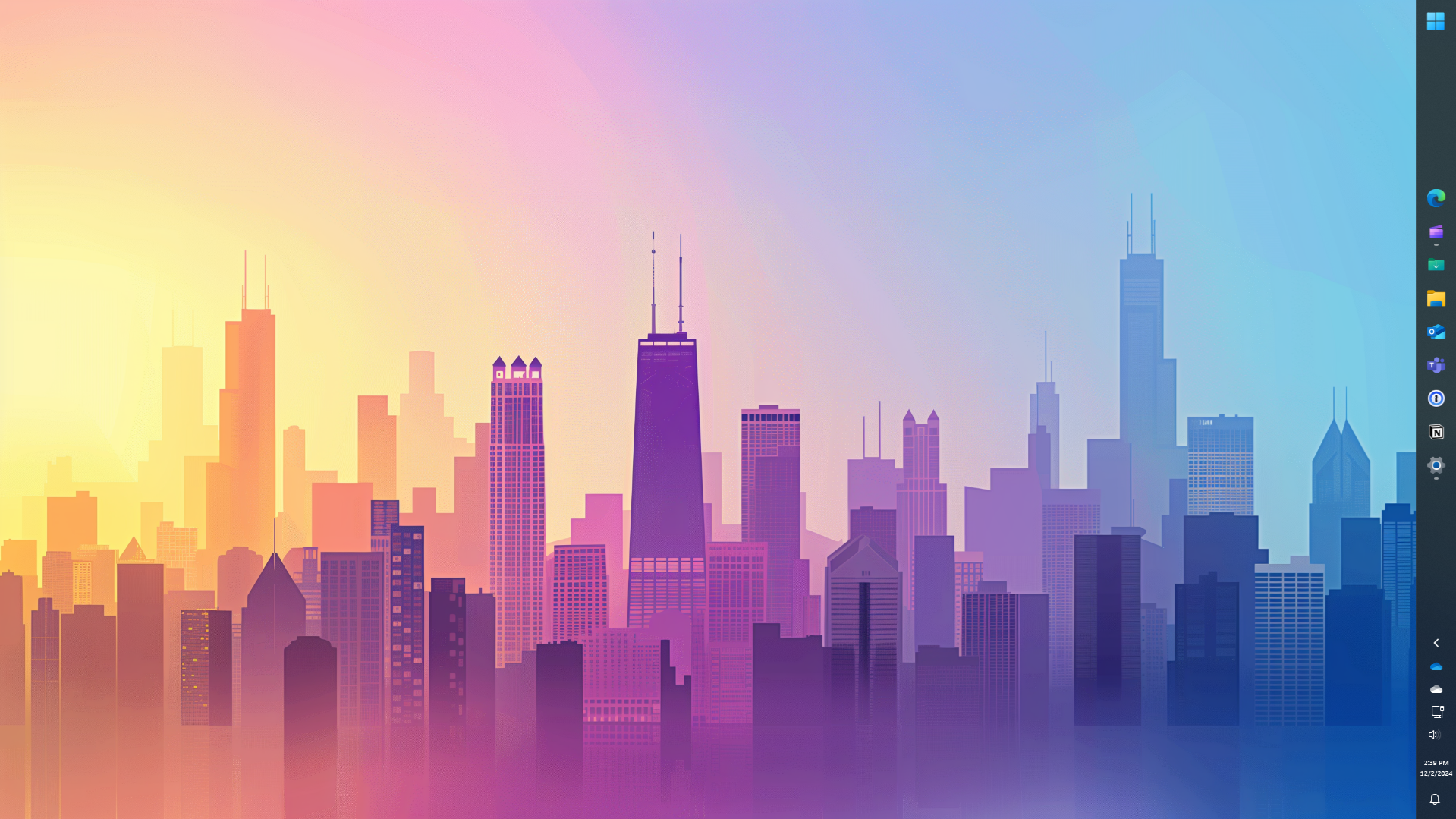
Vertical taskbars have been highly requested by our community and we are happy to finally check this feature off the backlog. If you have any requests for upcoming features or find any bugs that we missed in our testing, make sure to join our community here.
More from Start11 v2

Other announcements

All news
Game update4 Sep 2026Start11 v 2.8 ReleasedStart11 v2.8 Changelog Released Date: · 09/04/2026 Version · UI: 2.8 · File Version: 2.8.0.2 Changes · Adds in support for the new Win11 26H2 taskbar updates to respect Windows settings. · Positions are respected only when set to "Allow Windows to control taskbar position", which is the default on a clean install. · The OS only allows all monitors to use the same setting, but you can resize the…Game update28 Jul 2026Start11 v 2.74 ReleasedStart11 v2.74 Changelog Released Date: · 07/28/2026 Version · UI: 2.74 · File Version: 2.7.4.0 Changes · Fixes an issue with pinning to the taskbar for pinned menus etc on newer versions of Windows · Addresses hover-over preview issue with some monitor and taskbar combinations (in version 2.73).Game update1 Jun 2026Start11 v 2.72 ReleasedStart11 v2.72 Changelog Date: 06/01/2026 Version · UI: 2.72 · File Version: 2.7.2.0 Changes · Addresses the issue with icons on secondary displays when to the left of the primary monitor and autohide is enabled (or taskbar on left/right/top is in use) · Fix for desktop icons appearing under the taskbar when in taskbar only hides when something covers it mode and taskbar is at the top / left of…