Status
SteamPeaks
ChartsSalesUpcomingPatchesNewsCalculator
New on SteamEvery app, DLC and depot the minute Steam creates itAppsEvery app on Steam, newest change firstPackagesSubs and bundles, and what each containsDepotsDepots, manifests and install sizesTagsSteam's user tags and the games under themDevelopers & publishersCompanies and their cataloguesTechnologiesEngines, SDKs and anti-cheat found in the filesChange historyEvery PICS changelist as it lands
SignalsNineteen readings of the whole catalogueCompareAny games side by sideRecordsAll-time peaks and the days they were setReportsWeekly and monthly write-upsAlerts & newsroomWatch a game, get told when it movesSteam statusIs Steam up, right nowWeb API explorerTry the endpoints in the browser
NewsSteam's own announcements and the sales calendarCalculatorWhat a Steam account is worth, and its pile of shame
/
Sign in
/
SteamPeaks
The ultimate resource for Steam data.
ExploreChartsSalesSales and festsUpcomingPatchesNewsRecordsTrendingSignals
DatabaseAppsPackagesDepotsTagsDevelopersTechnologiesChange history
ToolsCalculatorCompareSearchAlertsSteam statusAPI
SiteMethodologyFAQDiscordSupportSign in via Steam
Not affiliated with Valve or Steam. Game names and artwork belong to their owners. All times UTC.
PrivacyCookiesFair useStatus
Lone WolfNewsLone Wolf - Steam Deck Compatibility
Community

Lone Wolf - Steam Deck Compatibility

Lone Wolf · published 23 Nov 2024, 08:51 UTC

All newsPlayers around this dateRead on Steam

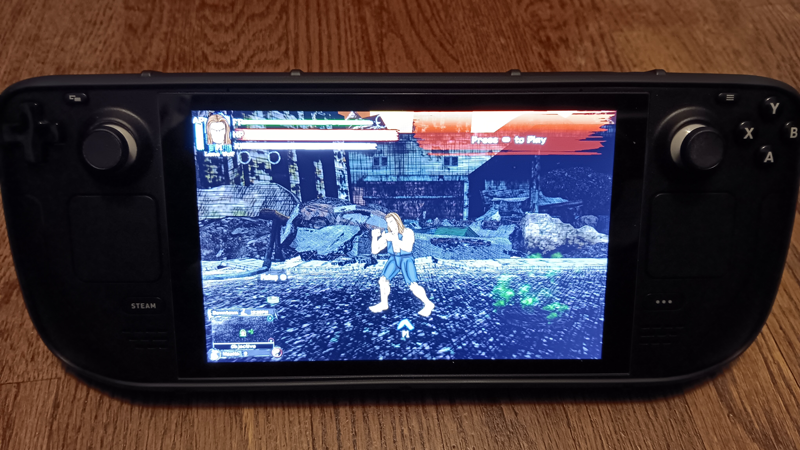
Lone Wolf is working on the Steam Deck with some notes on compatibility:

The controls that map to a standard XBox controller work with Steam Deck's controls, and can be configured in game. Some of the buttons will not work (L4, L5, R4, R5) unless you add commands to them in the Steam Input layout.

If there is an issue with syncing the cloud save to the Steam Deck, try changing the Proton version or deleting the Proton files and then restarting the game.

Before doing this, make sure the game is not currently running then:

  1. Go to Settings (Gear Symbol)
  2. Properties...
  3. Compatibility
  4. Check "Force the use of a specific Steam Play compatibility tool"
  5. Choose another version such as "Proton Experimental"
  6. Restart the game

This will delete preferences so they may have to be set up after syncing the cloud saves again, since preferences are not saved. Also any saves not synced to the cloud will be deleted, so make sure you backup any non-cloud synced games before attempting this.

External controllers such as the Bluetooth XBox and DualSense PS5 controllers should work (DualShock PS4 can only do wired) and wired controllers can work with the use of a USB hub connected to the Steam Deck. If you find issues connecting or losing a connection, check in the Steam Deck's controller configuration, sometimes you may need to reorder them again in order for them to reconnect with the game properly.

We will continue finding any other irregularities with the Steam Deck and post them here or in the Discussion forums.

Have fun playing on the Steam Deck!

More from Lone Wolf

Other announcements

All news
Sale24 Jun 2026Lone Wolf is part of the Steam Summer Sale!Summer is heating up and so are the sales! Lone Wolf is 30% off from June 25th through July 9th!Sale19 Mar 2026Spring is here and Lone Wolf is on sale!From now until March 26 you can get Lone Wolf on sale at 30% off! Get some friends to beat up spring fever and some crazed post-apocalyptic weirdos in 4 player local co-op frenzy!Sale9 Feb 2026Lone Wolf is part of the Steam PVP Fest!Lone Wolf is part of the Steam PVP Fest, beat up 4 of your friends in the Fighter Mode of the game! Get it now until February 16th at 10AM PST at 25% off!