Status
SteamPeaks
ChartsSalesUpcomingPatchesNewsCalculator
New on SteamEvery app, DLC and depot the minute Steam creates itAppsEvery app on Steam, newest change firstPackagesSubs and bundles, and what each containsDepotsDepots, manifests and install sizesTagsSteam's user tags and the games under themDevelopers & publishersCompanies and their cataloguesTechnologiesEngines, SDKs and anti-cheat found in the filesChange historyEvery PICS changelist as it lands
SignalsNineteen readings of the whole catalogueCompareAny games side by sideRecordsAll-time peaks and the days they were setReportsWeekly and monthly write-upsAlerts & newsroomWatch a game, get told when it movesSteam statusIs Steam up, right nowWeb API explorerTry the endpoints in the browser
NewsSteam's own announcements and the sales calendarCalculatorWhat a Steam account is worth, and its pile of shame
/
Sign in
/
SteamPeaks
The ultimate resource for Steam data.
ExploreChartsSalesSales and festsUpcomingPatchesNewsRecordsTrendingSignals
DatabaseAppsPackagesDepotsTagsDevelopersTechnologiesChange history
ToolsCalculatorCompareSearchAlertsSteam statusAPI
SiteMethodologyFAQDiscordSupportSign in via Steam
Not affiliated with Valve or Steam. Game names and artwork belong to their owners. All times UTC.
PrivacyCookiesFair useStatus
Gaming CopilotNewsHow to Play the Fall Sale Games? Let Gaming Copilot Help You!
Community

How to Play the Fall Sale Games? Let Gaming Copilot Help You!

Gaming Copilot · published 3 Dec 2024, 10:06 UTC

All newsPlayers around this dateRead on Steam

Dear friends, have you bought a lot of games during the big sale and are now struggling to figure out how to play them? Don’t worry, Gaming Copilot is here to assist! Recently, our Demo received its final major update before the official release. This isn’t just a typical update—it's a chance to elevate your gaming experience! From "pretty good" to "wow, this is awesome," our AI gaming buddy is now fully equipped to guide you through every corner of the gaming world.

Fast AI Response


In this version, the AI’s response speed has been significantly improved. For example, in Grand Theft Auto V, have you ever gotten lost in the streets of Los Santos and needed to find the nearest weapon shop? Or, while on the run, urgently needed a safe house? With the latest upgrade to Gaming Copilot, these answers come back instantly. It’s like hitting the boost button—our AI has turbocharged its responses, making your adventures in Los Santos smoother and faster than ever.

Deep Thinking Mode


In Stardew Valley, you might face questions like: How can I balance crop planting with animal husbandry to maximize profits? Or which crops are best to plant in each season? Gaming Copilot’s Deep Thinking Mode acts like your personal farm advisor, providing carefully thought-out strategies to help you run your farm more efficiently. Tip: You can enable Deep Thinking Mode from the lower right corner. Although it may slightly increase response time, it significantly enhances the accuracy of the answers.

Game-Specific Optimizations


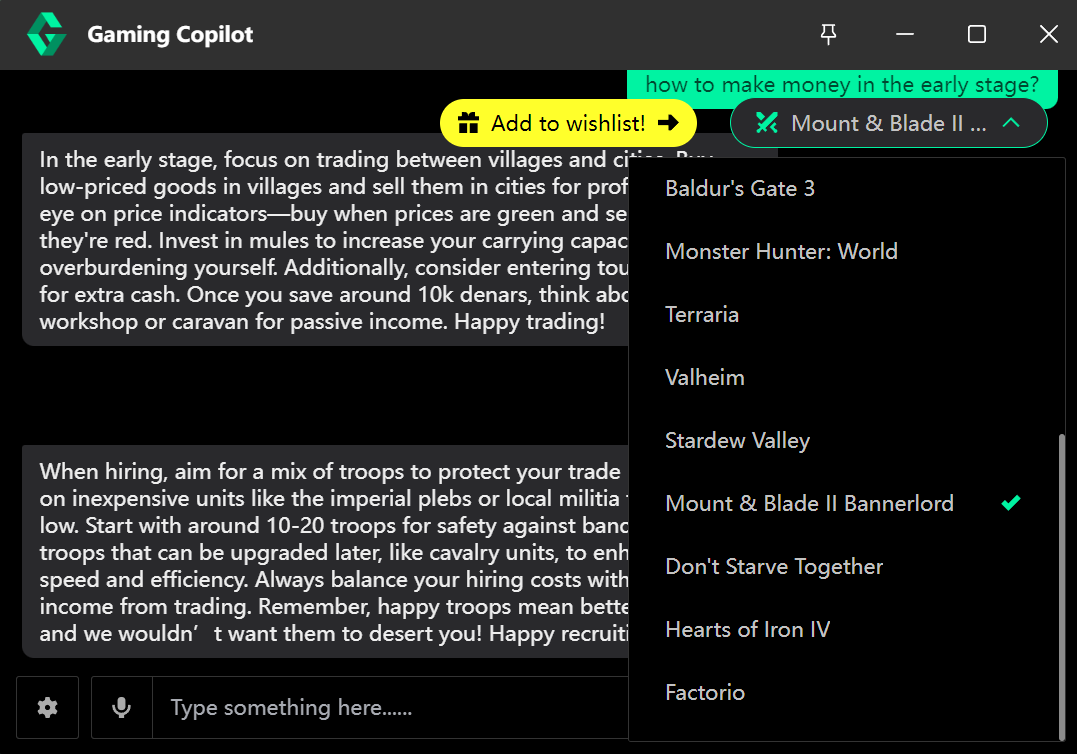
Beyond general game Q&A features, we’ve also added special optimizations for some popular games, which you can select or input from the top right corner. For example, when playing Baldur’s Gate 3, if you need to devise a complex battle strategy or need help with character skill trees, just ask, and Gaming Copilot will provide deep, game-specific recommendations. It’s like having your own personal game mentor, helping you conquer the challenges of the Dungeons & Dragons universe.
Personalized Convenience Settings


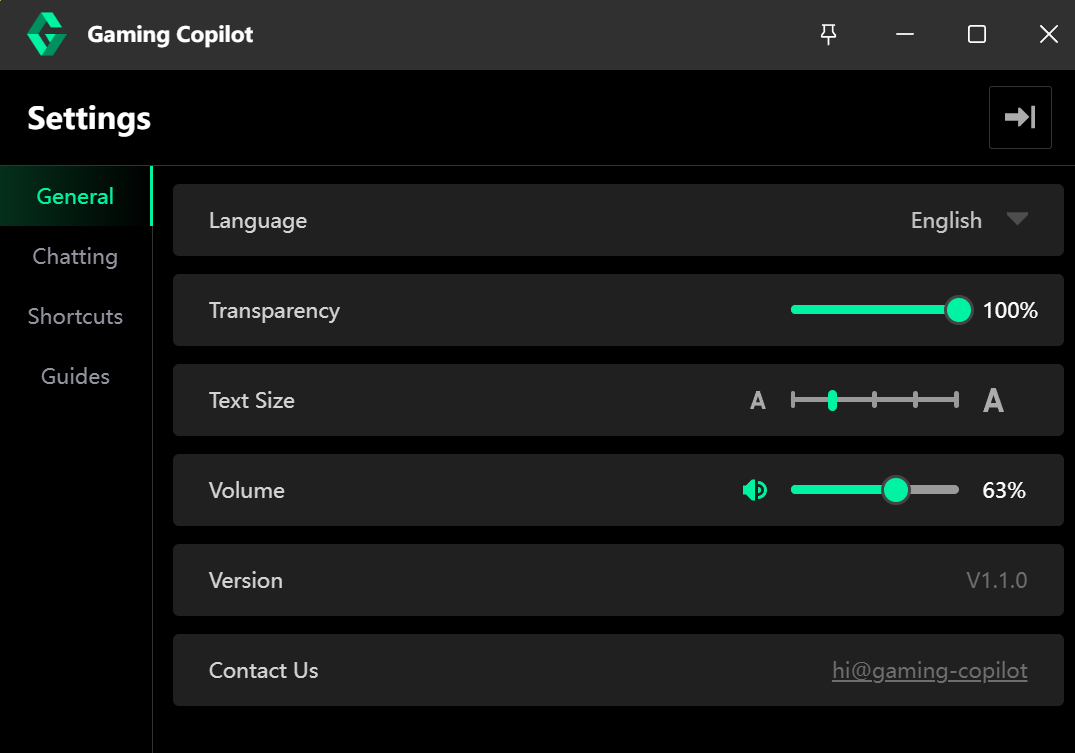
Finally, we’ve added more personalized and convenient settings to Gaming Copilot: You can quickly show or hide the window using shortcuts, like a HUD that’s always ready at your command; adjust the font size to make the text clear and readable; or tweak the volume to perfectly balance game background sound with Gaming Copilot's responses. These settings allow you to tailor your gaming experience to your needs, making your gaming journey more personalized and comfortable.
Gaming Copilot, your cyber gaming buddy, is ready to take you into a whole new world of gaming. Don’t hesitate—download the updated Demo now and let’s become an unbeatable legend in the gaming world together!

More from Gaming Copilot

Other announcements

All news
Major update3 Sep 2026Gaming Copilot v1.7 Update — Voice Input for Gamers: Speak It, Send It, Done!Type Zero: Your Voice Is Now the Input Tired of yanking your hands off the keyboard to type in-game chat? Voice Input is the headline of v1.7 — a proper gaming-grade input method, not a speech-to-text box bolted onto the side. Hold a hotkey, talk naturally, and it handles the rest. Here's what it can do out of the box. Speak Now, Send with a Tap Custom hotkey, auto-paste. Assign any shortcut, h…Major update3 Jul 2026v1.6 Update — AI Upgrade, Double Avatars, Full TranslationHonestly, the feedback we've received these past few weeks has been way more than we expected. Complaints, suggestions, feature requests — we read every single one, and we've crammed in as many fixes as we could. This update covers AI capabilities, translation, UI, and efficiency — 13 changes in total. No fluff, just real improvements that make Gaming Copilot actually better. AI & Strategy Upgr…In-game event30 Oct 2025Updated Again! Multi-Image Chat, Controller Shortcuts, and Embedded TranslationHey gamers! The new version of Gaming Copilot is here again! No fancy fluff this time—just the practical features you’ve been asking for. Let’s go through them one by one! Multi-Image Uploads! Easier Continuous Talking Before, you had to switch screens to send each image—super inconvenient. Now, with the upgraded multi-image feature, just press a shortcut to capture your game screen into the ch…