In a game about frogs you kind of need to have water, which means you need to program a water shader. A shader is basically a short program that calculates what color a pixel should receive. To me as a programmer they can be somewhat intimidating to create - you need to write some code that, somehow, produces something that matches a certain artistic vision. Whenever I'm working on a shader I find that oftentimes the result looks terrible for a long time until eventually a tiny change is made and suddenly everything looks great, but figuring out what tiny change is required can be a long process of trying lots of different things.
Oftentimes it's also not clear from the start what the artistic vision is, especially when the art style of the rest of the game is still evolving, but you have to start somewhere. So one of our first tests around late 2021 for the water looked like this:
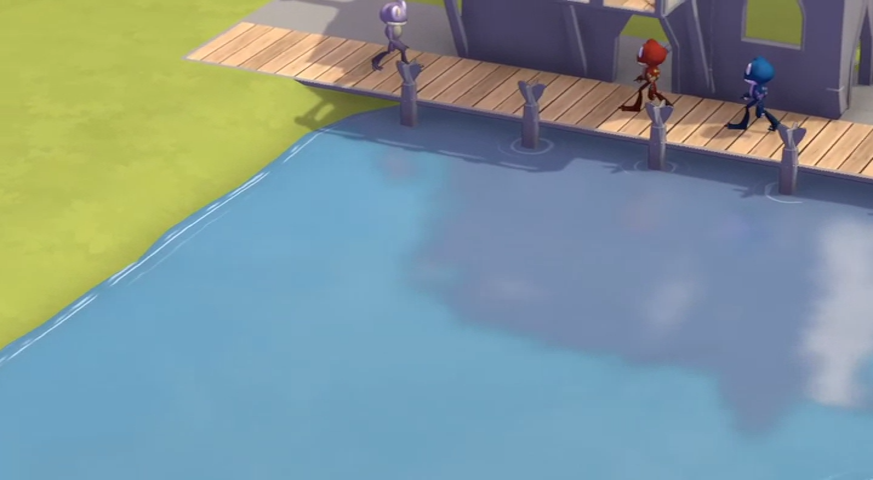
We liked the reflections and the wavy outlines around the edges of the water, but it felt like it was still missing something.
Eventually Marve came up with this concept art for the fishing hut:
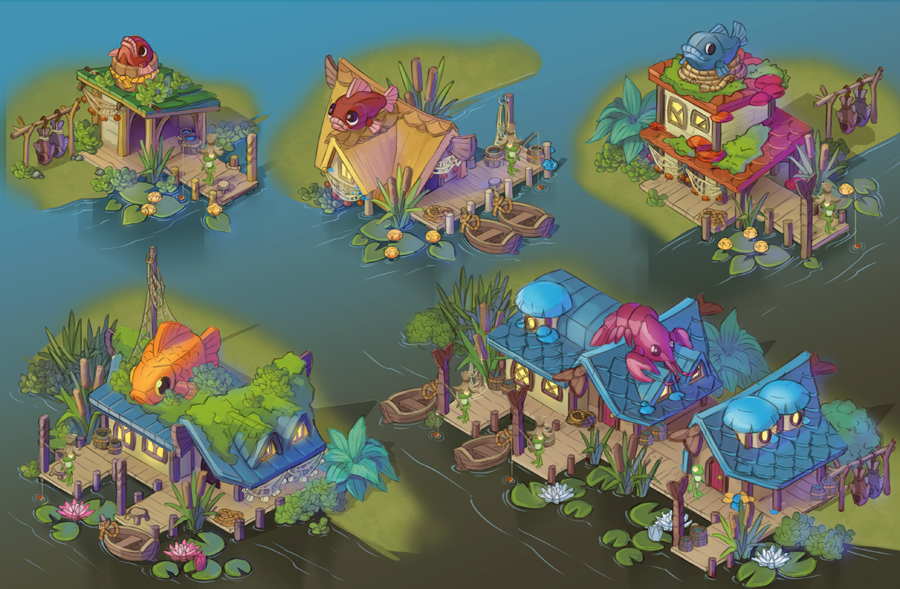
This concept is really more about the the objects for the fishing hut, but it still gave us a some direction for what the water could look and "feel" like.
Over the next few years we kept making small tweaks to the water shader until eventually arriving at the current version, which looks like this:
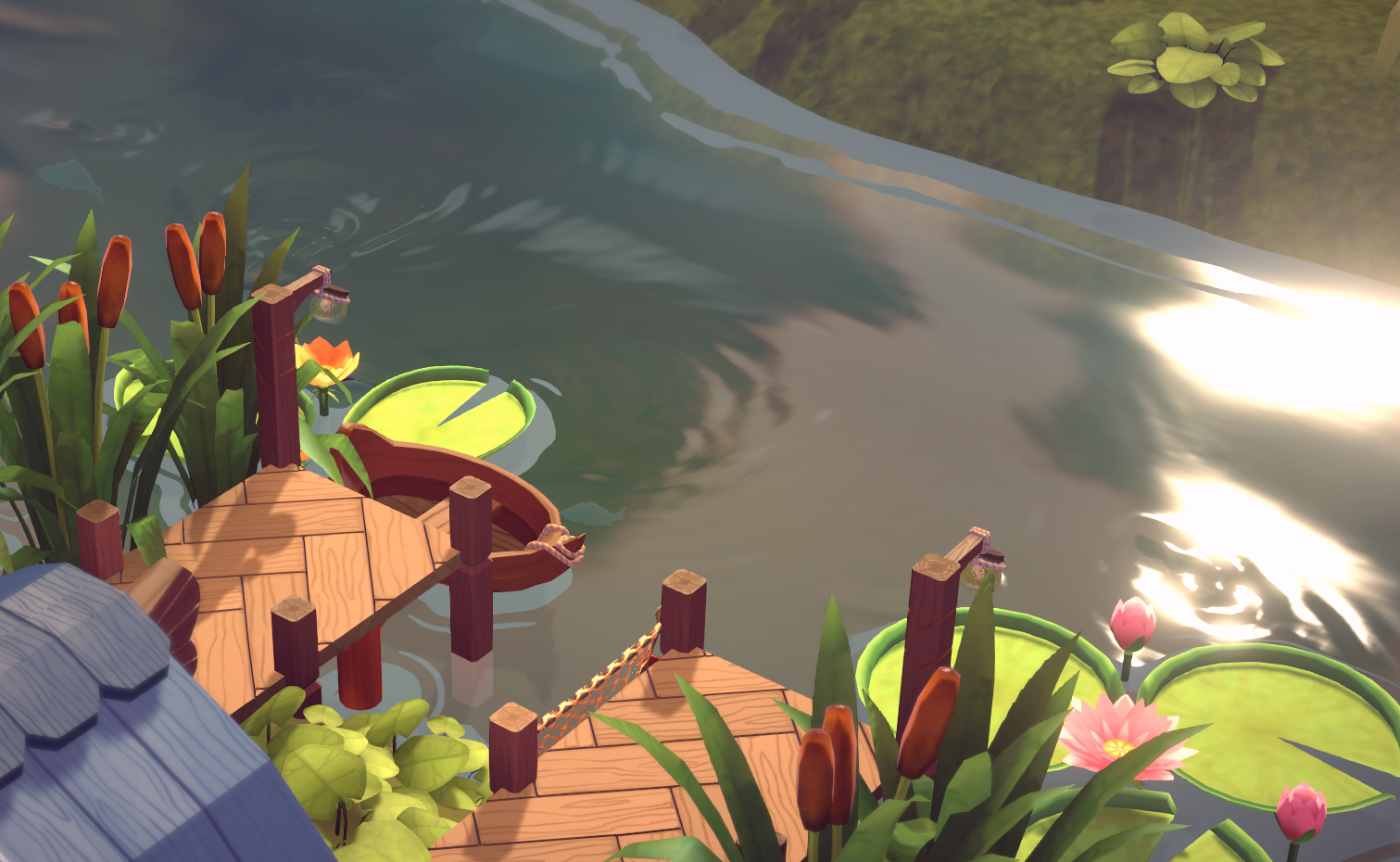
This is what I meant at the start of this post - from a technical point of view this is really not all too different from the very first version we had, there's just some tweaks to the color, the transparency, the width and shape of the outlines, and some "smaller" additions like the ripples from the fish and other things swimming in the water, but with all of these things together it eventually looks good.
We'll surely keep making more small changes but for now we're quite happy with how it looks.
Shorelines
I couldn't find a lot about how other games are doing their water, so I wanted to give a bit of technical insight into how we're doing ours.
Probably the easiest approach for this kind of effect is the version we used in Parkitect, which looks like this:
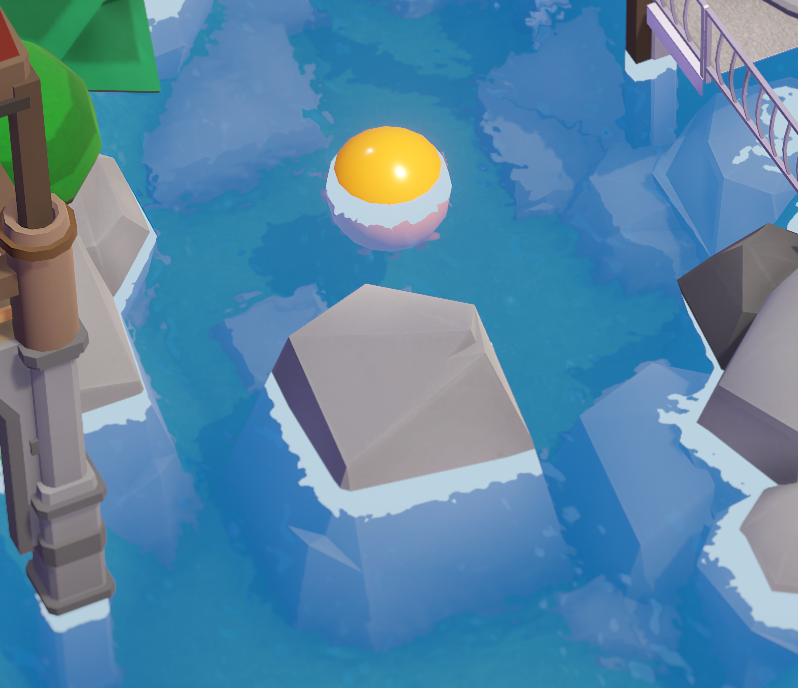
This is being created by checking if the distance from the water surface to the depth in the depth buffer is below a certain threshold. It's very easy to do and quite cheap performance-wise, but you can't do a wave movement animation towards the shore and it can look as if the effect is painted onto the objects inside the water (because it essentially is; the effect can not extend beyond the geometry of the objects inside the water, so you can also only ever see it on the side that's facing the camera, not all around the object).
In Croakwood we went for a slightly more complex approach. We're placing an orthographic camera that's looking straight down just above the water surface to get a texture that contains the outlines of anything intersecting the water surface.
Here's an example with the generated outline texture on the right:
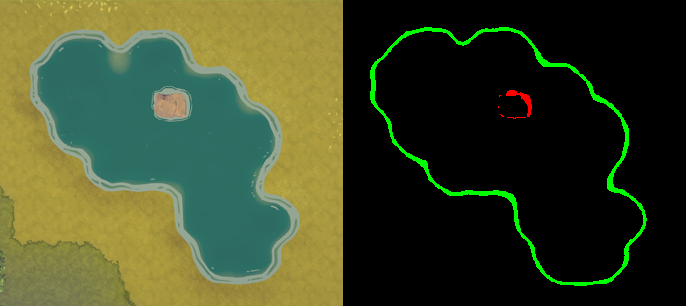
To be able to distinguish what type of shore it is we render the terrain into the green color channel and anything else into the red color channel (we do this so that we can give the wave effect a different movement direction and slightly different look depending on whether it's around the terrain or an object).
Then for every pixel in this outline texture we calculate the distance to the nearest shoreline pixel which can be done really fast on the GPU as explained in this excellent article.
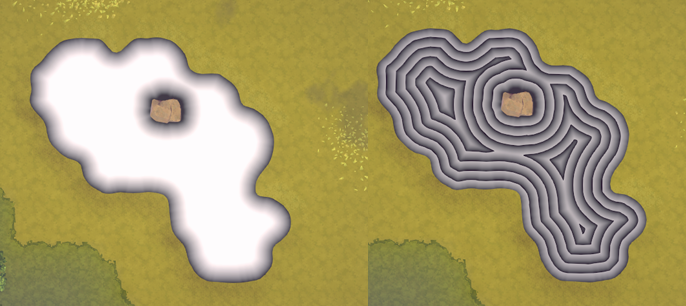
Signed Distance Field generated for the shoreline effect (the version on the right is just a different visualization to better understand what's going on)
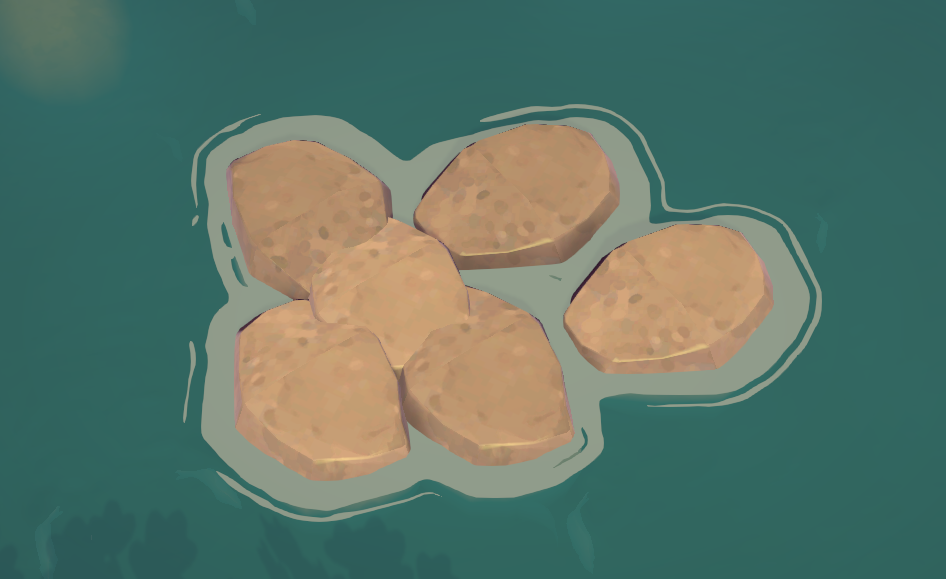
And that's all we need to know where the shoreline effect should appear! They work for objects of any shape, fully surround them and nicely combine if there are multiple nearby objects.
Waves
The waves created by swimming frogs and fish look like they might be fairly complex, but it's surprisingly just a couple dozen lines of code in a compute shader. This article and this video explain it better than I could.