[v2.0.0] The dress-up feature and the XWear format were officially released
VRoid Studio · published
Thank you for using VRoid Studio.
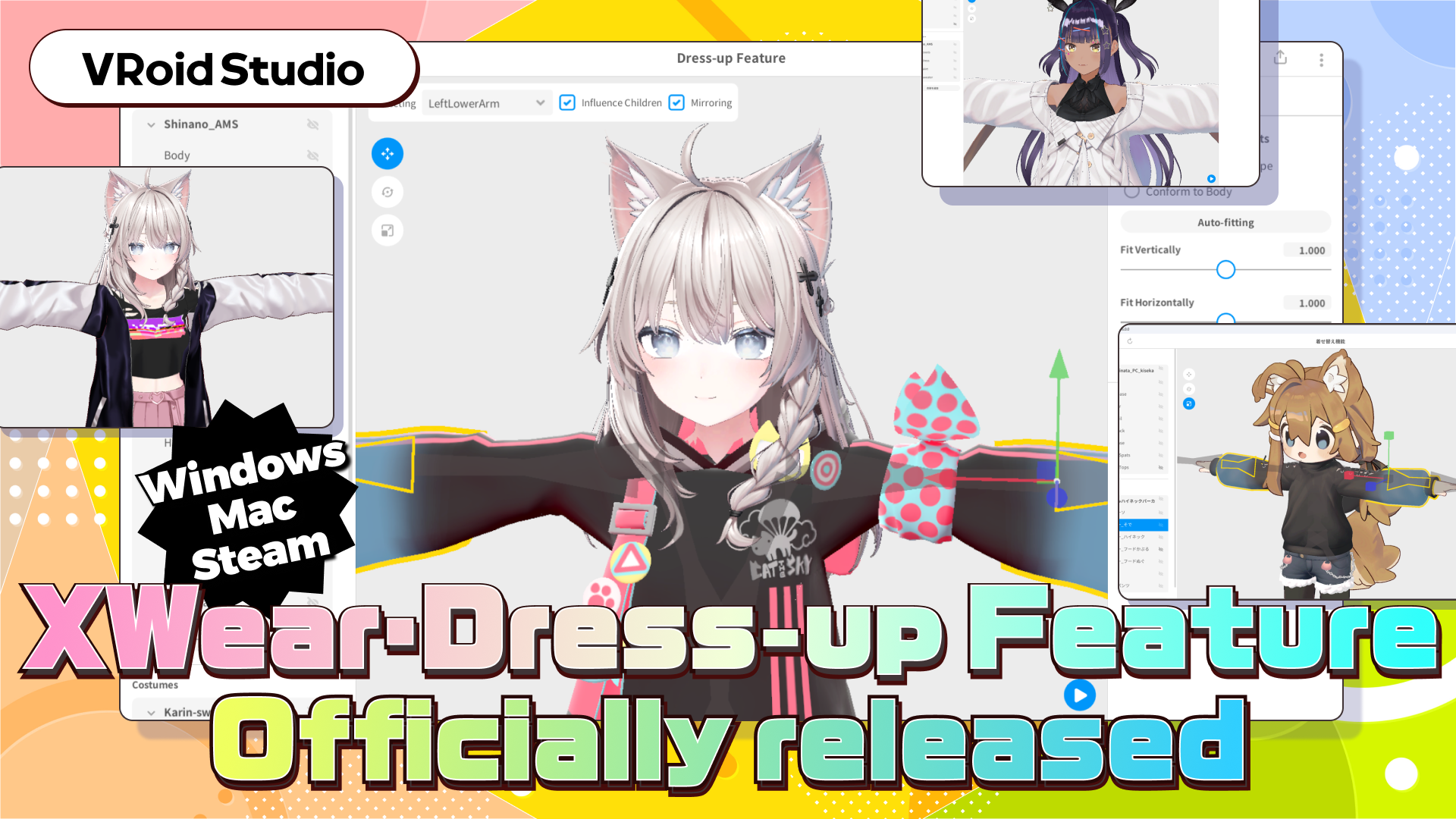
We’re thrilled to announce the official release of VRoid Studio’s new dress-up feature as well as the XWear format, which have been in development since last year.
A heartfelt thank you to everyone who participated in the closed and open beta tests and provided invaluable feedback.
▼Download VRoid Studio v2.0.0
https://vroid.com/en/studio
■ What are the dress-up feature and the XWear format?
The dress-up feature and the XWear format are new additions to the 3D character creation tool VRoid Studio.
Now you'll be able to dress up 3D characters, including avatars and outfits designed for VRChat, those created within VRoid Studio, and models in VRM format.
The goal is to provide a broader range of outfit options for all avatars.
1. Fitting feature
This feature allows you to easily adjust the clothing to fit models with varying body types.
In addition to the auto-fitting feature, which quickly adjusts clothing automatically, other tools are available for more detailed manual adjustments.
- Auto-fitting: Automatically adjusts an outfit to suit the model’s body type.
- Bone adjustment: Move, scale, and rotate bones.
- You can reversibly edit the mesh of your model.
- You can create animation without leaving the editing page.
2. Export for VRChat
You can export dressed-up models in a VRChat-compatible format.
This feature also supports converting VRoid Studio models and VRM models for use in VRChat.
3. Export as VRM
Dressed-up models can be exported in VRM1.0 format.
This makes them usable across various VRM-compatible applications.
This feature can also convert VRChat models into VRM format.
[動画2:画面分割でVRChatで動いている様子+VRMで動いている様子]
4. Editor extension "XWear Package"
The XWear format and dress-up feature include not only the functionalities provided in VRoid Studio but also additional tools offered as a Unity Editor extension.
This Xwear Package editor extension allows you to convert avatars, costumes, and accessories set up for VRChat into formats compatible with the XWear format and dress-up feature.
Models can be converted into the XAvatar format for avatars or the XWear format for costumes and accessories.
Additionally, when uploading models to VRChat, the XWear Package is used to import dressed-up models into VCC.
▼How to install the XWear Package
https://vroid.pixiv.help/hc/en-us/articles/38903414455449
■ Introducing items compatible with the dress-up feature and XWear format
BOOTH Avatar Cafe Waitress Apron
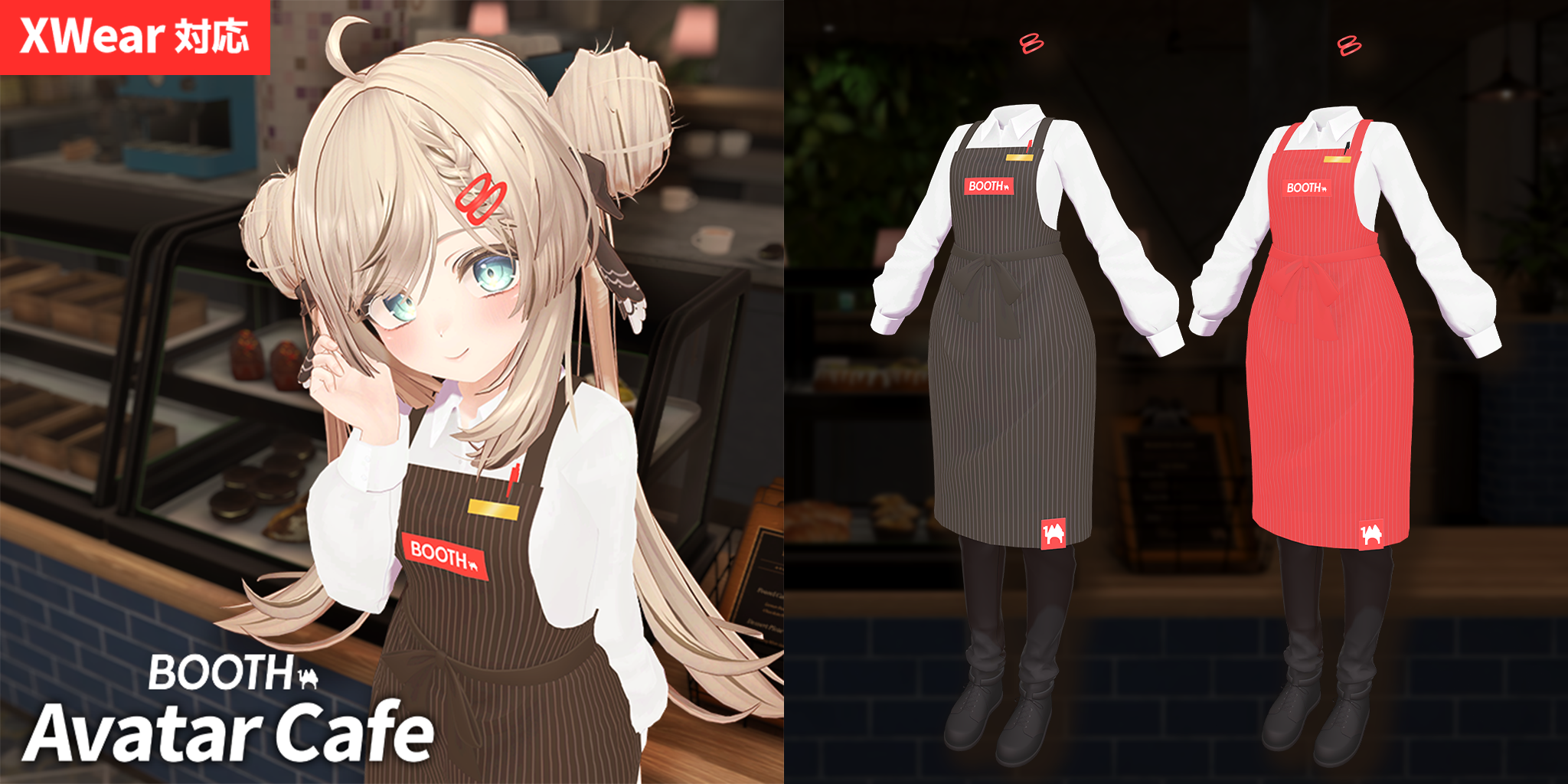
The BOOTH Avatar Cafe official apron, fully compatible with the XWear format and dress-up feature, is now available on BOOTH!
With VRoid Studio, you can easily dress up your favorite avatar with seamless auto-fitting.
▼Download for free on BOOTH
https://vroid.booth.pm/items/6235667
■ About the BOOTH Avatar Cafe
The BOOTH Avatar Cafe is BOOTH's official VRChat world.
Here, you can browse and try on over 1000 avatars available on BOOTH in a cozy cafe setting.
▼ Check out the world
https://vrchat.com/home/world/wrld_11ed7958-8c24-465a-b935-01cadb5bcf05
■ How to download
▼Download VRoid Studio v2.0.0
https://vroid.com/en/studio
*As of version 2.0.0, the XWear format and dress-up feature are only available for Windows and macOS. These features are not supported on iPad.
▼How to install the XWear Package
https://vroid.pixiv.help/hc/ja/articles/38903414455449
If you encounter any issues while using the XWear format or dress-up feature, please refer to the Help pages below.
▼FAQ about the XWear format and dress-up feature
https://vroid.pixiv.help/hc/en-us/sections/38546349380761
If you can't find a solution or wish to provide feedback, please use the form to contact us.
▼If you have any questions or feedback about VRoid Studio, feel free to reach out via the form below.
https://www.pixiv.net/support?mode=select_type&service=vroid-studio