Hello Qyllscapers,
Apologies for the radio silence, but I have been working on Qyllscape, mostly testing options related to rich text (Italics, Bold, Underline).
Rich Text?
Honestly these are features that should be in a writing application, but they are not natively possible with the framework I've chosen. I'm kind of locked in on the abilities of the specific text editing capabilities of a Godot Text Edit node. Someday I might be able to spend the time editing/adding C++ code that will enable this in Qyllscape, but it is not today.
However! I have an only slightly annoying work-around that will at least allow you to see the formatting you want in your exported PDF as you go to print or move to another editing application. Here's some quick bullets about the process, followed by screenshots of it in practice.
- Use normal key shortcuts like "ctrl + i/b/u" with some highlighted text
- A CSS tag will be added to the selected text
- When you export to HTML (and convert to PDF) your styling choices will be there
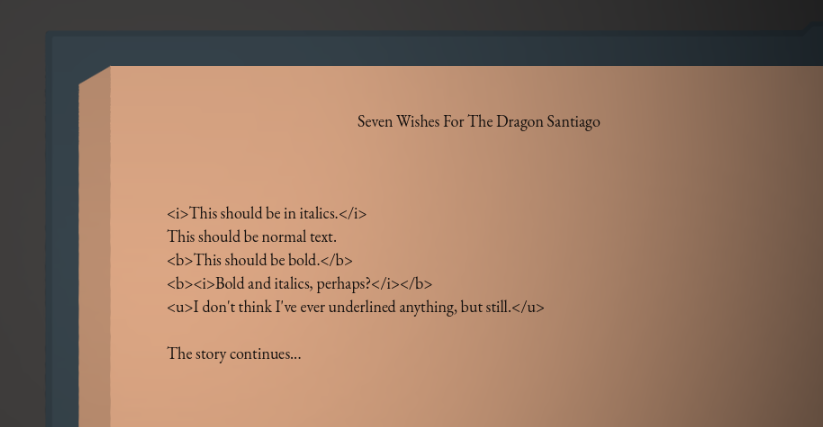
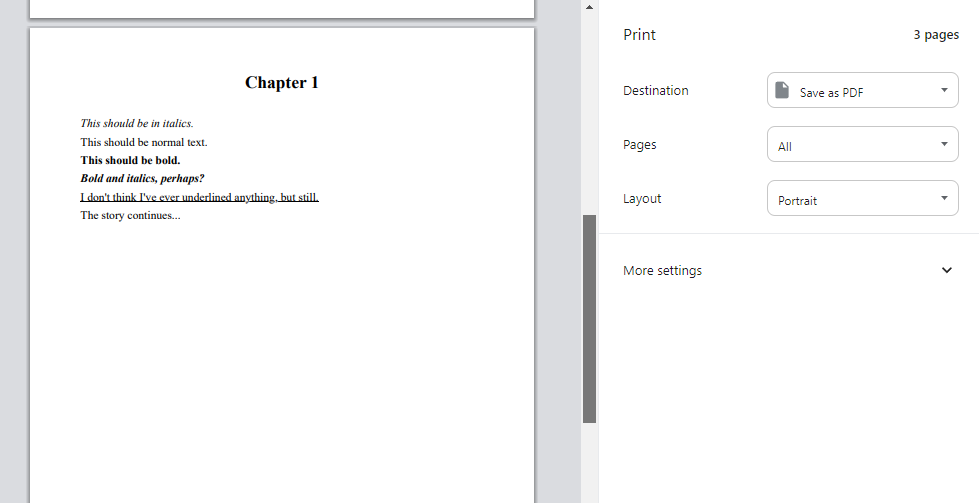
This is not ideal, and I apologize, but I hope it feels at least a little useful. I am still working on cleaning up the process, and including more options for that HTML/PDF pipeline. I will be able to include some tags that will be styled for functionality like right-align, center, etc. as well. When the update is released, I will have more detailed instructions in the support manuals.
Editing by Pages Experiments
I don't want to tell you how many ways I have tried to approach allowing users to edit like a book (meaning that the cursor will automatically wrap to the "next" page).
Frankly, I can't get it to work in a performative way right now. I have some more notes around some things I want to try, but the main issues come down to two things.
- The text edit node is based off newline characters (hitting enter) so it is difficult to detect if the text has reached the bottom of the page (Imagine an extremely long paragraph)
- It is difficult to properly handle the cursor moving from one "page" to the other, especially in consideration of bringing off-screen text back into play.
These things are possible, but they will take more time to develop, and will most likely still involve some amount of scrolling in the individual pages. Here is a view of a recent prototype experiment based on this...
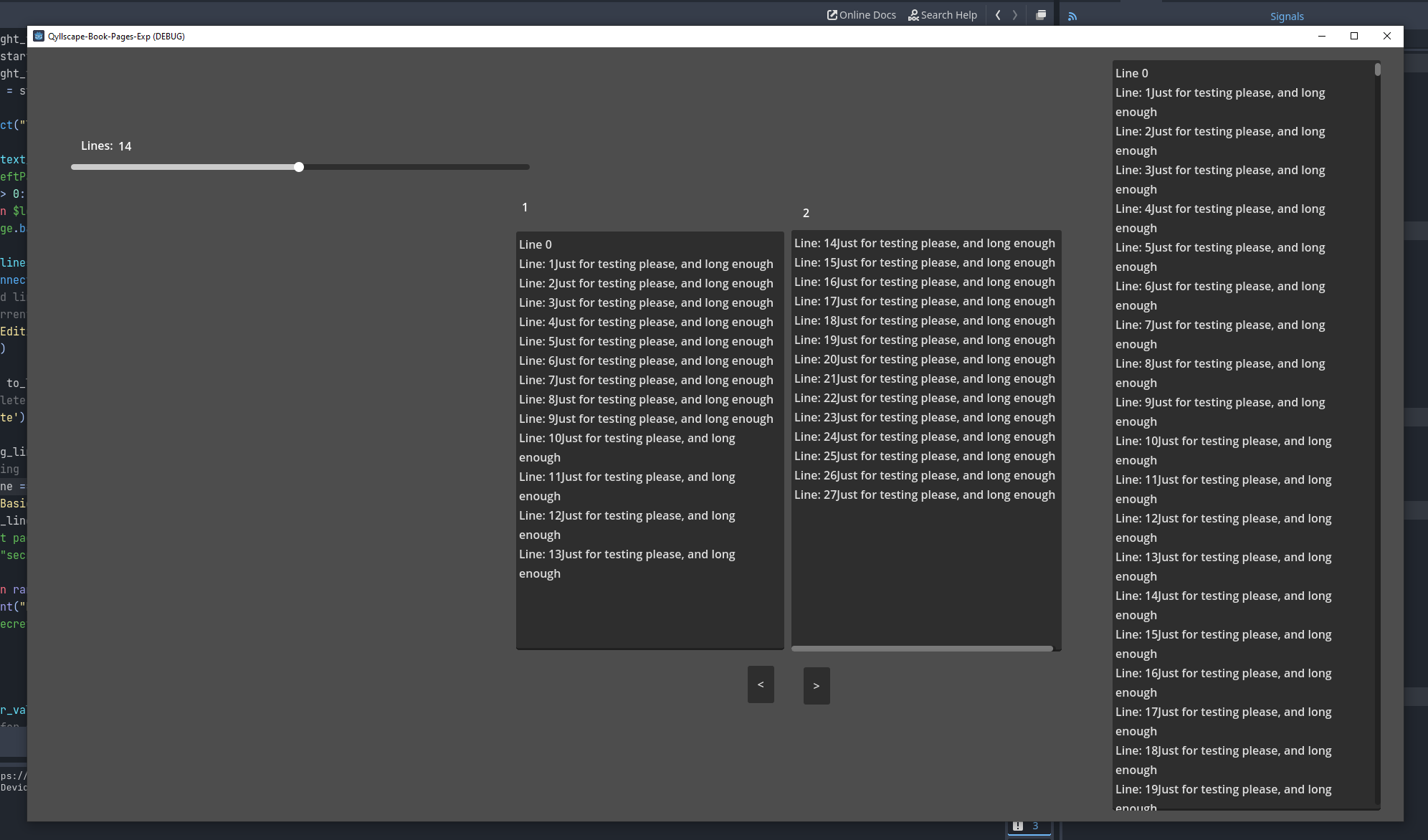
So we'll see, but it won't be in this update, maybe #4 hopefully.
Other
I'm taking the opportunity of the next update to add in a few other small things, but I am still working on the update and don't want to confirm something that ends up not making the cut.
Like always, I want to thank you for your patience. You've been incredibly gracious with me as I take my time to try and continue improving Qyllscape. I never intended on Qyllscape being a full replacement for other software, but at the same time I am working to raise it to the level at which many of you have invested in me and the project. So thank you, I'll stop rambling, and I hope to share more soon.
Eric Davidson