Hi Everyone
Here is the latest update to Whirligig with some major changes and improvements to improve performance, usability and bug fixes. There is a lot to talk about, so here we go.
Explorer
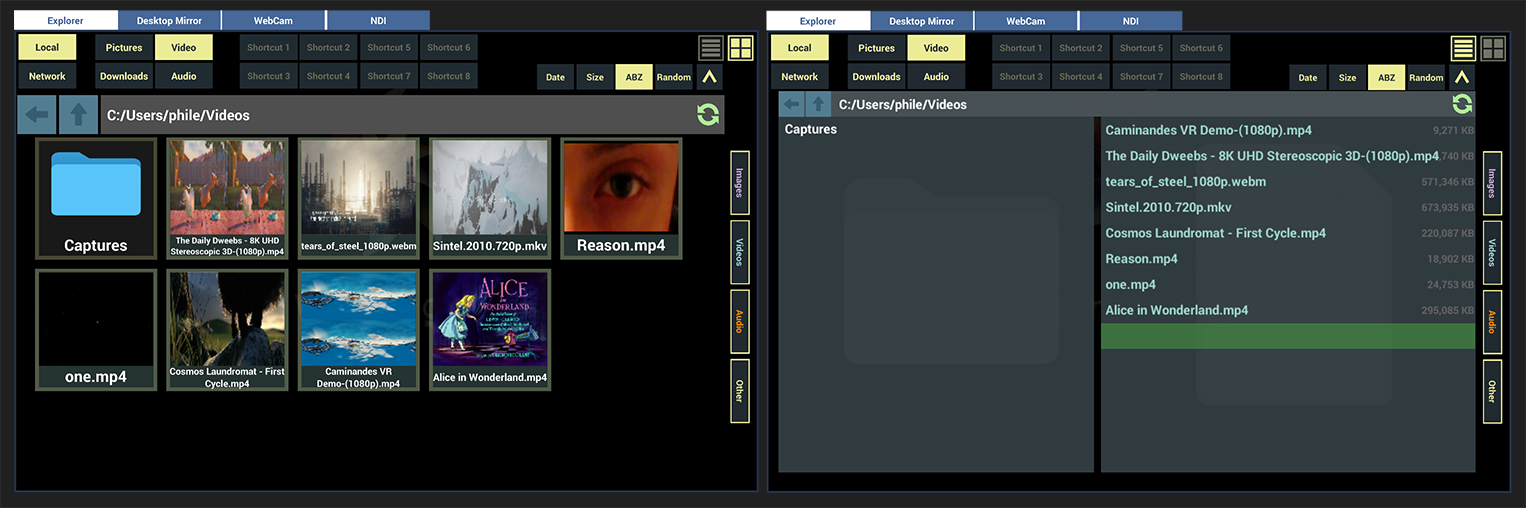
- Shared location support. The VLC plugin has allowed me to provide network shared locations such as SMB.
- 4 extra shortcut options to save too.
- New root browsing system allowing you to browse local drive or shared locations.
- Code optimisation to improve load speeds and unability.
- UI improvements to both list and thumbnail views.
Overall UI improvements
- Hover state applied to buttons where possible.
- UI elements reduced down to increase loading times and unify UI elements.
- Scrollbar menus universal design.
- Buttons, sliders, toggles and menus universal design.
Projection/Rooms
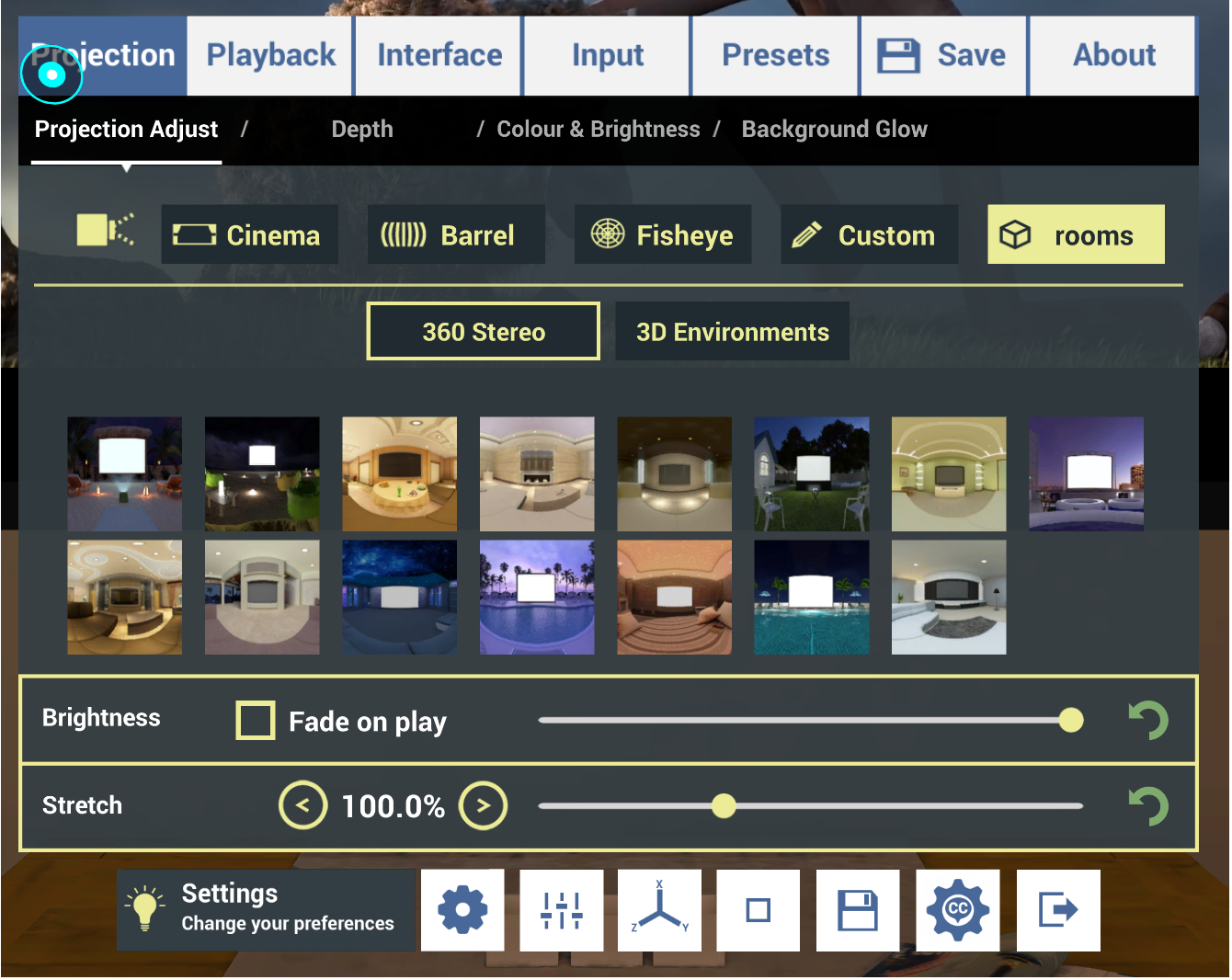
- Rooms have been split up into 360 degree image based rooms and full 3D rooms.
- Two 3D rooms removed, the loft and the the loft 2. These both were causing issues with loading and playback. They will return at some point so if you miss them a lot let me know.
- Brightness option added to 360 degree image based rooms to make for a more comfortable experience.
- Brightness can fade when playing so that it feels like the lights have gone down when watching your content.
Audio
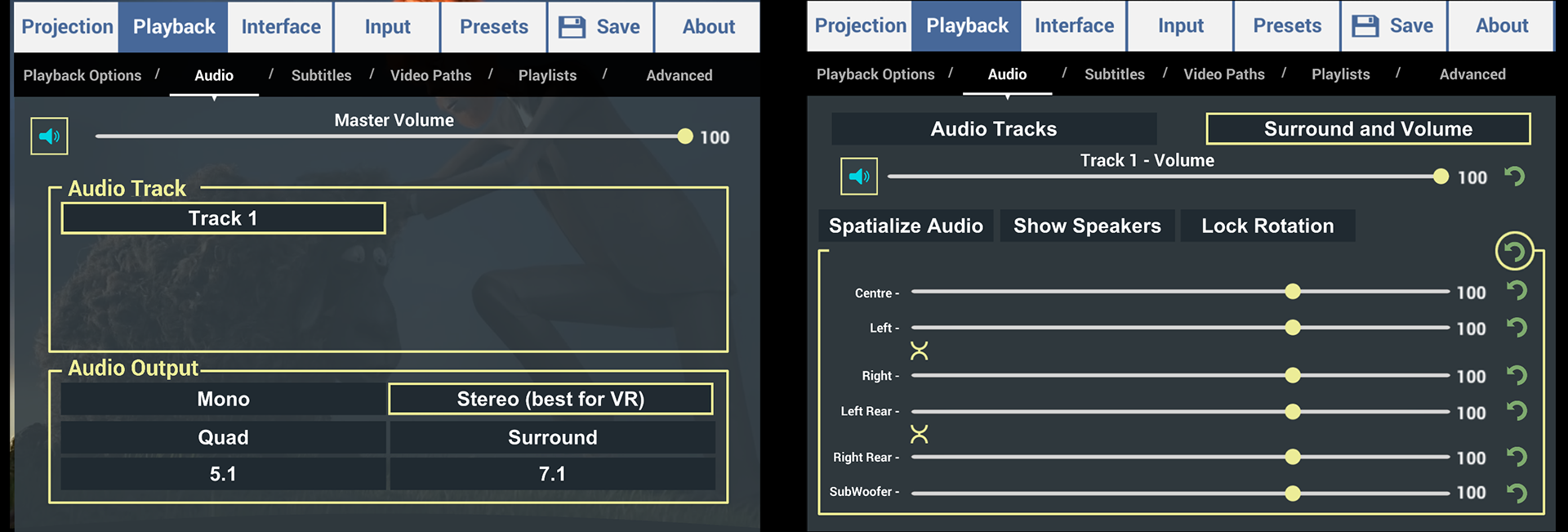
- Output options added. Mono, Stereo (best for VR), quad, surround, 5.1 and 7.1. This allows you to use Whirligig as a desktop player and use the surround sound options in 5.1 videos sending the output to your amp.
- Media Foundation surround options now have linked slider options to change left/right and rear left/right simultaneously.
- mute button added to audio menu.
- Spatialize audio option added to surround sound menu for 3D sound.
Subtitles
- Subtitle system changed to allow you to select your desired subtitle track and then solely turn that one off and on.
- Subtitle repeater input binding option. I've created a thing called Subtitle Repeater, which will turn on your selected subtitle, rewind your video 10 seconds and then 20 seconds later turn off the subtitles. Good if you didn't quite catch what someone said.
Core Updates
- Unity Engine updated to 2022.3.25f1.
- AVPro video plugin updated to 3.0.
- VLC video plugin updated to 1.9.
- Implementation of shader removal to improve startup times.
Other
- Vsync on/off added to quality menu. This can help with screen tearing and flashing on some systems.
- Splash screen and icon updates.
- Input drop downs have been organised to make browsing them easier.
- Cinema mode fullscreen and locked. This options when desktop monitoring is on and Cinema is selected as projection will make that video full screen in the same way a standard desktop video player would work.
Issue with the latest version?
If this latest update causes issues there are a few things you can try.
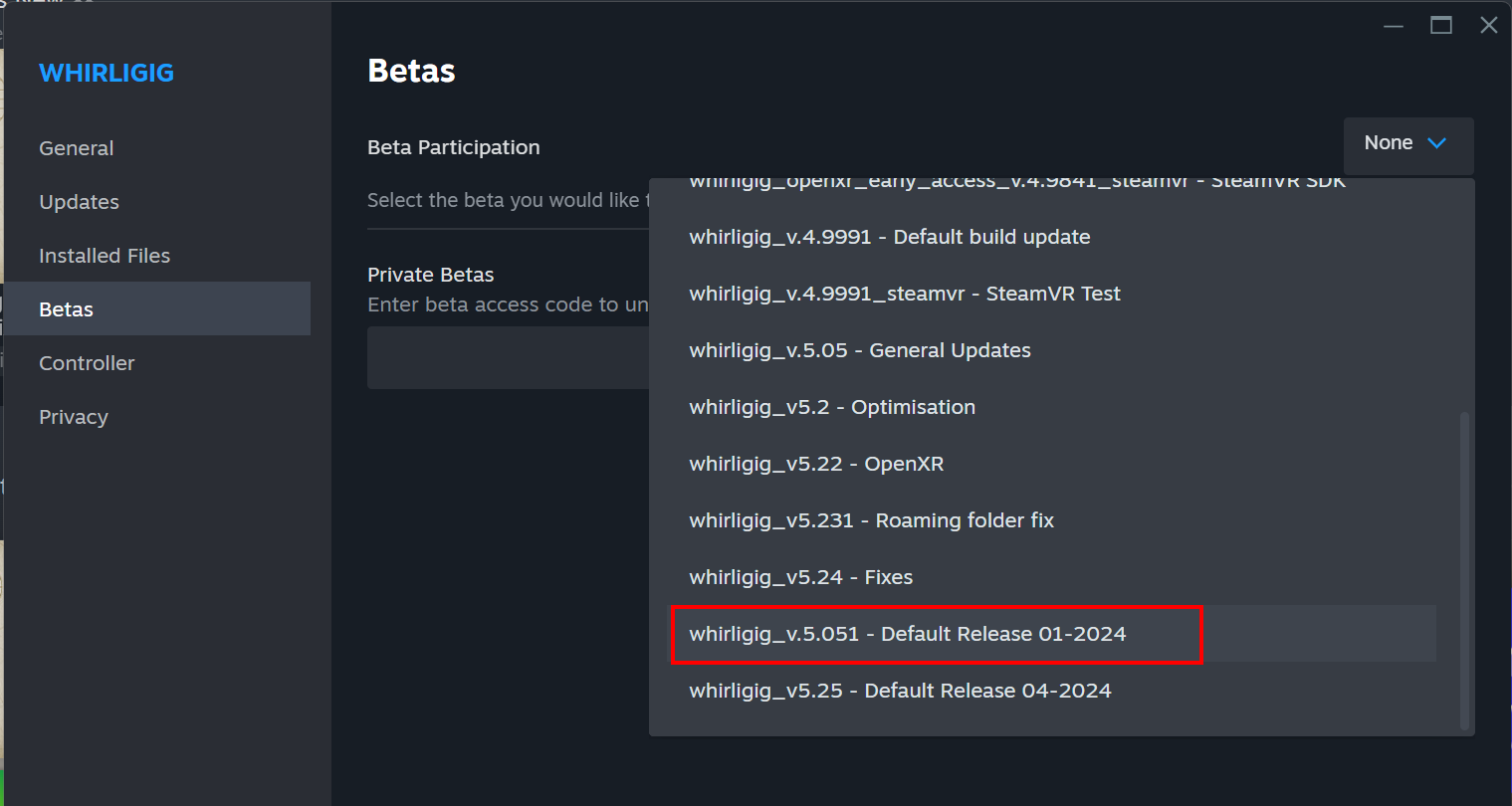
Return to the previous default release.
Here is a quick tutorial to show how to do this.
https://youtu.be/z9pv-cgn4IE
and here is the Whirligig version you will need to select to return to the previous version.
Reset Whirligig
There are a couple of ways to do this. You can do this from within Whirligig in the about menu.
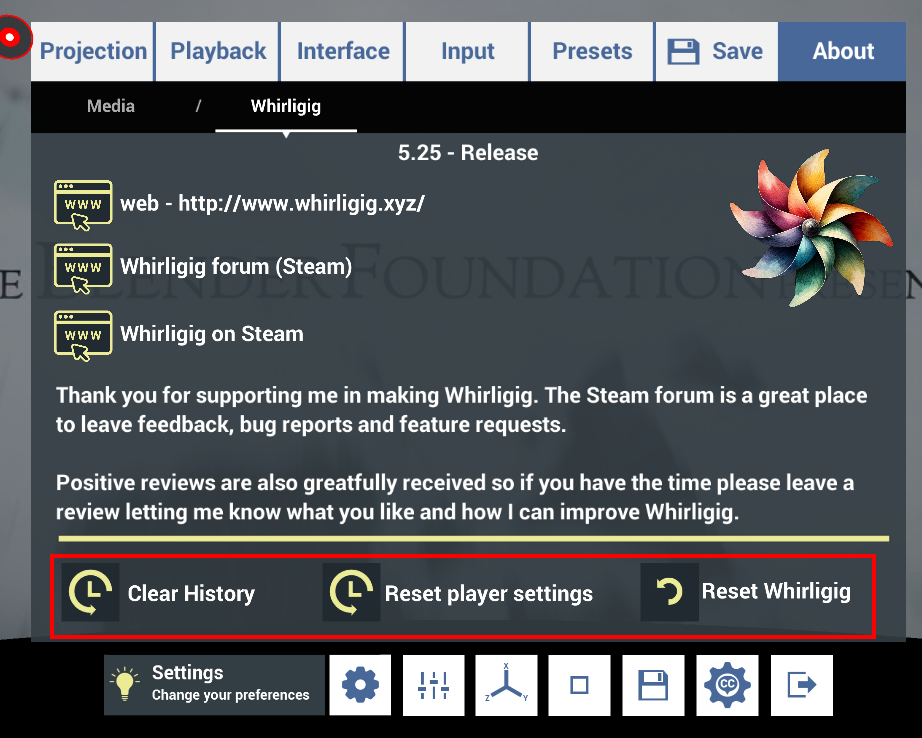
If you can't get to that menu for whatever reason you can reset Whirligig manually by deleting the Whirligig roaming folder.
Close Whirligig.
Navigate here :
C:\Users\%username%\AppData\Roaming
Find the folder called 'Whirligig' and rename or delete it.
Restart Whirligig.
I don't store any information in the registry so by removing this folder you are return Whirligig to it's factory default before it has run for the first time.
Feedback
A lot of the updates, features and bug fixes I do are due to user feedback. I very much build Whirligig on what information I get back from users and my own desires for the player. If you wish to give feedback here's a list on how to get the information to me as best as possible.
Suggestions
Any features you think will benefit Whirligig please let me know. The Steam forum for Whirligig is a good place to post as I check them regularly and when a feature is suggest it's good to get feedback from the community.
Bugs
If you run into a bug then I will do my best to fix it and the more information I can get the better. You can contact me directly [email protected] or post on the forum. Here is a list of useful information you can provide me that will help me track down the problem.
- Headset used.
- Country you're running Whirligig from. (some countries uses different syntax, which is easy for me to miss on my setup.
- Version you are using. Default release or beta.
- A copy of the roaming folder. All information in the roaming folder is readable with a text editor. Information about the projection and previous settings are stored about each media you watch. Problems in the roaming can sometimes happen and a full reset can fix some issues.
- A link to the media that is causing the problem.
- Anything you think might be relevant about your setup.
Reviews
If you like Whirligig review it. It helps to tell people that it's still in active development and also give them a heads up of what to expect. I also get a warm feeling when I get praise :)
And Finally
I've been working on this release for some time now and my main goal has been to improve overall performance, bug fix and add network support. I've also added features where I can and tried to improve the overall experience. I hope that you find the updates beneficial and I look forward to hearing your feedback.
I have lots of ideas for future releases and I would love to hear what you would like to see also :D
Thank you for support me in my Whirligig development and finally, happy watching.
Phil