Whirligig 5.24 beta update. Some more fixes and some more design changes
Whirligig · published
Hi again
I'd like this to be the next default release but I'm still having a couple of accounts of a black screen on load. I'm working on fixes for this but as I can't recreate it I don't really know what's going on. Hopefully this latest build will improve things as it has some more fixes and an updated engine.
I've just managed to get a black screen but noticed my Quest had disconnected. On re-connection it appeared in the headset and also on the desktop again. It should of appeared on the desktop anyway but Meta headsets pause the app when the headset is removed so I think that mucked around with it. Again any hints on why this might be happening for some people please let me know.
The updates
Subtitles
I've reexamined the subtitle system, found a couple of bugs and made a couple of changes. So now in subtitles you can select the language you wish to use and then when you switch on the subtitles it will switch the selected subtitle on. This information is saved as well so it will load the subtitles you previously selected.
In addition to this I've added a new feature called Subtitle Repeater. This can be bound to an input key to use.
What does it do I hear you cry. When watching a movie on Netflix, Prime etc I sometimes don't always understand what someone has said. This feature when pressed rewinds the film 10 seconds, turns on the subtitles for 20 seconds and then turns them off again. It's designed to stop me having to go through a load of menus to turn on the subtitles and then the same process again to turn them off.
UI update
People may or may not be happy with this. I've changed the buttons on the main UI.
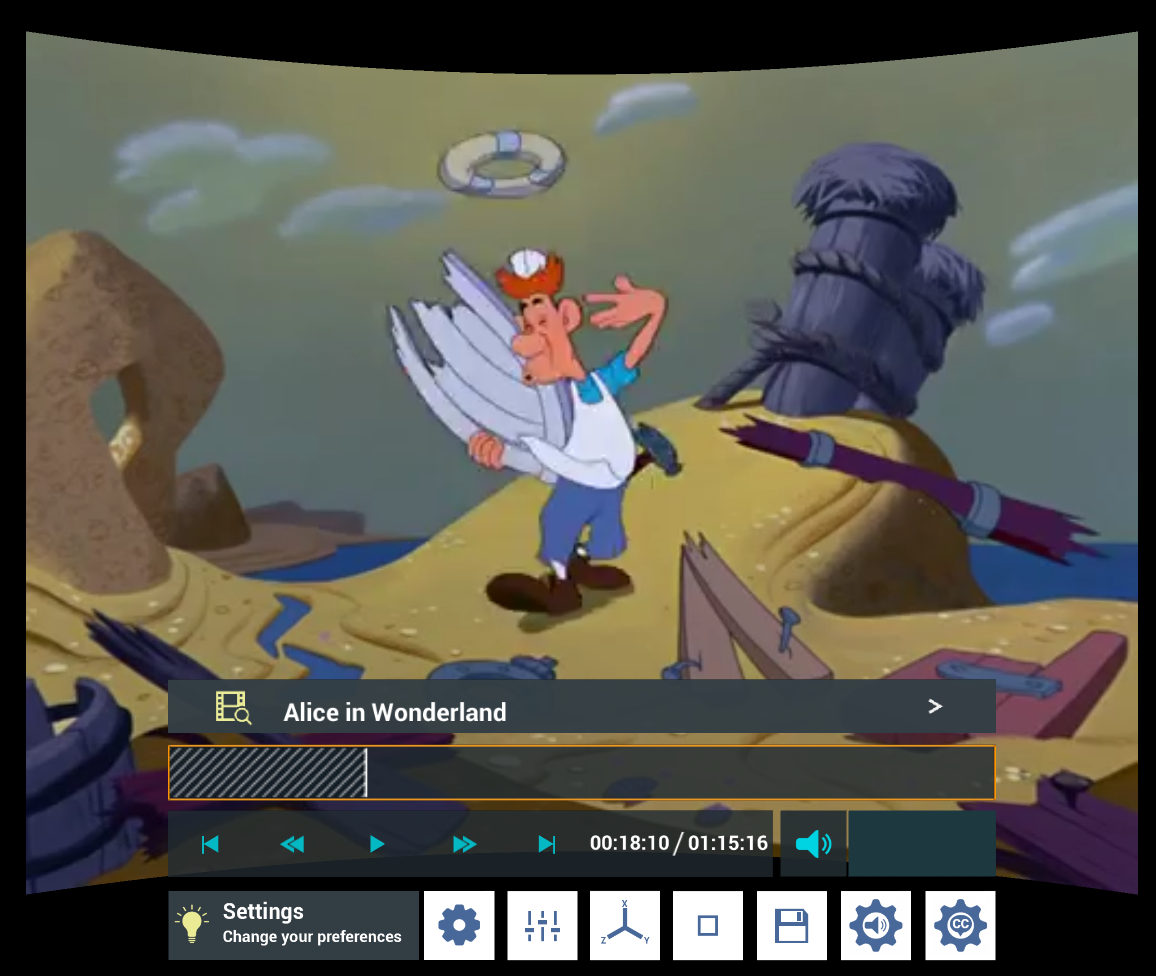
I brought the quit back replacing the audio menu button. It felt weird it not being there :)
Basically I've removed the quit button and the menus menu button and replaced them with subtitle and audio options. The thinking behind this is that quit is available through the VR interface (SteamVR etc) and I don't think people are using the menus menu to switch back and forth between different menus that often.
If this is not the case please let me know. I'm already missing the quit button but I'm not sure if it needs to be on the main UI.
Fixes
I've fixed a couple of issues that were reported including a lot of the shortcuts not working on the shortcut menu (although I still have a little work to do on this), issues with the subtitle menu and some other smaller issues in the UI.
And Finally
I want this to be pushed to the default build but I'm concerned about the reports of a black screen. I don't know if these are small issues which will require a separate build for people having the problem or if this is more universal.
If anyone comes across this issue I would be very interested in getting a copy of your Whirligig roaming folder, which is located here: C:\Users\%username%\AppData\Roaming\Whirligig
my email is [email protected]
Hopefully you like the updates and thanks for your support.
Happy watching
Phil