Status
SteamPeaks
ChartsSalesUpcomingPatchesNewsCalculator
New on SteamEvery app, DLC and depot the minute Steam creates itAppsEvery app on Steam, newest change firstPackagesSubs and bundles, and what each containsDepotsDepots, manifests and install sizesTagsSteam's user tags and the games under themDevelopers & publishersCompanies and their cataloguesTechnologiesEngines, SDKs and anti-cheat found in the filesChange historyEvery PICS changelist as it lands
SignalsNineteen readings of the whole catalogueCompareAny games side by sideRecordsAll-time peaks and the days they were setReportsWeekly and monthly write-upsAlerts & newsroomWatch a game, get told when it movesSteam statusIs Steam up, right nowWeb API explorerTry the endpoints in the browser
NewsSteam's own announcements and the sales calendarCalculatorWhat a Steam account is worth, and its pile of shame
/
Sign in
/
SteamPeaks
The ultimate resource for Steam data.
ExploreChartsSalesSales and festsUpcomingPatchesNewsRecordsTrendingSignals
DatabaseAppsPackagesDepotsTagsDevelopersTechnologiesChange history
ToolsCalculatorCompareSearchAlertsSteam statusAPI
SiteMethodologyFAQDiscordSupportSign in via Steam
Not affiliated with Valve or Steam. Game names and artwork belong to their owners. All times UTC.
PrivacyCookiesFair useStatus
AdventureBarStoryNews『Adventure Bar Story』 updated to version 1.0.1.
Game update

『Adventure Bar Story』 updated to version 1.0.1.

AdventureBarStory · published 6 Jun 2024, 02:46 UTC · build 14595606

All newsPlayers around this dateRead on Steam

We have added and fixed the following three features.

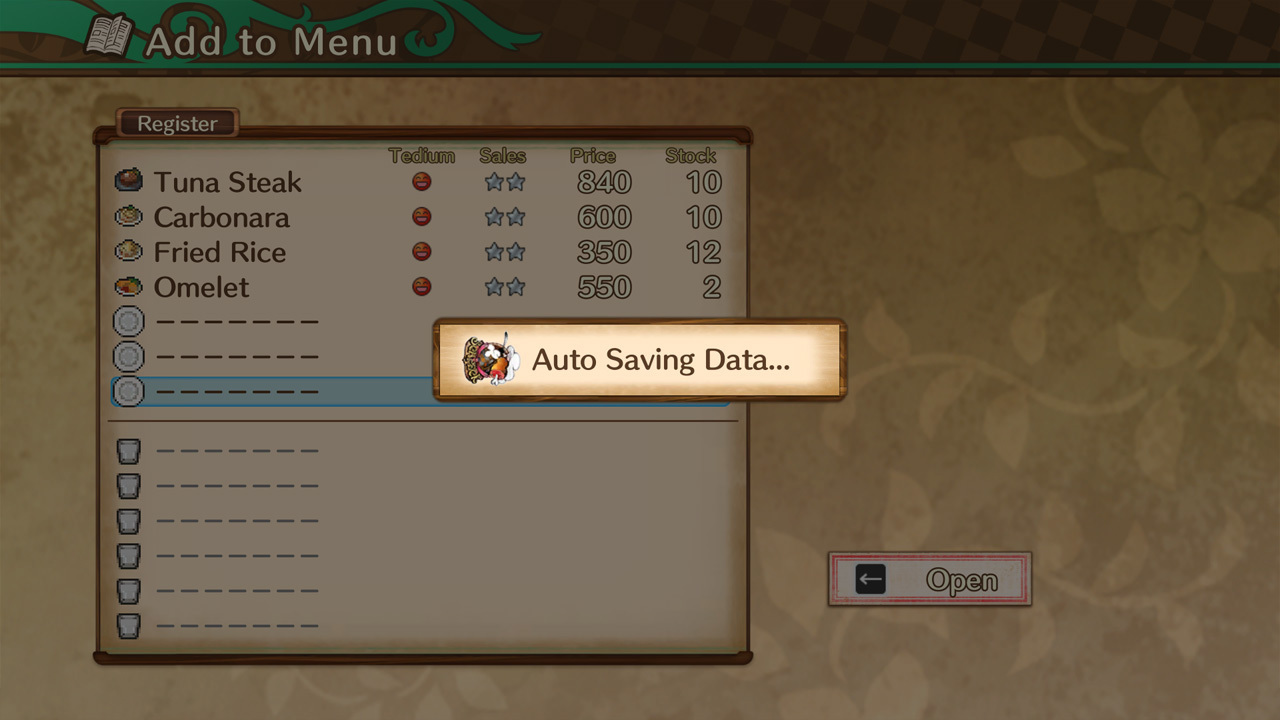
①Implemented autosave
We have decided to perform an autosave when you "open" a store.
We have added an autosave slot to the top of the loading screen.

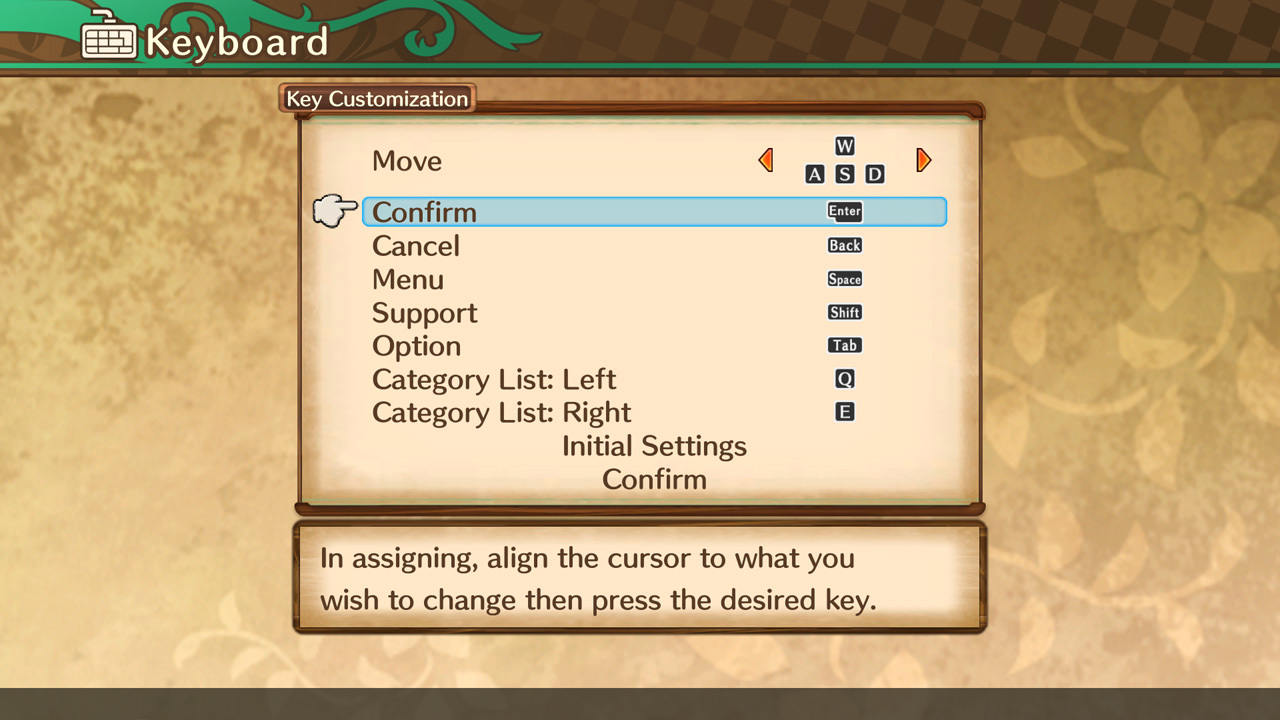
②Added "Custom" to keyboard controls
You can select this in Option → System → Keyboard "Configurations".
You can go to the customization screen from the menu button.

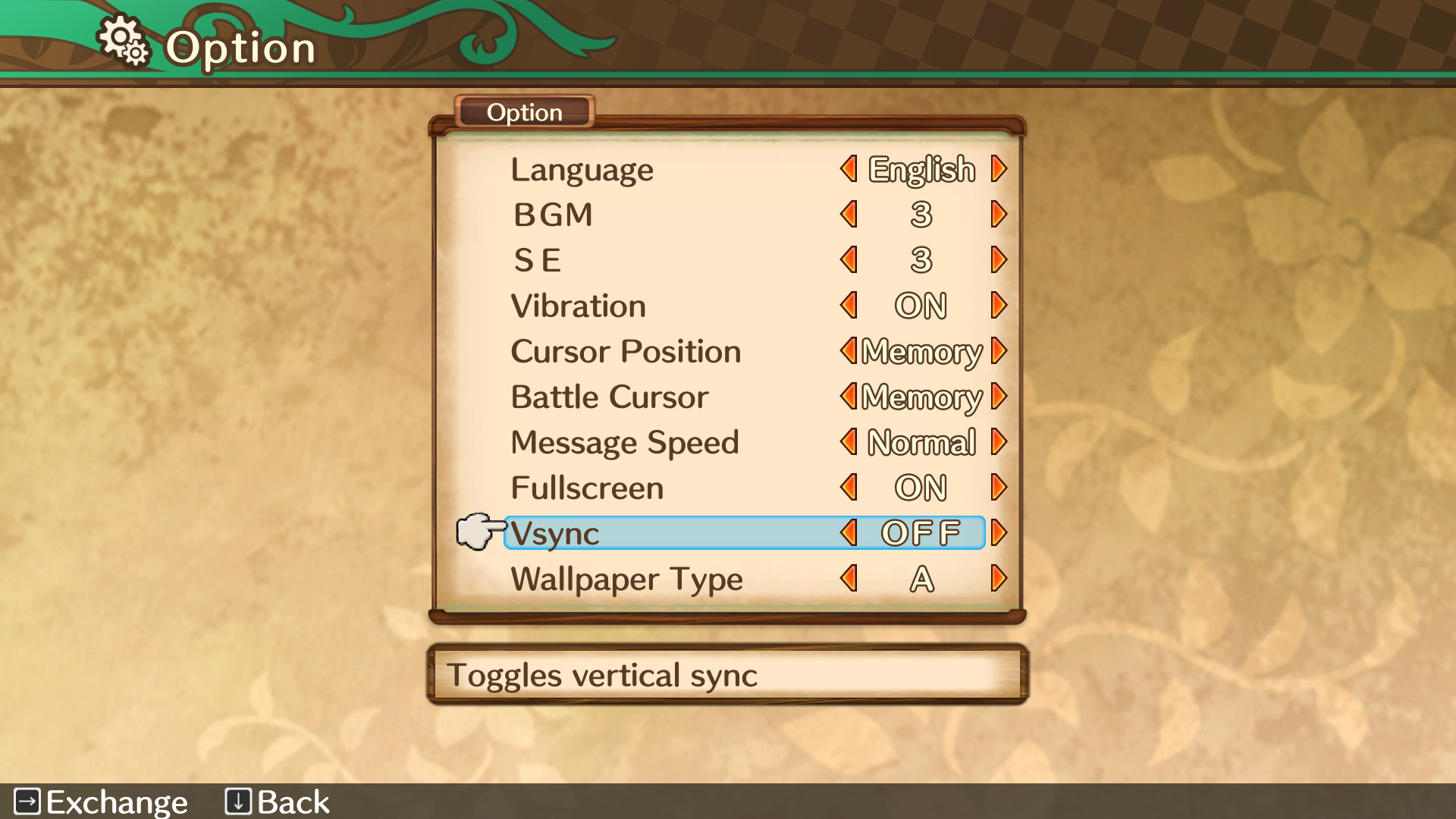
③Changed the default setting of "Vsync" to OFF
This is a change to the default settings, so there will be no changes for users who have already played the game.
If you find that your cursor or character movement is too fast, try turning off the "Vsync" setting, which can be set in Option → System.

Thank you for your cooperation.