Status
SteamPeaks
ChartsSalesUpcomingPatchesNewsCalculator
New on SteamEvery app, DLC and depot the minute Steam creates itAppsEvery app on Steam, newest change firstPackagesSubs and bundles, and what each containsDepotsDepots, manifests and install sizesTagsSteam's user tags and the games under themDevelopers & publishersCompanies and their cataloguesTechnologiesEngines, SDKs and anti-cheat found in the filesChange historyEvery PICS changelist as it lands
SignalsNineteen readings of the whole catalogueCompareAny games side by sideRecordsAll-time peaks and the days they were setReportsWeekly and monthly write-upsAlerts & newsroomWatch a game, get told when it movesSteam statusIs Steam up, right nowWeb API explorerTry the endpoints in the browser
NewsSteam's own announcements and the sales calendarCalculatorWhat a Steam account is worth, and its pile of shame
/
Sign in
/
SteamPeaks
The ultimate resource for Steam data.
ExploreChartsSalesSales and festsUpcomingPatchesNewsRecordsTrendingSignals
DatabaseAppsPackagesDepotsTagsDevelopersTechnologiesChange history
ToolsCalculatorCompareSearchAlertsSteam statusAPI
SiteMethodologyFAQDiscordSupportSign in via Steam
Not affiliated with Valve or Steam. Game names and artwork belong to their owners. All times UTC.
PrivacyCookiesFair useStatus
Start11 v2NewsHow to Backup Your Start Menu
Community

How to Backup Your Start Menu

Start11 v2 · published 14 Mar 2024, 13:50 UTC

All newsPlayers around this dateRead on Steam

The Start menu is arguably one of the most customizable areas of Windows. Yes, you can easily change your desktop wallpaper, arrange icons on your desktop, or change sounds, but the Start menu is the heart of the OS.

While the default Start menu with Windows 10 and 11 is relatively locked-down, Start11 v2 provides a fully customized experience and with features like App Canvas, you can build your own layout. And once you create the perfect layout, persevering it is an essential part of the experience.

With Start11 v2, creating and restoring, configurations is a simple process with the ability to easily backup settings to a file, restore a setting from a file, and if needed, you can also reset Start11 v2 back to the default configuration.
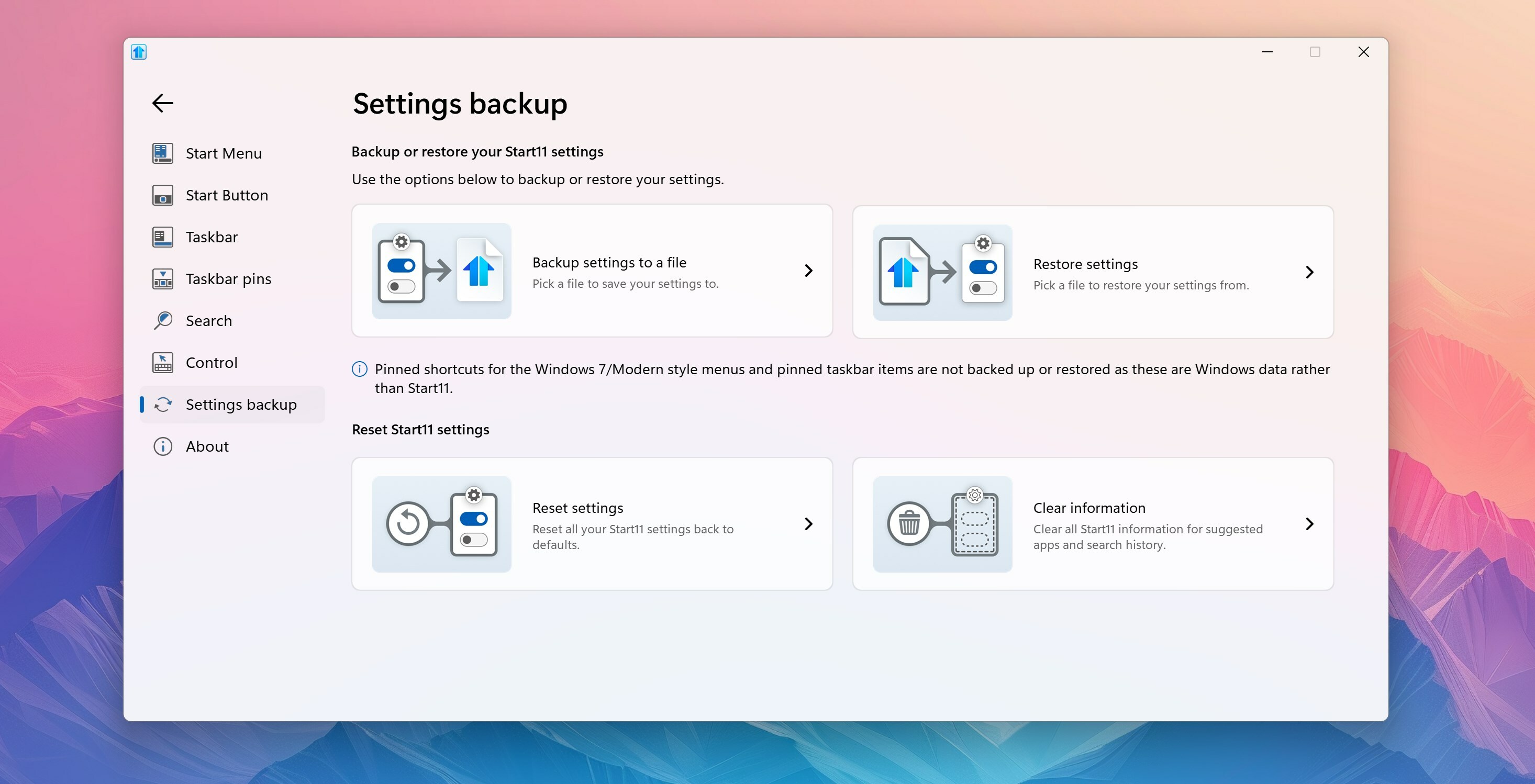
To backup your settings, open the Start11 v2 configuration panel, click "Settings backup", then click "Backup settings to a file", and then save the file to a location of your choosing. To restore a configuration, click "Restore settings" in the same configuration panel area and you can load your backup file.

The best part of these configurations is that you can save multiple files for different scenarios. If you have a work-related menu or a gaming related layout, you can easily load those when needed. Or if you are like me, and enjoy making multiple styles for different devices, I have a folder with menus that are designed specifically for touchscreen and non-touch devices that I use.

Backing up your Start experience was an important pillar of the v2 update for Start11 that introduced dozens of new enhancements. If you haven’t tried out Start11 v2 yet, you can download a free trial here and grab it through the award-winning, Object Desktop productivity suite.

More from Start11 v2

Other announcements

All news
Game update4 Sep 2026Start11 v 2.8 ReleasedStart11 v2.8 Changelog Released Date: · 09/04/2026 Version · UI: 2.8 · File Version: 2.8.0.2 Changes · Adds in support for the new Win11 26H2 taskbar updates to respect Windows settings. · Positions are respected only when set to "Allow Windows to control taskbar position", which is the default on a clean install. · The OS only allows all monitors to use the same setting, but you can resize the…Game update28 Jul 2026Start11 v 2.74 ReleasedStart11 v2.74 Changelog Released Date: · 07/28/2026 Version · UI: 2.74 · File Version: 2.7.4.0 Changes · Fixes an issue with pinning to the taskbar for pinned menus etc on newer versions of Windows · Addresses hover-over preview issue with some monitor and taskbar combinations (in version 2.73).Game update1 Jun 2026Start11 v 2.72 ReleasedStart11 v2.72 Changelog Date: 06/01/2026 Version · UI: 2.72 · File Version: 2.7.2.0 Changes · Addresses the issue with icons on secondary displays when to the left of the primary monitor and autohide is enabled (or taskbar on left/right/top is in use) · Fix for desktop icons appearing under the taskbar when in taskbar only hides when something covers it mode and taskbar is at the top / left of…