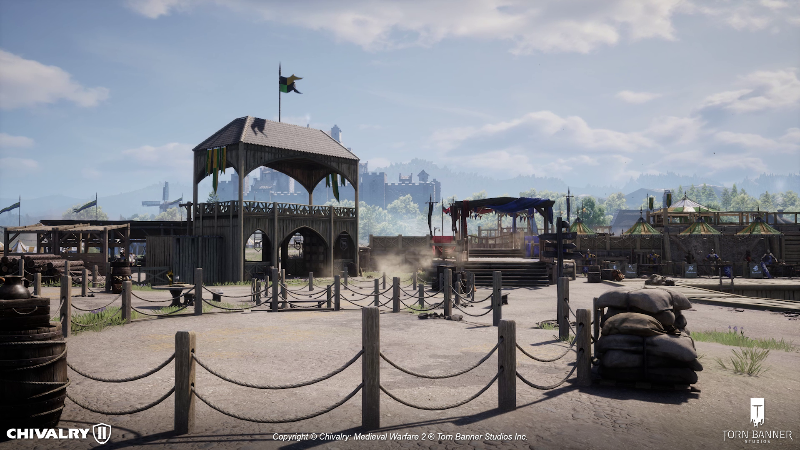
With the recent announcement of Unofficial Servers coming with Update 2.10, we wanted to take some time to go over some frequently asked questions regarding Unofficial servers and the creativity they could entail, but also the limitation included with their implementation.
What can I name my server?
We would like you to name your server whatever you like! As long as it complies with the following:
- Your server may not have “official” in the server name, or be made to imply it is a TBS Official Server in any capacity.
- Your server must comply with our ToS and Code of Conduct policies.
- No verbal abuse, racism, sexism, politics, religion, or inappropriate messages.
- No inappropriate or adult conversations or links.
How can I reserve an Unofficial Server?
Official details can be found on Nitrado’s hosting webpage:
After the launch of Update 2.10 there will also be an in-game button marked “Rent A Server” in the Standalone Server menu that will take you to the same webpage.
What is the recommended player count? (By Game Mode)
Unofficial Servers allow players to customize their Chivalry experience in the way that they want. This freedom however is not without its risks.
When creating a match list, please reference the recommended player counts for each game mode. Deviating from this is allowed but can adversely affect the player experience and cause severe bugs (such as players not being able to spawn or crashing players out).
- Team Objective (TO): 2-64 Players (2-52 if horses are enabled)
- Team DeathMatch (TDM): 2-64 Players (2-52 if horses are enabled)
- Last Team Standing (LTS): 2-64 Players
- Free For All (FFA): 2-40 Players
- Brawl: 2-40 Players
- Last Peasant Standing: 2-40 Players
- Volley: 2-40 Players
What settings can I customize?
We offer a number of settings to tailor your experience how you like, including:
- Playercount
- Map List
- Admin List
- Ban List
- Custom Password (Optional)
- Custom Class/Subclass Limits
- Custom Match/Stage Length
- Custom Match Score (TDM/FFA)
- Custom Warmup Length
- Horse Toggle (Applies globally to maps with horse functionality built in)
- Votekick Parameters
- Out of Combat Zone Toggle
- Camera Mode Toggle (First Person, Third Person, No Limit)
Can I create a server with 64 players plus horses?
For stability reasons, servers with horses selected will be capped at 52 players at a time.
Are Unofficial servers cross-platform?
Yes, Unofficial servers are cross-platform.
What DDOS Protections are available on my server?
Nitrado Servers all come with basic DDOS Protections on their servers. In addition, we are exploring additional protections for users post Update 2.10.
Can I set multiple admins on Unofficial servers?
Yes, the server owner can allow multiple trusted users to help admin their server.
What permissions do admins have on Unofficial servers?
- "KickById",
- "BanById",
- “UnbanById”
- "adminsay",
- "serversay",
- "ADDBOTS",
- "REMOVEBOTS",
- "TBSManuallyStartGame",
Although we’d love for both Xbox/Playstation and PC Server Admins to have the same level of permissions within their server, without access to the in-game console these commands are unable to be performed if you aren’t playing on PC.
How does banning work on Unofficial servers?
Admins can ban a player through the admin ban command (see above) and unban through the related unban command. If server owners wish to remove a ban on a player, it is their discretion to remove that player from the ban list.
Global game bans that have been applied by moderators/staff indirectly apply to Unofficial servers, as banned players cannot play Chivalry 2 in any capacity during their ban.
NOTE: Currently there is no total list of players banned visually to the player, so if server owners would like to keep track of which accounts they have banned they will have to do so independently. This may change in the future.
NOTE: It is completely within the discretion of the server owner who they want to ban for whatever reason. These bans are local to the Unofficial server and cannot be appealed to our Moderators or Torn Banner Studios unless there is evidence of wrongdoing that breaks our ToS.
Can RDMs (Random Death Match) be reported to Chivmail?
No, it is up to the discretion of the server owner to moderate their servers.
Do we earn experience/gold while playing on an Unofficial server?
Since the experience is completely tailored to the server owner’s preferences, we are currently unable to regulate experience rates within Unofficial servers. Therefore no experience/gold is awarded while playing on an Unofficial server.
Do global player mutes apply on Unofficial servers?
Yes, muted players are also unable to talk on Unofficial servers.
Keep-In-Mind
Class Limits
Setting restrictions on all classes or subclasses will have negative consequences if all of the slots for each class are filled. For example, if each class or subclass is set to 10% before filling, then only 40% of your team will be able to spawn. This can also have effects on team swapping between teams and from spectator mode.
Team Objective Base Stage Times
Through the web interface, server owners can set the base stage times of each team objective map.
For example, across each stage of Coxwell, a base time of 5 minutes could be set.
- Stage 1: 5 Minutes
- Stage 2: 5 Minutes
- Stage 3: 5 Minutes
- Stage 4: 5 Minutes
- Stage 5: 5 Minutes
Now, this is reflected a little bit differently in the way maps calculate overall stage time. If players take 3 minutes to complete stage 1, there are 2 minutes left remaining.
Each map has a set “Carryover” time between objectives, which is how much time remains on a previous stage that can be added to the next stage.
So if Stage 1 takes 3 minutes (with 2 minutes remaining), with a carryover time of 2 minutes. (Stage 2 base 5 minutes + 2 minutes carryover = 7 minutes).
If stage 1 takes 4 minutes however with only 1 minute remaining, it would only add the extra minute.
(Stage 2 = base 5 minutes + 1 minute carryover = 6 minutes)
In a third case, if stage 1 takes 1 minute (4 minutes remaining), it can only add a max of 2 minutes of those 4 remaining minutes to the next stage.
(Stage 2 = base 5 minutes + 2 minutes carryover = 7 minutes)
Please keep this in mind when setting your base stages.
Admin Commands Syntax
To access the in-game console to submit these commands first a player needs to be on PC. Next, you’ll need to navigate to your Settings > Options > Game Tab > General > “Enable Console” > Enabled. Finally, once in-game the console can be opened with the ~ key by default.
- KickById “Reason”
- BanById "Reason"
- UnbanID
- Adminsay “Message”
- Serversay “Message”
- ADDBOTS
- REMOVEBOTS 1 1
- TBSManuallyStartGame
To find a player's ID within a match first open the console with the ~ key. Next type the command ListPlayers. This will copy a list of player names and IDs to your clipboard. Paste this to a local notepad or Word document. Search through the list of players to find the ID you are looking for, and apply that ID to the command in the section.
Supported Maps
The supported maps and their map identifier names can be found below:
Team Objective
- TO_Coxwell
- TO_DarkForest
- TO_Lionspire
- TO_RudhelmSiege
- TO_Falmire
- TO_Galencourt
- TO_Raid
- TO_Stronghold
- TO_Bulwark
- TO_Library
- TO_Bridgetown
- TO_Montcrux
Team Deathmatch
- TDM_Wardenglade
- TDM_Wardenglade_horse
- TDM_TournamentGrounds
- TDM_FightingPit
- TDM_Courtyard
- TDM_Hippodrome
- TDM_Desert
- TDM_FrozenWreck
Free For All
- FFA_FightingPit
- FFA_Wardenglade
- FFA_TournamentGrounds
- FFA_Courtyard
- FFA_Hippodrome
- FFA_Desert
- FFA_Duelyard
- FFA_FrozenWreck
- FFA_
Last Team Standing
- LTS_Wardenglade
- LTS_TournamentGrounds
- LTS_FightingPit
- LTS_Courtyard
- LTS_Galencourt
- LTS_Falmire
Last Peasant Standing
- PR_LTS_Raid
Brawl
- BRAWL_GreatHall
- BRAWL_RudhelmHall
- BRAWL_Cathedral
- BRAWL_Midsommar
Volley
- BOW_Galencourt
- BOW_Falmire
- BOW_Wardenglade
Note: Unofficial Servers do not currently support Arena Maps
Team Objective Default Stage Codes
More information on stage codes can be found at the bottom of our FAQ hosted on the Chivalry website.
These are the default stage codes for each team objective map (when customizing stage time):
- Darkforest: 10, 15, 20, 30, 40, 55, 75
- Lionspire: 10, 15, 20, 30, 40
- Rudhelm: 10, 15, 20, 30, 40, 50
- Falmire: 10, 15, 20, 30, 40, 45, 47, 50
- Galencourt: 10, 20, 30, 35, 40, 50, 55
- Aberfell/Raid: 10, 20, 30, 40, 50
- Stronghold: 10, 20, 30, 40, 45, 50
- Bulwark: 10, 20, 30, 35, 40
- Library/Azkandir: 10, 20, 30, 35, 40
- Coxwell: 10, 20, 30, 40, 50
- Bridgetown: 10, 20, 30, 40, 50
- Montcrux: 10, 20, 30, 40
Map Rotation
Servers always start with the default map after a server restart, in this case FFA_Duelyards
After the next map begins, your map list will follow your set rotation.
Note about the map order: the server holds an index of the current map in the map order. If the server is 3 maps in, and the server restarts, a server restart will cause the server to go to FFA_Duelyards as the default, and then navigate to map index 4.
Known Issues
- Post Match Screen displays gold/xp when no gold/xp is awarded
- Players temporarily appear with no customization or rank after entering a server after a crash (This resolved around 5 minutes after the crash and requires re-entering the server)
- Servers left up over extended periods of time can have their timer desync. We generally recommend a server reset at least every few days
- Travel to/from LTS maps causes players to be level 1 with level 0 classes and no admin powers. (Workaround: re-enter the server after the map travel is complete.)