Oblivity Update 2.4 // TPS, Playlist system, Settings profiles, UI overhaul
Oblivity · published
Developer Note
Hello Oblivity community,
this update focuses on a general cleanup: many bug fixes, system reworks and UI overhauls.
Several of the new features and bug fixes were inspired by your suggestions on our official Discord server. We encourage you to join and contribute to enhancing Oblivity! Additionally, we're looking for new testers through the Discord server.
Cheers Poly Games
Change Logs
Scenario System / Trainer Improvements
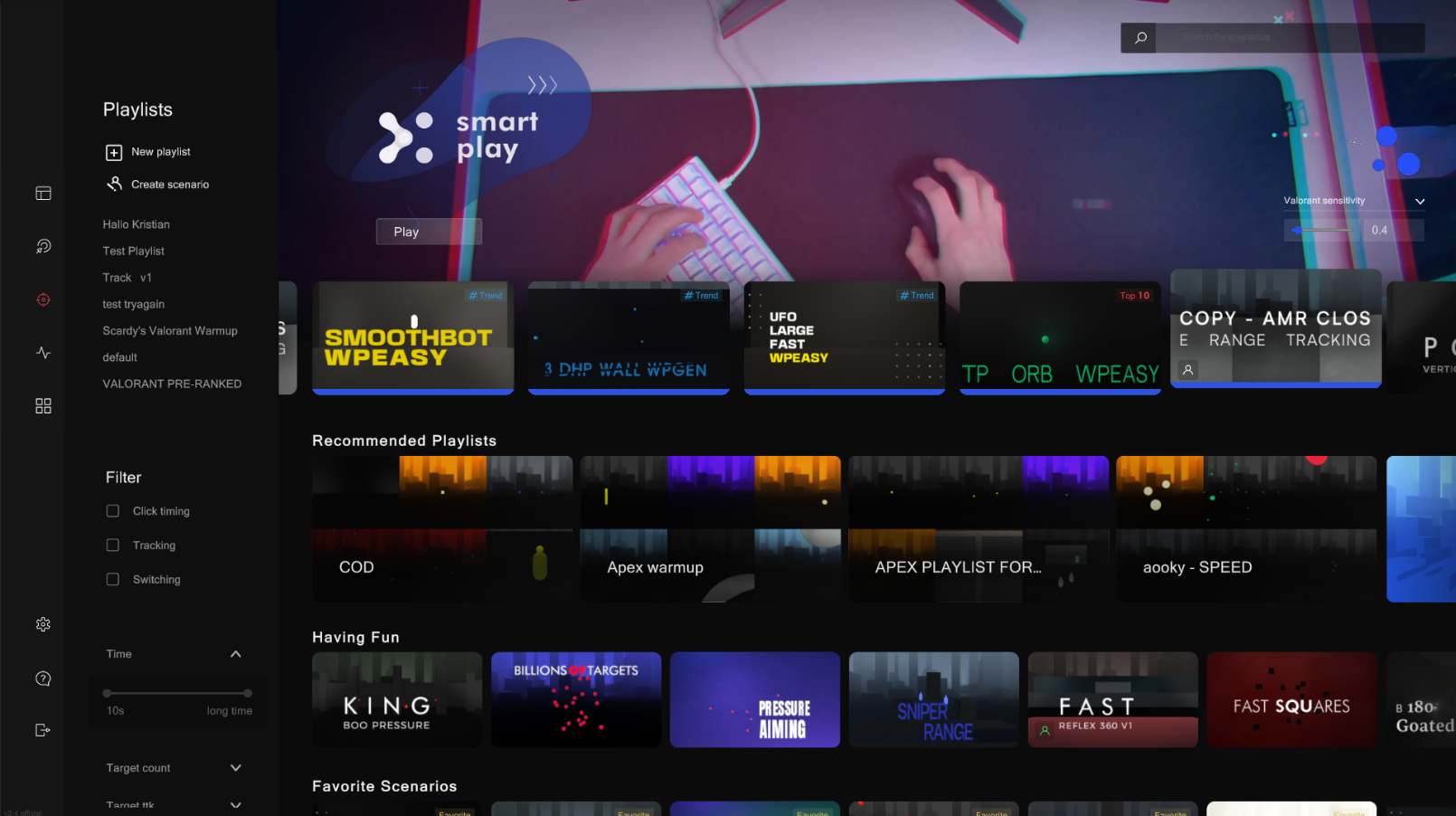
We revamped the scenario grid rows, featuring enhanced next arrows, refined scaling, and improved shading for a better visual experience.
Playlist System

We overhauled the UI elements associated with the playlist system for a more streamlined experience. We transitioned from a playlist rating system to a straightforward like counter to address the issue of challenging playlists being unfairly downvoted. The newly generated playlist thumbnails, adjust to the scenario count and content of the playlist.
Recommendation Algorithms
A primary focus of this update was to implement additional recommendation algorithms, aimed at showcasing a broader range of scenarios. This enhancement should simplify the discovery of high-quality scenarios and playlists, tailoring selections more closely to user preferences.
Some e.g. RecommendedPlaylists, Discover Scenarios, Players also like, You right now ...
The sensitivity finder also got some usefull additions: Recently played playlists, scenarios your played in this profile
Filter and Search
We updated the filter system for better space efficiency and reduced clutter. Enhancements to the search algorithm now allow it to operate more smoothly in the background, minimizing lag. Additionally, a search bar has been integrated into the sensitivity finder.
TPS, Character Models, Scenario Creator improvements
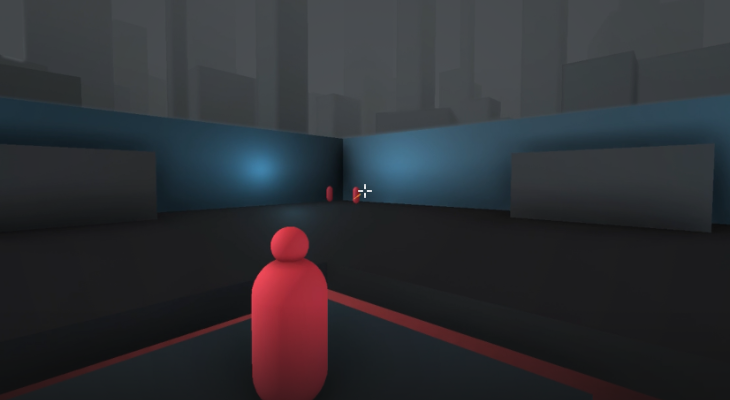
We've introduced a third-person system to the creator, which can be configured within the character settings. Custom character models have also been added, functioning similarly to the target models, primarily visible when utilizing a third-person character. Furthermore, the target profile page has been redesigned, featuring a new preview and an improved structure for the movement system. Additionally, when modifying the spawn angles and the minimum-maximum distance of a target, new colored indicators now appear in the scenario preview.
Settings Profile Rework
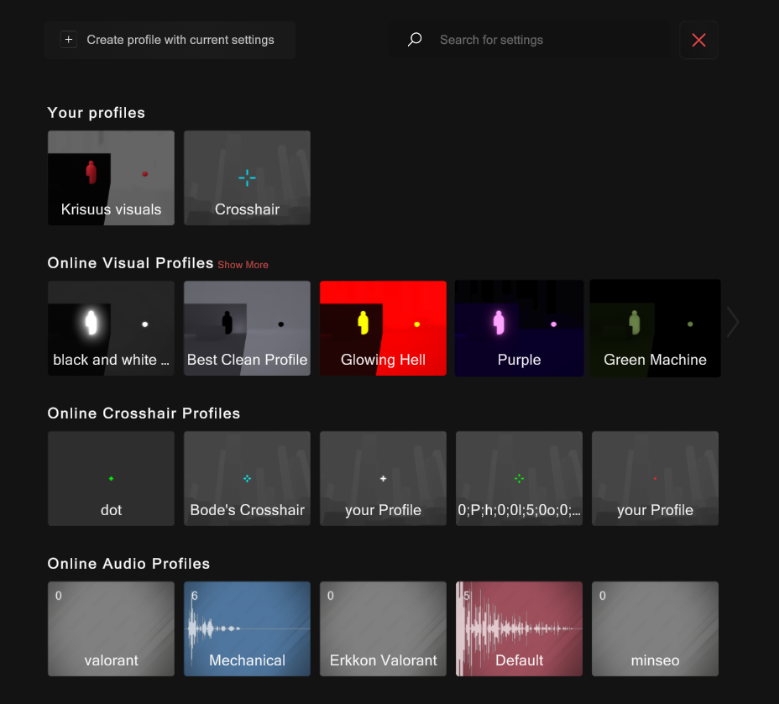
Unsatisfied with the previous settings profile system, we revamped the UI and system for a cleaner and more streamlined experience. Instead of toggling between profiles, you now directly apply an existing profile, setting the current profile's settings to those values. This update significantly reduces unnecessary clutter in the settings menu. We also removed the unessecary gernal, graphic, aiming and ui profiles.
Sensitivity Converter games
We added a few more games to the sensitivty converter:
- The Finals
- Cs2
- Battlebit
- roblox
- krunker
- escape from tarkov
- destiny 2
Dashboard Widgets
We've introduced two additional Widgets to the dashboard: the Streak Widget, enabling you to monitor your daily gameplay streak, and the Announcement Widget, which features polls for community feedback and displays key news about Oblivty.
Bugs & Quality of Life
The most important bugs and quality of life changes, sorted by screen.
Trainer
- added systems to prevent thumbnail duplicates
- better smart play animations
- fixed scenario hover screen leaderboard graphics bug
Sensitivity Finder
- added search bar
- better adjusted playlist scenario rows
- reworked sensitivity profile side bar
- fixed graphics overlap + added fade to the top
- fixed custom sensitivity calculation box bugging out
Replay System
- fixed replay bug with character collision issues
- the x on the replay ui works again
- the cinematic mode now disables all UI
- you can now pause with space
- the goback button, now actually works as intended and jumps back into the last opened screen or session
Ingame
- fixed visual settings not updating correctly
First Steps
- fixed Continue issue after first screen
- fixed info i
- fixed bg color issues
Dashboard
- fixed graphics bugs with the overall improvement chart
- added loading graphic to overall improvement chart
- fixed graphics bugs with the scenario showcase widget
Pausesscreen & Statistics
- added watch replay button
- statistics only available after playing a round
- added scenario progression to statistics
Feature screen
- improved sens converter dropdown values
Scenario screen
- fixed problems with screen not getting disabled when switching scene
- navbar now expands
Grid Rows
- fixed author row bugging out issue
- loop issues with older rows
- title not displaying correctly
- fixed many overlapping arrows in different screens
Wrist Eye Warmup
- ui fixes
- added more audio signals
Other:
- renamed csgo -> cs2
- added setting to disable replay uploads to the leaderboard