Status
SteamPeaks
ChartsSalesUpcomingPatchesNewsCalculator
New on SteamEvery app, DLC and depot the minute Steam creates itAppsEvery app on Steam, newest change firstPackagesSubs and bundles, and what each containsDepotsDepots, manifests and install sizesTagsSteam's user tags and the games under themDevelopers & publishersCompanies and their cataloguesTechnologiesEngines, SDKs and anti-cheat found in the filesChange historyEvery PICS changelist as it lands
SignalsNineteen readings of the whole catalogueCompareAny games side by sideRecordsAll-time peaks and the days they were setReportsWeekly and monthly write-upsAlerts & newsroomWatch a game, get told when it movesSteam statusIs Steam up, right nowWeb API explorerTry the endpoints in the browser
NewsSteam's own announcements and the sales calendarCalculatorWhat a Steam account is worth, and its pile of shame
/
Sign in
/
SteamPeaks
The ultimate resource for Steam data.
ExploreChartsSalesSales and festsUpcomingPatchesNewsRecordsTrendingSignals
DatabaseAppsPackagesDepotsTagsDevelopersTechnologiesChange history
ToolsCalculatorCompareSearchAlertsSteam statusAPI
SiteMethodologyFAQDiscordSupportSign in via Steam
Not affiliated with Valve or Steam. Game names and artwork belong to their owners. All times UTC.
PrivacyCookiesFair useStatus
Homebrew - Patent UnknownNewsStepping Towards New Builder V6: Unveiling Plating Tools!
Community

Stepping Towards New Builder V6: Unveiling Plating Tools!

Homebrew - Patent Unknown · published 25 Oct 2018, 19:24 UTC

All newsPlayers around this dateRead on Steam

Here we are once more with an update on the upcoming builder.
Today we will be covering the plating tools.

Adding Plates:

The days of welding on plates and adjusting them into place are finally over.
We've made two new ways for adding plates sofar.

1) Simply click and drag a plate into existance.
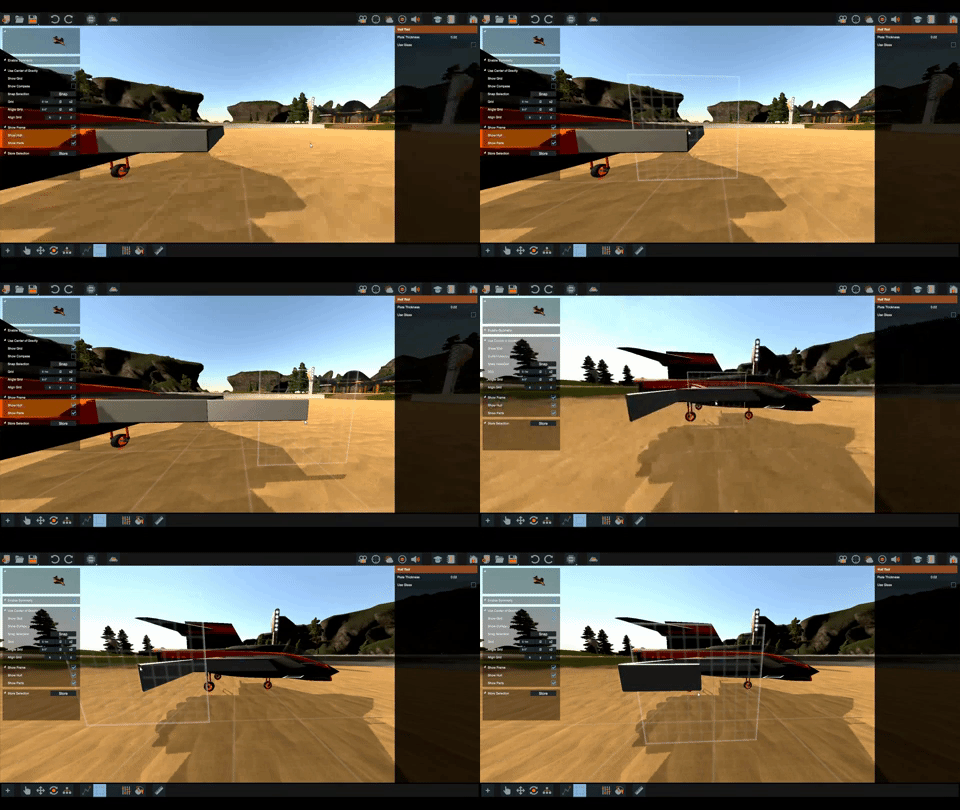
2) Or, you can click 4 times to setup a plate. This is handy for filling holes.
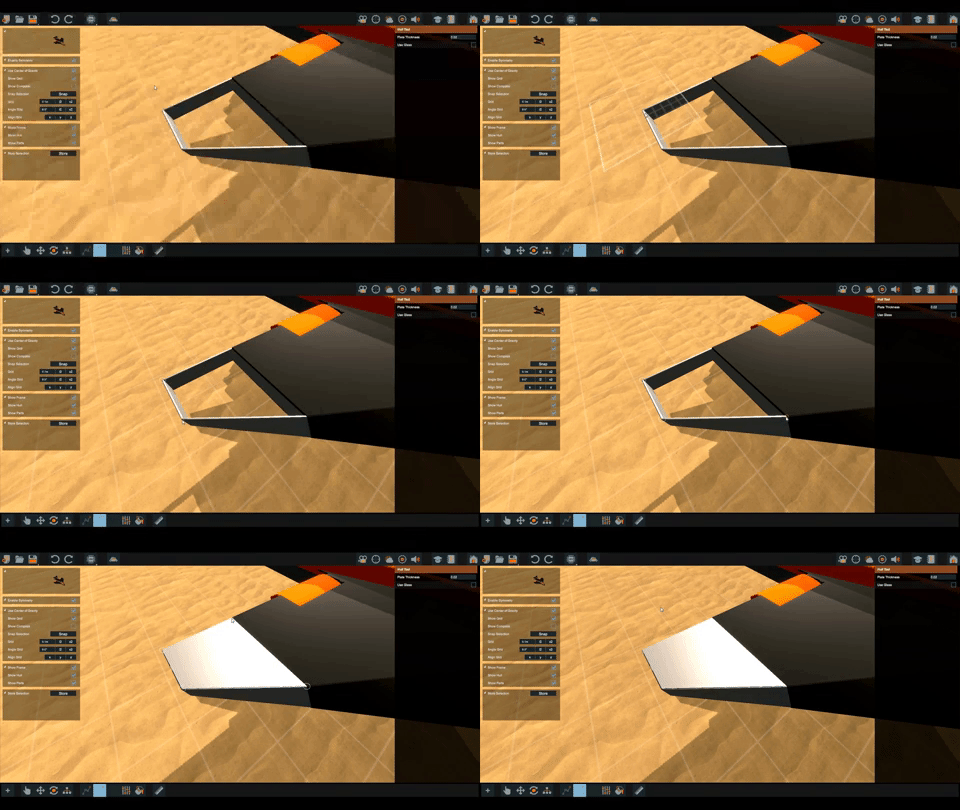
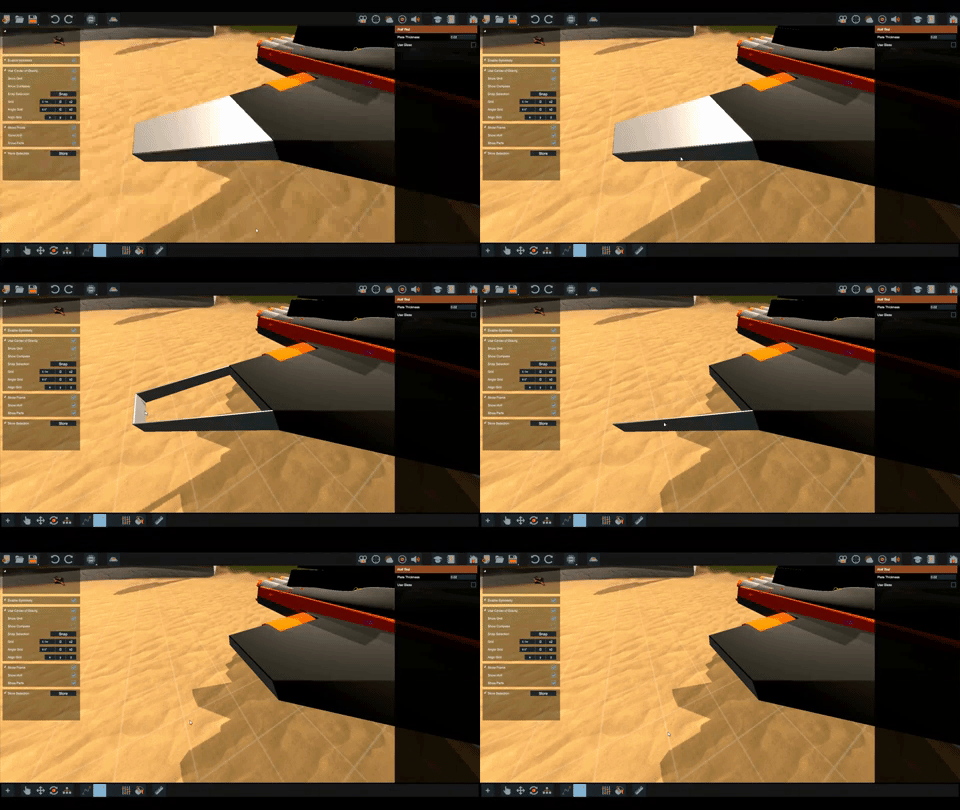
Removing Plates:

Just like the pipe tool, we can hold + click a plate to remove it.
Adjusting Plates:

Adjusting parts in general has gotten a lot more fun and stable.
Nodes only show up when that part is selected.
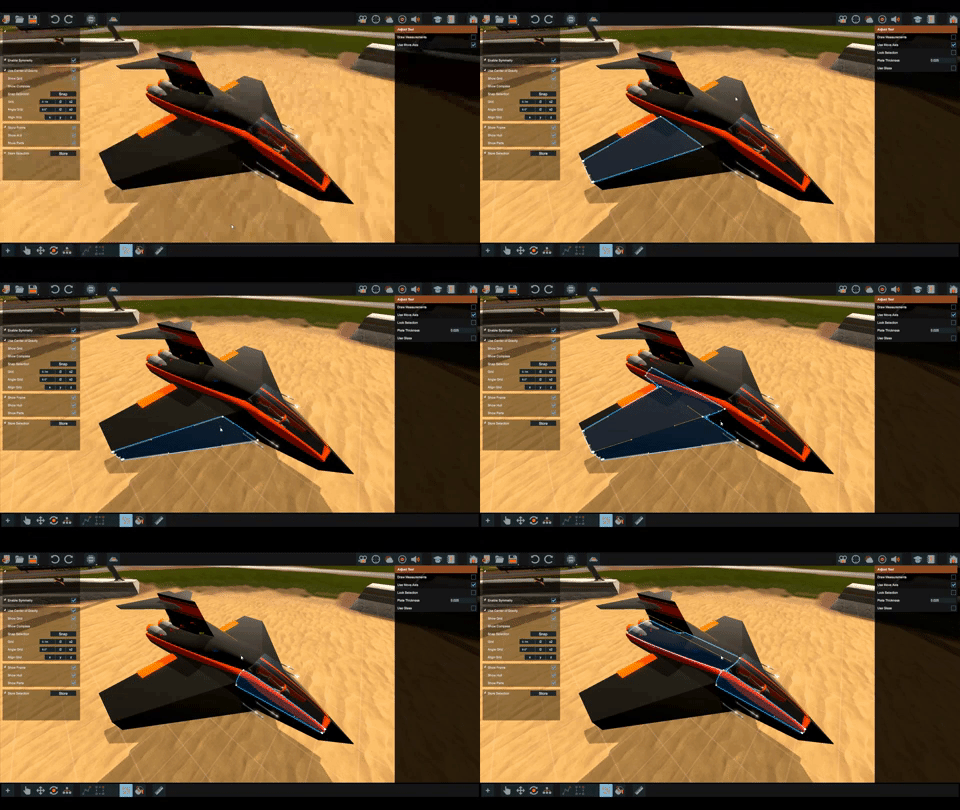
When working with complex vehicles it can be handy to lock the selected parts for edititng. This prevents selecting other parts when we misclick a node.
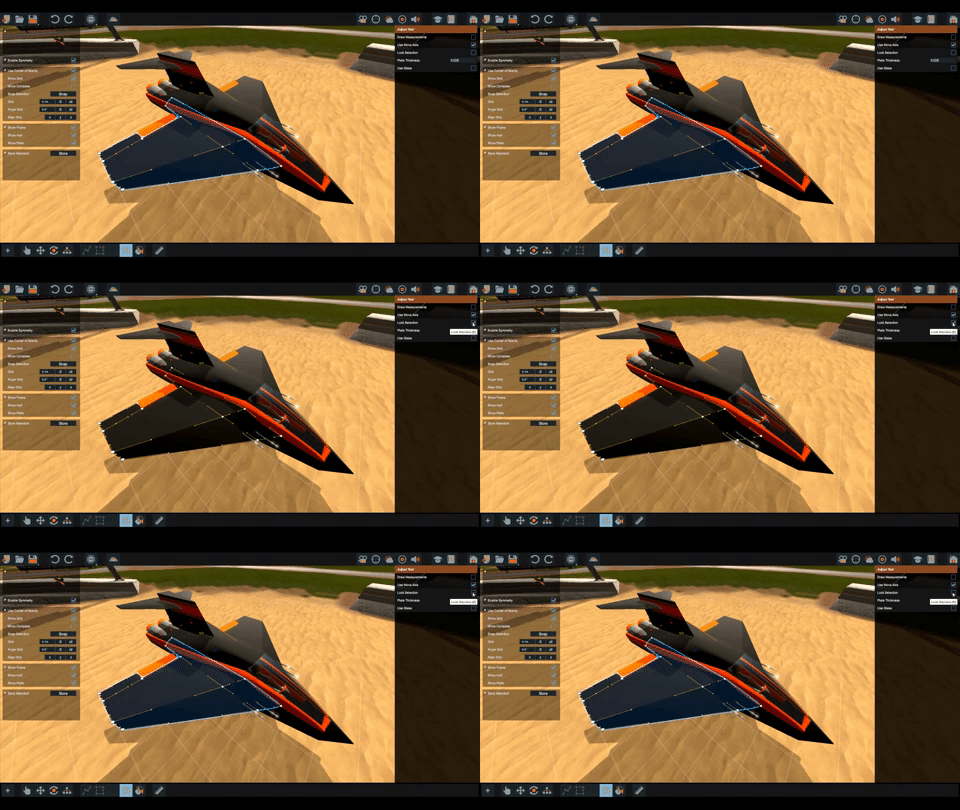
Nodes can be dragged around, their plane of movement will be automaticly determined via your camera angle.
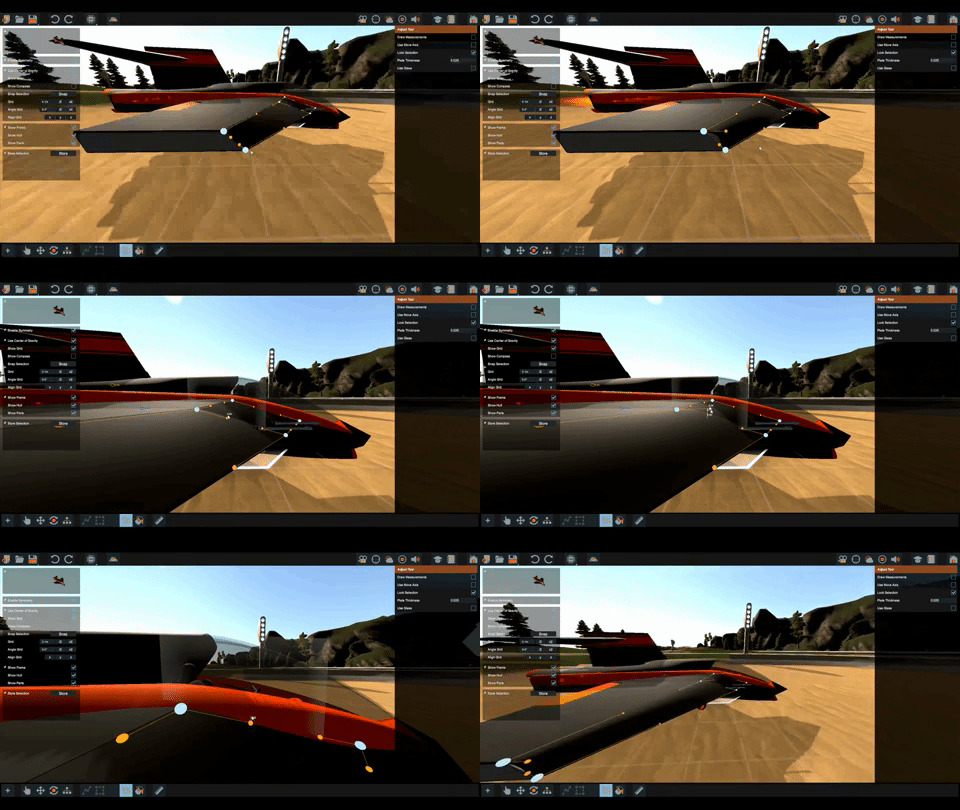
Hold to snap nodes on grid as you move them.
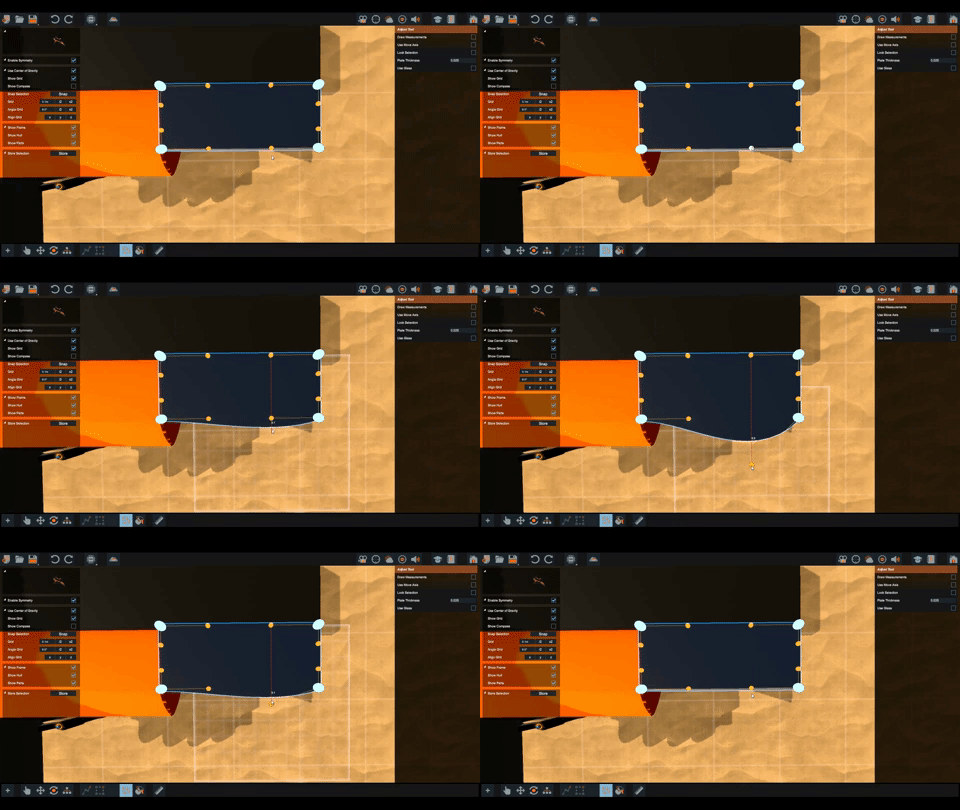
Nodes will automaticly snap onto other nodes as they are moved.
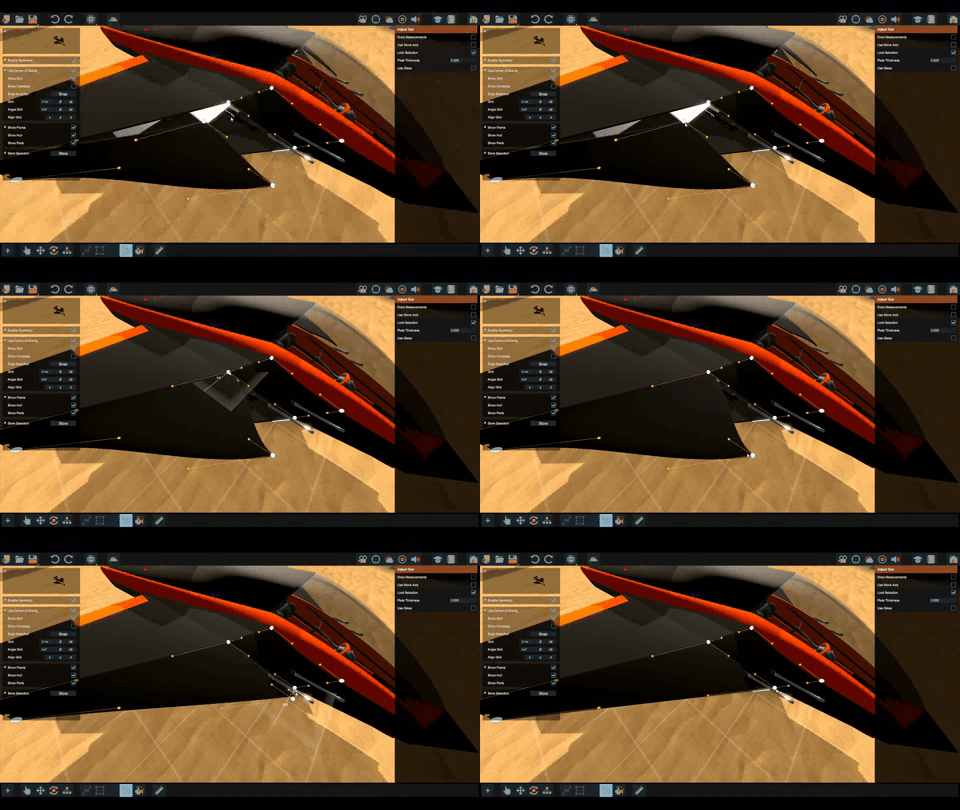
We can enable the axis gizmo to move the nodes around, some of us find this more suitable depending on the situation.
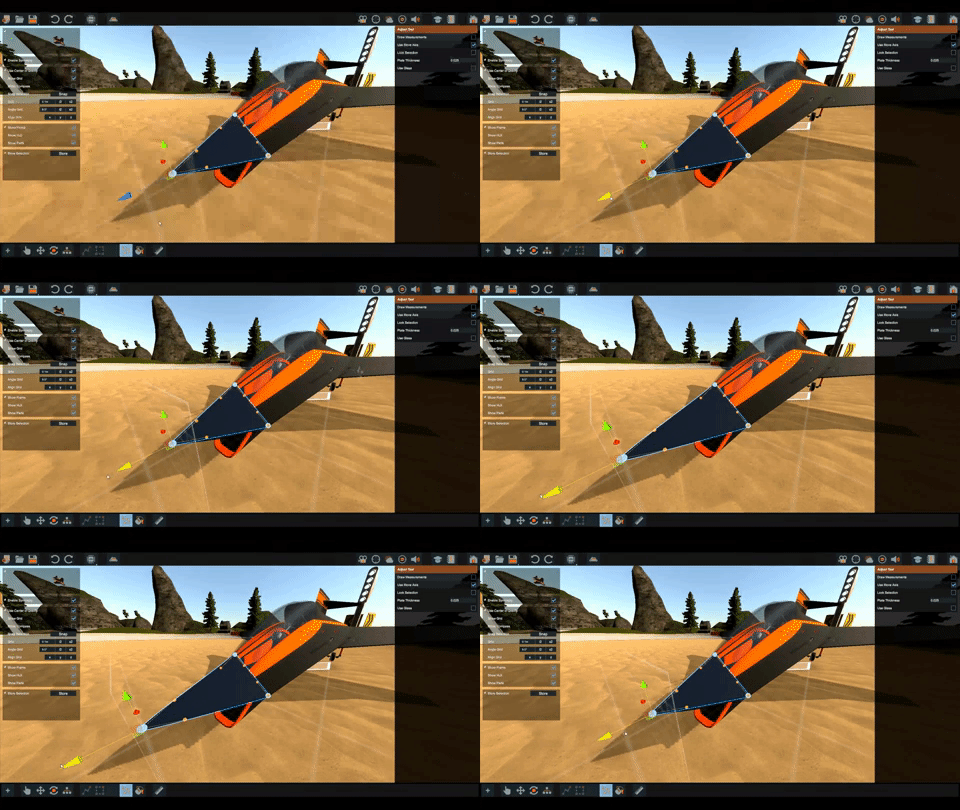
+ click a node will lock it .
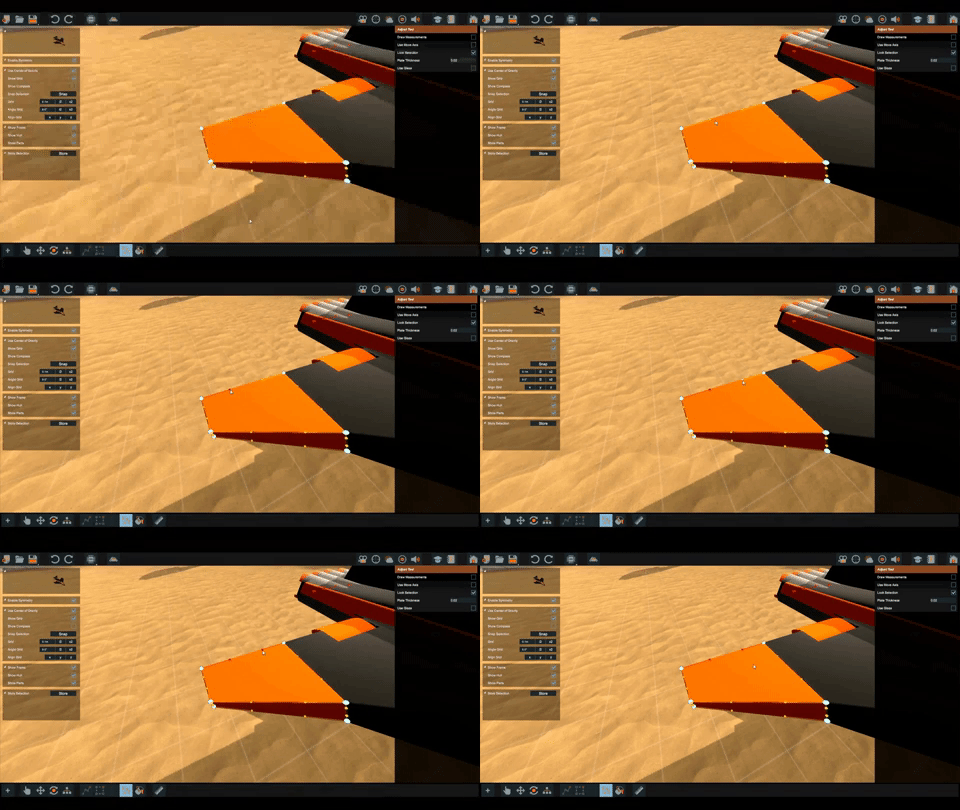
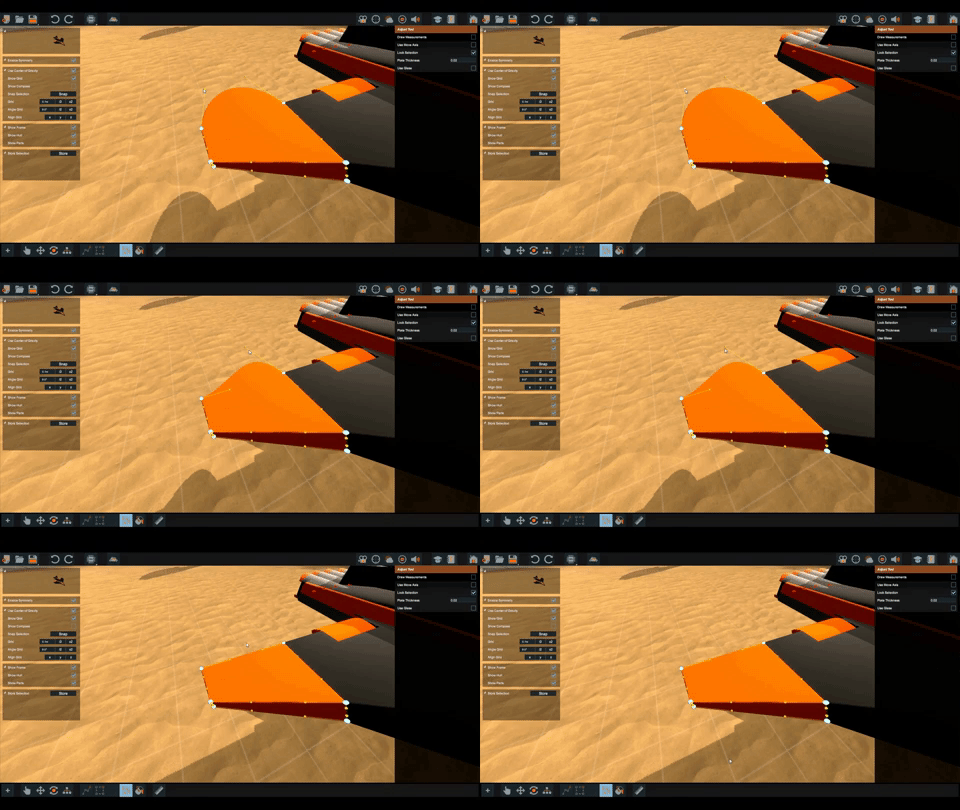
+ click will reset the node. This is handy if you want straight plates or when we drag a node into oblivion by accident.
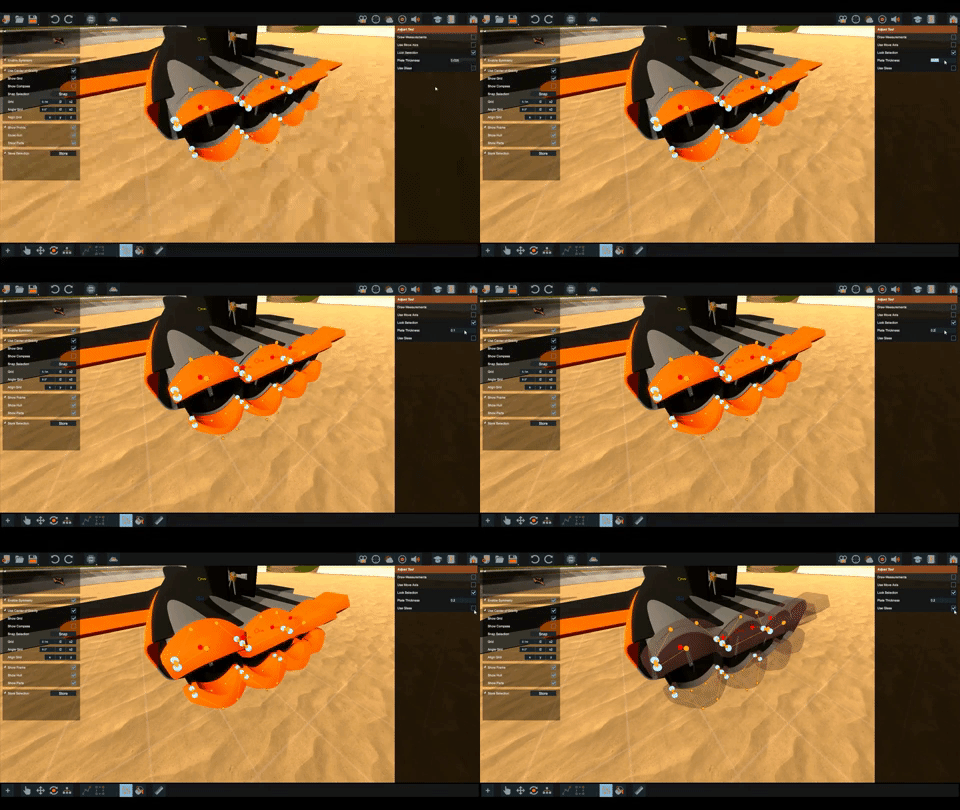
While editing we can change plate thickness and toggle between opaque and glass plates.
Measurements can be enabled on the selected parts at the press of a button.
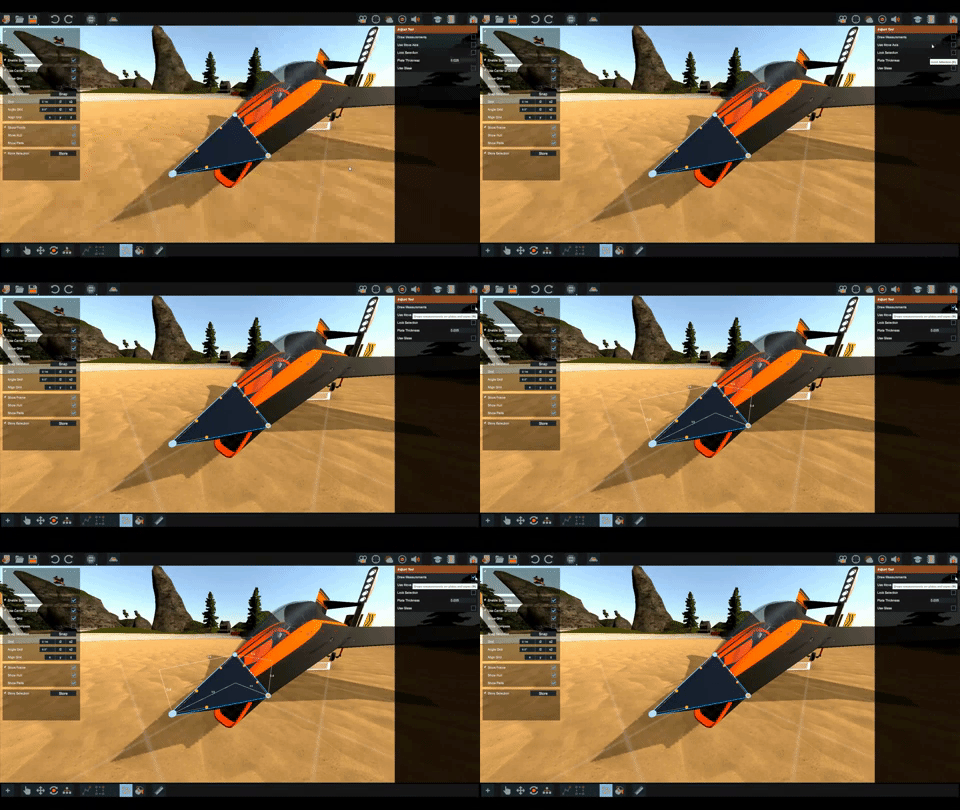
And lastly the seams between the plates is greatly improved.

We hope this covers your desires as it comes to plates and adjusting parts.

As always, we'll keep our eyes open on Steam, DISCORD and our other channels.

DREAM - BUILD - ENJOY

Copybugpaste Team

More from Homebrew - Patent Unknown

Other announcements

All news
Game update26 May 20202020 Hotfix 11Another hotfix is out... This one contains improvements for what was released in Hotfix 9 (smooth spawning) Overall smooth spawning will make the game more stable. It loads the vehicles and world assets in a way that guarantees no lag spikes will occur. This only applies to vehicles spawned from other players and world assets that stream in as you move. We have done extensive testing for this o…Game update14 Apr 2020Emergency Patch!We've pushed an emergency patch to hopefully fix the tuner issues people have been facing introduced in the latest patch. We're not 100% certain this stops the bug from happening, but we've not encountered it happening again. So please make sure to update your game as soon as possible. Sorry again for any inconvenience this bug may have caused. Version 15.1 - 637224919994658326Community14 Apr 2020More reports on properties disappearingWe have had more reports on properties disappearing. More testing pointed out, this is a double layered bug. We found that it has something to do with building whilst in multiplayer. for now, build in single player, and save new copies of your vehicle to be safe! We are getting to the bottom of this issue, we will keep you posted on steam and discord.