Hi our cool developers, in AVG (Visual Novel) mode there are many new function are unlocked now!
Previous project update method:
1.If your project was created / upgraded after version V1.5.27.0605,please click "revert to default script" in the lower left corner of script editor to update project.
2. If your project was created before version v1.5.27.0605 and has not been upgraded, reverting script will not work in this update. You can only revert the script after upgrading the project first. (This update CAN NOT be UNDONE. If you have changed a lot of parts of your project, please BACK UP YOUR PROJECT !!!)
Software
New or adjusted features:
1. Open the MOD&Audio section of the Assetstore in AVG mode.
2. AVG mode supports MOD function.
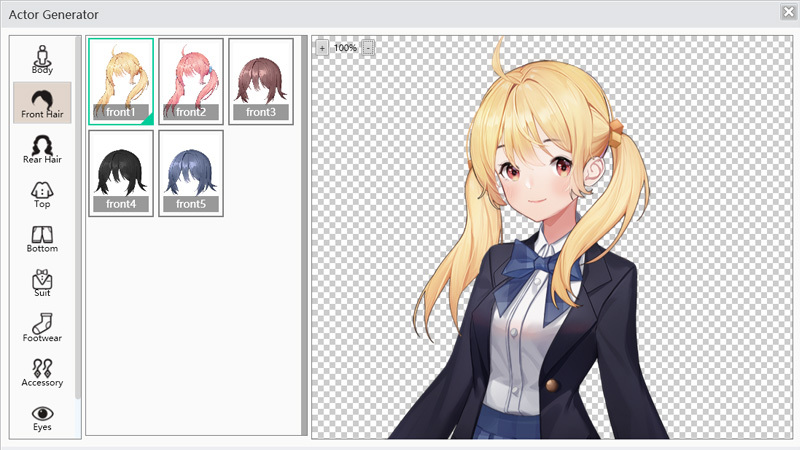
3. Open Actor Editor system in AVG mode.
4. Modify the y coordinate when dragging into the vertical drawing in AVG mode.
5. The AVG mode vertical drawing and background image fade in and fade out depends on the last setting, instead of fade in and out by default.
6. iFAction supports font replacement function (PC, Web, Android all support).
Modify the BUG part:
1. Fix the bug that the article cannot be edited in the general trigger and interface mode in AVG mode.
2. Fix the bug that character resources are imported multiple times and misplaced in ACT mode.
>>>>>>>>>>>>>>>>>>>>
Game Display
(* the previous project bug can only be repaired after the default script is restored in the tool. For specific tutorials, click here to see)
AVG& ACT& ARPG:
1. Correct the continuous use of the \c command in the dialog text to display the wrong BUG
Only AVG part:
1. If the dialog box is not displayed, the text will no longer be limited by the size of the text box.
2. Fix the bug that the speech speed lacks the fastest speed.
3. Adjust the execution sequence of asynchronous instructions and synchronous instructions.
>>>>>>>>>>>>>>>>>>>>
A list of script updates is attached:
Both ACT and ARPG modes need to update the following scripts:
LMessage
LMessagePop
The AVG mode needs to update the following scripts:
SMain
LMessage