
SteamVR Environment Support is Here
Simple VR Video Player now supports SteamVR Environments. This allows limitless possibilities for user created content to be used as 3D environments from within Simple VR Video Player. It's still experimental so there might be a few bugs, but you can try it out now.

To enable, you must "Subscribe" to SteamVR Workshop environments and backgrounds of your choice. https://steamcommunity.com/app/250820/workshop/
Then go to SteamVR's overlay menu and click on the Settings->Customize icon from the bottom right corner to choose your "subscribed" environments or backgrounds.
Your selected environments and background will show up as additional options in the Environments menu within the app.
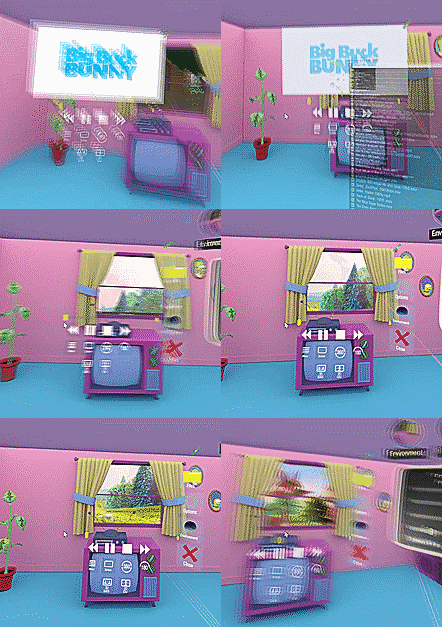
What's new v1.0.6
- SteamVR Workshop Environment support. You can now load SteamVR backgrounds and environments created by users.
- Environment menu settings can adjust scale, rotation, floor height, and brightness
- Teleport in environment (or use WASD keys to move for mouse users)
- Save environment settings
- Screen On Top button will show the screen on top of the environment (by default)
- Force aspect ratio in Super Advanced Settings
- Fixed unicode path bug that caused certain foreign language files to not load with Media Foundation
- Fixed directory sorting bugs related to directory names and sort date
- Fixed skip back one frame button on touchpad when video is paused
More from Simple VR Video Player
Other announcements
v1.0.9 UpdateNew features this week include A/B Looping, next file buttons, more accessible options, and additional 180/360 settings to play around with such as 3D stereo separation, z scale distortion, and screen radius. v1.0.9 · A/B Looping. Loop playback between two start and end times. · Previous/Next file buttons · Stereo Separation sliders for 2D/180/360. Adjust the screen distance between the left an…v1.0.8 UpdateA small update with bug fixes and a few key features such as image viewing capability, gamepad support, increasing max screen curve, and a slow motion button. What's New v1.0.8 · Image viewing support (jpg and png) · Gamepad support · Slow motion button in 180/360 screen menu (.75x, .5x, .25x, .1x speeds) · Increased maximum screen curve value from 100 to 120 · Highlight currently viewing file…v1.0.7 Updatev1.0.7 · Improved DirectShow performance especially for large resolution videos · New on screen quick menu with buttons to recenter screen and change aspect ratio · New gizmo to move the screen vertically up and down · Fixed Flip Left/Right to work for SBS (under Super Advanced Settings) · Fixed bug where motion controllers wouldn't swap properly on trigger