Universal Controller Support - Controls Rebinding Update BETA is Live
TBAS Study Pro · published
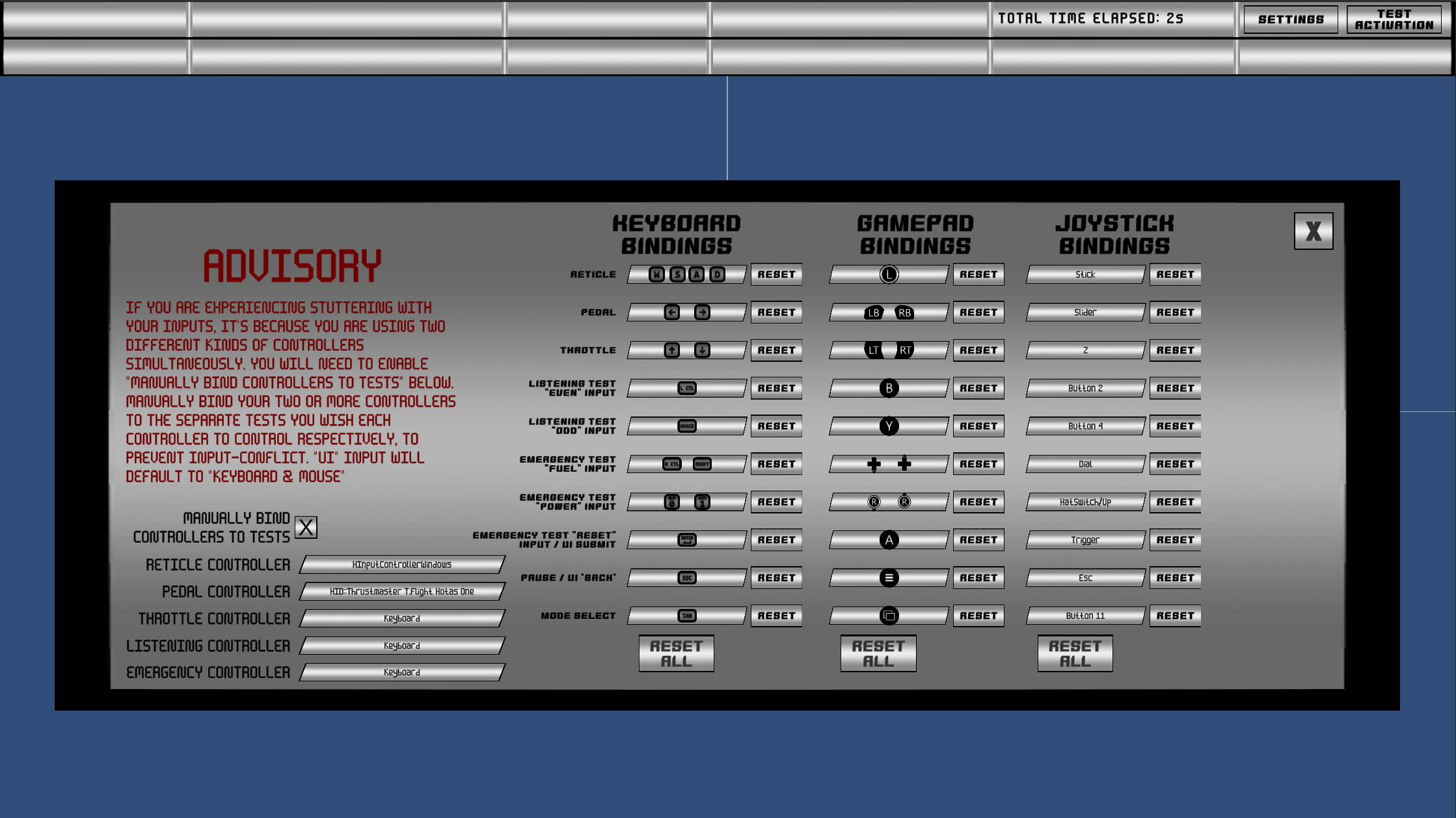
The beta for the Universal Controller Support update is now live!
NEW MAJOR FEATURES
TOTAL INPUT REBINDING SUPPORT:
While the Aircraft Tracking test only supports keyboard/mouse, XBOX/PS5 controllers, and the Thrustmaster HOTAS X joystick and pedals by default, with this update you can rebind inputs from any joystick controller to any action in the Aircraft Tracking test.
MULTIPLE SIMULTANEOUS CONTROLLER INPUT SUPPORT - MANUALLY BIND CONTROLLERS TO TESTS:
If you are using multiple different controllers simultaneously (e.g. a standalone joystick and a standalone rudder pedal set, each with their own USB cable), you can enable "Manually Bind Controllers To Tests" to assign each of your controllers to whatever test you wish those controllers to be solely responsible for. If this is left disabled, TBAS Study Pro will handle all controller inputs automatically, but using more than one controller simultaneously will result in an input conflict. Note: Enabling it will default all UI input handling to your Keyboard/Mouse to prevent soft-locking the program.
All of these features are accessible via the Settings/Pause menu of the Aircraft Tracking test, and apply only to the Aircraft Tracking test. All other tests still support only Keyboard/Mouse.
MINOR FEATURES AND CHANGES
- "Title Screen" buttons replaced with "Menu Screen" buttons that take you to the main menu instead of the title screen (for ease of navigation).
- "Exit" buttons placed in every pause menu on every test, so that you don't have to go to the main menu every time you wish to exit the program.
- Small video previews of each test appear in the main menu when selecting a test, but before confirming selection.
- Estimated time of completion for TBAS and PBMB assessment modes.
- Some minor bugfixes here and there.
HOW TO GET ACCESS:
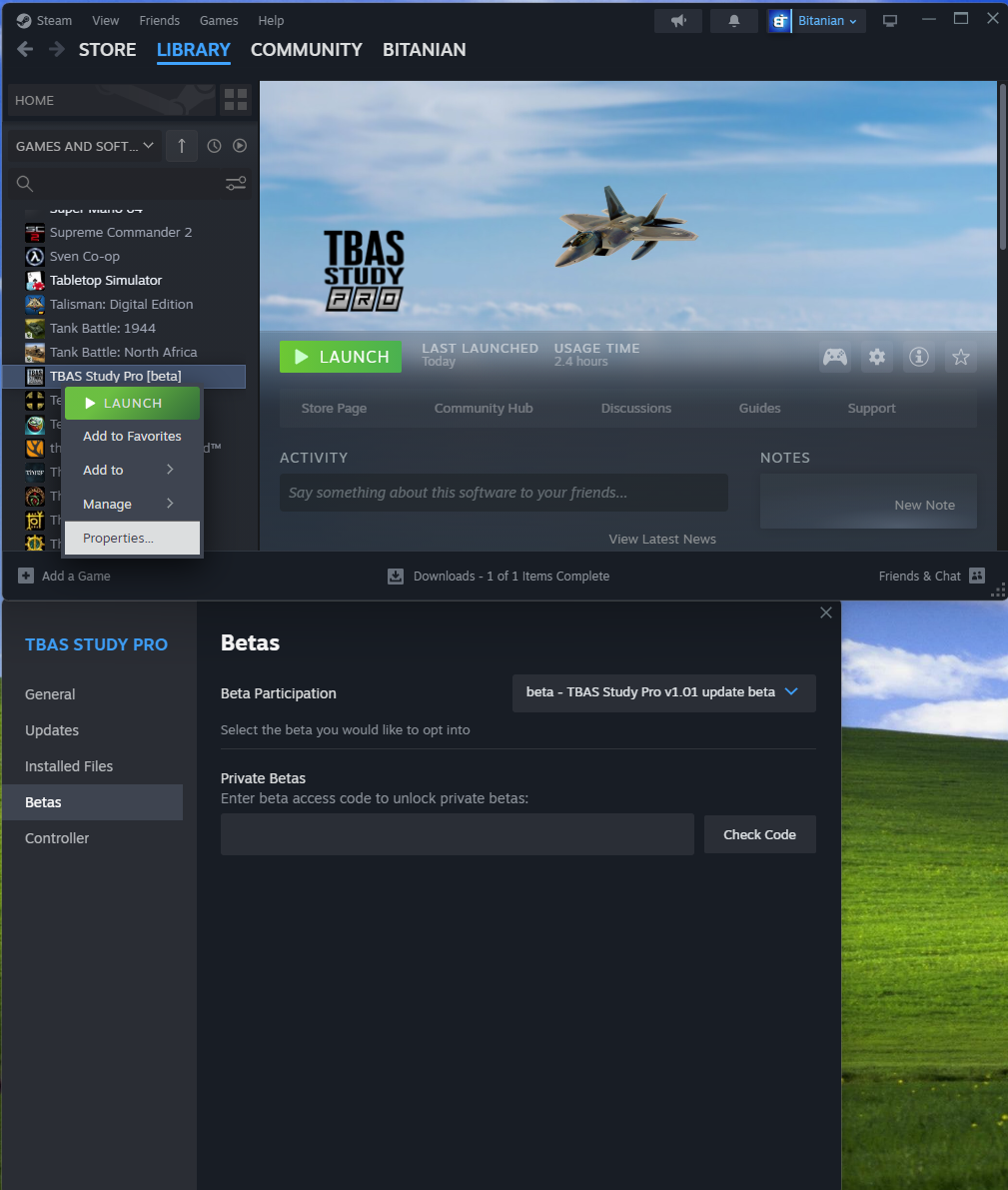
You can access the beta in Steam right now by right-clicking the game in your library -> selecting "Properties" -> in the window that opens, selecting "Betas" -> beside "Beta Participation" clicking the dropdown and selecting "TBAS Study Pro v1.01 update beta"
Updating the game will then download the update beta.
WHAT NOW?
As of now, I will continue to support TBAS Study Pro and make bugfixes and feature changes as long as I am made aware of bugs and features to change by members of the community (YOU!). I cannot guarantee a release date for bringing the update out of beta, but when I feel like it's in a release-ready state, I will release it. My goal is to make this program the ultimate TBAS preparatory tool, and as long as you feel it falls short of that, I will work to make it fit your needs.