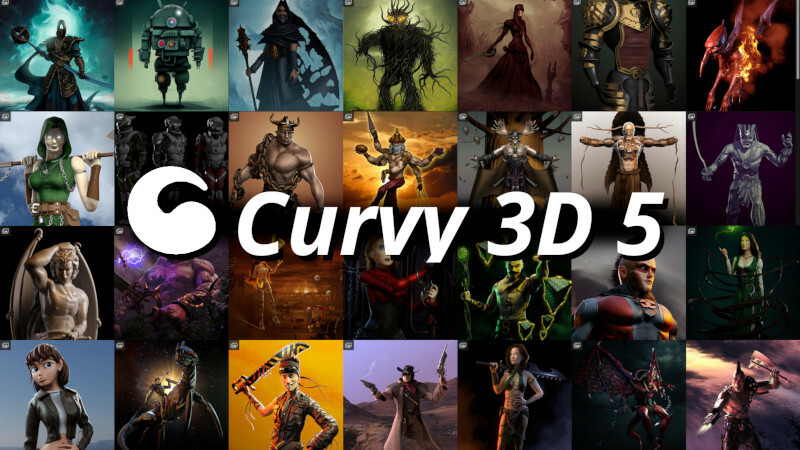
Are you ready to unleash your creativity and sculpt amazing 3D models with ease? If so, you'll love the new version of Curvy 3D 5, the software that lets you sketch and paint in 3D!
Launching 1st May 2023
See it in Action and Wishlist Now - Curvy 3D 5 Store Page
It has many new features that will make your creative process more enjoyable and efficient. Here are some of the highlights:
- File Thumbnails: You can now see a preview of your Curvy files in Windows Explorer, making it easier to find and organize your projects.
- SubD Objects: You can now create smooth and organic shapes with subdivision surfaces.
- Hi-Res Sculpting: You can now sculpt with up to 16 million polygons per object, allowing you to create stunning details and textures on your models.
- Return of Bones: You can now rig and pose your models with bones.
- Shaped Profiles on Lathe: You can now create complex shapes with the lathe tool by using custom profiles. You can draw your own profiles or use the preset ones to make pipes, bottles, vases, horns, and more.
- Multi Dynamic Trim Curves for Sculpting: You can now use multiple curves to trim your models. Works like softly slicing away at your model.
- 3D Brush Strokes: You can now create 3D geometry by combining an object with a curve to produce a new model from the two. Useful for making complex extrusions or repeating patterns like chains and ropes.
- Better Bumpmaps: You can now create more realistic bump maps with the new bump map editor.
- Better Tooltips: You can now get more information about the tools and options in Curvy 3D 5 with the improved tooltips. The tooltips show you a description, a shortcut key, and an example image of each tool or option.
- Layer Brush: You can now paint with layers using the new layer brush. Allows you to sculpt and edit 3D surfaces, while keeping the original shape intact so you can erase back to the earlier shape, or apply consistent depth details to your model.
- Realtime Ambient Occlusion: You can now see how light and shadow affect your models in real time with the new ambient occlusion option. Ambient occlusion simulates the soft shadows that occur in the crevices and corners of your models, making them more realistic and appealing.
- Curve Tools: You can now draw and edit curves with more precision and flexibility using the new curve tools. You can use bezier handles to adjust the shape of your curves.
- Mesh Wrap: You can now wrap one object around another using the new mesh wrap tool. Mesh wrap lets you deform an object to fit the shape of another object. You can use this tool to create clothing, accessories, armor, skin, hair, and more for your models.
- Curve Bevel: You can now add a bevel effect to a curve, making it easier to soften the corners of a curve in a controlled fashion.
- Radial Curve Symmetry: Create stunning symmetrical shapes with a single stroke. You can adjust the number of segments, the angle and the offset of the symmetry axis. This is perfect for making flowers, stars, wheels and more.
- UV Modes: Choose from three different ways to map your textures onto your models: Box, Cylinder or Sphere.
- Improved Orbit: Navigate around your model with ease using the new orbit mode.
- New Surface Smoothing Brushes: Smooth out rough edges and create organic shapes with the new surface smoothing brushes. You can use them to relax, inflate, deflate or pinch your model.
- Fold Pinch: Create sharp creases and folds on your model with the fold pinch brush. This is great for making clothing, paper, skin and more.
- Redraw Stroke: Edit your strokes after you draw them with the redraw stroke tool. You can move, rotate, scale or delete any part of your stroke.
- Curve Mirror: Mirror your curves across any axis with the curve mirror tool. This is useful for creating symmetrical shapes or patterns on your model.
- Auto Trim: Creates neat curves or Line objects that follow the edges and seams of your mesh. Great for finishing clothing or extracting the curves to use with other tools in Curvy.
- Auto Lathe Helpers: Create 2, 3 or 4 curve versions of your Lathe object, ready for further editing.
- Image Planes: Import images as planes into your scene and use them as references or backgrounds for your models. You can adjust the opacity, size and position of the image planes.
- Move in/out of screen: Move your model closer or farther away from the camera with the move in/out of screen tool. Holding SHIFT while using a move or grab tool will push and pull the object in and out of the screen.
These are just some of the new features that Curvy 3D 5 has to offer. There are many more improvements and enhancements that you'll discover as you explore this amazing software.
So what are you waiting for? Download Curvy 3D 5 today and start creating stunning 3D models in minutes!
Launching 1st May 2023