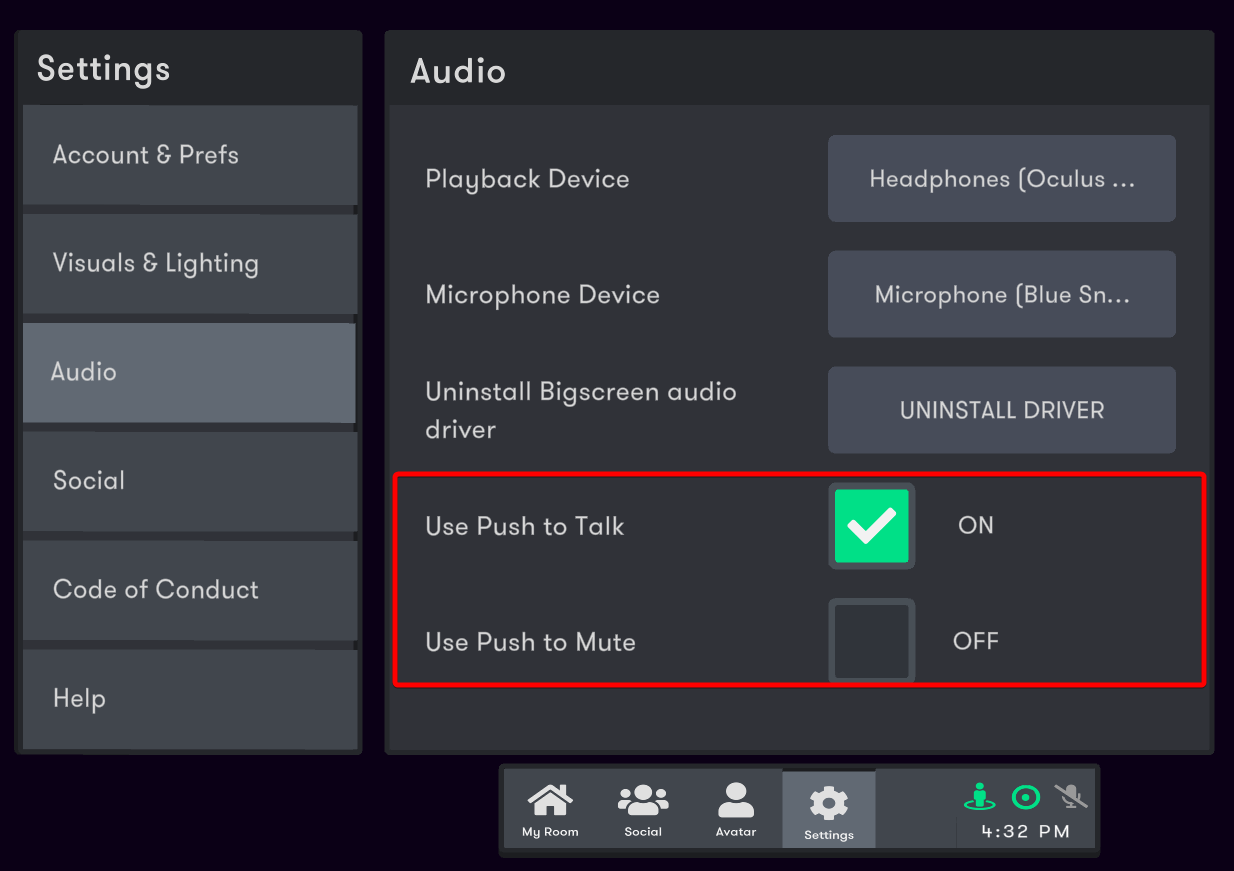
The latest Bigscreen update adds in support for using push to talk on PCVR headsets. Previously this was only available on standalone Quest headsets. The button to use for push to talk when enabled is B or Y equivalents for most controllers and with controllers primarily using a touchpad, the bottom quadrant.
Also in this update, we added two new options into the Bigscreen settings menu:
- Push to mute - similar to push to talk but the behavior is inverted.
- Hide avatar arms - this hides your avatar arms in only your point of view. This option is at the bottom of Settings > Visuals & Lighting.
If you are actively using any custom bindings with your controllers, you may need to configure in the new action called mic_toggle in order for push to talk to work with your custom bigscreen bindings.
More from Bigscreen Beta
Other announcements
Minor bug fixes.Minor bug fixes.Improving the Room Host Experience with NEW Admin Tools🛡️We recently launched a new suite of room options for hosts to control what features users have access to in their rooms! To start off, we added the following options into the room settings menu: · Microphone Settings · Drawing Visibility · Avatar Name Visibility · Avatar Movement · Spawning Toys Additionally, the character limits for room titles and descriptions have increased in the update!…New Premium Environments and Interactable ToysA new update has rolled out which features new premium toys and environments available for purchase in the Bigscreen Shop! This update introduces new features that allow you to spawn toys that can be shared with your friends as well as certain toys that can stick onto a wall or flat surface. We added a few premium toys that feature this system: - 🎯 Darts - 🏎️ RC Car - 📃 Paper Airplane - ♟️ C…